






Guide › Headquarters › Review enquiries needing office allocation
Headquarters
Review enquiries needing office allocation
Choose an office deliberately when the address-to-territory match cannot decide automatically.
Before you start: Sign in as Headquarters. Use an enquiry in the allocation-review queue.
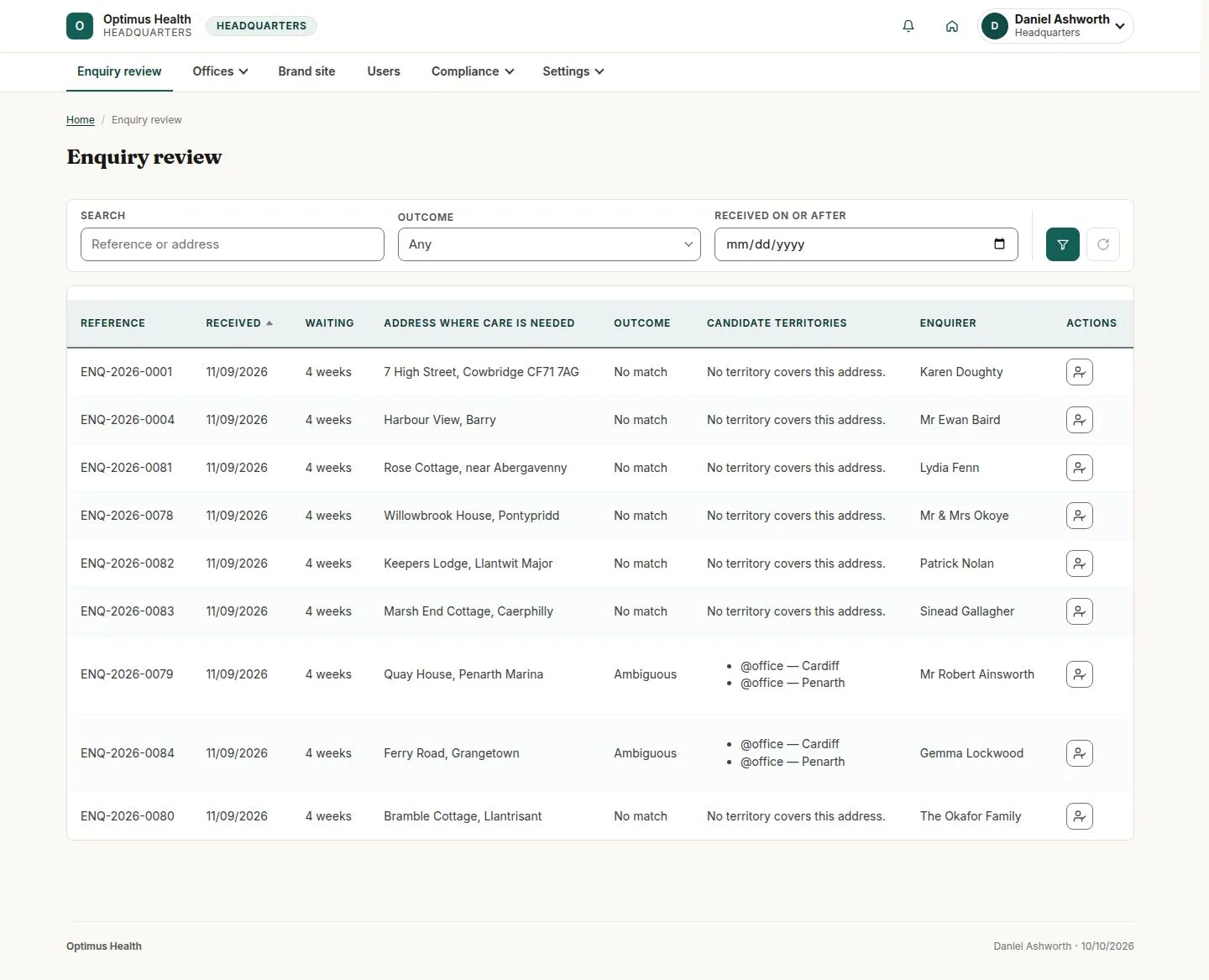
Open Enquiry review
Headquarters
Swipe across the preview to see more. Tap to enlarge.
1Step 1 of 4
What to doOpen Enquiries → Enquiry review and read the allocation status and candidates on the enquiry.
No match means no territory covers the address; Ambiguous means there is more than one candidate.
Compare the proposed office coverage
Headquarters
Swipe across the preview to see more. Tap to enlarge.
2Step 2 of 4
What to doRead the enquiry allocation information and candidate offices. Select the office intended to handle the request rather than assuming a candidate is preselected.
You have identified the intended office and whether it covers the enquiry address.
Record the allocation reason
Headquarters
Swipe across the preview to see more. Tap to enlarge.
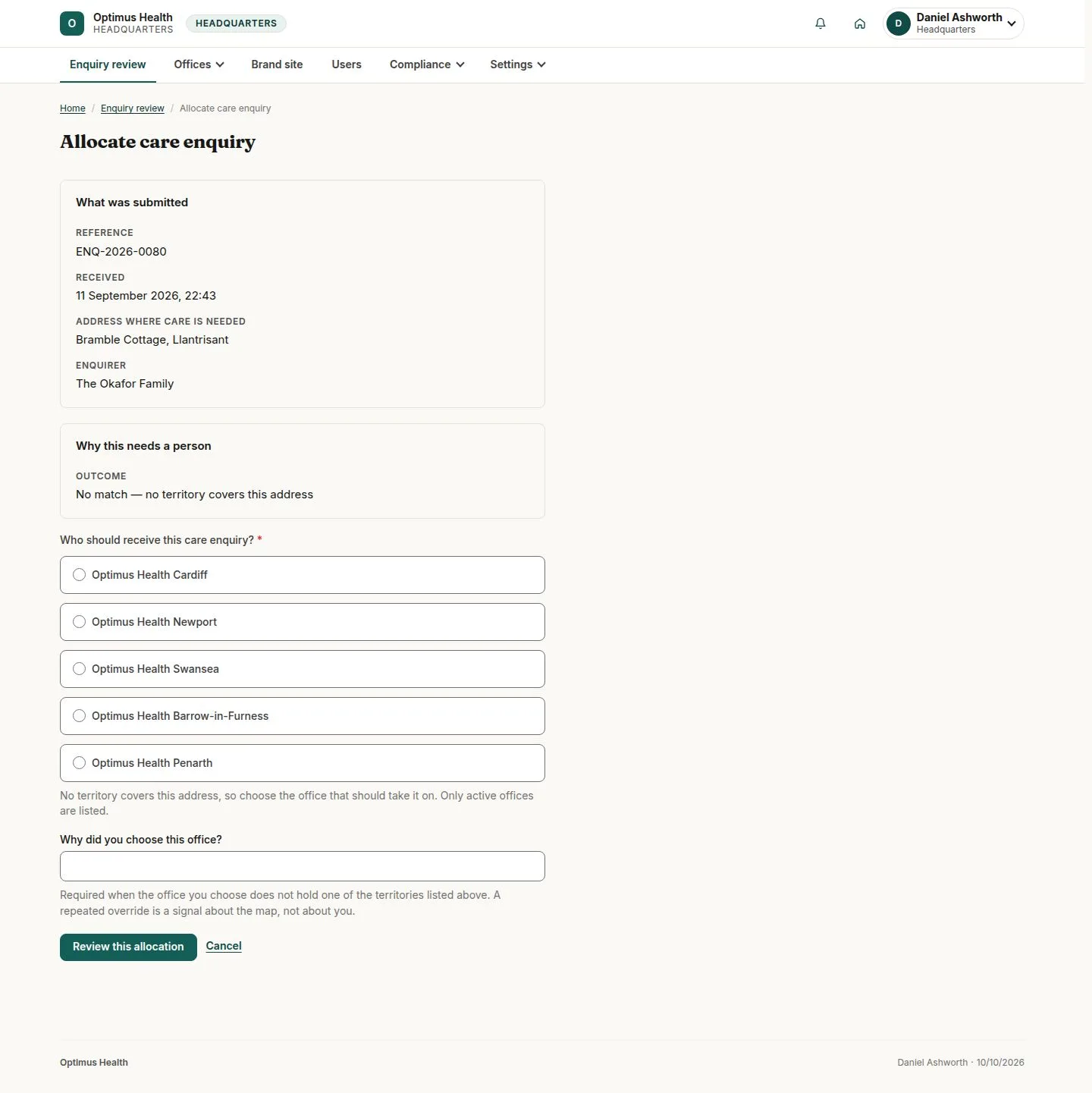
3Step 3 of 4
What to doOpen the allocation action. Choose the office and give the required reason if its territory does not cover the address. Use Review this allocation to check the decision.
The confirmation presents the allocation you intend to make; an out-of-territory choice needs its explanation.
Confirm and check the review queue
Headquarters
Swipe across the preview to see more. Tap to enlarge.
4Step 4 of 4
What to doAfter checking the confirmation, submit the allocation and return to Enquiry review to read the updated state.
If allocation succeeds, the receiving office can follow up in its Enquiry pipeline. Repeated out-of-territory reasons indicate coverage may need review.