






Guide › Office Owner › Review office performance and approved hours
Office Owner
Review office performance and approved hours
Compare activity, invoicing and approved work for a selected period using the reports available to the Office Owner.
Before you start: Sign in as the Office Owner. Know the period and filters you want to review.
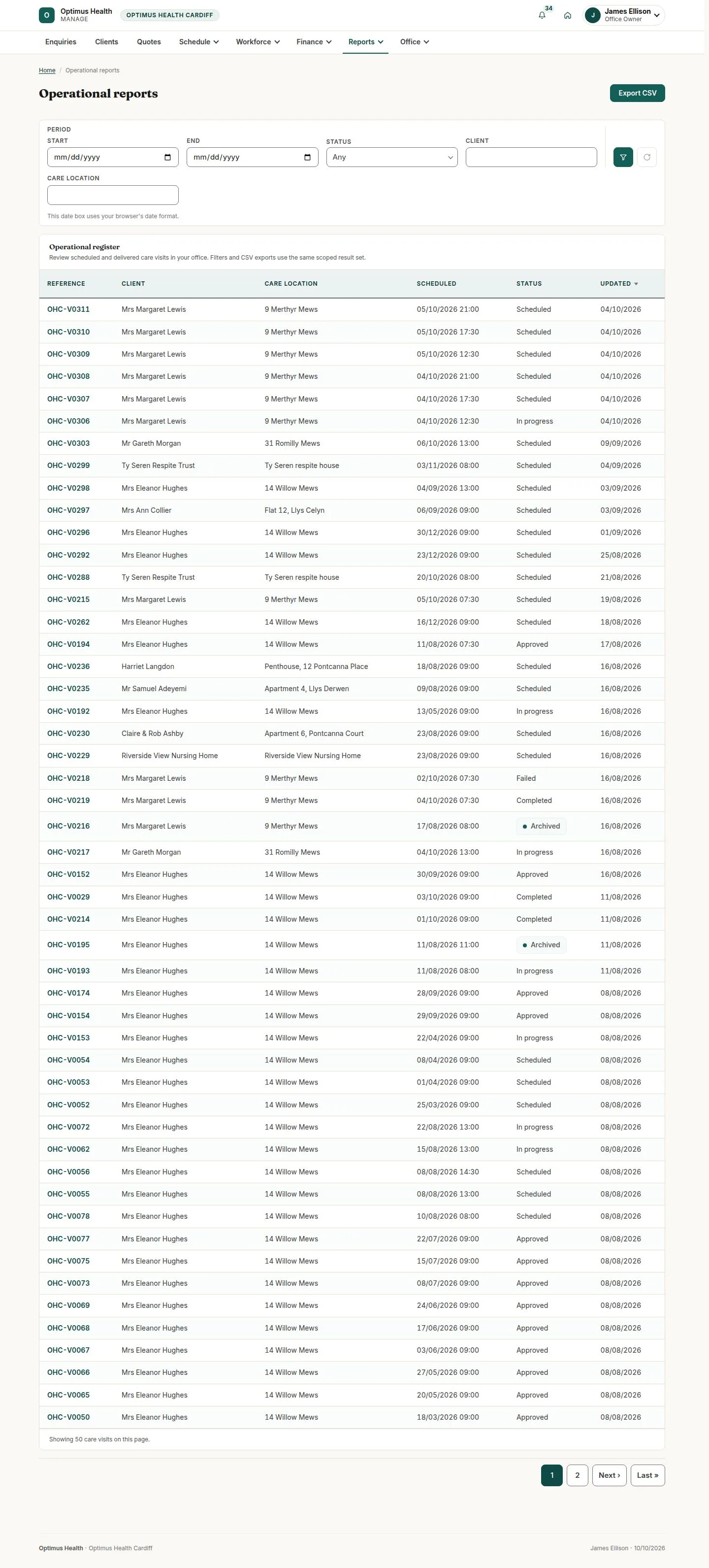
Review Operational
Office Owner
Swipe across the preview to see more. Tap to enlarge.
1Step 1 of 4
What to doOpen Reports → Operational, set the period and any client, care-location or status filters, and apply them.
The report shows care visits in the selected period and scope.
Investigate visits needing attention
Office Owner
Swipe across the preview to see more. Tap to enlarge.
2Step 2 of 4
What to doUse a status filter such as Failed to narrow the report. Open the relevant visit to read its recorded outcome or reason.
You can connect the report row with the visit that needs follow-up without assuming every visit has completed successfully.
Review Financial
Office Owner
Swipe across the preview to see more. Tap to enlarge.
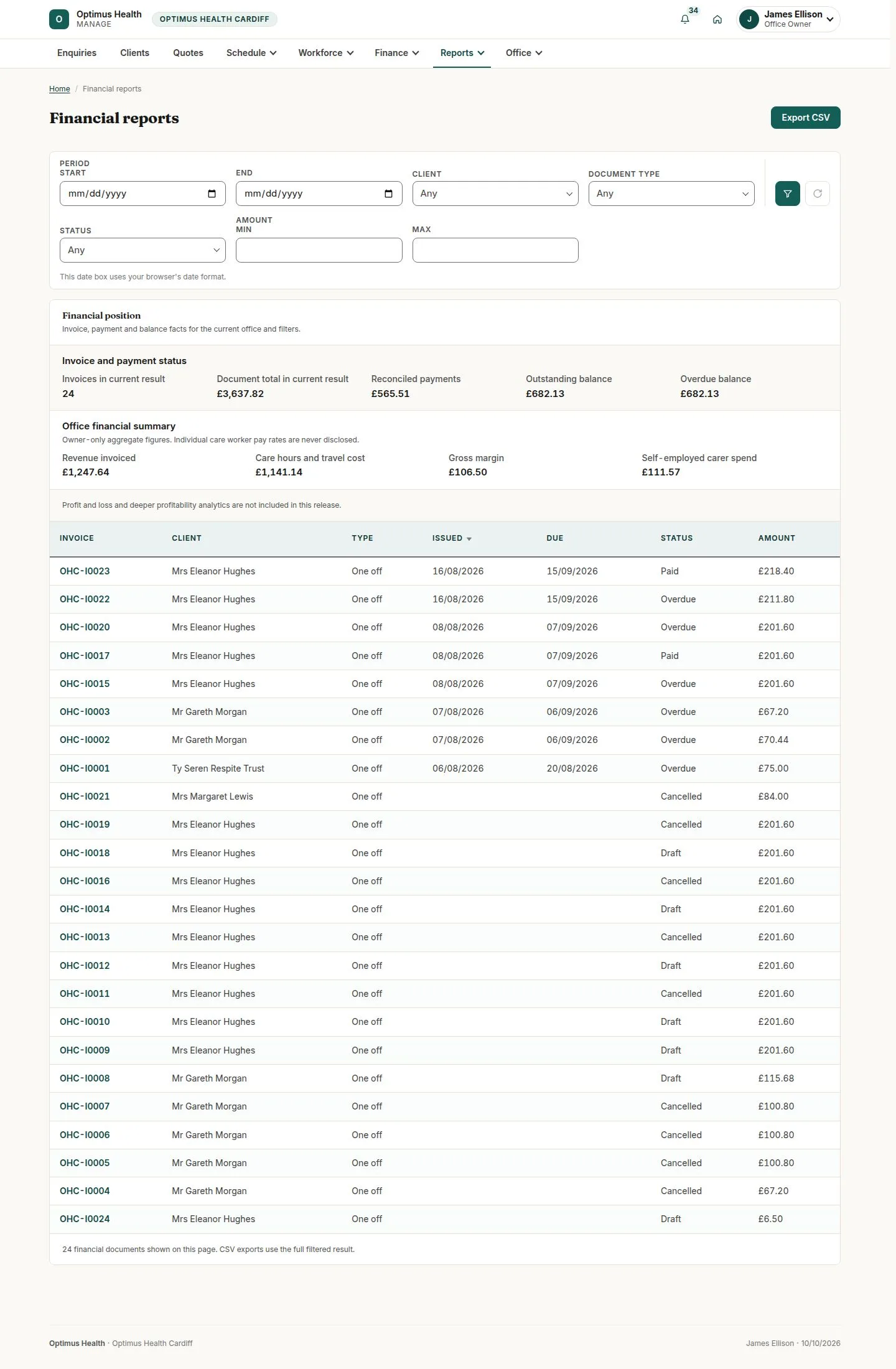
3Step 3 of 4
What to doOpen Financial and choose the period. Read invoiced, paid and outstanding amounts, then review the owner-only office summary when it is shown.
The report combines invoice status with the owner summary for the selected period; the amounts come from current records.
Export Approved hours
Office Owner
Swipe across the preview to see more. Tap to enlarge.
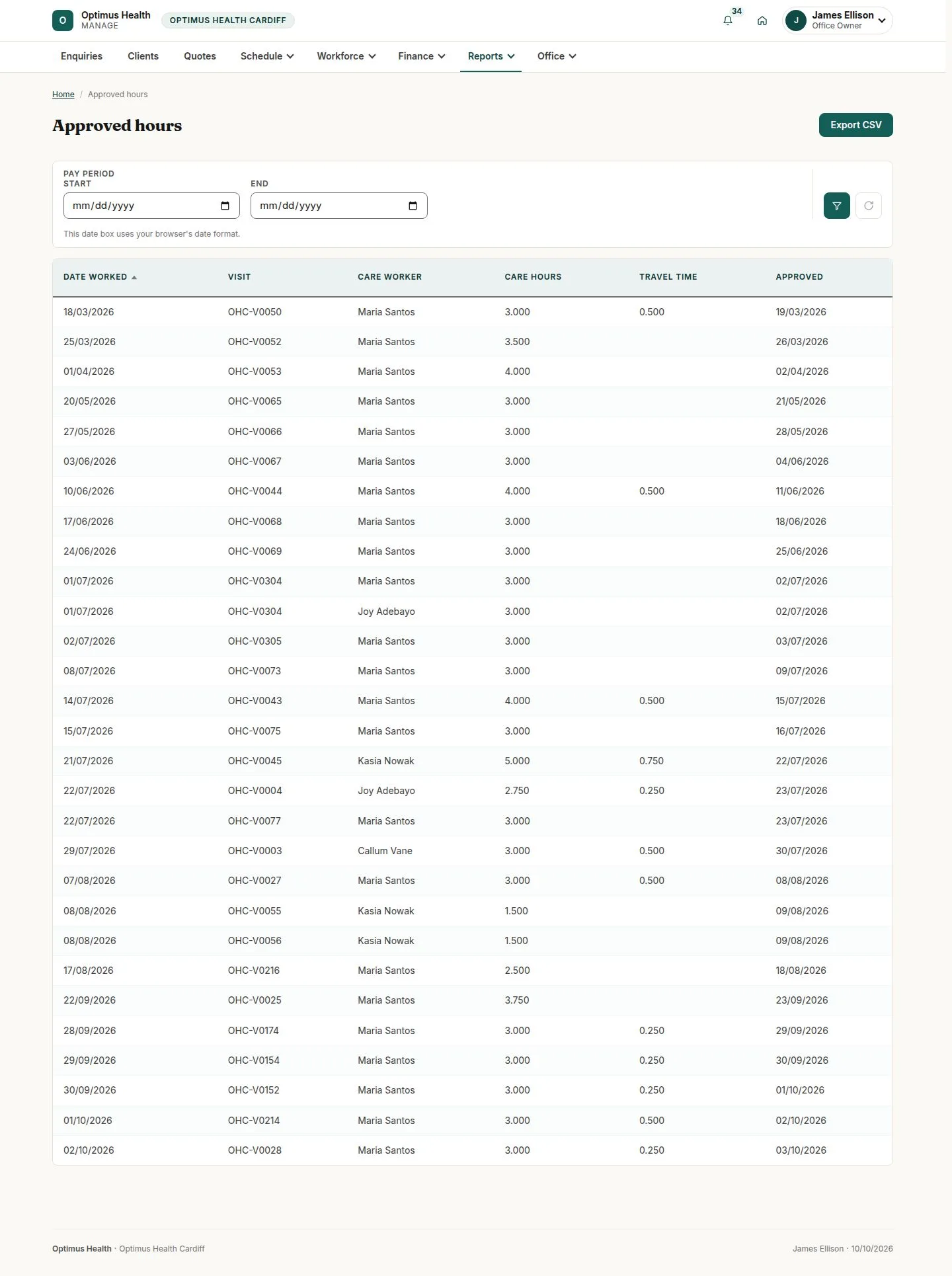
4Step 4 of 4
What to doOpen Approved hours, set the pay period and apply the filters. Choose Export CSV when you need the filtered approved hours.
The export contains approved timesheets in the selected scope, including recorded travel; it does not expose individual pay rates.