





Guide › Care Coordinator › Prepare and follow a care quote
Care Coordinator
Prepare and follow a care quote
Build an offer for an existing client and care location, then review its status and delivery before proceeding.
Before you start: The enquiry has been converted, or an active client and care location are available. Use the charges and terms agreed by your office.
Review the quote list
Care Coordinator
Swipe across the preview to see more. Tap to enlarge.
1Step 1 of 5
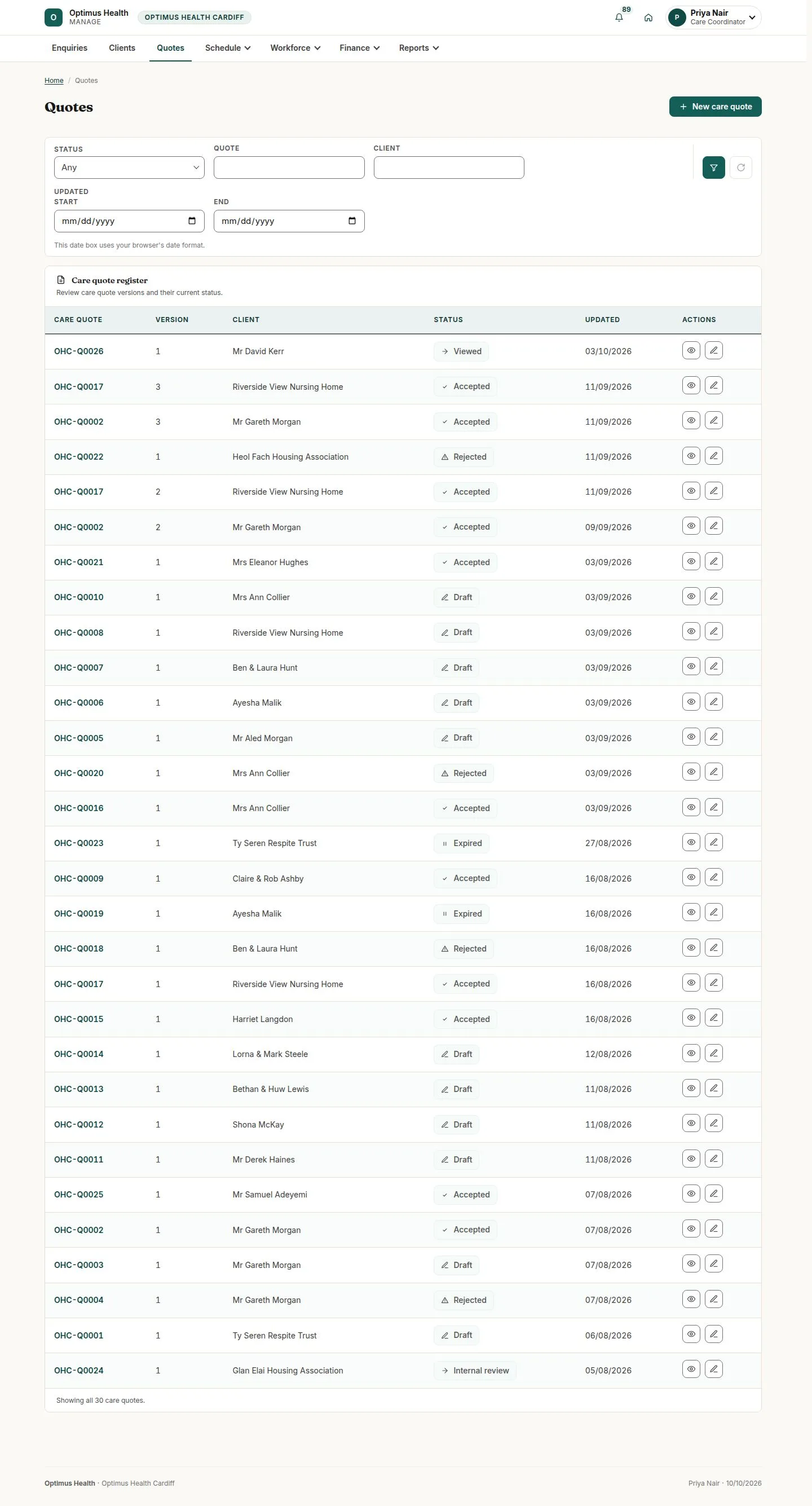
What to doOpen Quotes and find the client's current quote and version. Read its status before opening it.
The list separates draft, review, delivered and decided quotes.
Open Quote builder
Care Coordinator
Swipe across the preview to see more. Tap to enlarge.
2Step 2 of 5
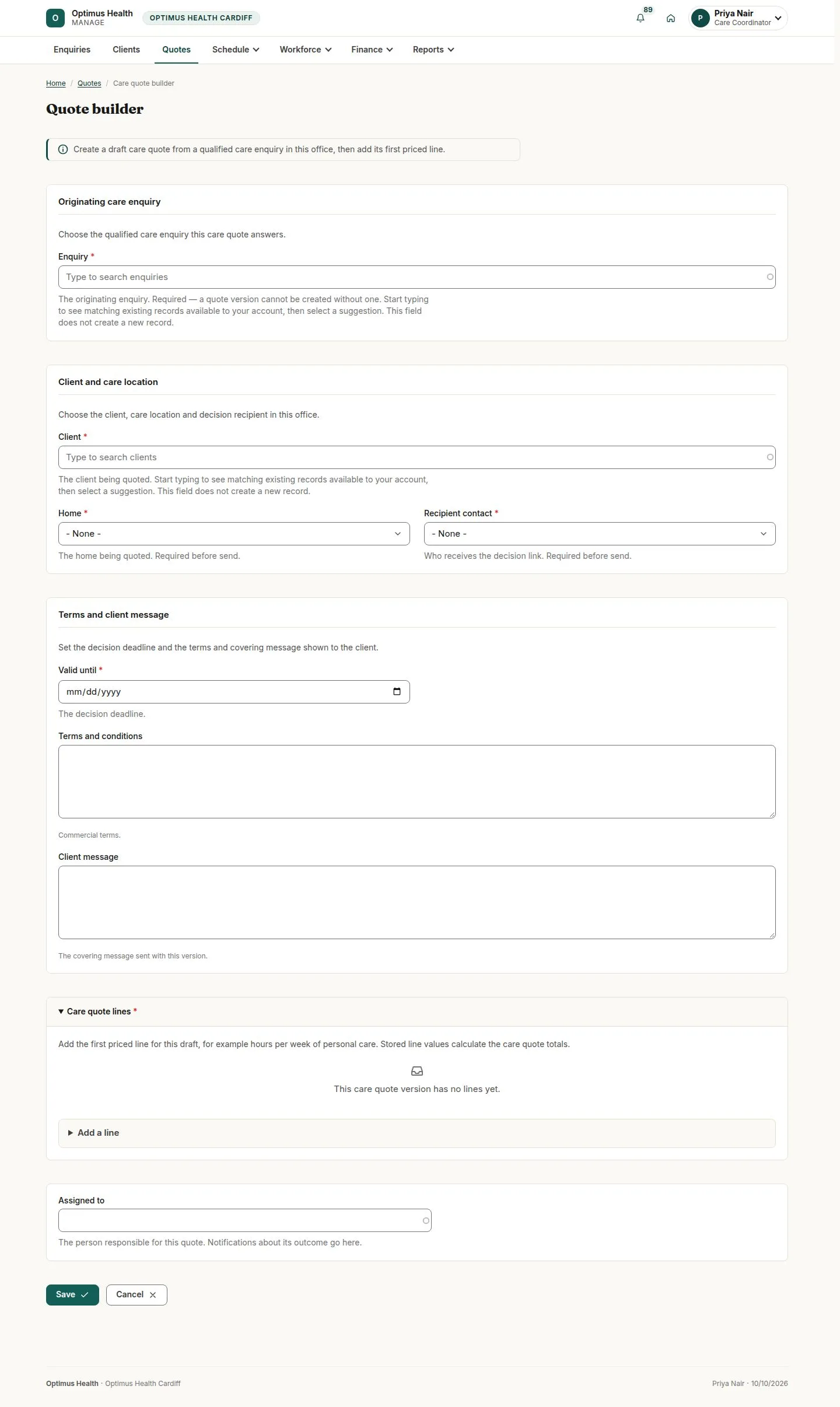
What to doOn a converted enquiry, use Quote builder, or open the new-quote form. Check the client, care location and contact, then enter validity, terms and the covering message.
The draft form is associated with the client and care location you select; enquiry-origin forms can carry these details in.
Prepare the quote lines
Care Coordinator
Swipe across the preview to see more. Tap to enlarge.
3Step 3 of 5
What to doEnter the service lines, quantities and office-approved charge and tax fields. Mark a line optional only if the client may choose to leave it out, and review the calculated amount.
The form shows the proposed offer. Saving successfully creates or updates the draft.
Review and send the correct version
Care Coordinator
Swipe across the preview to see more. Tap to enlarge.
4Step 4 of 5
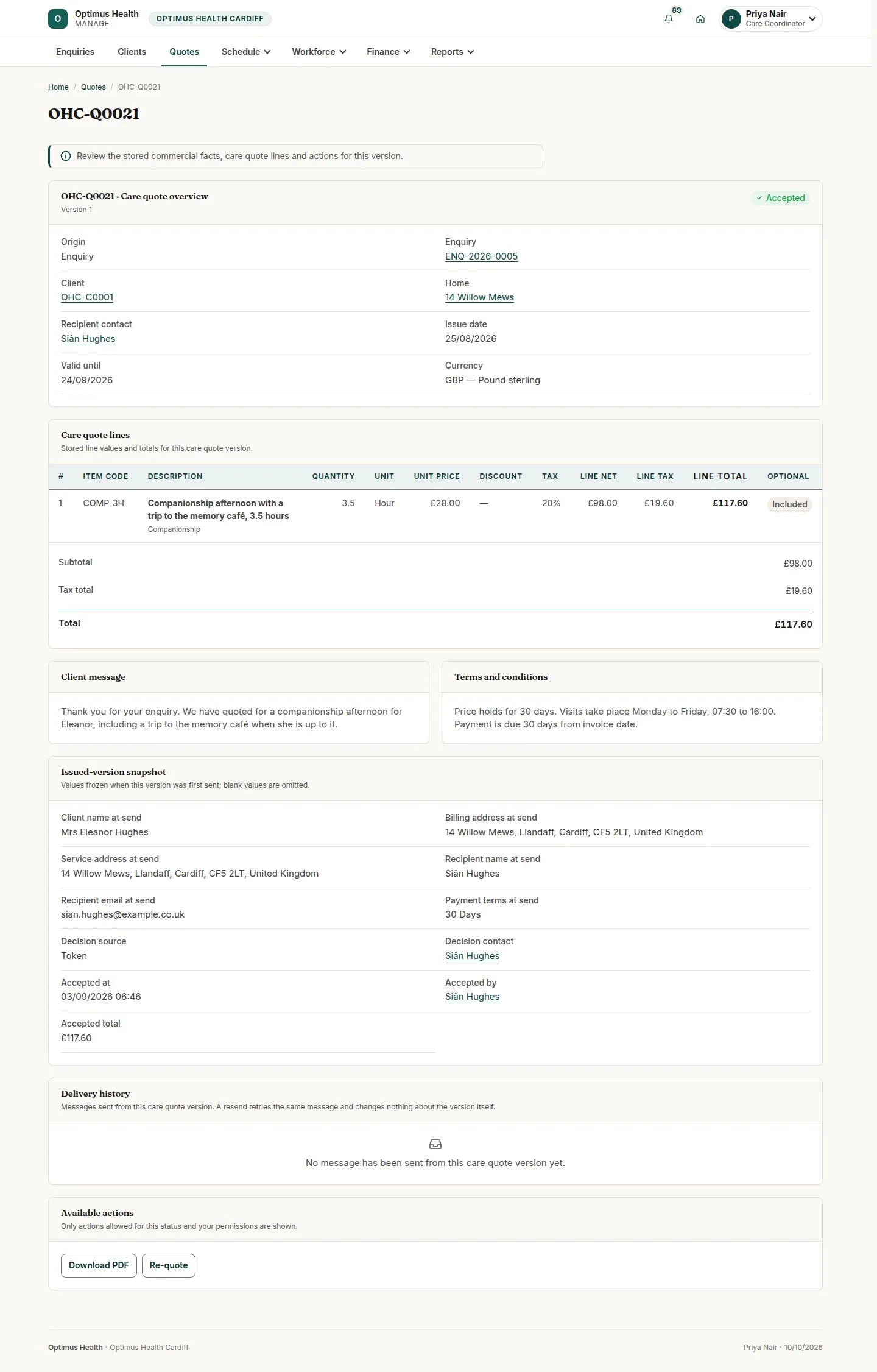
What to doOpen the saved quote and check every line. Use Submit for review if a colleague should check it. Use Send to client only when offered and after reviewing its confirmation.
If the send succeeds, the client receives the decision link and the sent version is preserved. Available actions depend on the quote's current state.
Follow delivery and the client decision
Care Coordinator
Swipe across the preview to see more. Tap to enlarge.
5Step 5 of 5
What to doReturn to the quote and read status, delivery history and any acceptance or decline information. A Viewed status means the link has been opened without necessarily being decided.
The record shows the latest stored state and any decision captured; it does not justify assuming the client accepted.