






Guide › Authenticated user › Maintain your own account and security
Authenticated user
Maintain your own account and security
Keep your contact details current and check the security options offered to your account.
Before you start: Sign in to your own account.
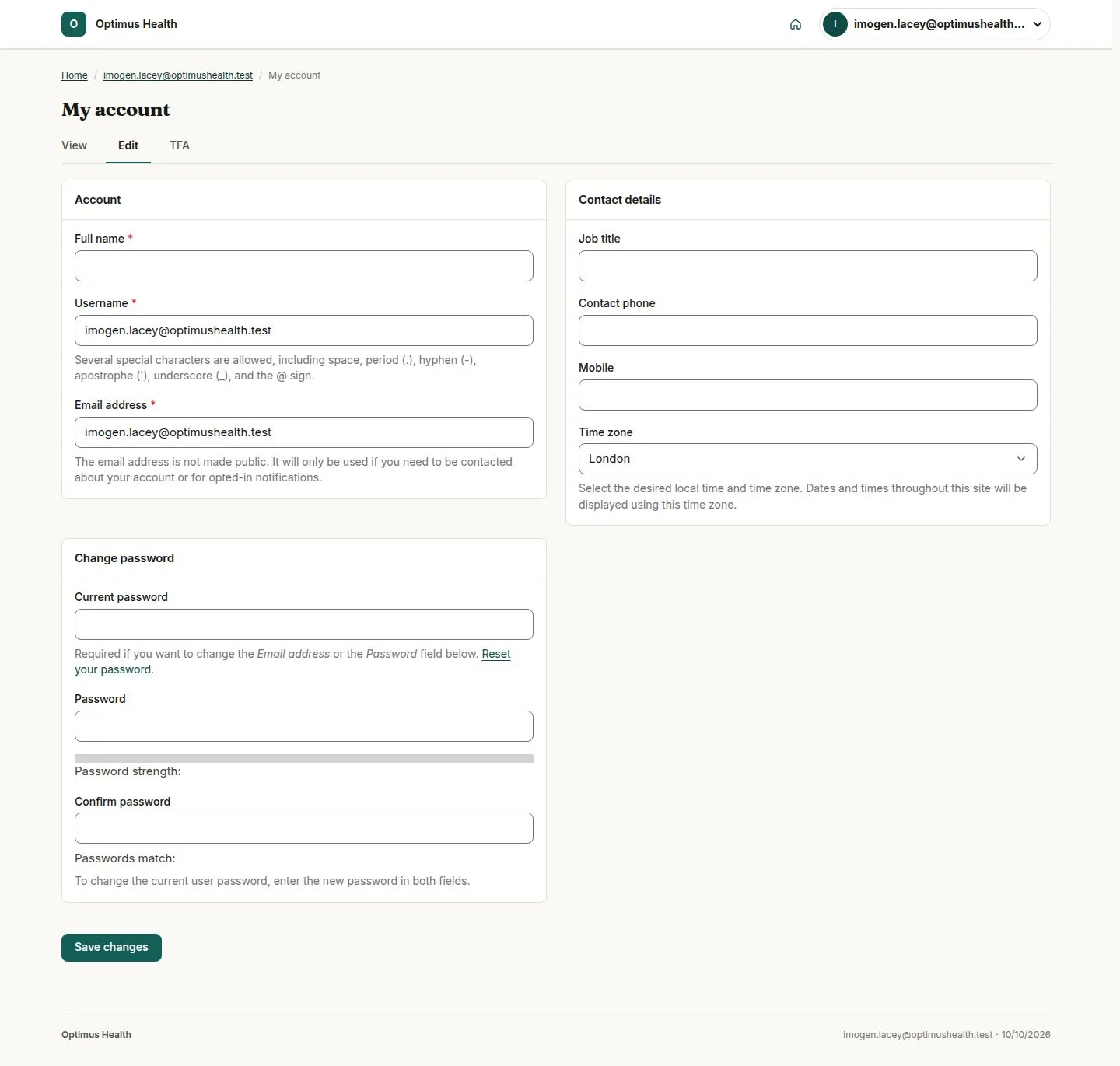
Review My account
Authenticated user
Swipe across the preview to see more. Tap to enlarge.
1Step 1 of 3
What to doOpen My account and review the Account and Contact details sections offered to you.
The form is scoped to your own profile; it does not assign a business role.
Save an intended profile or password change
Authenticated user
Swipe across the preview to see more. Tap to enlarge.
2Step 2 of 3
What to doUpdate only the details you intend to change. If changing your password, complete the fields the form requires, then choose Save changes.
If validation succeeds, the account records the permitted changes. Read any validation message before trying again.
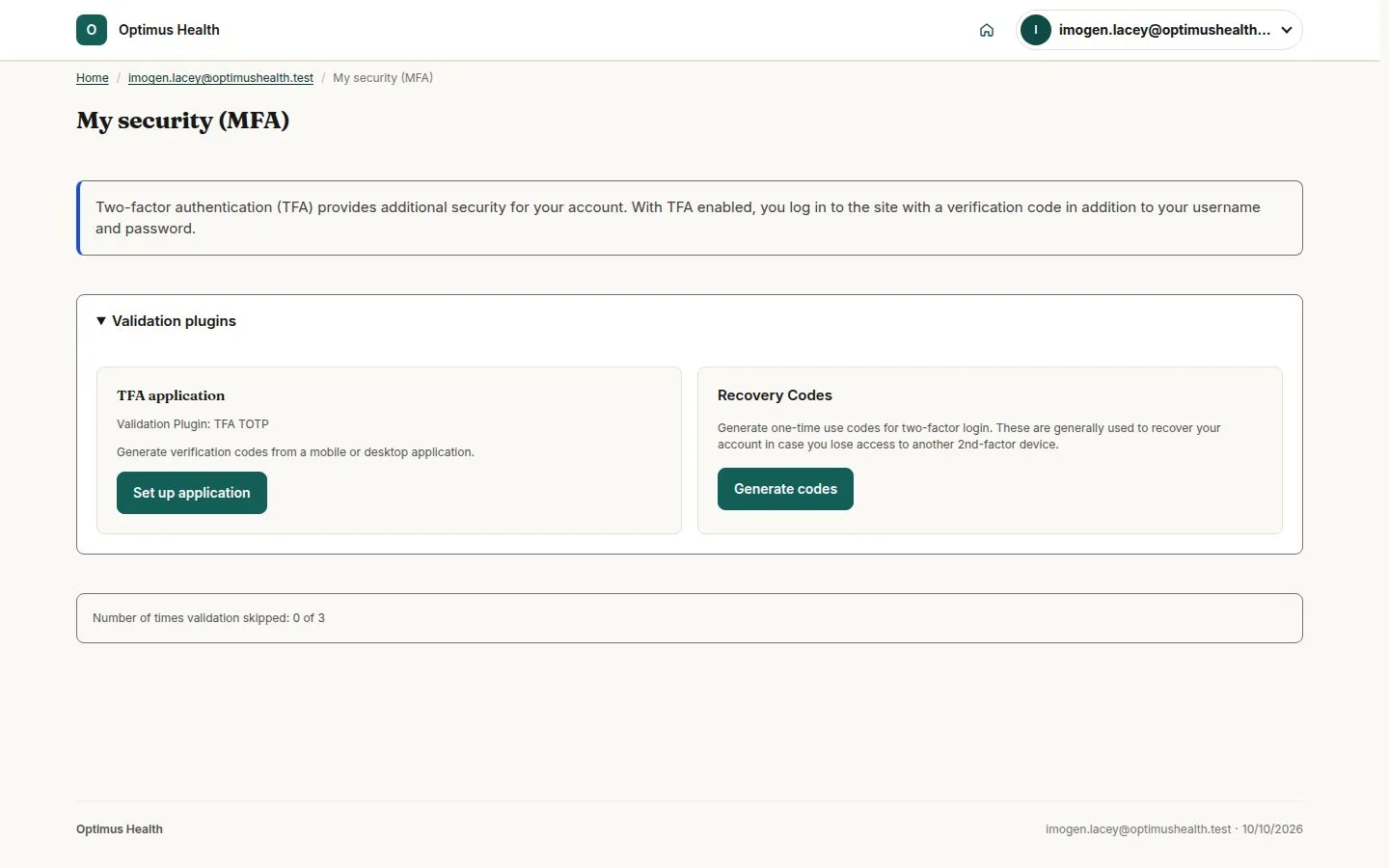
Read My security
Authenticated user
Swipe across the preview to see more. Tap to enlarge.
3Step 3 of 3
What to doOpen My security and review the current MFA status and options offered. Follow the available setup instructions when you intend to enrol or manage your own security.
The security page concerns your account. An account without a business role does not gain care or office access by editing its profile.