






Guide › Headquarters › Maintain territories and office coverage
Headquarters
Maintain territories and office coverage
Keep the mapped coverage and effective dates used to allocate brand-site enquiries.
Before you start: Sign in as Headquarters. Have the approved area and effective dates before saving a coverage change.
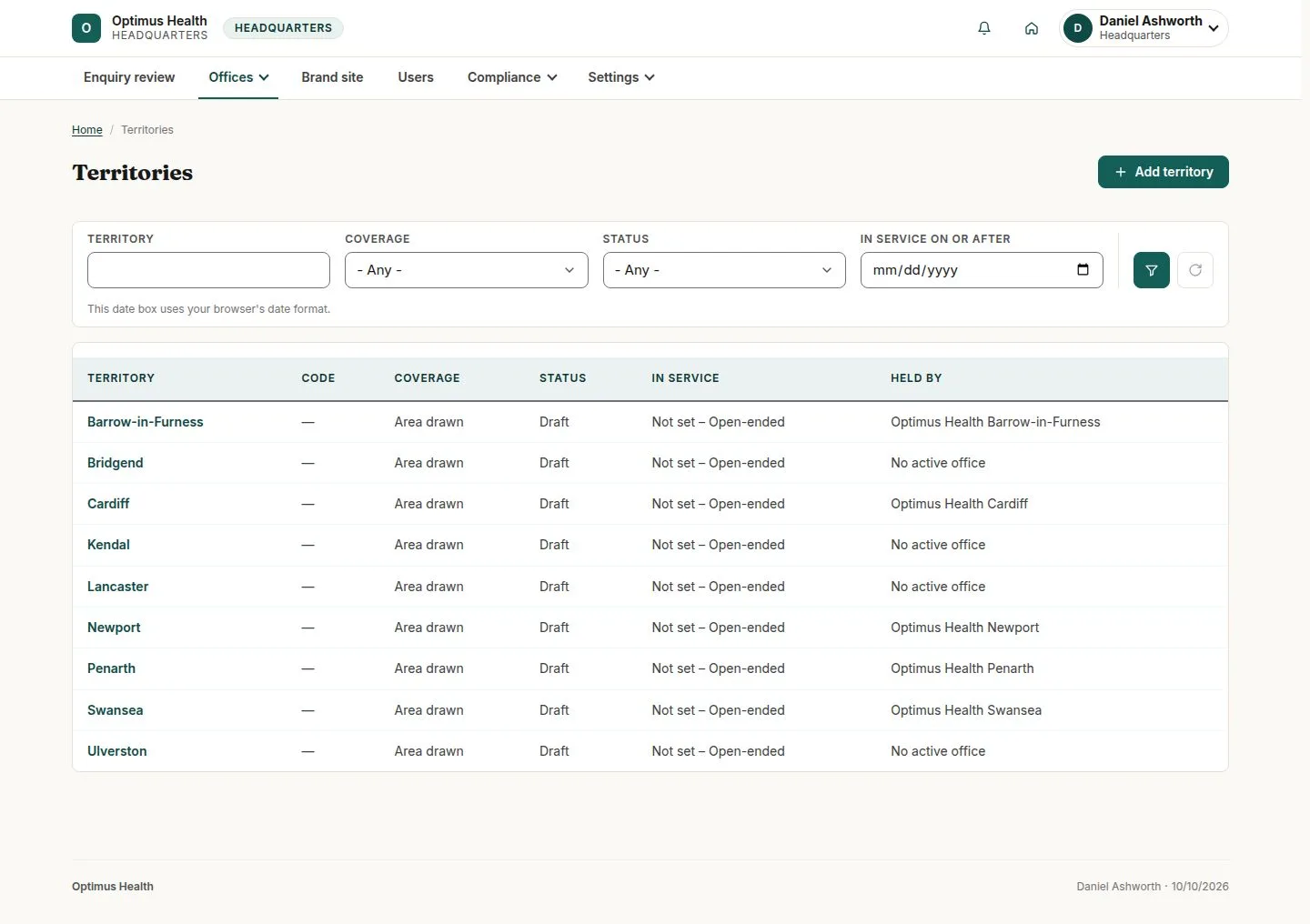
Review the territory register
Headquarters
Swipe across the preview to see more. Tap to enlarge.
1Step 1 of 4
What to doOpen Offices → Territories. Use the coverage and status filters to find an area needing work.
The register shows territory status, whether an area is drawn and the office holding it.
Prepare a territory
Headquarters
Swipe across the preview to see more. Tap to enlarge.
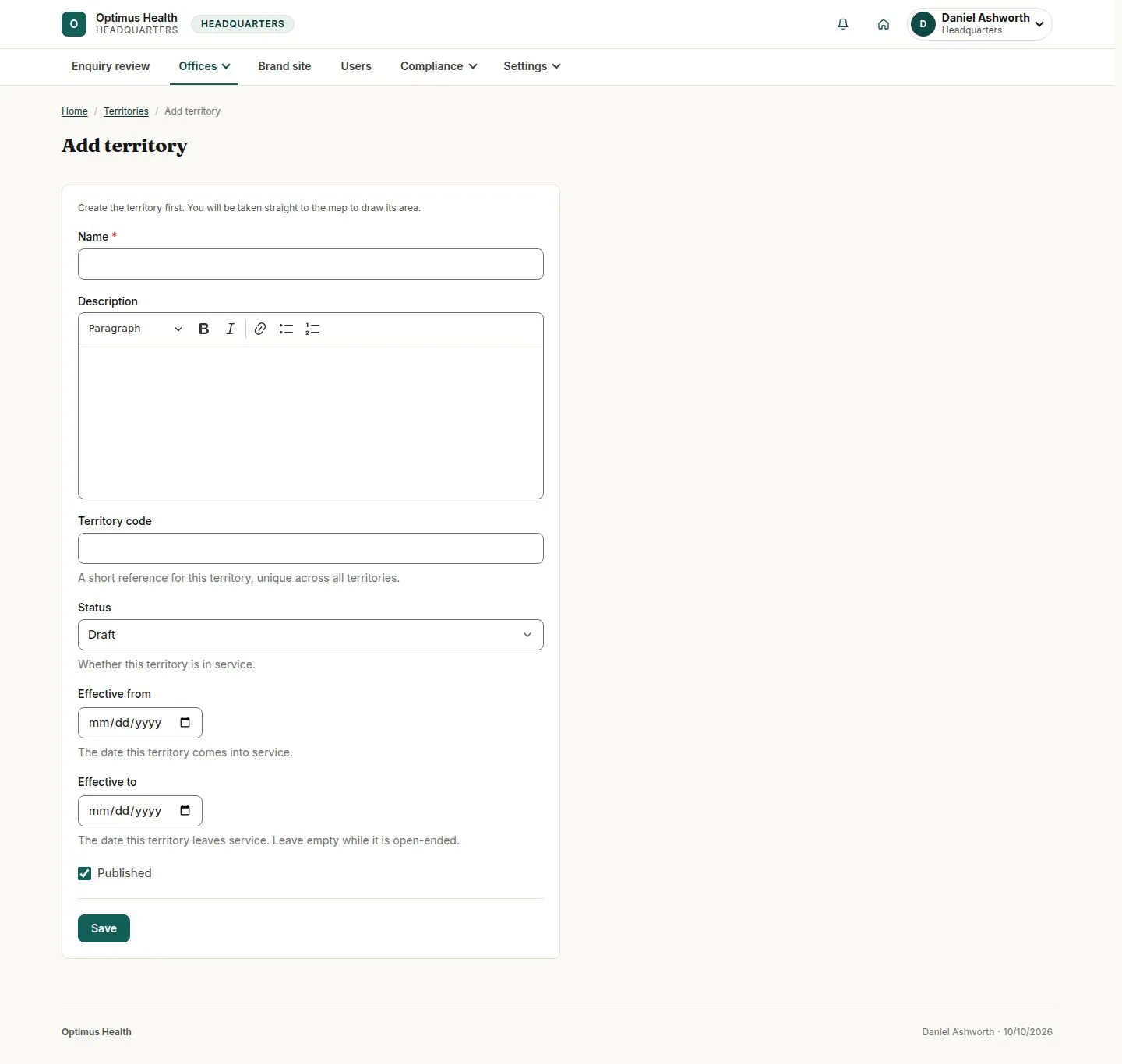
2Step 2 of 4
What to doChoose Add territory and enter its name, short code, status and effective dates. Check these details before saving.
After a successful save, the territory can be given its coverage boundary. Opening the form alone creates no territory.
Draw and review the coverage
Headquarters
Swipe across the preview to see more. Tap to enlarge.

3Step 3 of 4
What to doOpen the existing territory's edit map. Use Add another area, Add a rectangular area or Reshape an area as needed, then review the full boundary and effective dates before saving.
If the save succeeds, the territory uses the saved polygons and effective dates. Separate areas can be represented by separate polygons.
Associate the territory with the right office
Headquarters
Swipe across the preview to see more. Tap to enlarge.
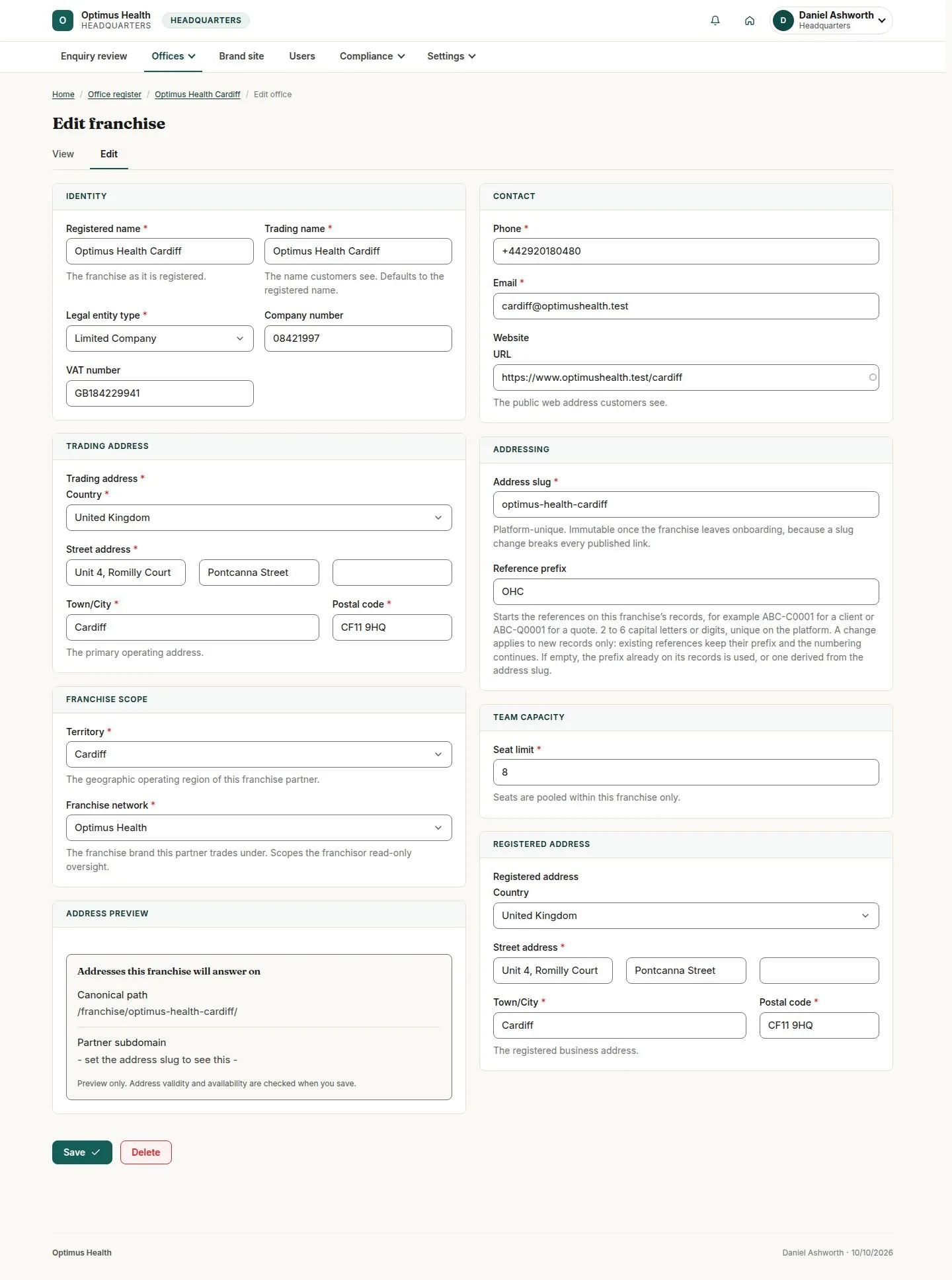
4Step 4 of 4
What to doOpen the office's edit form, select the intended Territory and review the office details before saving.
A successful save associates that territory with the office. Brand enquiries are allocated to territories held by active offices.