






Guide › Office Owner › Manage the Xero connection and review syncs
Office Owner
Manage the Xero connection and review syncs
Connect the office to the correct Xero organisation and investigate the visible connection or sync status.
Before you start: Sign in as the Office Owner. Use the Xero account authorised for this office when connecting.
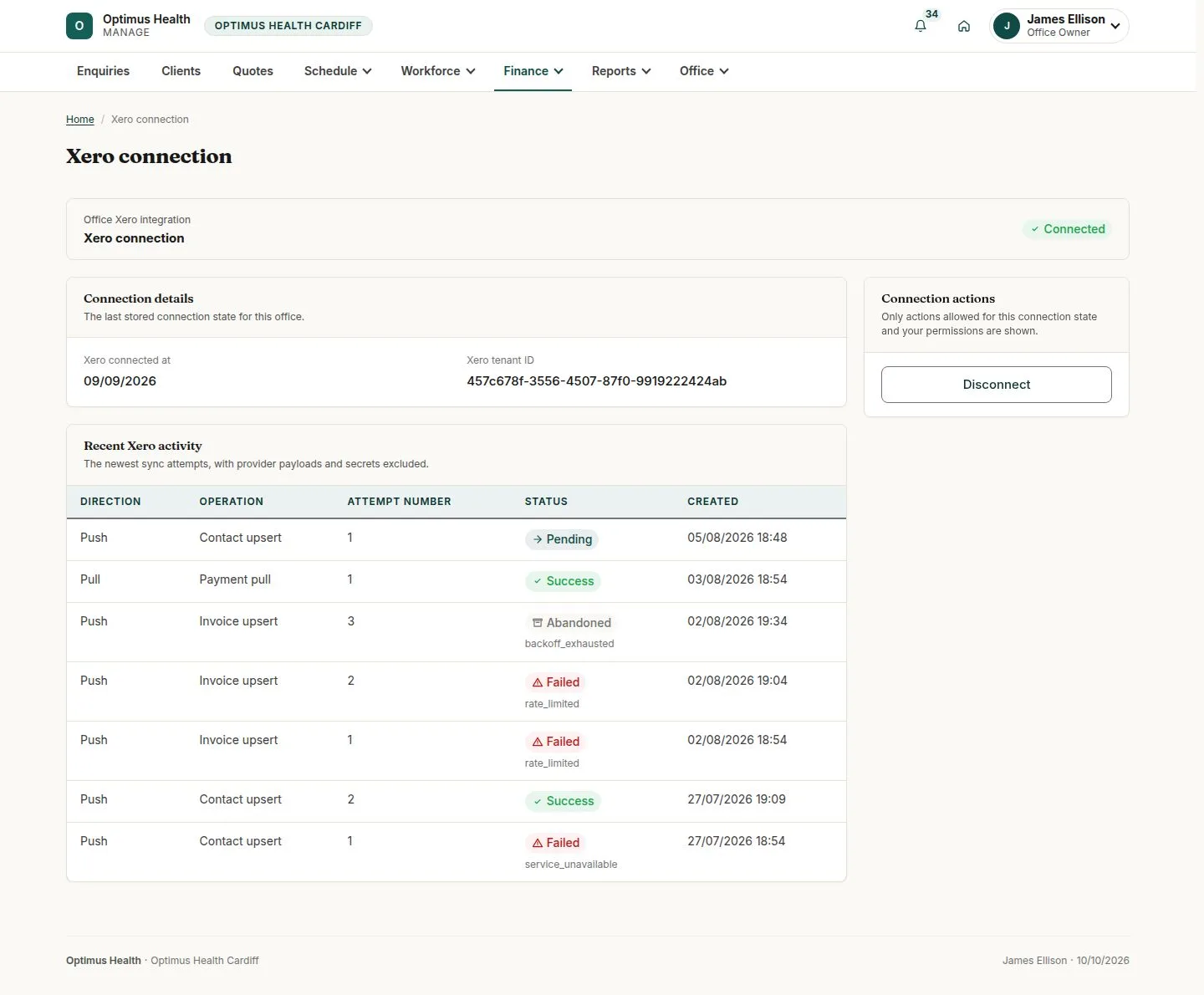
Check Xero connection
Office Owner
Swipe across the preview to see more. Tap to enlarge.
1Step 1 of 4
What to doOpen Finance → Xero connection and read whether the office is connected or requires reconnection.
The page shows the current connection state and the connection actions available to you.
Connect or reconnect when required
Office Owner
Swipe across the preview to see more. Tap to enlarge.
2Step 2 of 4
What to doIf the page offers Connect to Xero or Reconnect, use that action and sign in at Xero. Choose the Xero organisation that keeps this office's books.
If Xero authorisation completes successfully, this office has the selected connection.
Investigate a sync attempt
Office Owner
Swipe across the preview to see more. Tap to enlarge.
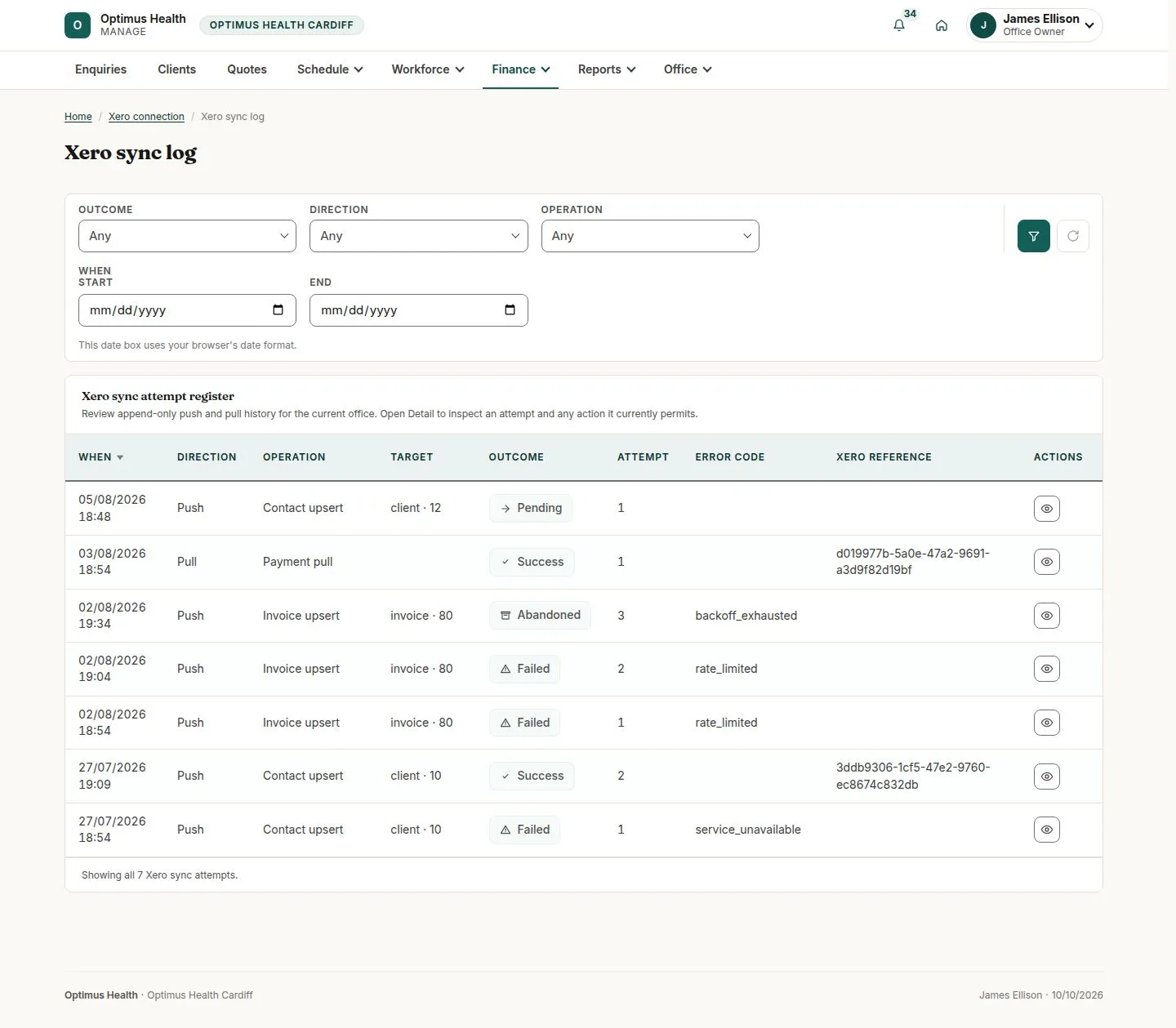
3Step 3 of 4
What to doOpen Xero sync log, find the relevant attempt and open its detail control. Read what was sent or received, its outcome and any later retry.
You can distinguish a failed attempt from the current retry. A retry control appears only where that attempt is eligible.
Check unmatched payments
Office Owner
Swipe across the preview to see more. Tap to enlarge.
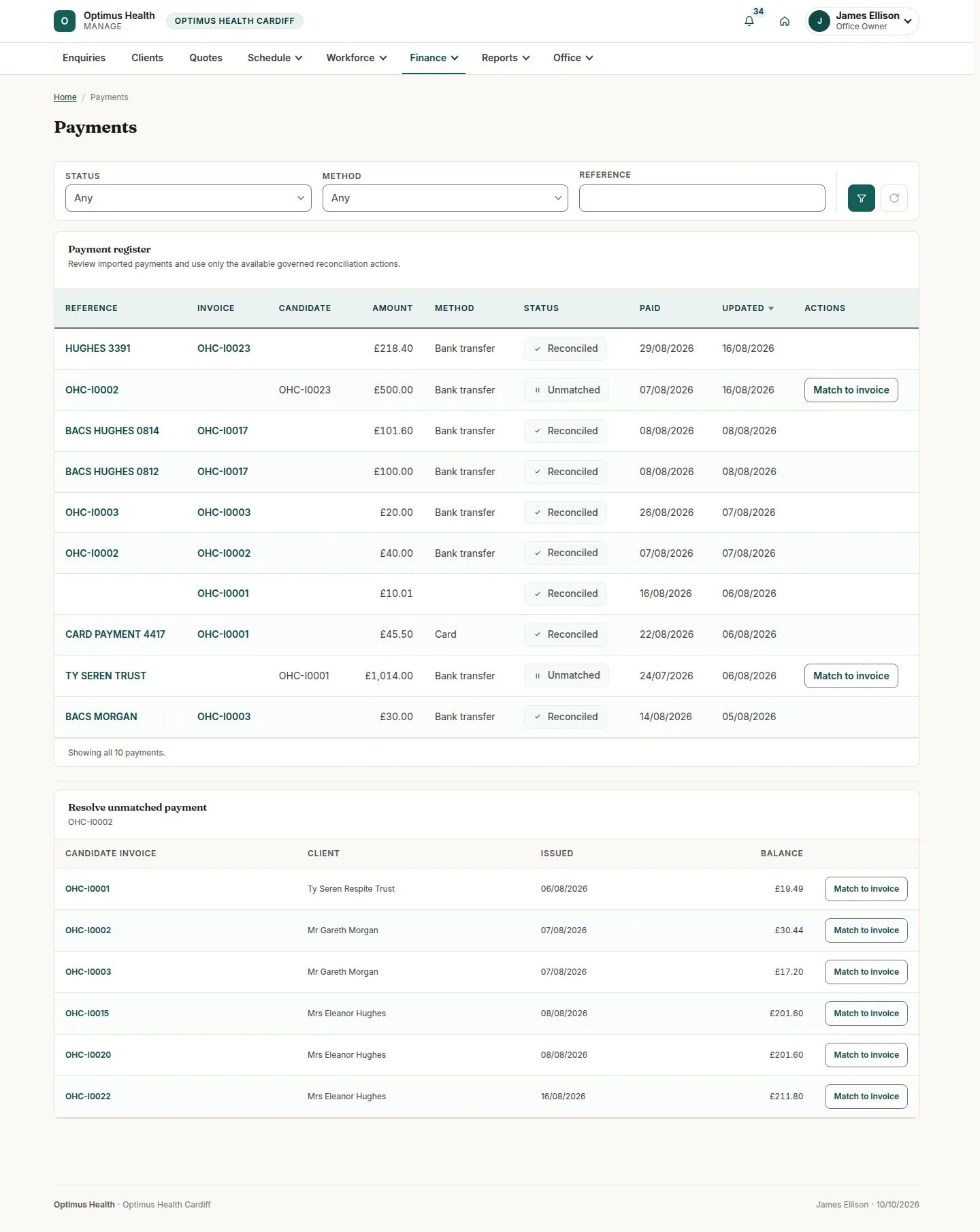
4Step 4 of 4
What to doOpen Payments and inspect money awaiting a match. Use Match to invoice only for the correct open invoice in your office and check the amount before confirming.
If the match succeeds, the payment is applied to the selected invoice. A payment exceeding the outstanding amount is refused.