
EverLMS Children features
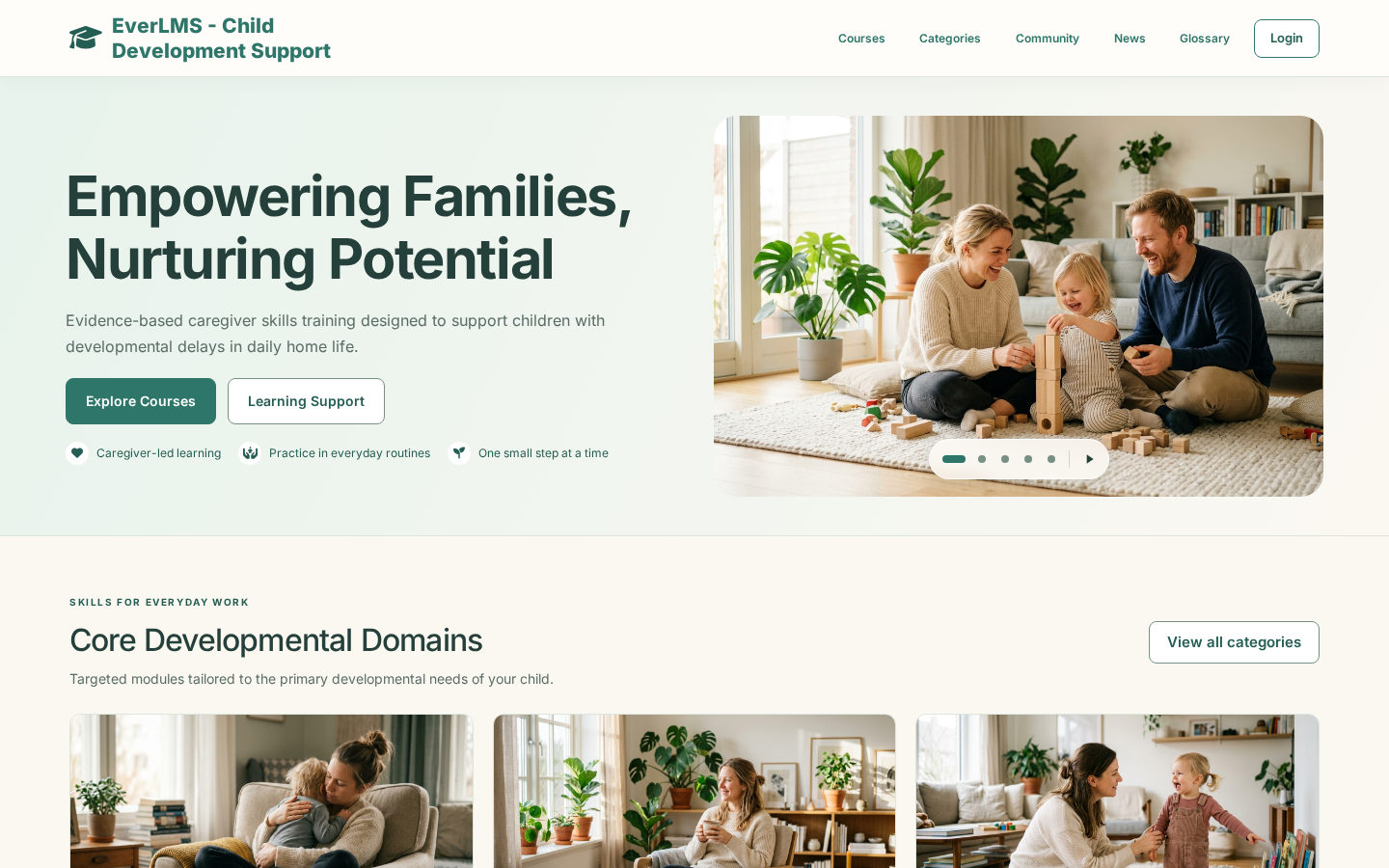
Learning shaped around home routines
Courses of chapters and short lessons on play, communication, daily living and behaviour, studied at the learner’s own pace.
Records learners can keep
Results with an answers breakdown and instructor feedback, and certificates with a PDF and a verification code.
One workspace for the programme team
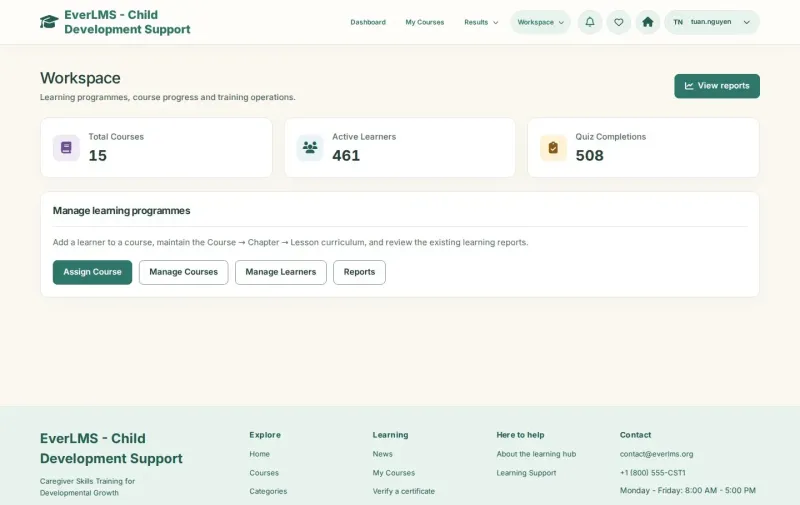
Assign courses, follow every learner, prepare quizzes and certificates and keep the site content current.
Caregiver training and programme management in one place
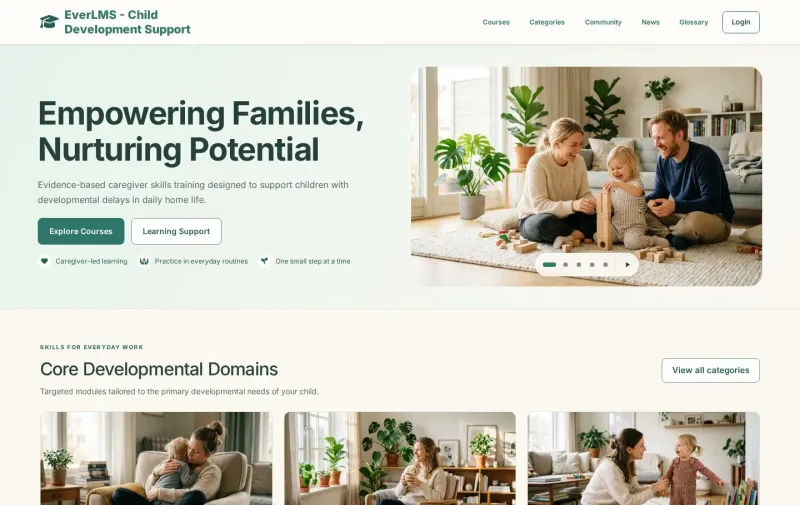
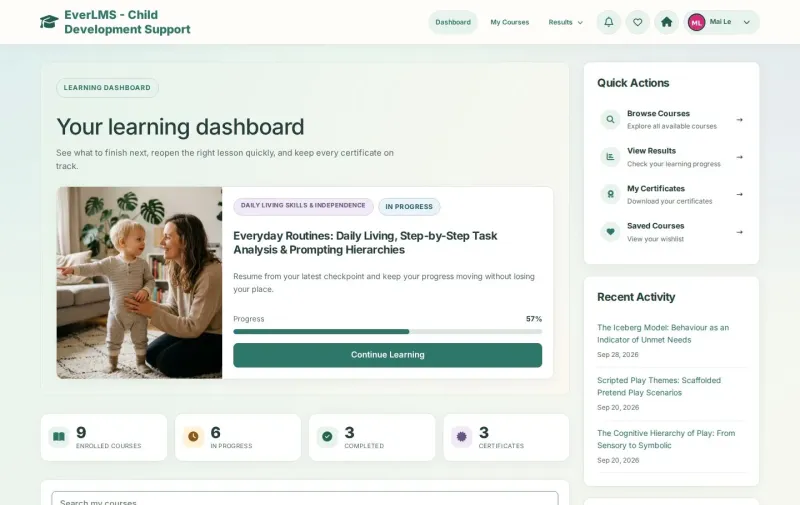
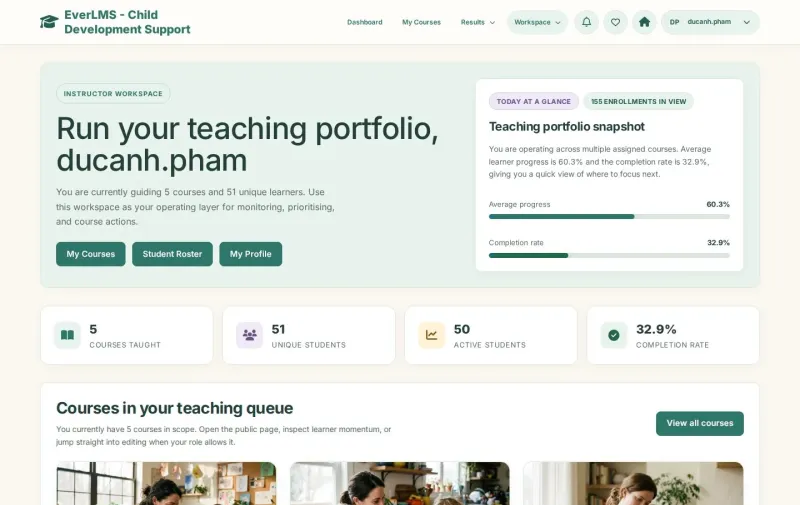
EverLMS Children brings a caregiver learning hub and the tools of its programme team together. Learners find courses on play, communication, daily living and behaviour, study lessons, take the final assessment and keep their certificates; instructors follow and grade their learners; the programme team assigns courses, reads the reports and keeps the content current.
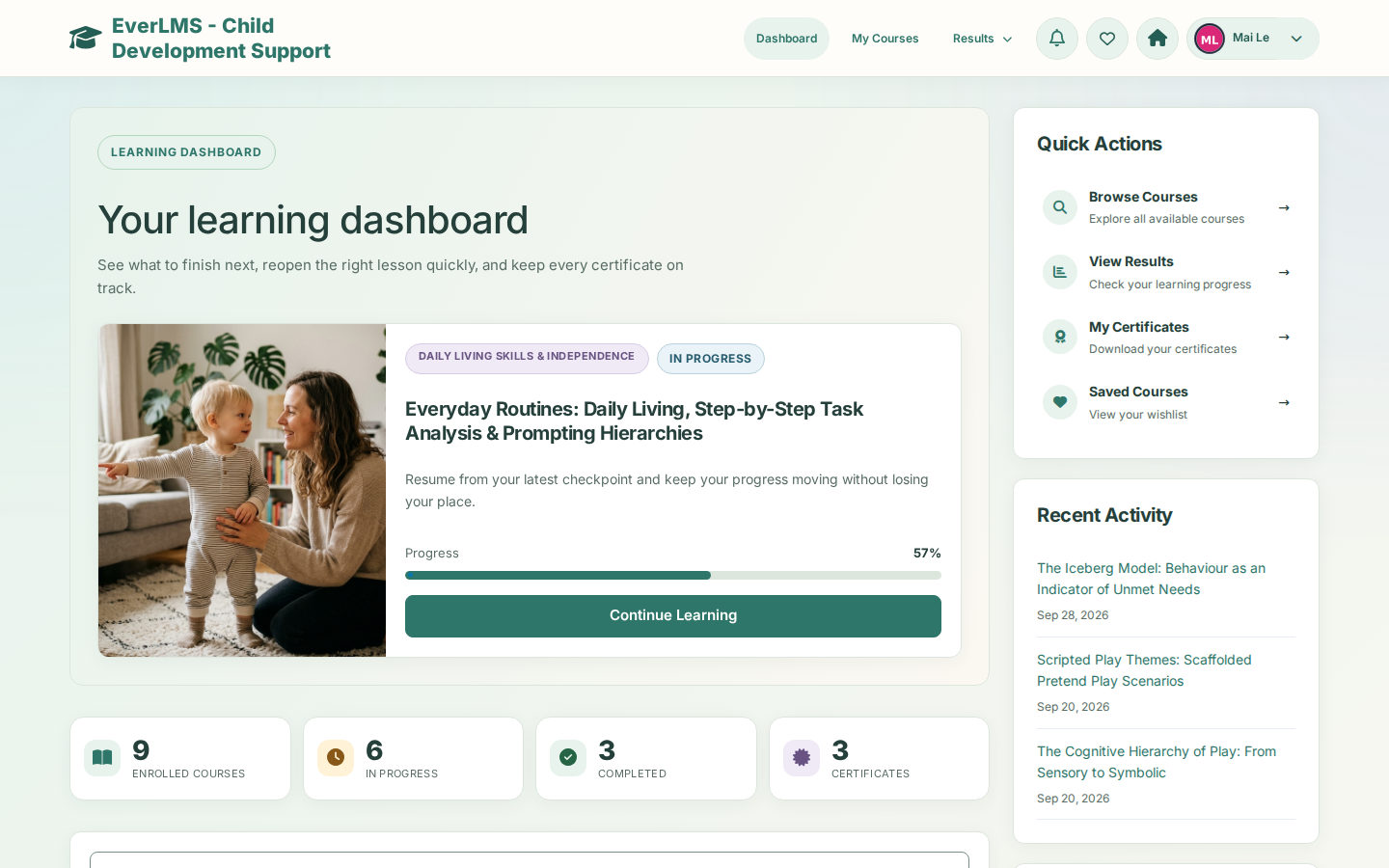
The product screens show the courses, learners and results of a demonstration site. They illustrate the existing interface with sample data.
 View full size
The tools for every learner and programme
Courses, assessments, certificates and reports share one platform for learners, instructors and the programme team.
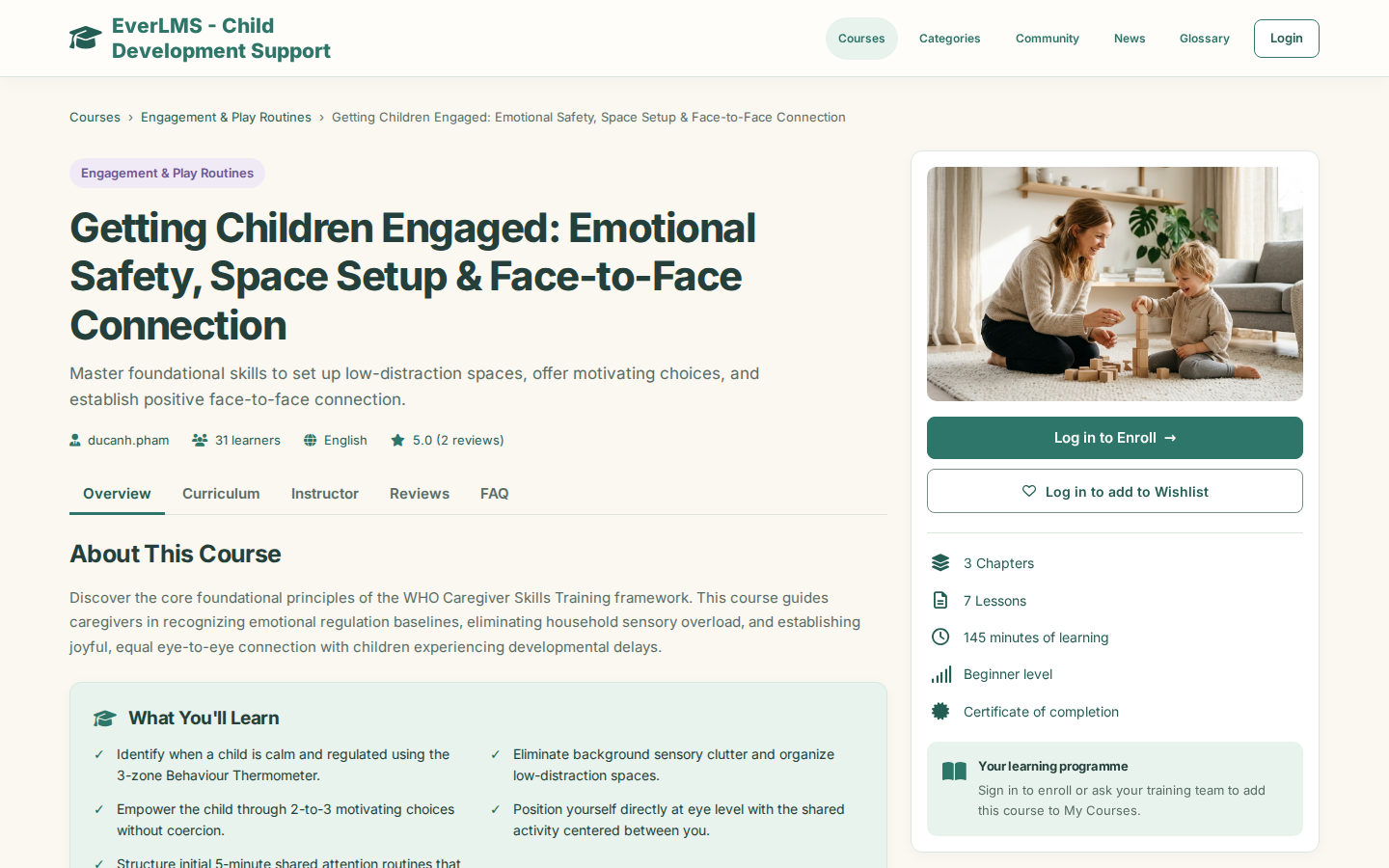
- CoursesChapters and lessonsA Course → Chapter → Lesson path with a final assessment.
- CatalogueDomains and filtersSearch by category, level and rating; read the curriculum first.
- LessonsRead and practiseReading lessons with an overview and interactive lessons in the player.
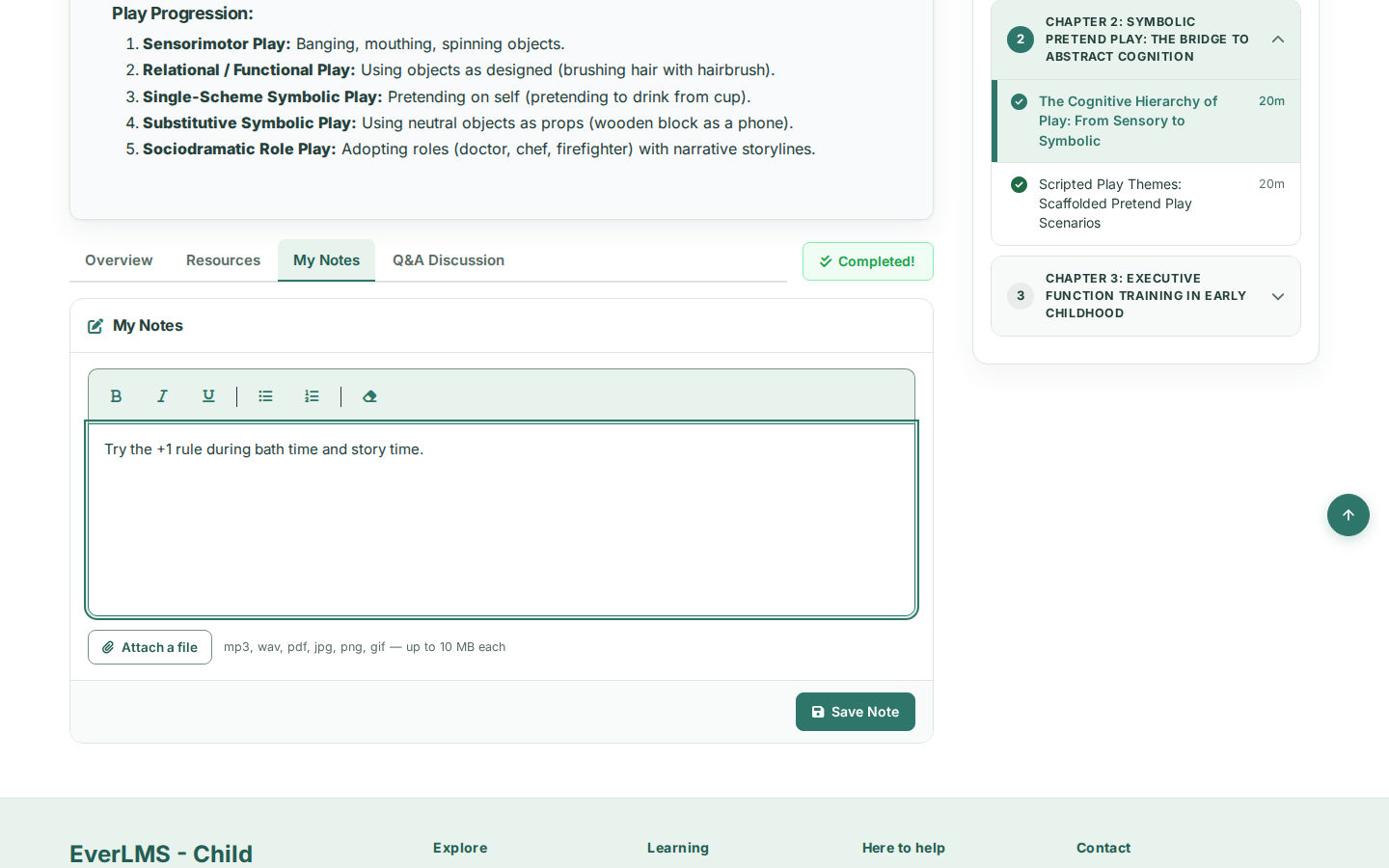
- NotesNotes and Q&APrivate notes and a Q&A discussion beside every lesson.
- QuizzesEight question typesChoice, true or false, blanks, matching, ordering, short answers and essays.
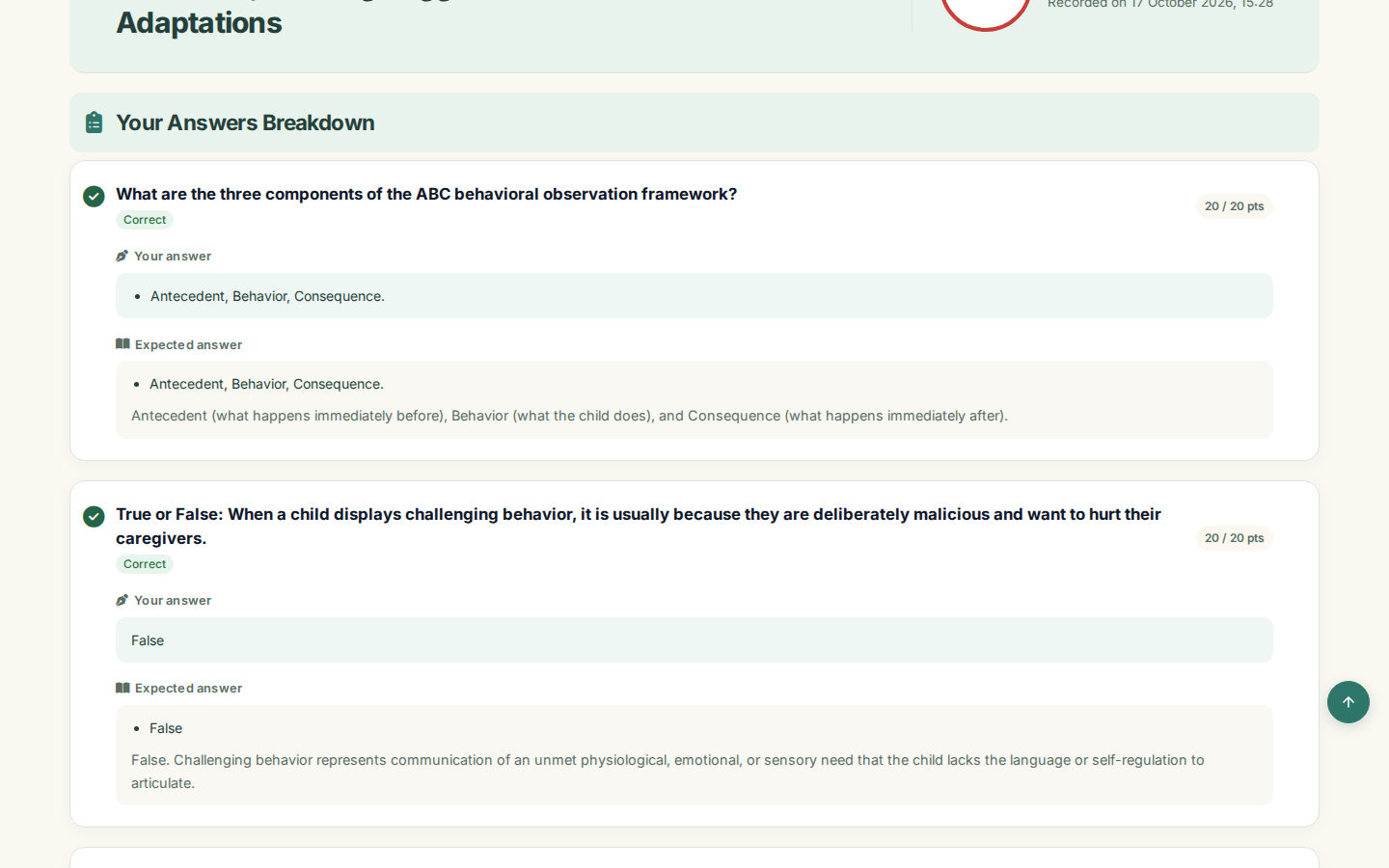
- ResultsScores and feedbackPass thresholds, attempts, answers and instructor feedback.
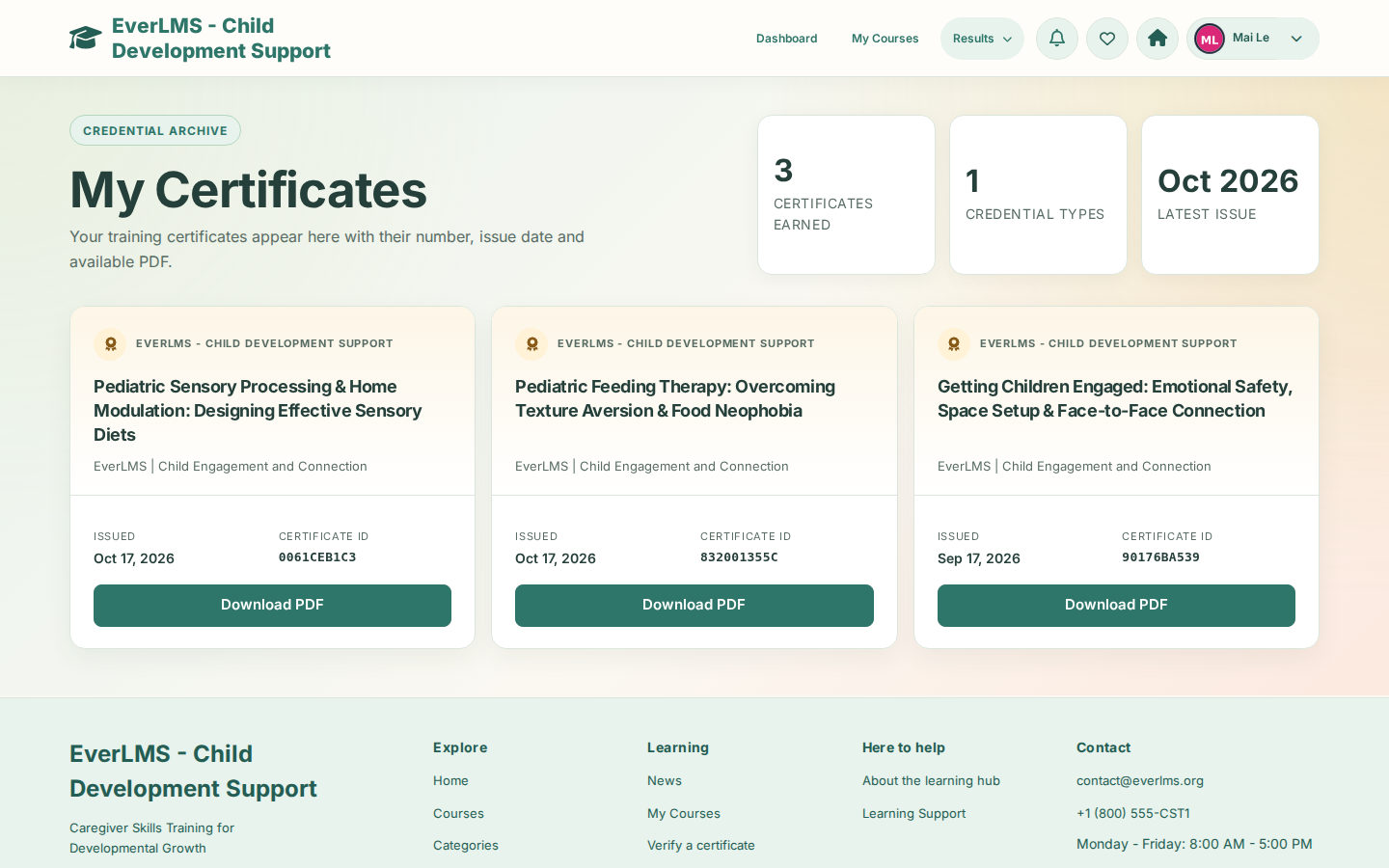
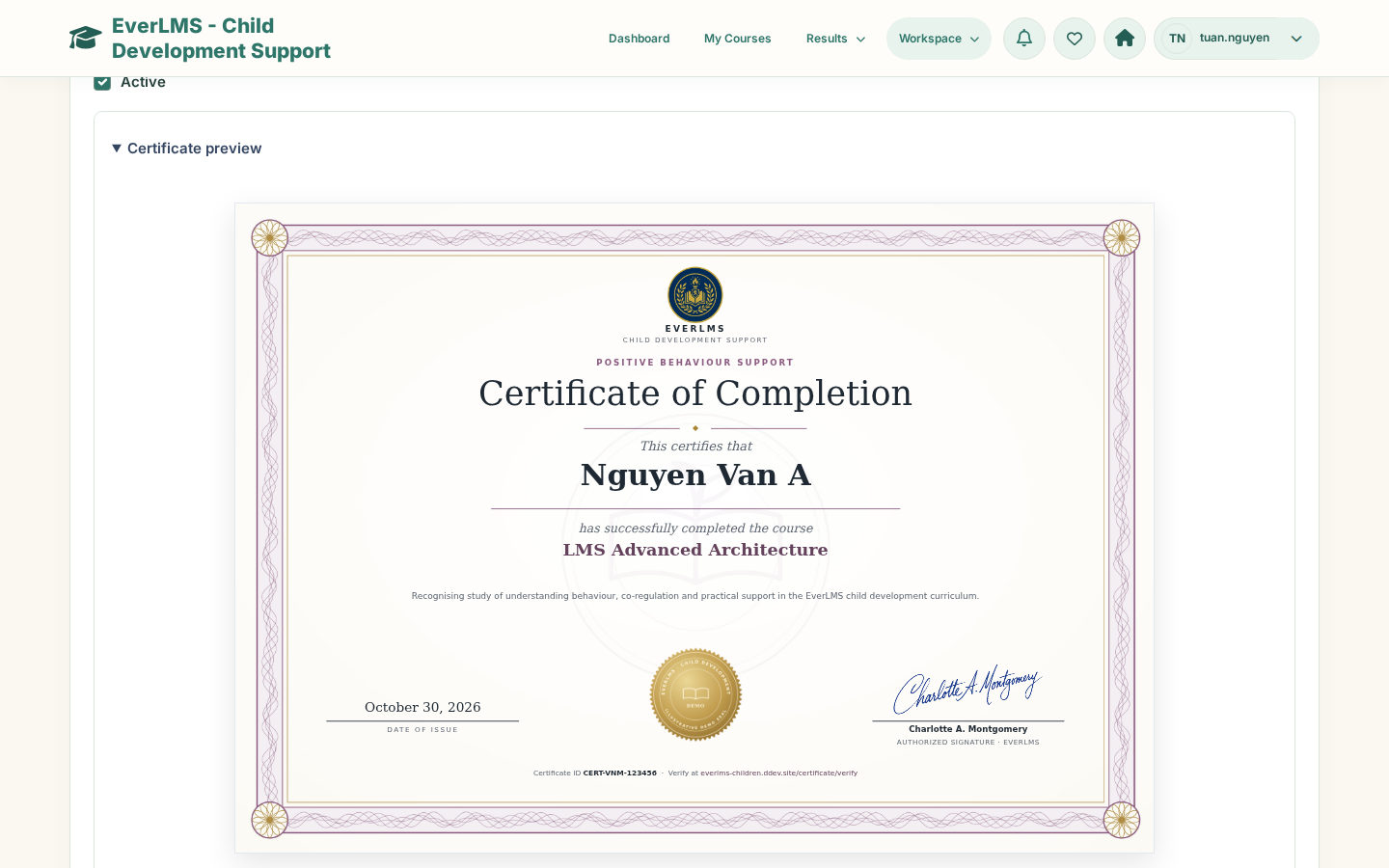
- CertificatesPDF and verificationIssued when the final assessment is passed; checked by code.
- ReportsCourses, learners, quizzesCompletion, progress, quiz performance and item analysis.
For the people who learn, teach and run the programme
Each account opens what its role needs: the learning pages for learners, the teaching workspace for instructors and the full Workspace for the programme team.
Families and caregivers exploring
Explore the learning pathBrowse courses by developmental domain, read the curriculum, the instructor and reviews, and look up a certificate.
Learners on their own path
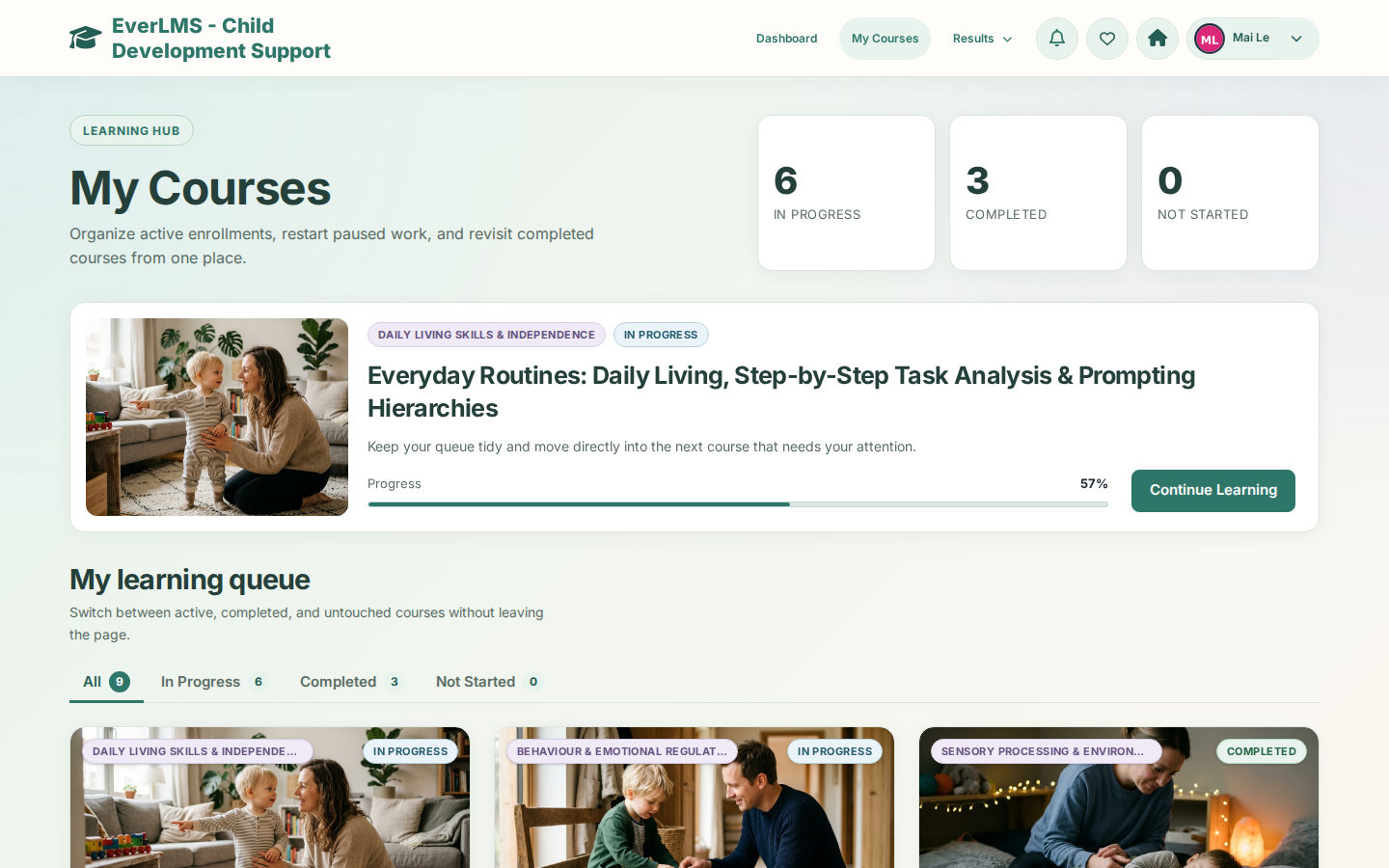
Explore learningContinue where you stopped, learn a lesson, keep notes, take the final assessment and download your certificate.
Instructors following their learners
Explore teachingSee the roster and quiz attempts of each course, open a learner’s timeline and grade essay answers.
Programme teams running the hub
Explore programme toolsAssign courses, manage accounts, quizzes and certificates, read the reports and keep the site content current.
A clear path from the first lesson to the certificate
A course keeps the lessons, the progress, the assessment and the certificate together.
Find a course
Browse the catalogue by domain, level and rating.
Enrol or get assigned
Confirm Enroll Now, or receive a course from the programme team.
Continue learning
My Courses opens the course and the lesson to continue.
Read and practise
Reading lessons by section and interactive activities in the player.
Keep notes and ask
Private notes and a Q&A discussion on each lesson.
Mark lessons complete
Course progress moves with every completed lesson.
Take the final assessment
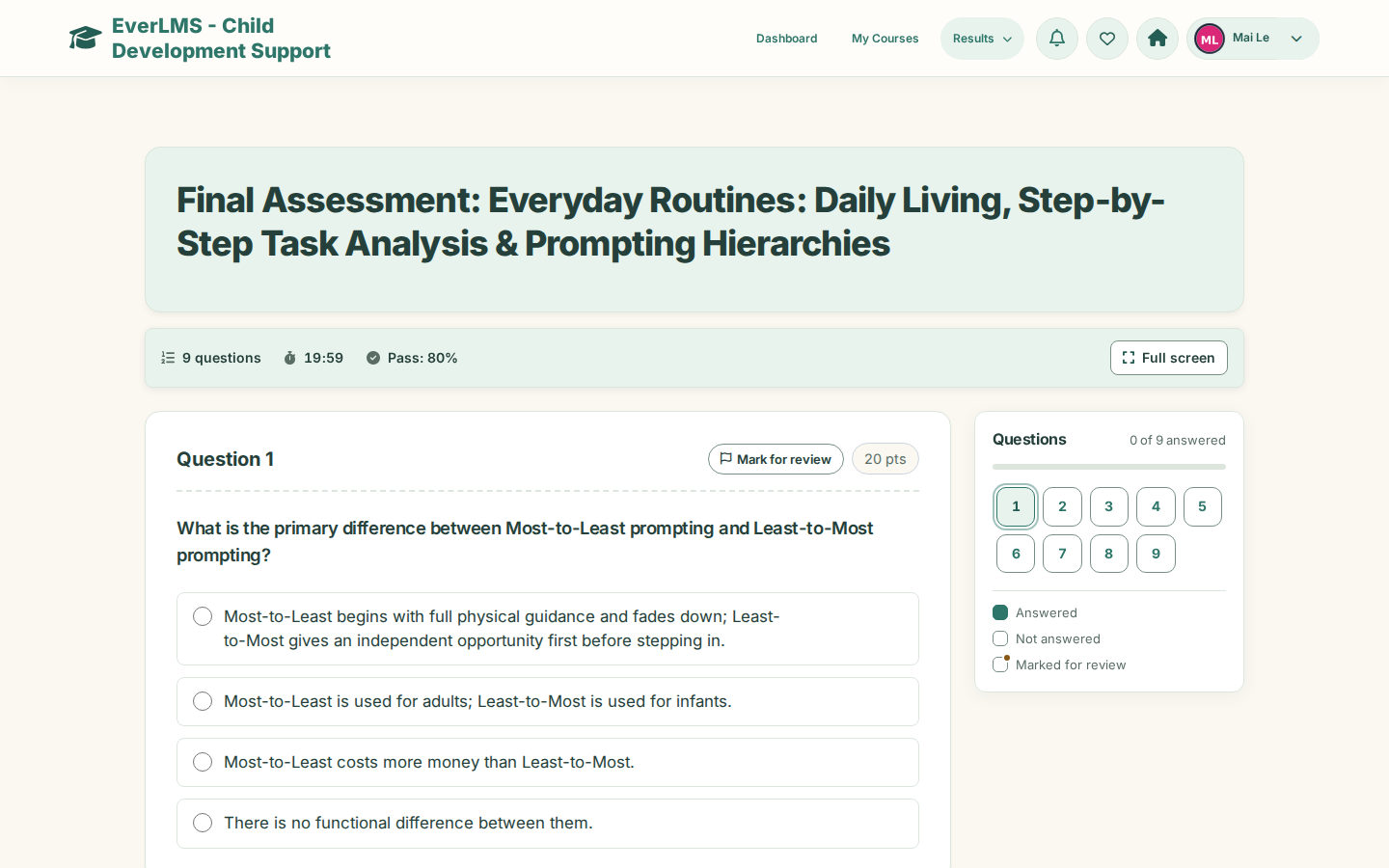
Questions with a timer, Mark for review and a check before submitting.
Read your result
The score, the answers breakdown and instructor feedback.
Receive the certificate
A PDF with a code anyone can verify.
Lessons that fit a busy day
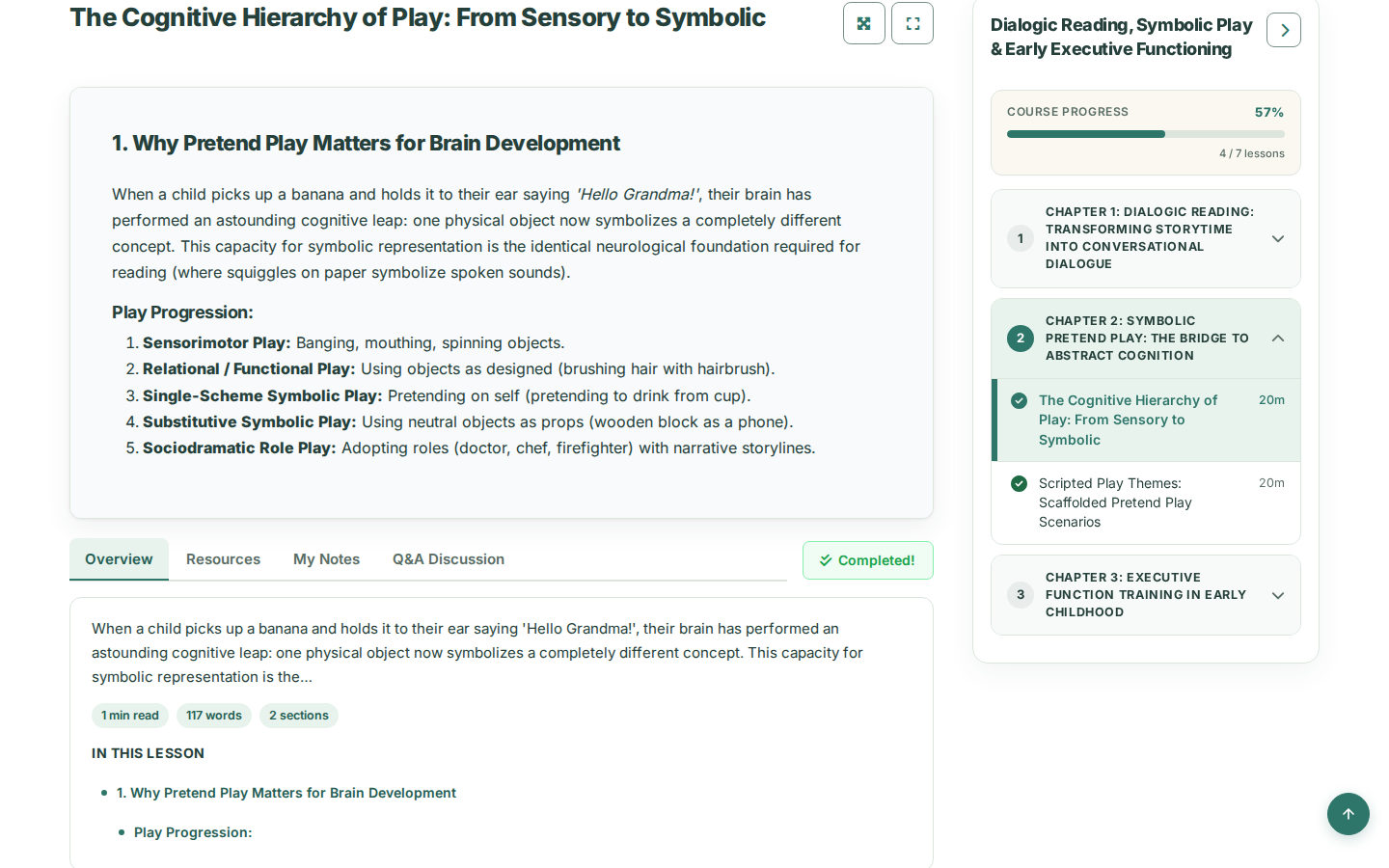
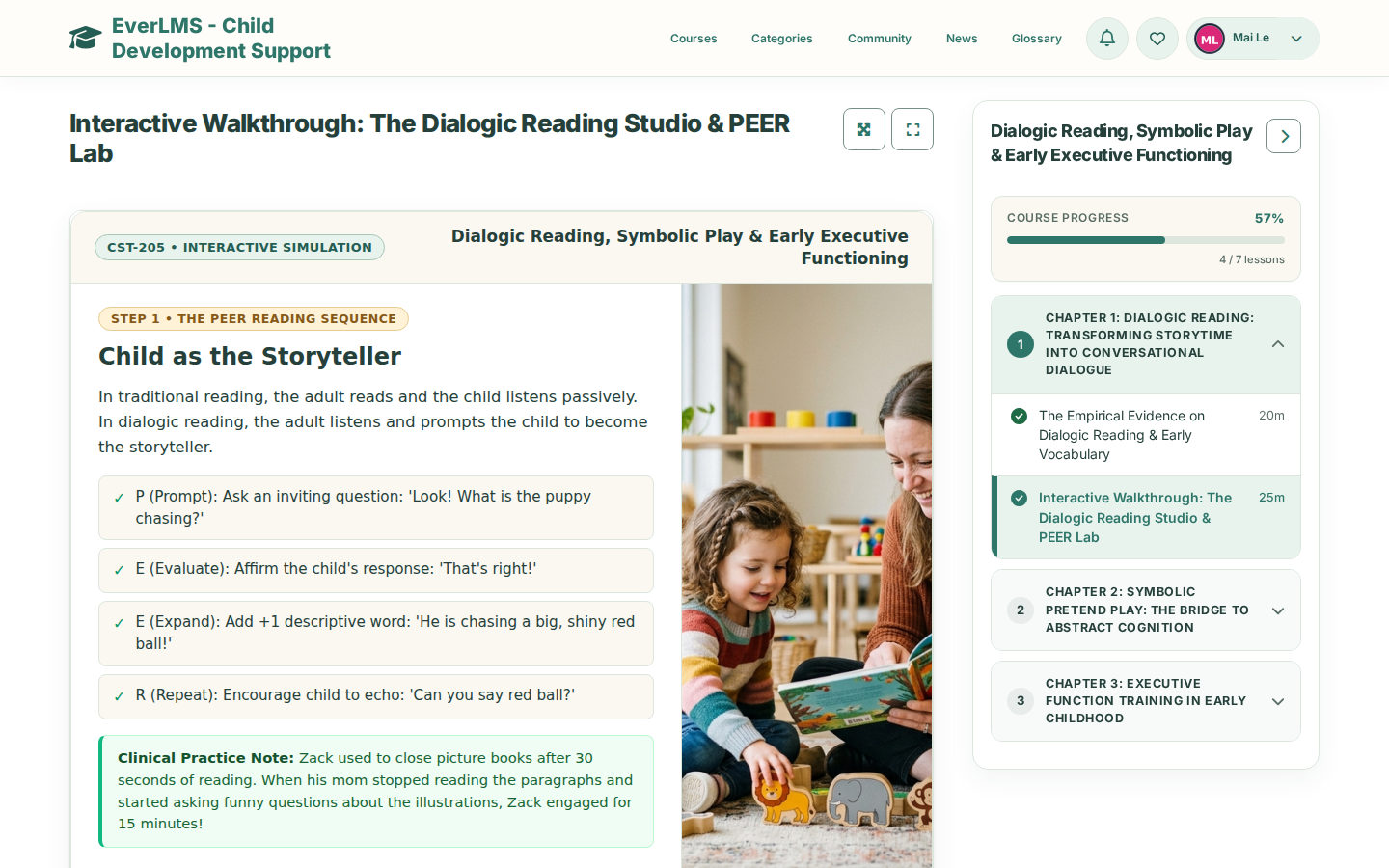
A lesson opens beside the course content and progress. Learners read by section, practise in interactive lessons and return to the right place on every device.
- Overview with the reading time and the sections of the lesson
- Interactive lessons that run inside the lesson player
- Resources, private notes and a Q&A discussion
- Theater Mode and Full Screen for focused reading
- Mark Complete moves the course progress
 View full size
Follow every learner you teach
Instructors see each course they teach and each learner in it: where the learner is, what they asked and how their quiz attempts went.
- Course roster with progress and status
- Learning timeline with each lesson and its date
- Learner comments and quiz attempts
- Staff preview of a lesson, without recording progress
- Manual grading of essays with points and feedback
 View full size
Programme follow-up at a glance
The programme team compares courses, learners and quizzes in one report and exports the data for its own reviews.
- Course, learner and quiz analytics
- Filters by course, learner, recent activity and quiz
- Quiz item analysis with the hardest questions
- Exports of course and learner data
- Certificates with their status, regeneration and revocation
 View full size


Live demo
Each demo is a working copy of EverLMS Children with sample data, open for you to try.
What learners and the programme team do
Both work on the same courses and records: learners take the courses; the programme team prepares and follows them.
| Learners | Programme team | |
|---|---|---|
| Courses | Enrol with Enroll Now or receive assigned courses in My Courses | Assign courses, edit course pages and their curriculum |
| Lessons | Read, practise, keep notes and ask questions | Add chapters and lessons; open any lesson as a staff preview |
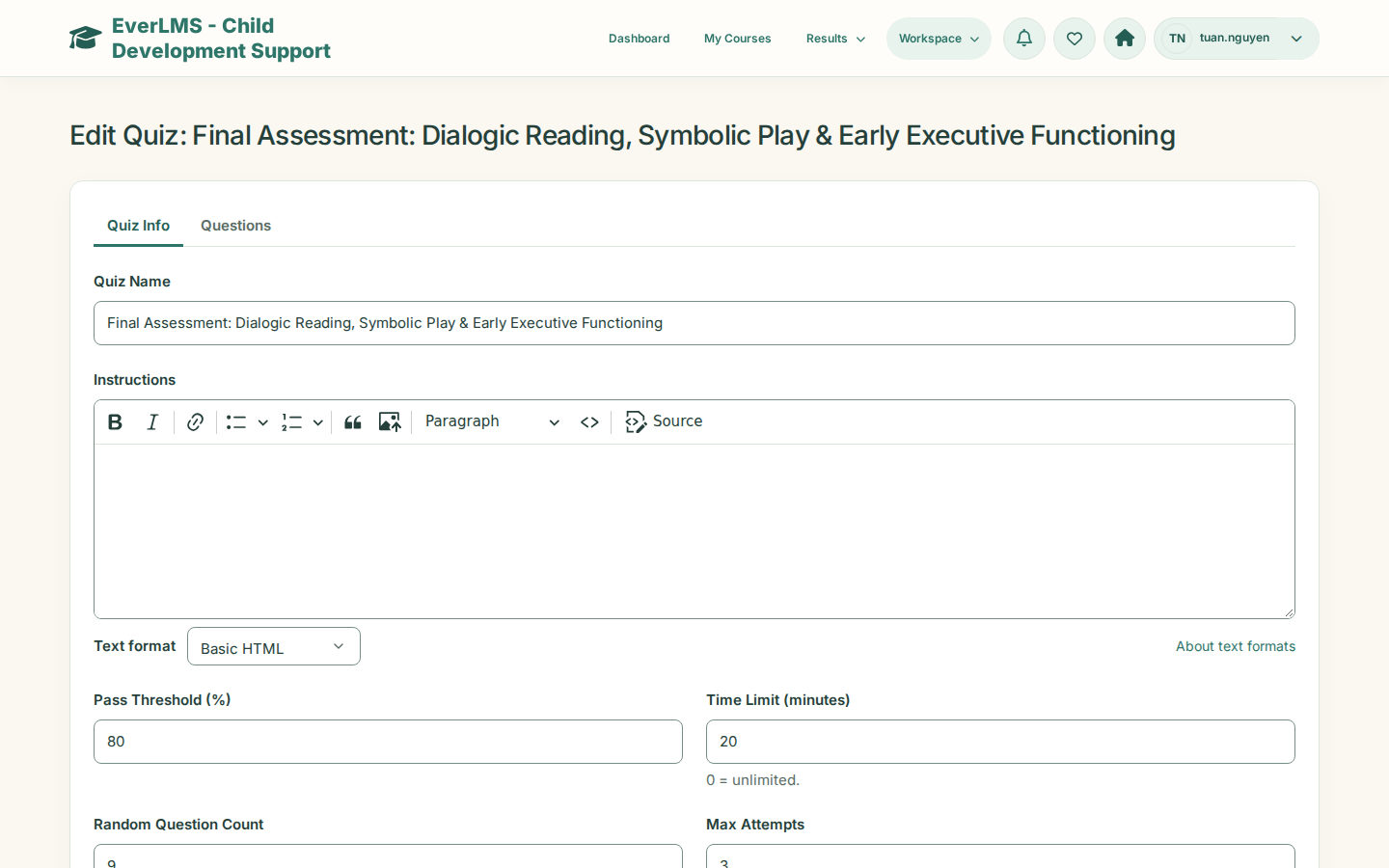
| Assessment | Take the final assessment and read the answers breakdown | Set the pass threshold, time limit and attempts; grade essays |
| Certificates | Download the PDF and share its verification code | Prepare templates; view, regenerate or revoke issued certificates |
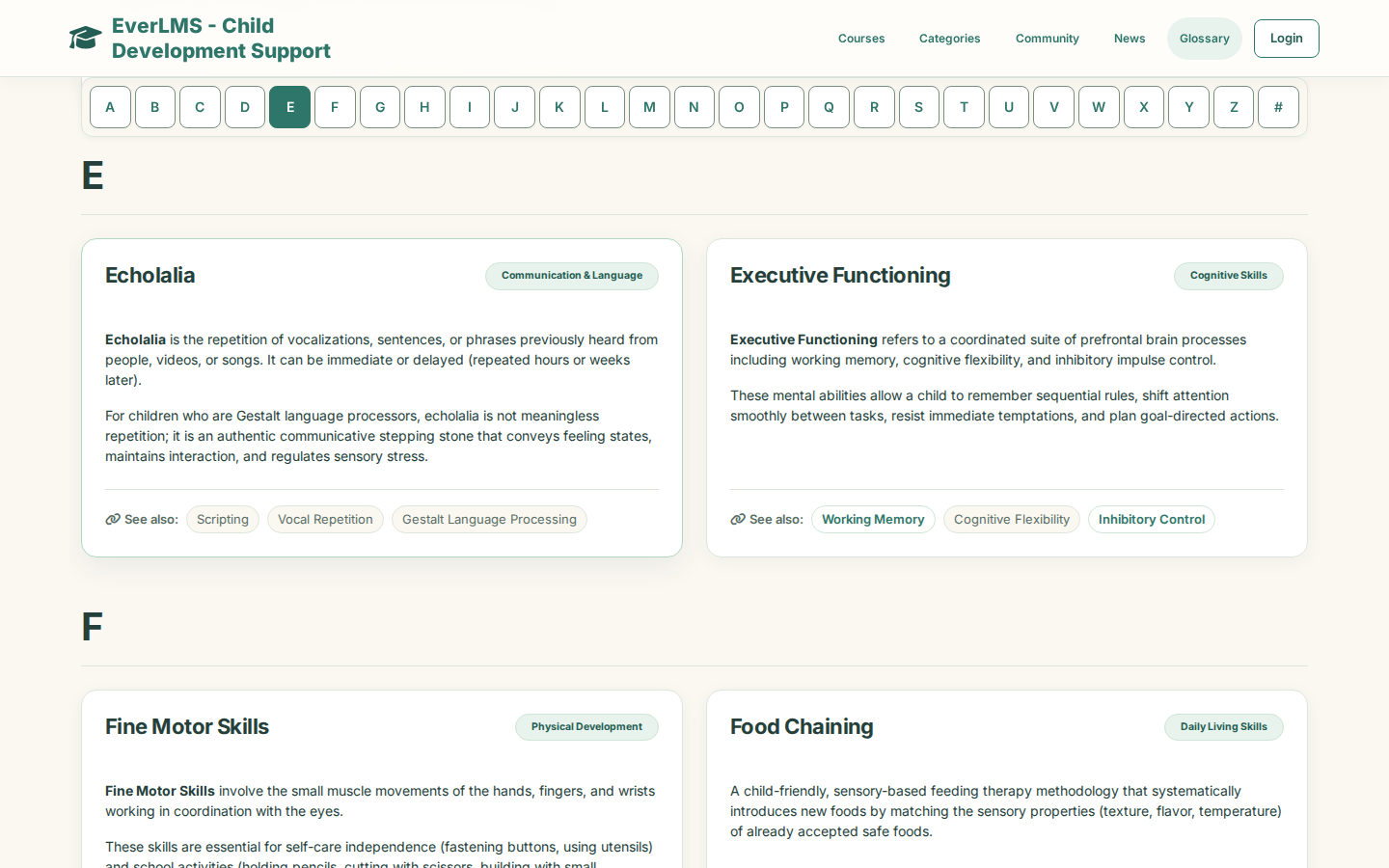
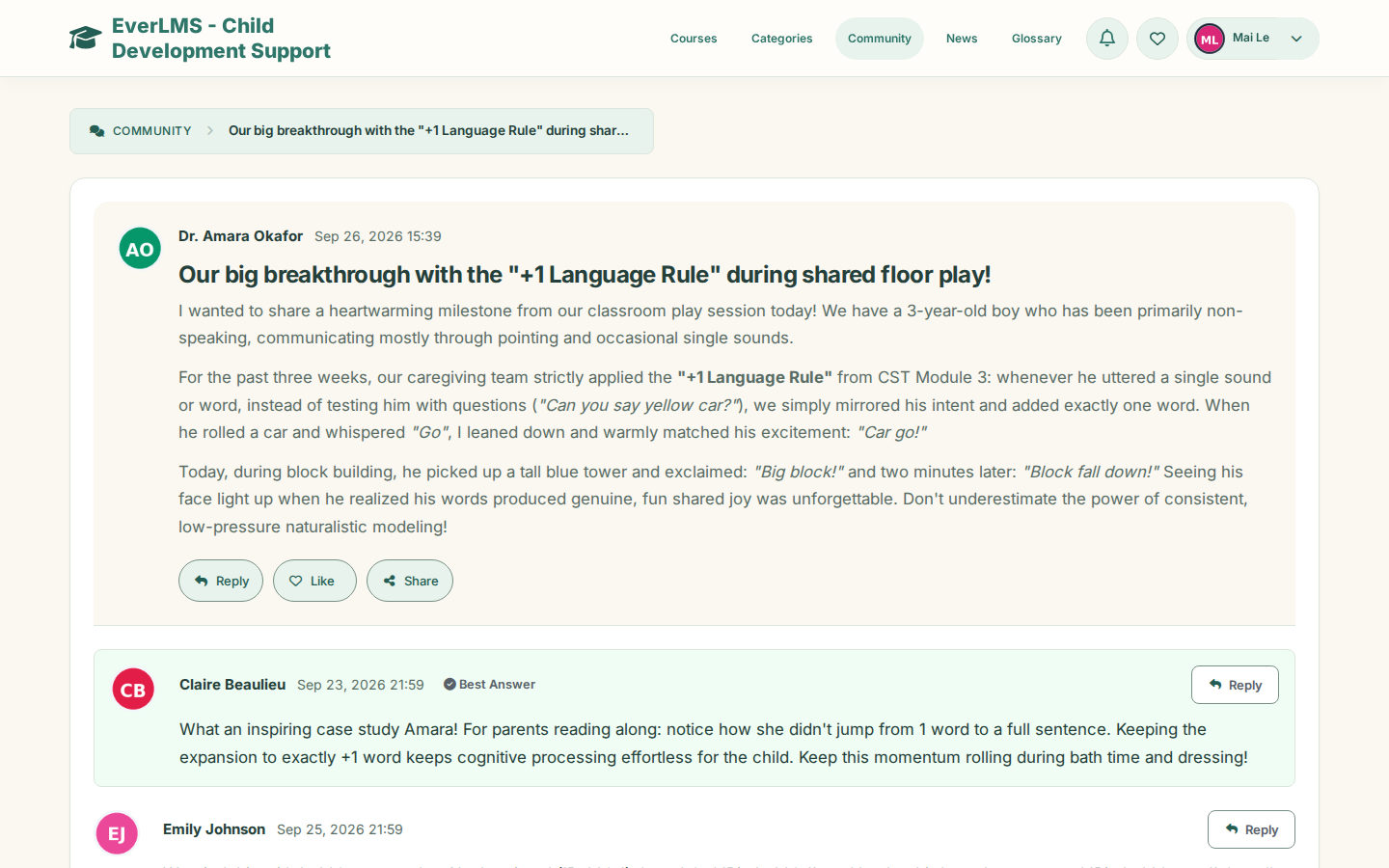
| Community and news | Join topics and replies; read news and family guides | Publish news, FAQs, glossary terms and announcements |
| Follow-up | Dashboard, results and notifications | Course, learner and quiz reports with exports |
Bring your programme into EverLMS Children
Your courses, lessons, questions and templates drive the existing learning, assessment and reporting functions.
EverLMS Children Your programme content and the functions that use it
Learners and staff The public site, the learning pages and the Workspace on any screen size
Learn, assess and follow up with the programme content
Your programme content Courses, chapters, lessons, questions, certificate templates, FAQs, glossary and news
Uses existing platform functions
EverLMS functions Enrolment and assignment, progress, quizzes and grading, certificates, community, notifications and reports
Product capabilities
- Courses with chapters, reading and interactive lessons
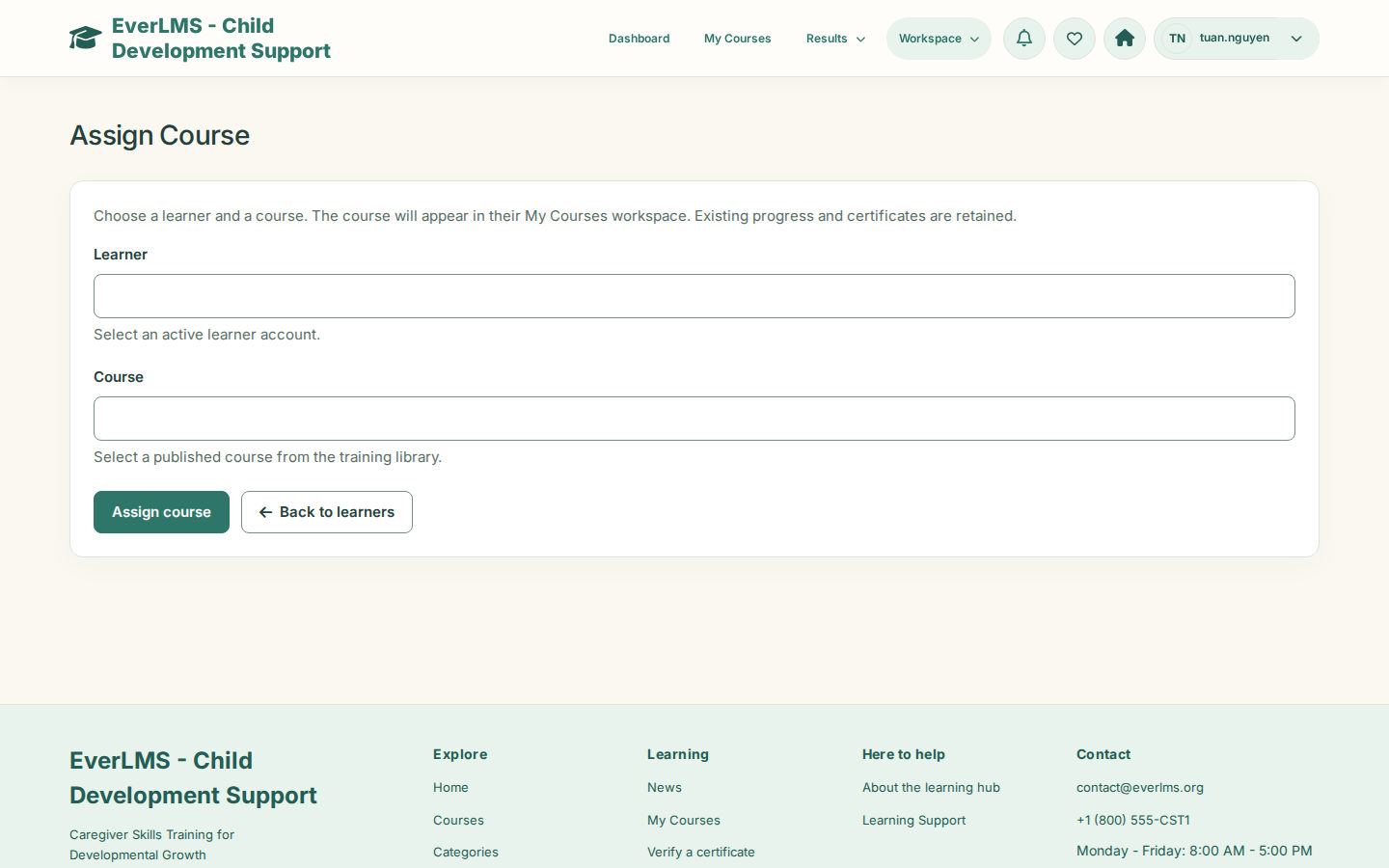
- Enroll Now and course assignment by the programme team
- Final assessments with eight question types and manual essay grading
- Certificates with PDF, verification code and templates
- Community topics, news, FAQ and glossary
- Course, learner and quiz reports with item analysis
Your programme set-up
- Course pages, objectives and categories
- Chapters, lessons and interactive activities
- Questions, explanations and pass thresholds
- Certificate templates and their design
- Home page slides, introductions and FAQs
- Learner, instructor and manager accounts
Prepare a course for its first learners
The course, quiz and certificate forms bring the curriculum, the assessment and the record together.
From a new course to the first certificate
- Describe the course Course name, descriptions, what learners will learn, category, level and instructor. A course page learners can read
- Build the curriculum Add chapters and their reading and interactive lessons. A clear learning path
- Prepare the final assessment Questions, a pass threshold, a time limit and the number of attempts. An assessment for the course
- Choose the certificate A template with its design, checked in the preview. Certificates ready to issue
- Publish and assign Publish the course, then assign it or let learners enrol. Courses in My Courses
- Follow and support Read the reports, grade essays and send announcements. Learners supported to the certificate
Rules that keep learning records clear
Enrolment, progress, assessments and certificates follow the course and quiz settings.
- Enrolment opens the lessons Learners enrol with Enroll Now or receive the course from the programme team; staff open lessons as a preview, without recording progress.
- Progress follows completed lessons Mark Complete records each lesson, and the course progress moves with it.
- Quiz settings shape every attempt A pass threshold, an optional time limit, random questions and a maximum number of attempts.
- Essays are graded by people An essay answer waits for manual grading; the result is final once every answer is scored.
- Certificates follow the final assessment Passing the final assessment issues the course certificate with its PDF and verification code.
- Reviews show after approval Learner reviews appear on the course page once the programme team approves them.
Everyday situations the product supports
A parent continues an engagement course after dinner, reads a short lesson, keeps a note about a play idea and marks the lesson complete.
Learning at homeShort evening sessionsMy Courses, lessons and notes An instructor opens a learner’s course activity, reads an essay answer and finalizes the grade with feedback.
TeachingWritten reflectionsLearner timeline and manual grading A programme coordinator assigns a course to a new caregiver, then checks the course report and the quiz item analysis at the end of the month.
Programme follow-upMonthly reviewAssign Course and reports
Questions about EverLMS Children
Who is EverLMS Children for?
Parents, caregivers and educators who support young children, and the programme teams that run their training. Learner accounts belong to the adults who take the courses.
How does a learner get a course?
A signed-in learner opens a course page and confirms Enroll Now, or the programme team assigns the course. The course then appears in My Courses.
What kinds of lessons are there?
Reading lessons with an overview of their sections, interactive lessons that run inside the lesson player, and the final assessment of the course. Lessons can carry resources, private notes and a Q&A discussion.
How are learners assessed?
The final assessment uses eight question types: single and multiple choice, true or false, fill in the blank, matching, ordering, short answer and essay. It has a pass threshold, an optional time limit and a number of attempts. Instructors grade essays and add feedback.
When is a certificate issued?
When the learner passes the final assessment of the course. The certificate comes as a PDF with a code that anyone can check on the verification page.
What can the programme team follow?
Course, learner and quiz analytics with filters, the activity of each learner by course, quiz item analysis and exports of course and learner data.
Can we keep our own content?
Yes. Courses, lessons, quizzes, certificate templates, home page slides and introductions, FAQs, the glossary and news are maintained in the Workspace.
Does it assess a child’s development?
No. Results and certificates record the learning of the adults who take the courses; they are not clinical assessments of a child.
A guide for every role
Find the guide for your role, with task steps and screenshots of the existing interface.