Course authoring

Course, chapter, lesson, quiz, question

  • A Manager account, or the instructor of the course
Manager
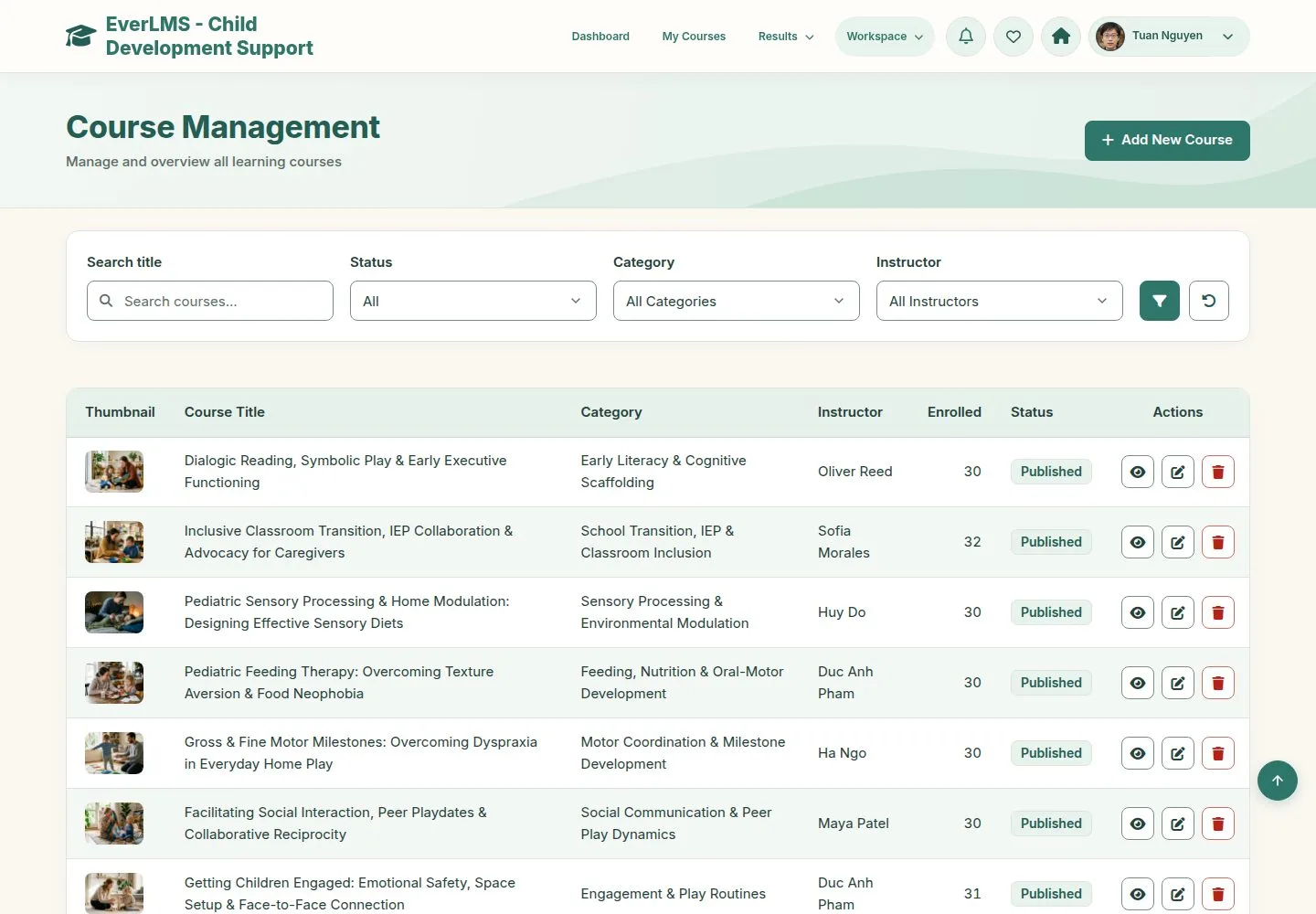
Manage Courses

Manager

Manage Courses

1Step 1 of 16

  1. Search and filter by status, category and instructor.
  2. Each row views, edits or deletes.
  3. Add New Course.

Enlarge, then scroll

Open illustrated screen ↗Full image ↗

Manager · Course authoring01

Information

Manager

Information

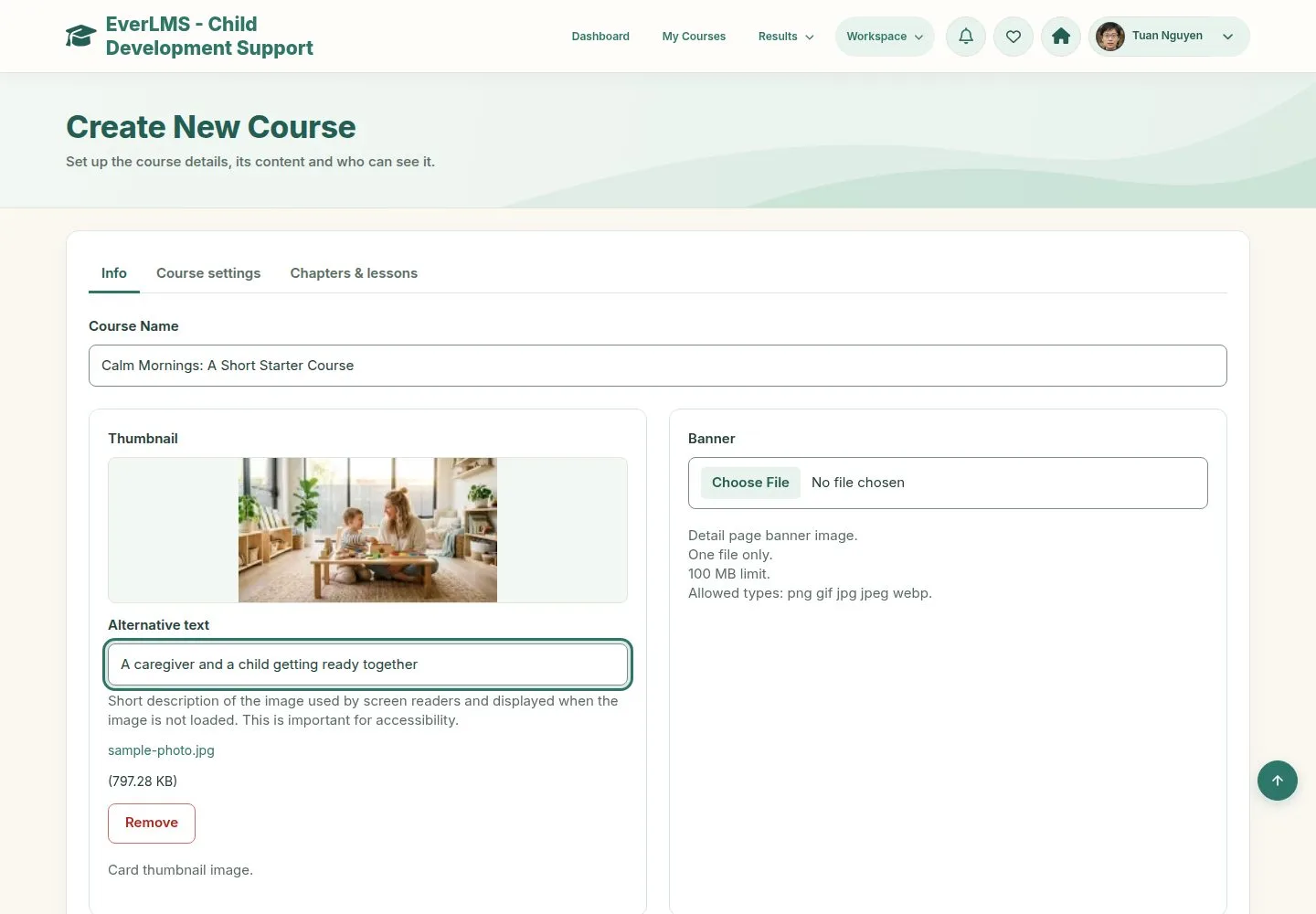
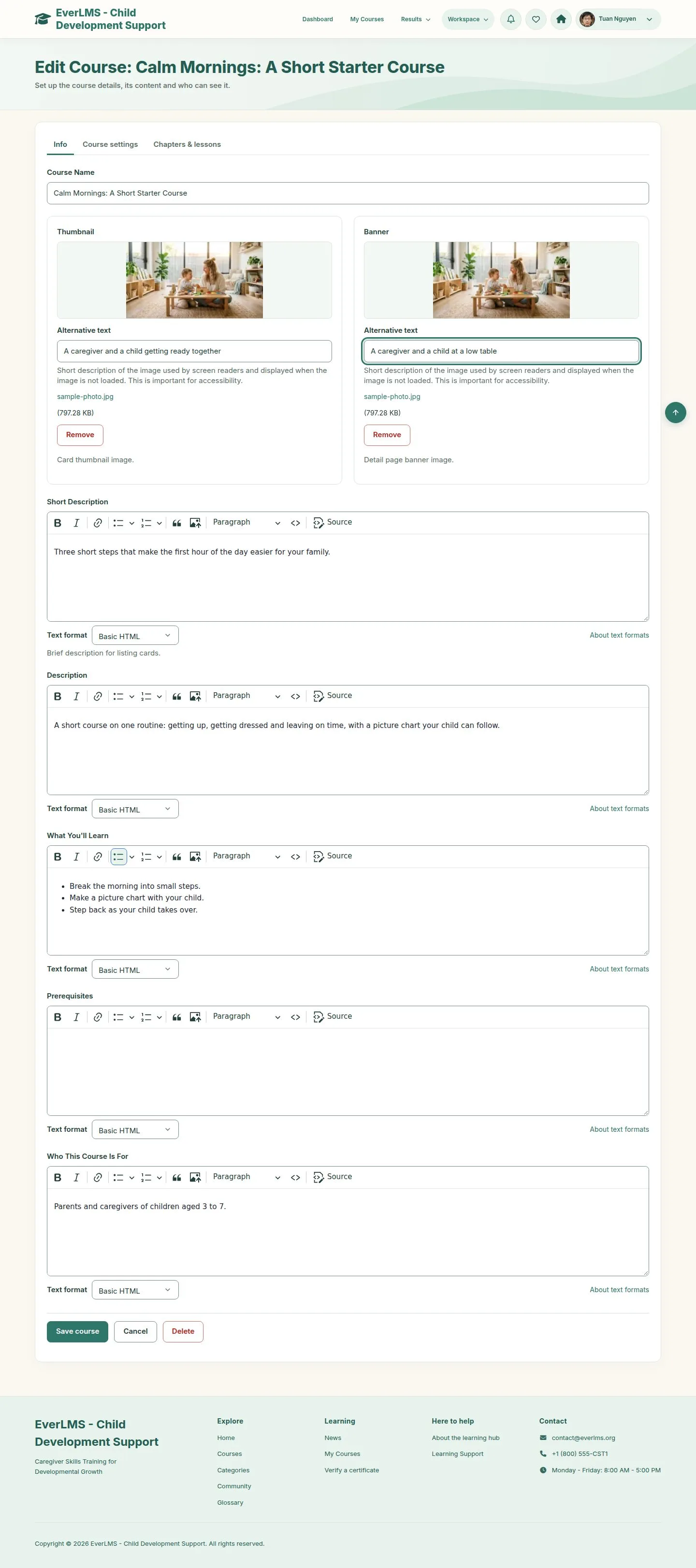
2Step 2 of 16

  1. Course Name, Thumbnail and Banner.
  2. Short Description for the cards; Description, What You'll Learn, Prerequisites and Who This Course Is For for the page.

Enlarge, then scroll

Open illustrated screen ↗Full image ↗

Manager · Course authoring02

Settings

Manager

Settings

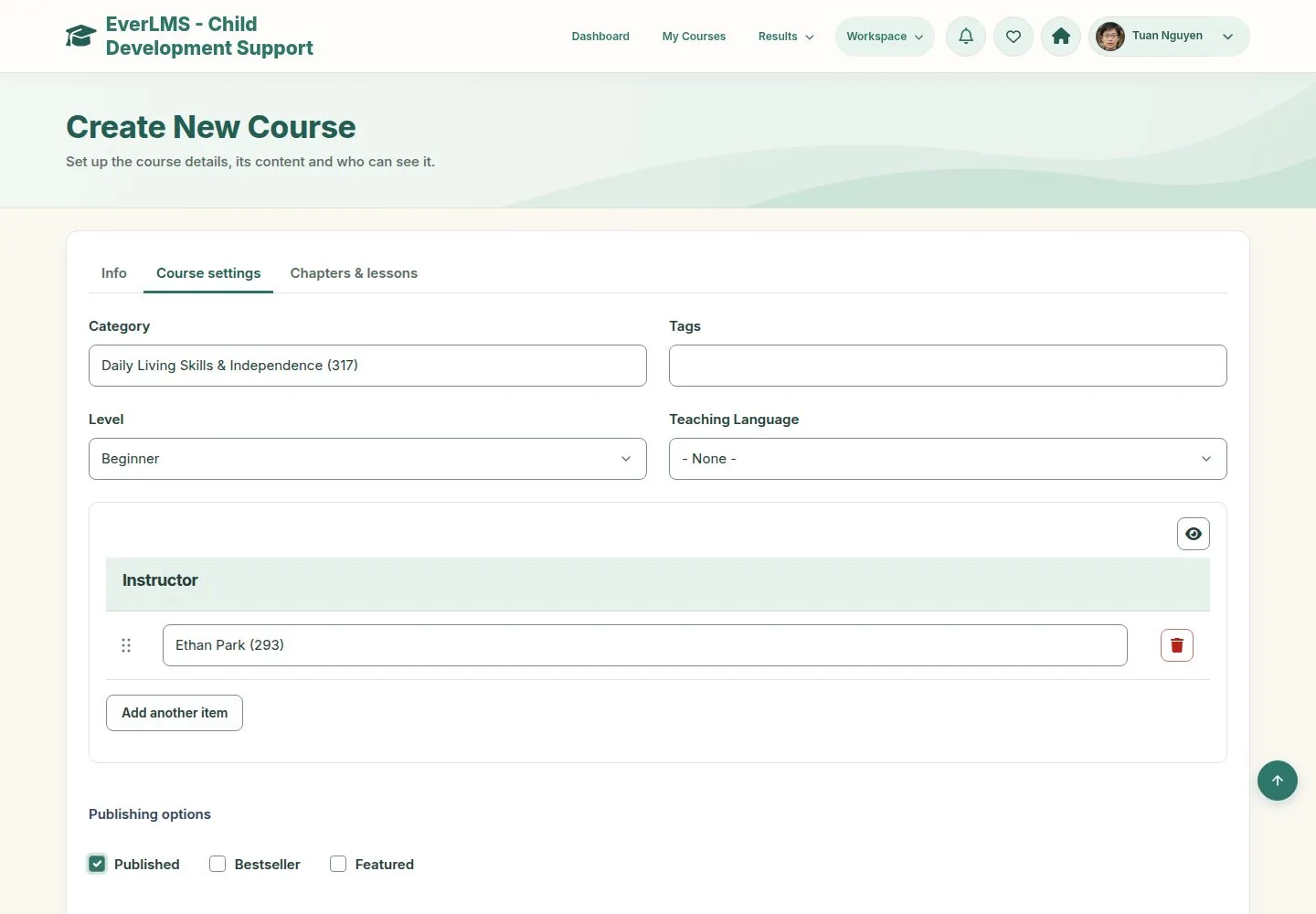
3Step 3 of 16

  1. Category, Level and Instructor.
  2. Published shows the course; leave it off while you prepare.
  3. Certificate Template, if this course has its own.

Enlarge, then scroll

Open illustrated screen ↗Full image ↗

Manager · Course authoring03

Chapters and lessons

Manager

Chapters and lessons

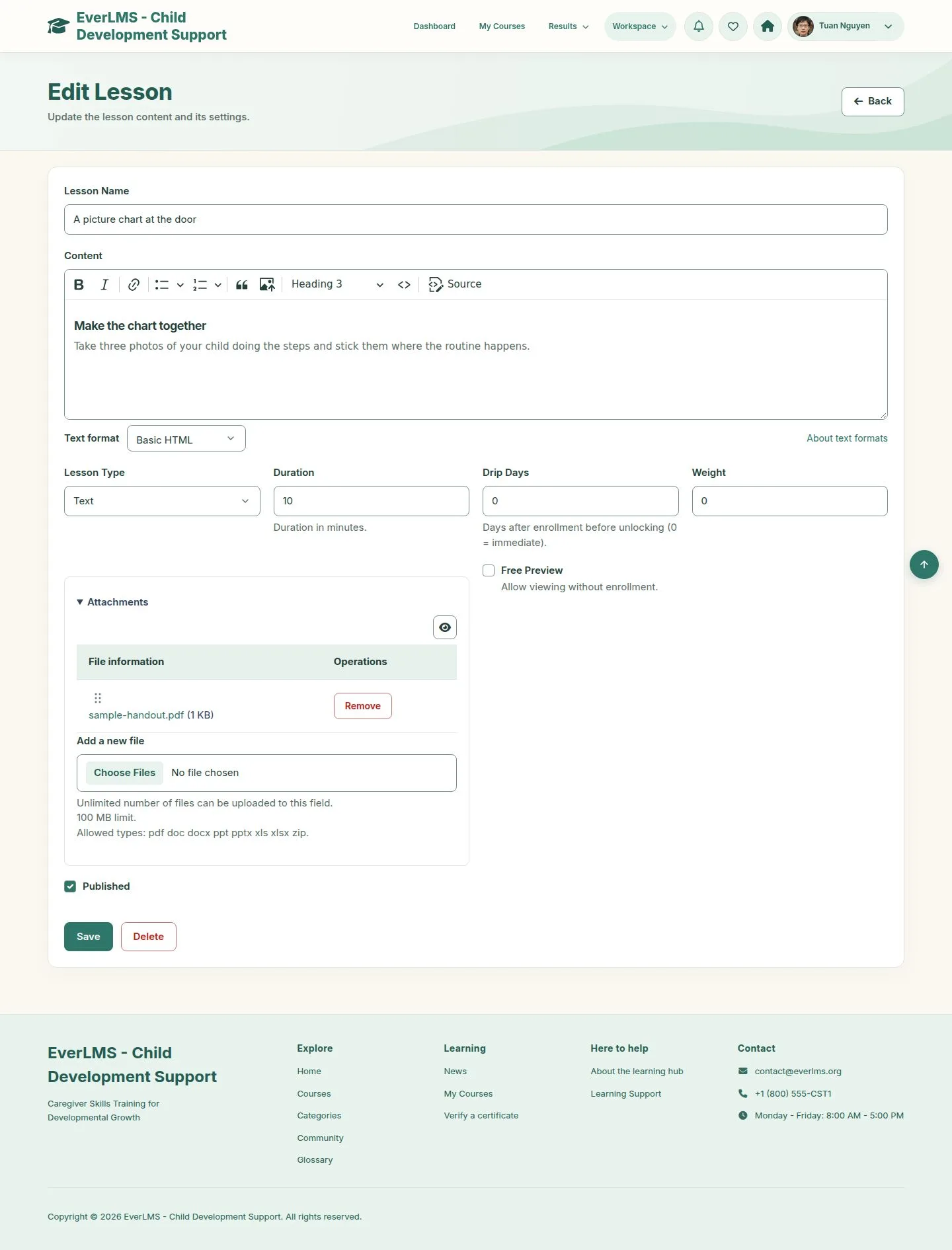
4Step 4 of 16

  1. Add new chapter, then Add new lesson inside it, in the same form.
  2. Lesson Name, Content, Lesson Type, Duration.

Enlarge, then scroll

Open illustrated screen ↗Full image ↗

Manager · Course authoring04

The chapter

Manager

The chapter

5Step 5 of 16

  1. Lessons are a table: drag to reorder, edit, remove.
  2. Create chapter, then Save course.

Enlarge, then scroll

Open illustrated screen ↗Full image ↗

Manager · Course authoring05

A quiz

Manager

A quiz

6Step 6 of 16

  1. Workspace › Manage Quizzes › Create New Quiz.
  2. Pass Threshold, Time Limit, Random Question Count, Max Attempts, Form Style.
  3. Course: the course this quiz belongs to.

Enlarge, then scroll

Open illustrated screen ↗Full image ↗

Manager · Course authoring06

A question

Manager

A question

7Step 7 of 16

  1. Choose the type and Add new question.
  2. Question, details, points, explanation and the right answer.

Enlarge, then scroll

Open illustrated screen ↗Full image ↗

Manager · Course authoring07

Answers

Manager

Answers

8Step 8 of 16

  1. Choices take their own table of answers.
  2. Eight types: single and multiple choice, true or false, fill in, short answer, matching, ordering, essay.

Enlarge, then scroll

Open illustrated screen ↗Full image ↗

Manager · Course authoring08

The questions

Manager

The questions

9Step 9 of 16

  1. Drag to reorder; Save.

Enlarge, then scroll

Open illustrated screen ↗Full image ↗

Manager · Course authoring09

The quiz lesson

Manager

The quiz lesson

10Step 10 of 16

  1. Edit the lesson: Lesson Type Quiz, then choose the quiz.
  2. Drip Days open a lesson later; Free Preview opens it without enrolling.

Enlarge, then scroll

Full image ↗

Manager · Course authoring10

On the site

Visitor

On the site

11Step 11 of 16

  1. The course is in the catalogue with its curriculum.

Enlarge, then scroll

Full image ↗

Manager · Course authoring11

Cover pictures

Manager

Cover pictures

12Step 12 of 16

  1. Thumbnail for the cards, Banner for the page.
  2. Without them the course uses a default picture.

Enlarge, then scroll

Full image ↗

Manager · Course authoring12

Lesson files

Manager

Lesson files

13Step 13 of 16

  1. Attachments appear in the Resources tab of the lesson.

Enlarge, then scroll

Full image ↗

Manager · Course authoring13

Correct a lesson

Manager

Correct a lesson

14Step 14 of 16

  1. Open the lesson from its course and save.
  2. Learner records do not change.

Enlarge, then scroll

Full image ↗

Manager · Course authoring14

The instructor edits

Instructor

The instructor edits

15Step 15 of 16

  1. Instructors edit the courses they teach, from Courses I Teach.
  2. Their form lists the chapters and the assessment quizzes of the course.

Enlarge, then scroll

Full image ↗

Manager · Course authoring15

Delete asks first

Manager

Delete asks first

16Step 16 of 16

  1. A dialog on the same page names the course.

Full image ↗

Check

A published course with its lessons and final assessment, ready for learners

Manager · Course authoring16
1 / 17
Privacy Terms