Grading & feedback

Essays graded by people, written feedback

  • An attempt waiting for review
  • Instructor of the course, or Manager
Instructor
Find the attempt

Instructor

Find the attempt

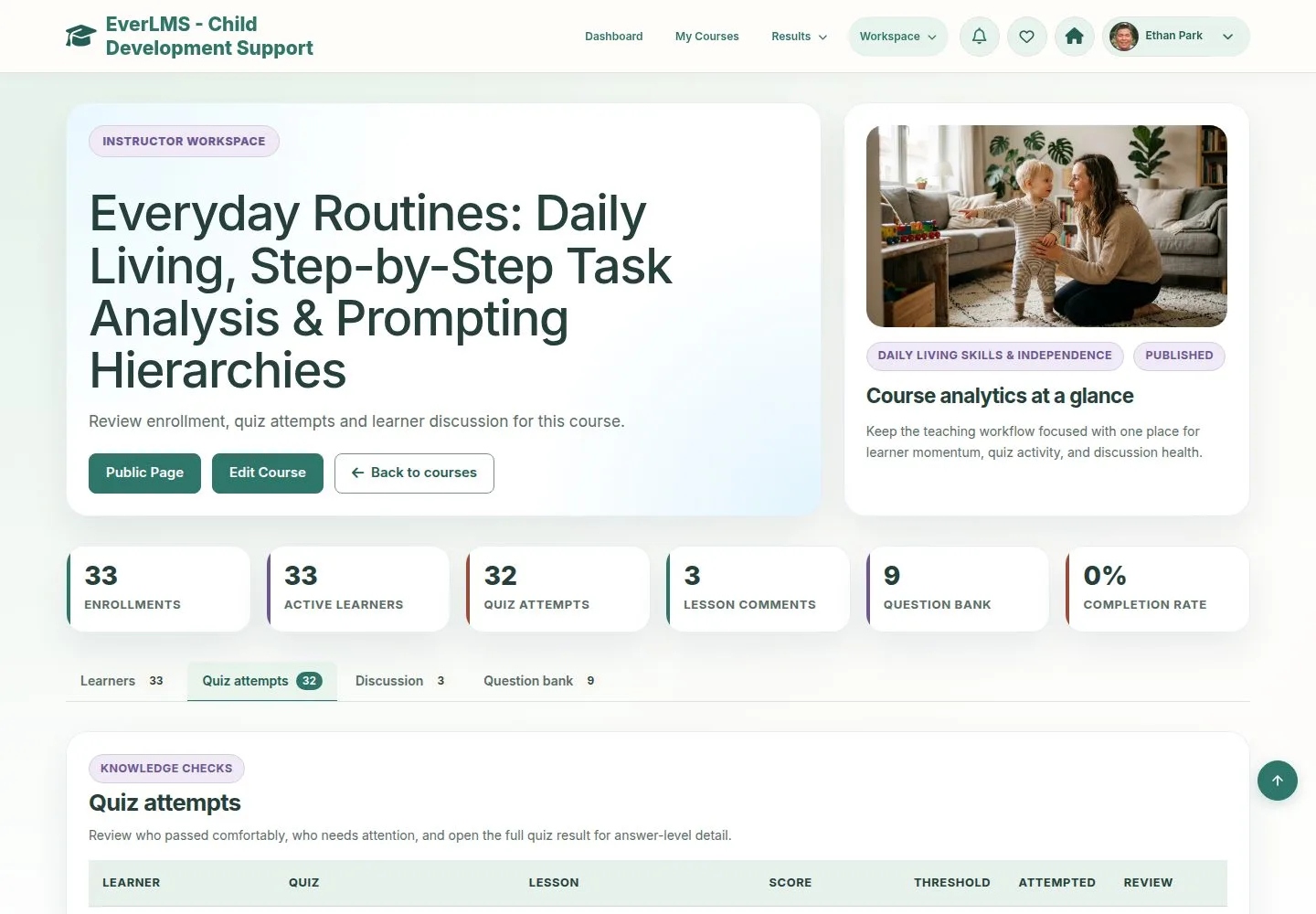
1Step 1 of 10

  1. Course statistics › Quiz attempts.
  2. Review marks the attempts waiting for a person.

Enlarge, then scroll

Open illustrated screen ↗Full image ↗

Instructor · Grading & feedback01

The result

Instructor

The result

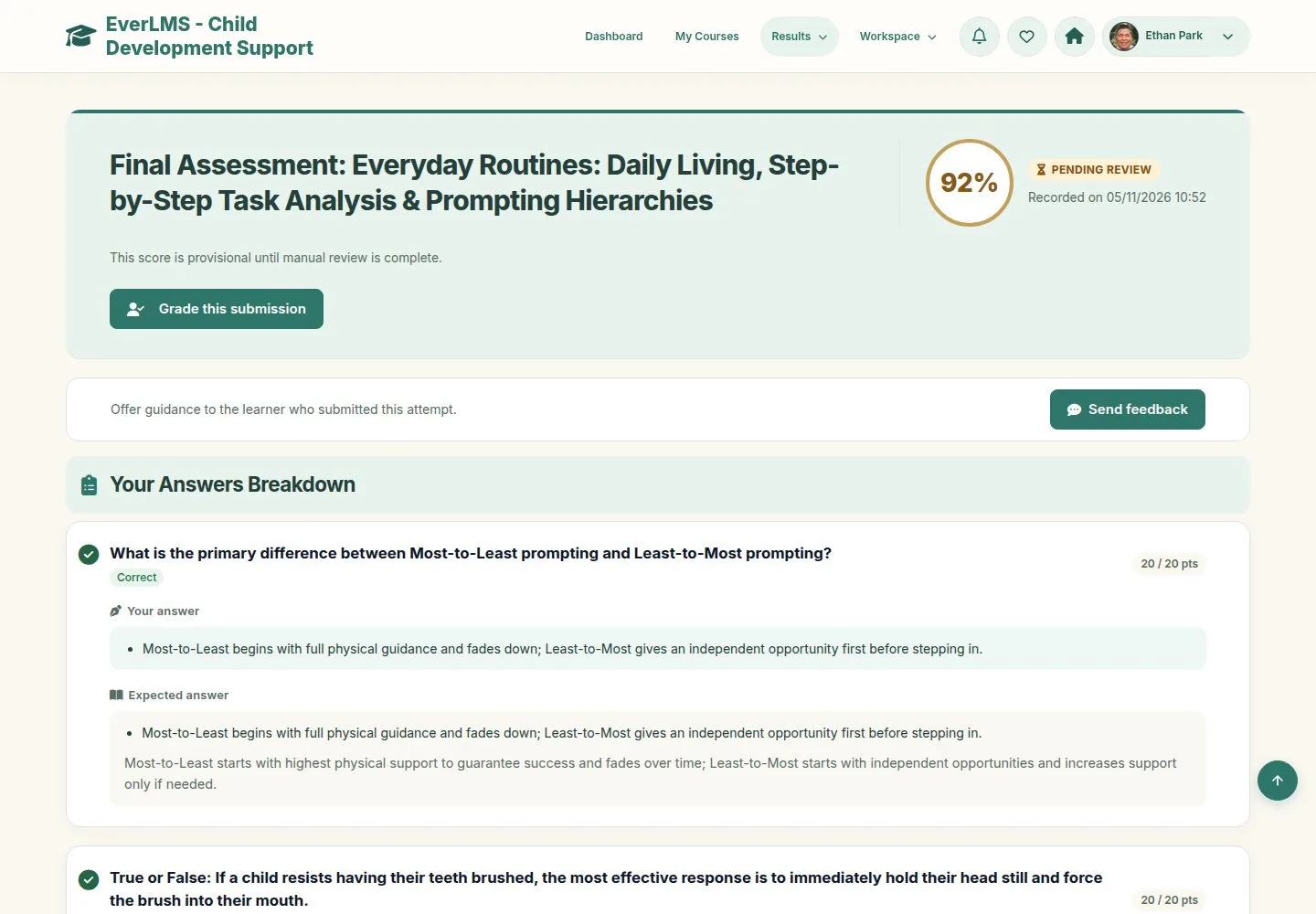
2Step 2 of 10

  1. Pending review, with a provisional score.
  2. Grade this submission and Send feedback are on the result.

Enlarge, then scroll

Full image ↗

Instructor · Grading & feedback02

Grade

Instructor

Grade

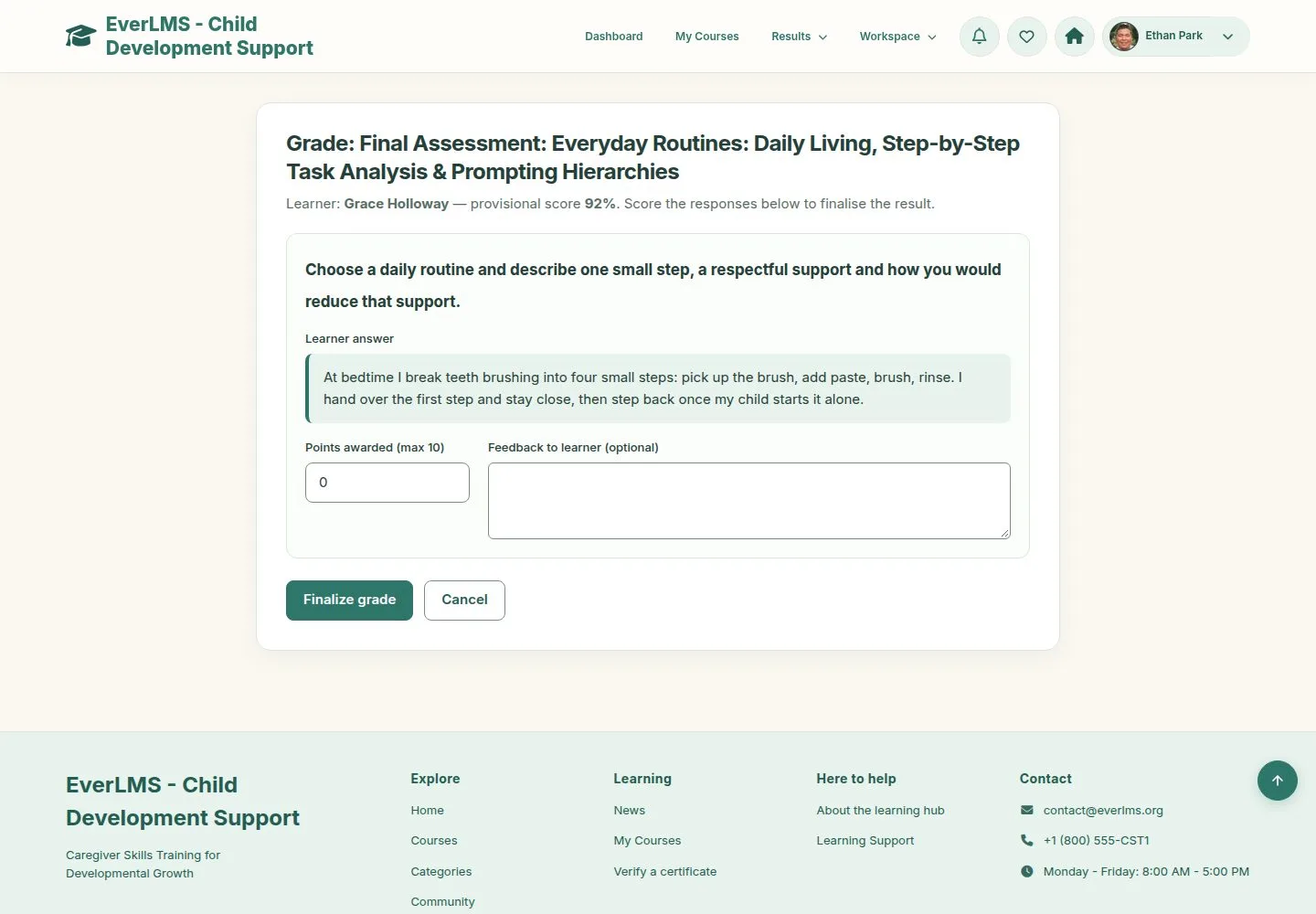
3Step 3 of 10

  1. The question and the answer of the learner.
  2. Points awarded and, if you wish, feedback on this answer.

Enlarge, then scroll

Full image ↗

Instructor · Grading & feedback03

Points have a limit

Instructor

Points have a limit

4Step 4 of 10

  1. The form refuses more points than the question is worth.

Enlarge, then scroll

Full image ↗

Instructor · Grading & feedback04

Finalize

Instructor

Finalize

5Step 5 of 10

  1. Finalize grade works out the final score.
  2. Cancel goes back without saving.

Enlarge, then scroll

Full image ↗

Instructor · Grading & feedback05

Final result

Instructor

Final result

6Step 6 of 10

  1. Passed or Failed by the pass mark.
  2. On a pass the course completes and the certificate is issued.

Enlarge, then scroll

Full image ↗

Instructor · Grading & feedback06

Send feedback

Instructor

Send feedback

7Step 7 of 10

  1. A title and a message about the whole attempt.
  2. It does not change the answers or the grade.

Enlarge, then scroll

Full image ↗

Instructor · Grading & feedback07

Sent

Instructor

Sent

8Step 8 of 10

  1. It follows the notification preferences of the learner.

Enlarge, then scroll

Full image ↗

Instructor · Grading & feedback08

What the learner reads

Learner

What the learner reads

9Step 9 of 10

  1. Instructor Feedback appears under the answer it belongs to.

Enlarge, then scroll

Full image ↗

Instructor · Grading & feedback09

Only your courses

Instructor

Only your courses

10Step 10 of 10

  1. An instructor of other courses cannot grade this attempt.

Enlarge, then scroll

Full image ↗

Check

The attempt is Passed or Failed with its final score, and the learner reads your feedback

Instructor · Grading & feedback10
1 / 11
Privacy Terms