Reports

Course, learner, quiz

  • A Manager account
Manager

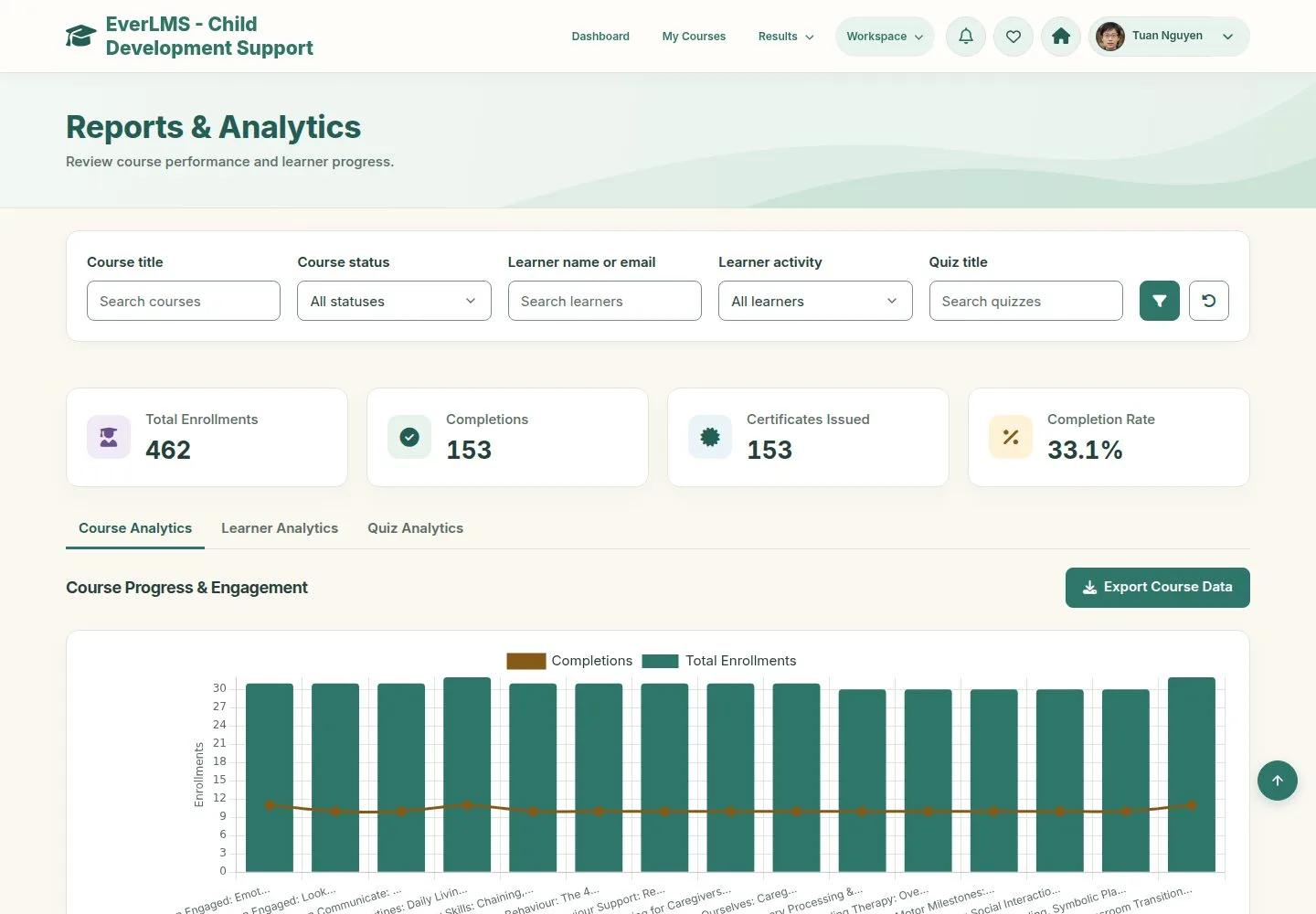
Course Analytics

Manager

Course Analytics

1Step 1 of 6

  1. Enrollments, completions, certificates and completion rate.
  2. Course Progress & Engagement: one row per course.
  3. Export Course Data gives a file.

Enlarge, then scroll

Open illustrated screen ↗Full image ↗

Manager · Reports01

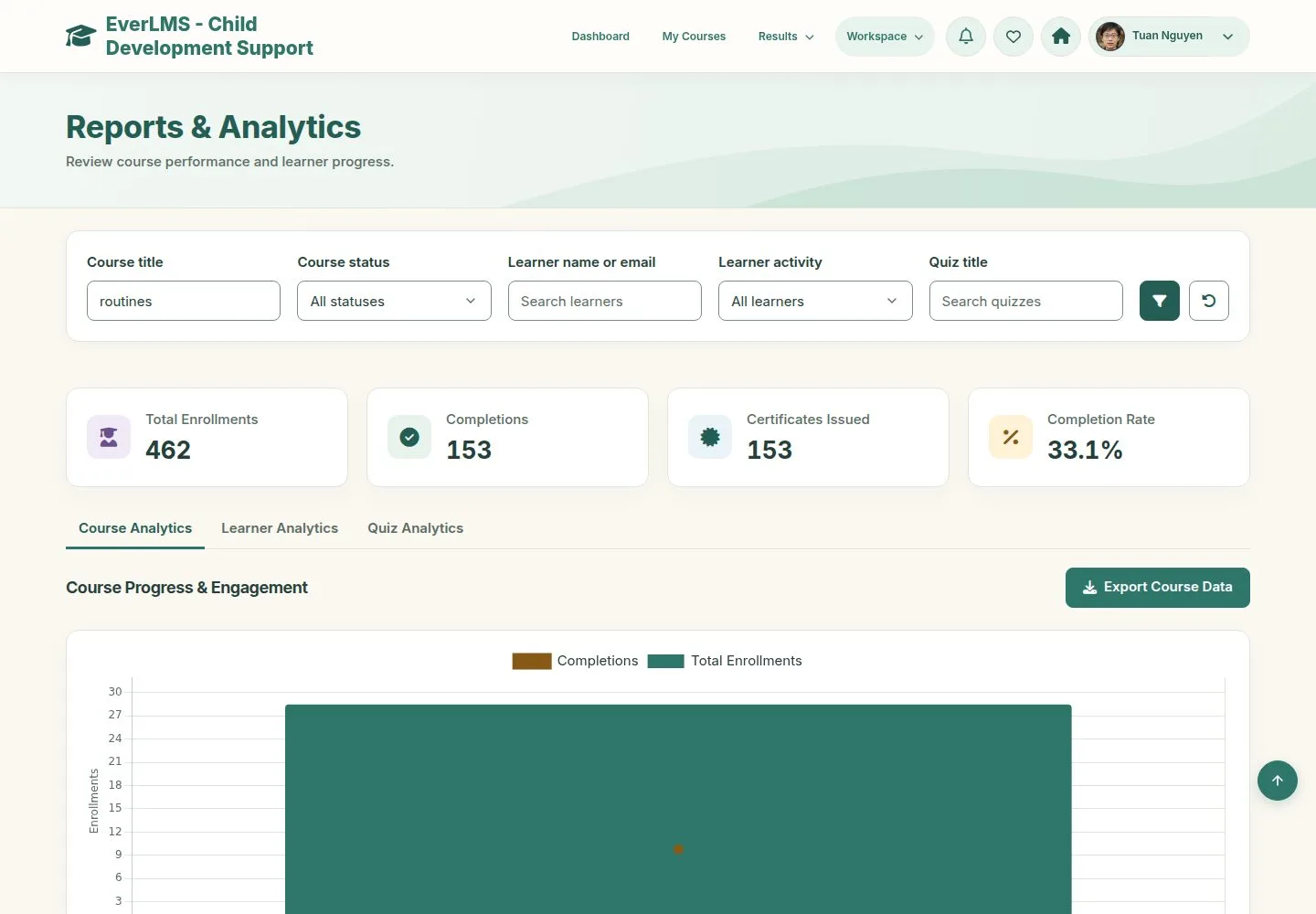
Filter

Manager

Filter

2Step 2 of 6

  1. Course title, status, learner and activity narrow every tab.

Enlarge, then scroll

Open illustrated screen ↗Full image ↗

Manager · Reports02

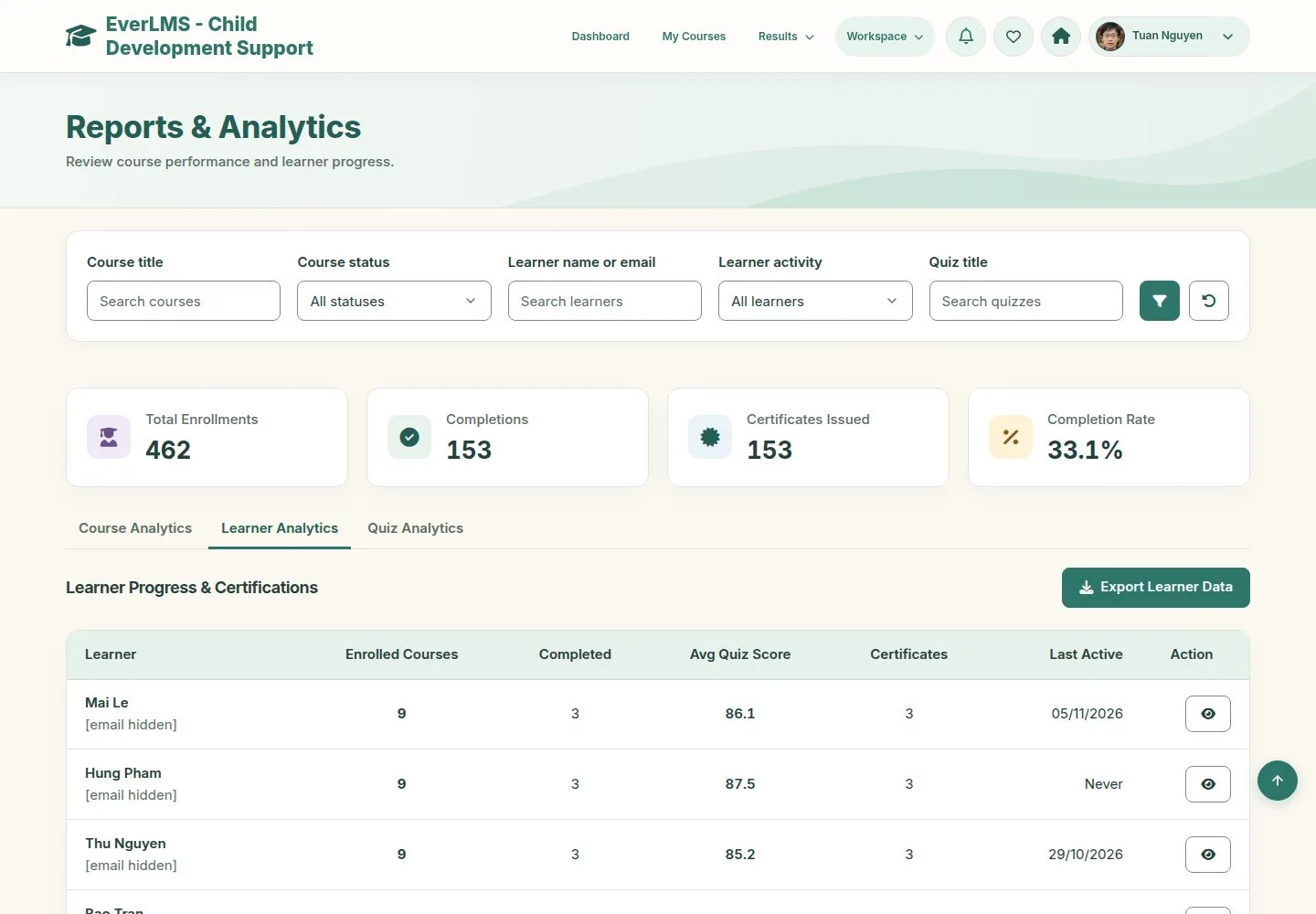
Learner Analytics

Manager

Learner Analytics

3Step 3 of 6

  1. One row per learner: courses, progress, activity.

Enlarge, then scroll

Open illustrated screen ↗Full image ↗

Manager · Reports03

Inactive learners

Manager

Inactive learners

4Step 4 of 6

  1. Learner activity finds who has not come back for some days.

Enlarge, then scroll

Open illustrated screen ↗Full image ↗

Manager · Reports04

Quiz Analytics

Manager

Quiz Analytics

5Step 5 of 6

  1. Attempts, pass rate and average score of each quiz.
  2. A row opens the item analysis.

Enlarge, then scroll

Open illustrated screen ↗Full image ↗

Manager · Reports05

Item analysis

Manager

Item analysis

6Step 6 of 6

  1. For each question: responses, correct responses and rate.
  2. Export CSV.

Enlarge, then scroll

Open illustrated screen ↗Full image ↗

Check

You see where each course and learner stands, and which questions need a look

Manager · Reports06
1 / 7
Privacy Terms