





Before you start
- Identify the original handed-over project, affected components, complaint date, reporter and factual description.
- Have the customer’s photographs ready. The default warranty is 24 months from handover, free of charge; confirm the company’s configured period.
- Only the Coordinator records coverage and lifecycle decisions; other permitted roles may read the ticket.
Screenshots show an earlier interface. Some current actions may appear in a different place or be absent from the image.
Currently: A complaint received after the warranty ended cannot be Eligible. Record Ineligible or an Exception with its reason.
Currently: Do not promise coverage before recording a valid decision.
Shared workflows
Receive and resolve a warranty complaint
Trace the complaint to the original job, decide coverage and retain the remedy, customer confirmation and any later reopening.
Prepare the records → follow the steps → check the outcome.
Create a new warranty ticket
Coordinator
1Step 1 / 5
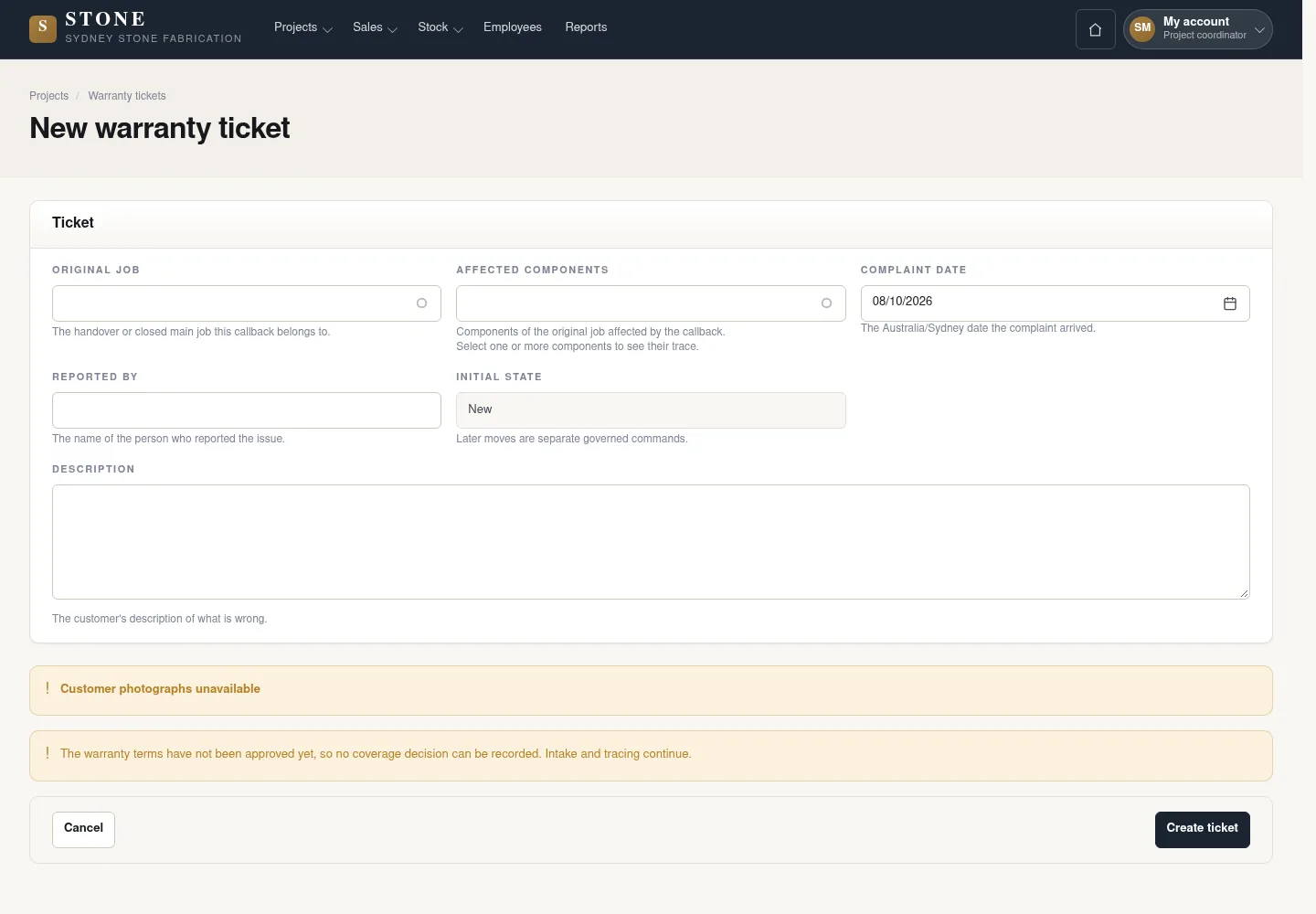
The complaint links to the original handed-over project, components and actual photographs.
- Open Projects → Warranty tickets → New ticket.
- Enter Original job, Affected components, Complaint date, Reported by and Description.
- Attach the customer photographs, then select Create ticket.
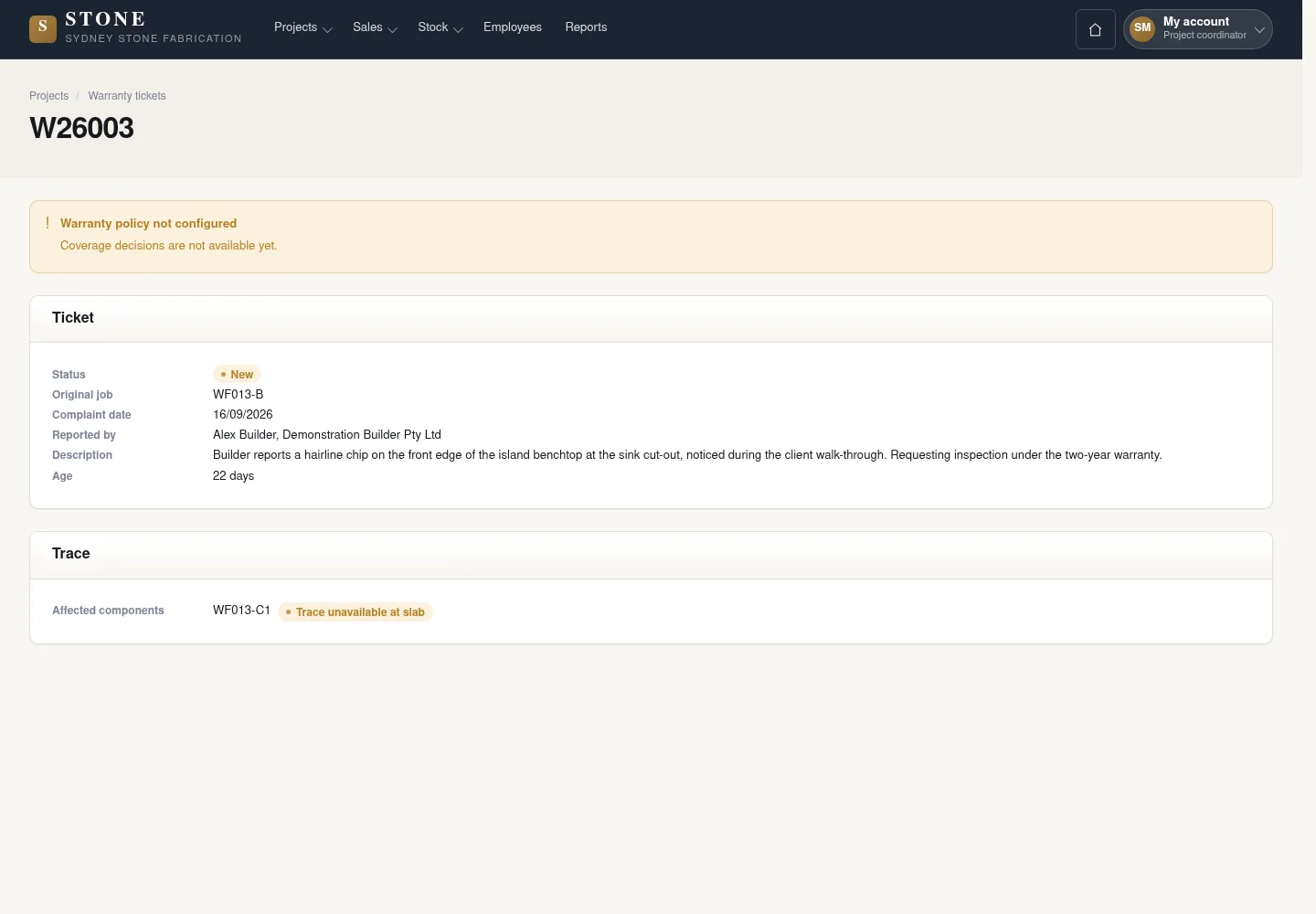
The earlier screenshot shows the record layout; the current action controls described here may not appear in the image.
A New ticket links to the original Project and affected components.
Trace the affected components to their source
Coordinator
2Step 2 / 5
Linked records lead from the product component to its slab and inbound delivery. Check those links rather than relying only on free text.
- Open the ticket and relevant components.
- Use linked records to check the slabs, parent slabs and inbound delivery.
The source is traceable through records; separate free text does not prove origin.
Decide coverage and start follow-up
Coordinator
3Step 3 / 5
Check the complaint date against the configured period from handover. Explain the coverage decision and name the person handling the ticket.
- On the New ticket, select Record coverage decision.
- Choose Eligible, Ineligible or Exception, enter Reason of at least 10 characters and Handled by, then select Record decision.
- Check the In progress state; a complaint received after warranty expiry cannot be Eligible.
The earlier screenshot shows the record layout; the current action controls described here may not appear in the image.
The In progress ticket records the coverage decision, reason and handler.
Record the remedy and close the complaint
Coordinator
4Step 4 / 5
Keep the facts and evidence of the completed follow-up on the same ticket.
- Record the remedy; use Add photographs to attach JPG or PNG images up to 5 MB each while the ticket is open.
- Select Close ticket and enter Completion date, no later than today, plus Customer confirmation; if the customer cannot confirm, provide Substitute evidence and a reason of at least 10 characters.
- Confirm Close ticket and check its history. An Ineligible callback closes on its recorded reason.
The earlier screenshot shows the record layout; the current action controls described here may not appear in the image.
The Closed ticket keeps the coverage, remedy and completion evidence; cost totals come from linked cost lines.
Reopen a returned complaint
Coordinator
5Step 5 / 5
A later complaint is recorded without overwriting the earlier resolution.
- On the Closed ticket, select Reopen ticket.
- Enter Reopen reason of at least 10 characters and at least one JPG or PNG Photograph of the new complaint, up to 5 MB, then confirm Reopen ticket.
- On the Reopened ticket, select Resume work, choose Handled by and confirm Resume work.
The earlier screenshot shows the record layout; the current action controls described here may not appear in the image.
The ticket returns to follow-up with its prior closure and the new complaint history retained.
Complete the task
Results & checks
- New → In progress → Closed retains the coverage reason, handler, remedy and completion evidence.
- Reopening records the new complaint, reason and photographs; costs come from linked cost entries.
Screenshots illustrate the page layout. Some show earlier controls; follow the current steps and check the result after performing the action.