





Before you start
- Have the source slab code, actual dimensions, a photograph and an accepted K1/K2 location for the piece to retain.
- Retaining an off-cut separately does not need a work order and does not automatically make the source slab Consumed.
- For reconciliation, the Cutting order must be In progress, the source slab Issued, the components linked and your own work session Finished.
Screenshots show an earlier interface. Some current actions may appear in a different place or be absent from the image.
Shared workflows
Retain off-cuts and reconcile a cut
Give each useful off-cut its own code, and reconcile areas and costs before recording the source slab as consumed.
Prepare the records → follow the steps → check the outcome.
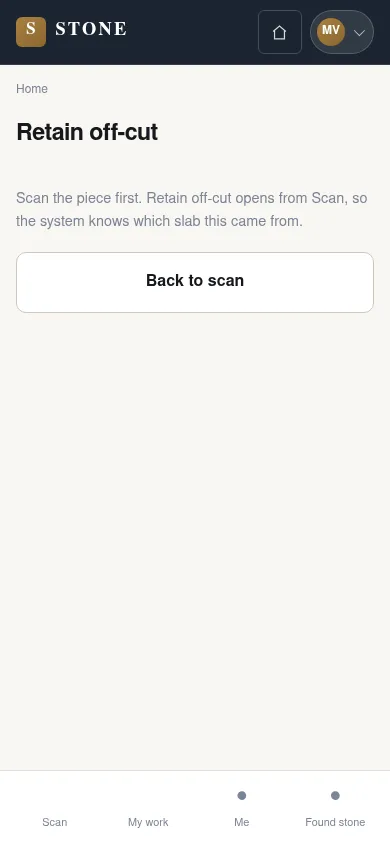
Scan and check the source slab
Worker
1Step 1 / 5
Identify the correct source slab before creating an off-cut code. This link lets the warehouse trace the retained piece back to its source.
- Scan the source slab code to open Retain off-cut.
- Check the code against the correct source slab before recording the piece to retain.
The piece to be retained is linked to the correct parent slab.
Record dimensions and retain the off-cut
Worker
2Step 2 / 5
Record the actual piece so the warehouse can identify and locate it. The separately retained piece has its own stock code; this action does not yet reconcile use of the source slab.
- Enter the actual length and width, add one photograph and choose a K1/K2 location.
- Select “SAVE AND PRINT LABEL”, then “Keep it”.
A child code is created in In Stock; keeping the piece alone does not change the parent.
Attach the label to the retained piece
Worker
3Step 3 / 5
The label code connects the piece in stock to its saved details. If the printer has not responded, keep a temporary code on the piece while waiting for the label.
- Attach the label with the new code to the correct off-cut.
- If the printer has not responded, write the code temporarily on the piece and wait for the queued label.
The piece in stock can be looked up using its child code.
Reconcile after finishing your cutting work
Worker
4Step 4 / 5
Retain every useful piece before reconciliation so the retained area is calculated from saved data. Then use the actual dimensions of the cut components.
- Finish retaining all off-cuts, then select “Finish” for your own work session.
- On the stage, enter each component’s dimensions and select “Post cut reconciliation”.
SubAgent Construction calculates retained area and waste from the recorded data.
Check the reconciliation result
Worker
5Step 5 / 5
Read the stage status, source slab status and retained pieces after the action. If rejected, use the message to identify what is missing; incomplete purchase costs need the accountant’s attention.
- Check the stage, source slab status and off-cut records after reconciliation.
- If rejected, read the message; ask the accountant to complete the landed cost when purchase costs are missing.
Only when scope, areas and locked cost are all valid does the parent become Consumed, with one material-cost entry.
Complete the task
Results & checks
- Unknown cost does not block keeping and labelling an off-cut; the child remains In Stock.
- There is no minimum-size threshold that automatically decides whether a piece is useful.
- Do not change dimensions to force the areas to balance.
Screenshots illustrate the page layout. Some show earlier controls; follow the current steps and check the result after performing the action.