





 Internal training
User guide · Anonymous visitor
Sign in and recover your account
Use your Username and Password on the sign-in form to reach your personal area; if you forget your password, use the recovery form.
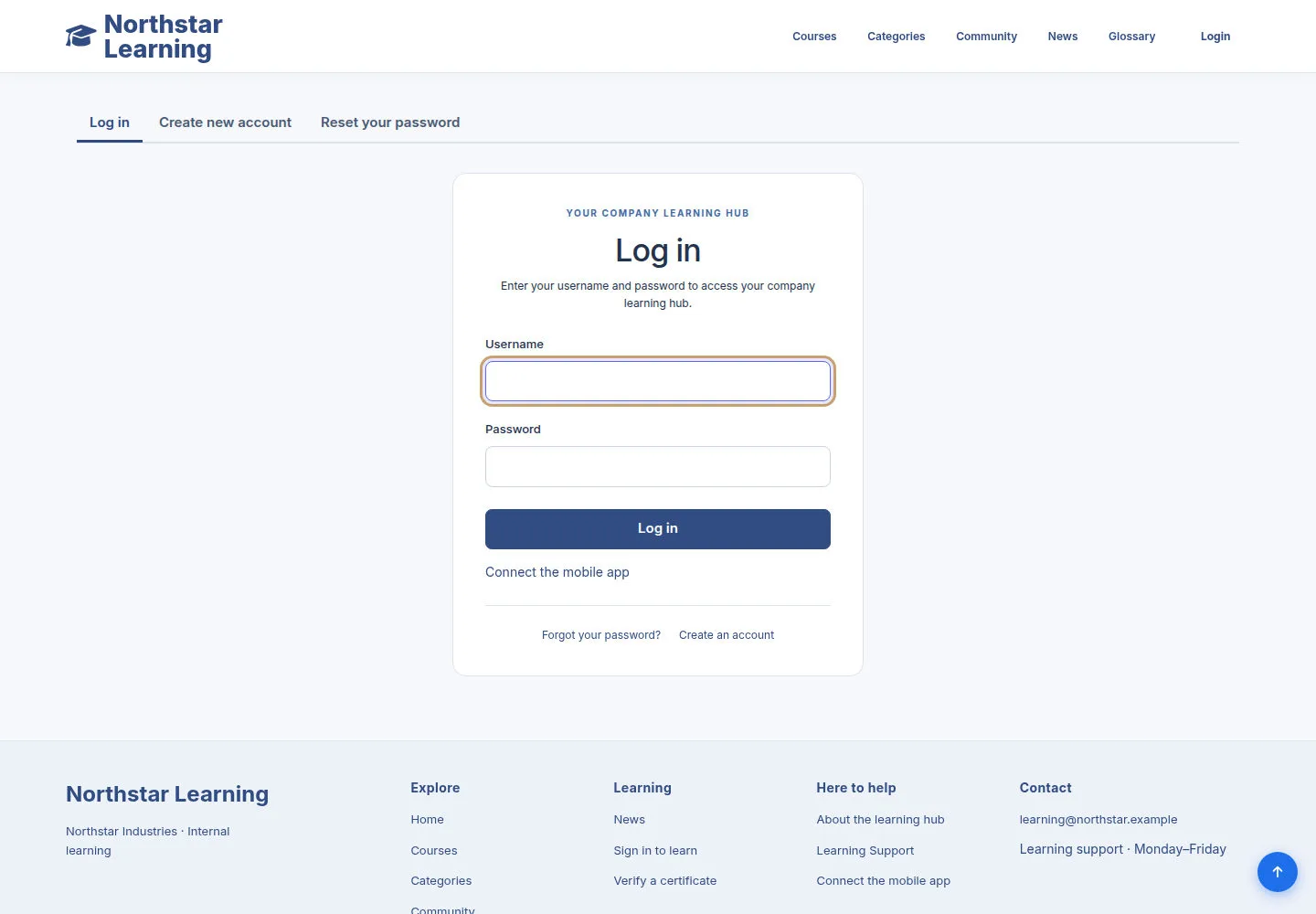
Sign in with your Username and Password
Anonymous visitor
1Step 1 of 3
Open Login in the header or go to /user/login.
- Enter the Username and Password of the account you were given.
- Click Log in; once signed in, click your account name to open the back office.
Use your assigned credentials. If sign-in fails, follow the message on the form and correct the account details.
Open on site ↗Full-page screenshot ↗
The session uses the account you entered; no one-time login link is needed.
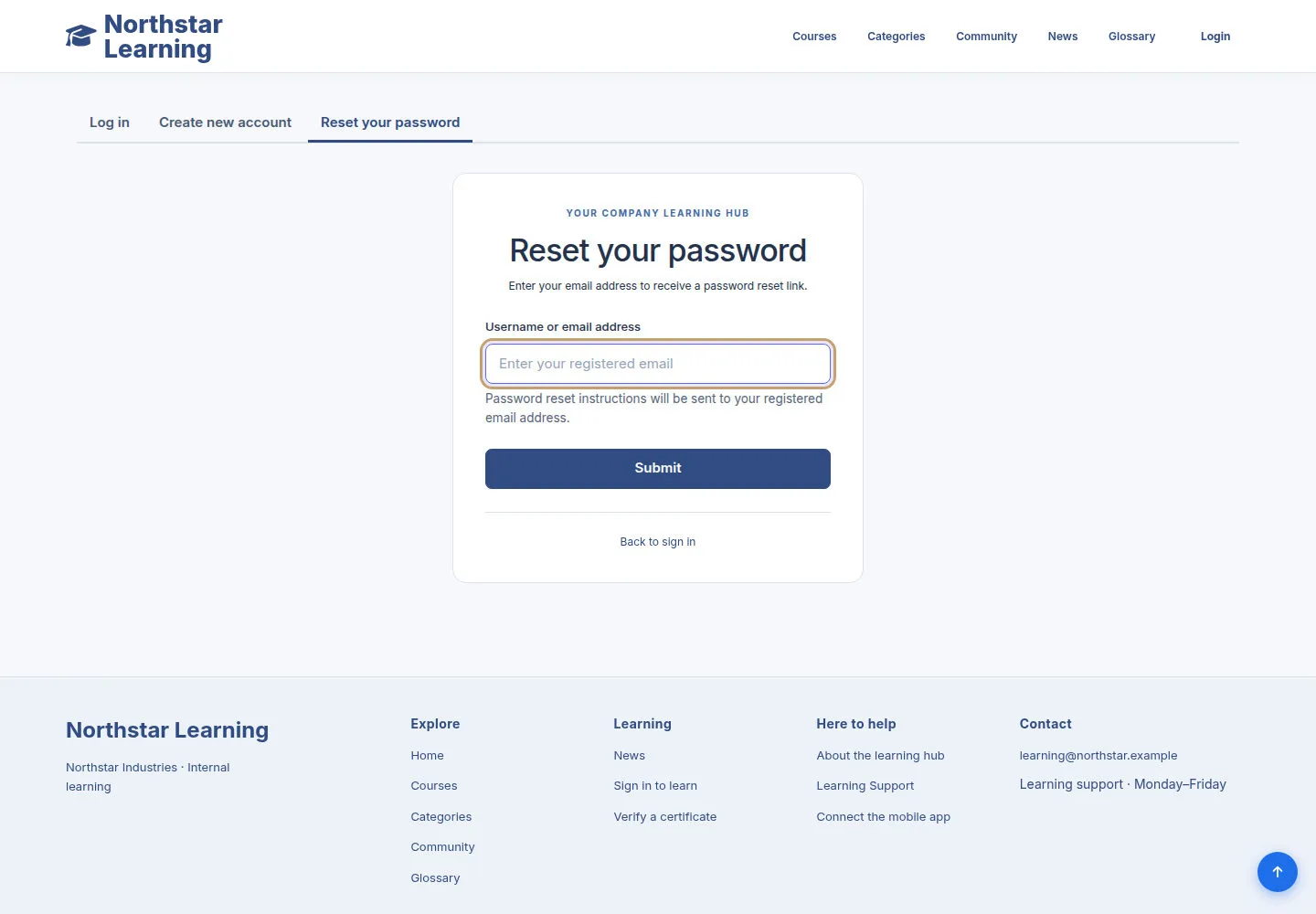
Recover a forgotten password
Anonymous visitor
2Step 2 of 3
Use the Reset your password form to start recovering your account.
- Enter your account identifier in the field on the form.
- Send the request when you need to recover access and follow the instructions you receive.
Open on site ↗Full-page screenshot ↗
The form gives recovery instructions according to the site's configuration.
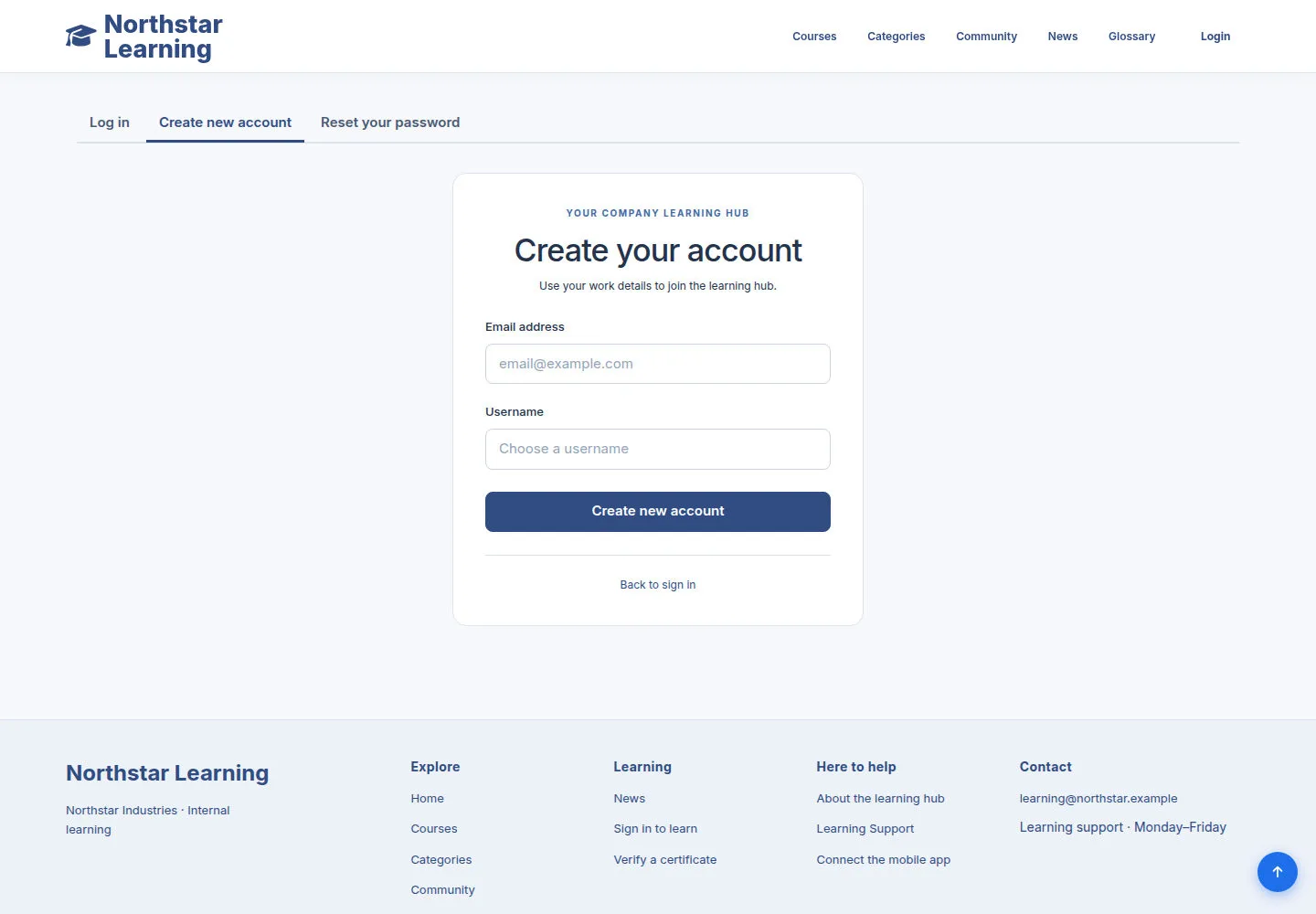
Recognise the Create new account path
Anonymous visitor
3Step 3 of 3
The site keeps its original registration form; your organisation may also create accounts for employees.
- If you have been told to register yourself, open Create new account, fill in the required fields and follow the instructions on the form.
Open on site ↗Full-page screenshot ↗
You create your account in the way the site currently provides.