





 Internal training
User guide · Authenticated user
From a Course to My Courses
Enrol in a Course in its confirmation dialog, then open it from My Courses.
Choose the Course you want to learn
Authenticated user
1Step 1 of 3
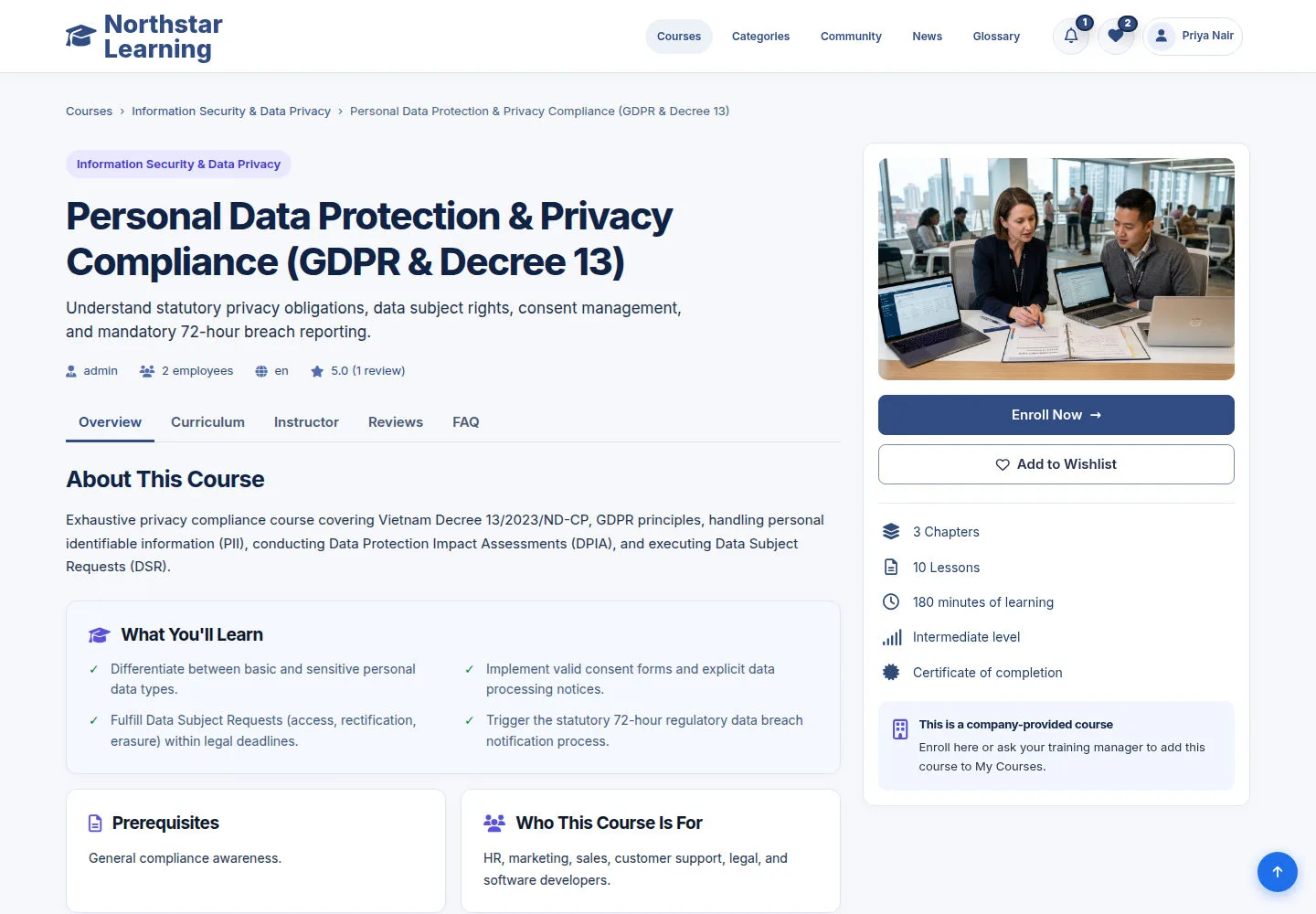
The Course page shows the description, What You'll Learn and the Curriculum and FAQ tabs; the right column lists its Chapters, Lessons, minutes of learning, level and certificate.
- Read the Overview and the Curriculum before you enrol.
- Click Enroll Now in the right column, under the Course image; Add to Wishlist saves the Course for later instead.
Open on site ↗sign-inFull-page screenshot ↗
Enroll Now opens a confirmation dialog on the same page.
Confirm in the Enroll dialog
Authenticated user
2Step 2 of 3
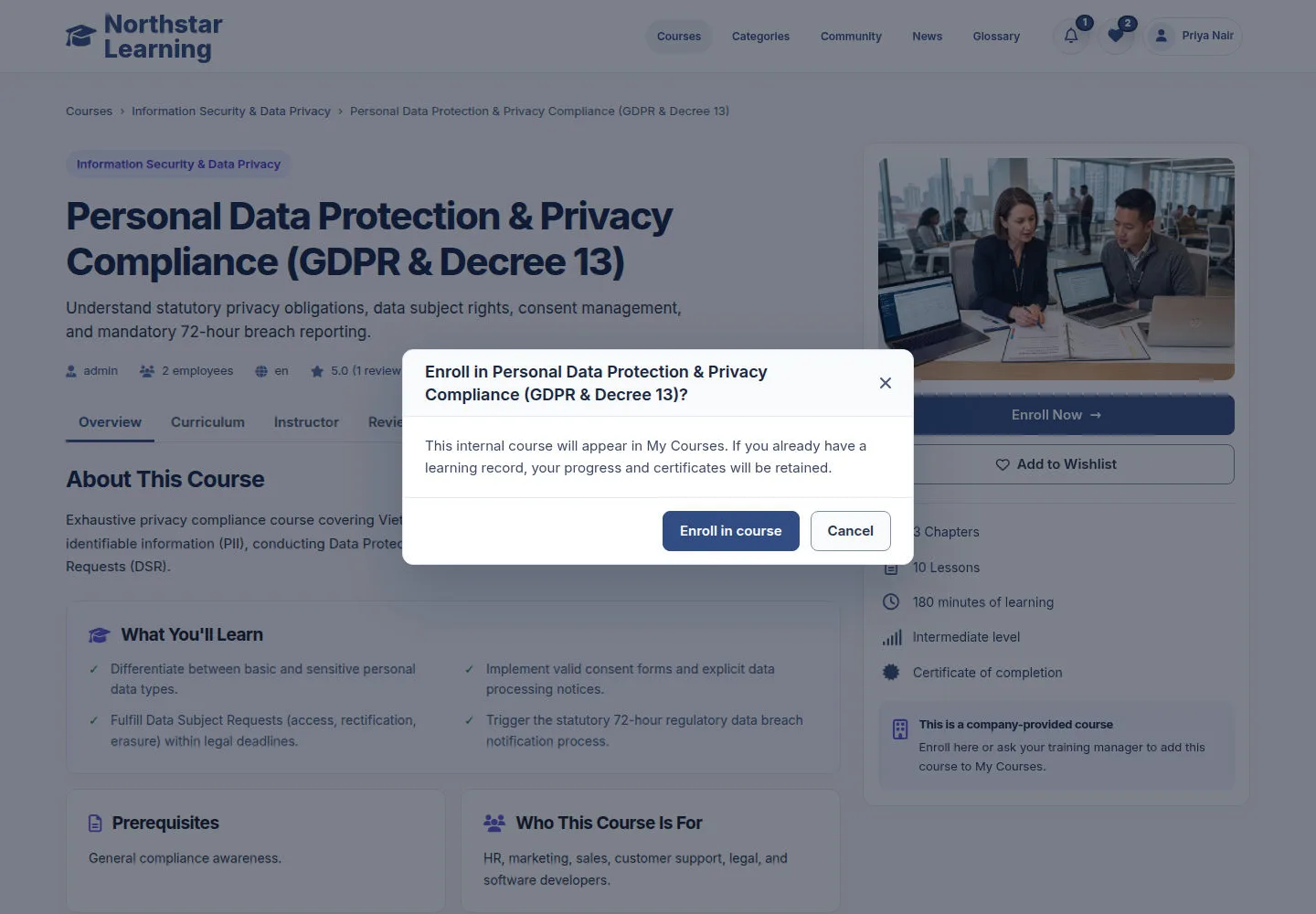
The dialog asks Enroll in Personal Data Protection & Privacy Compliance (GDPR & Decree 13)? and explains that this internal Course will appear in My Courses; a learning record you already have keeps its progress and certificates.
- Check the Course name in the dialog title.
- Click Enroll in course to confirm, or Cancel (or ✕) to close the dialog without enrolling.
Open on site ↗sign-inFull-page screenshot ↗
After you confirm, the Course is in My Courses with Start Course.
Open a Course you enrolled in or were assigned
Authenticated user
3Step 3 of 3
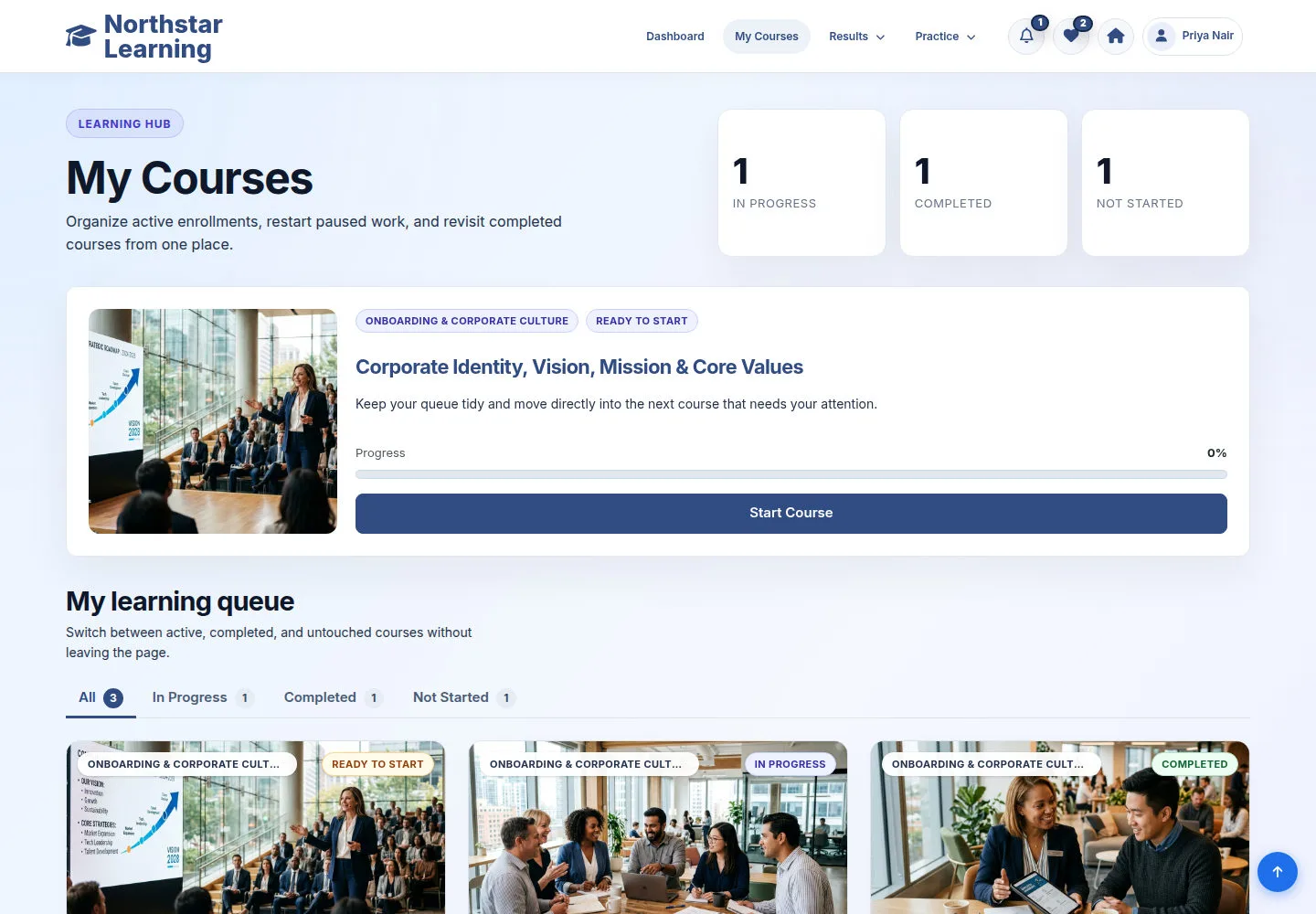
My Courses lists the Courses you joined or were assigned. Their status and progress help you choose what to start, continue or review.
- Filter the list with the tabs All, In Progress, Completed and Not Started.
- Click Start Course for a new Course, Continue Learning for one in progress, or Review Course for a completed one.
Open on site ↗sign-inFull-page screenshot ↗
The lesson player of that Course opens.