









Quick guide for administrators
Staff accounts, access and feature packs
- The administrator account
Administrator
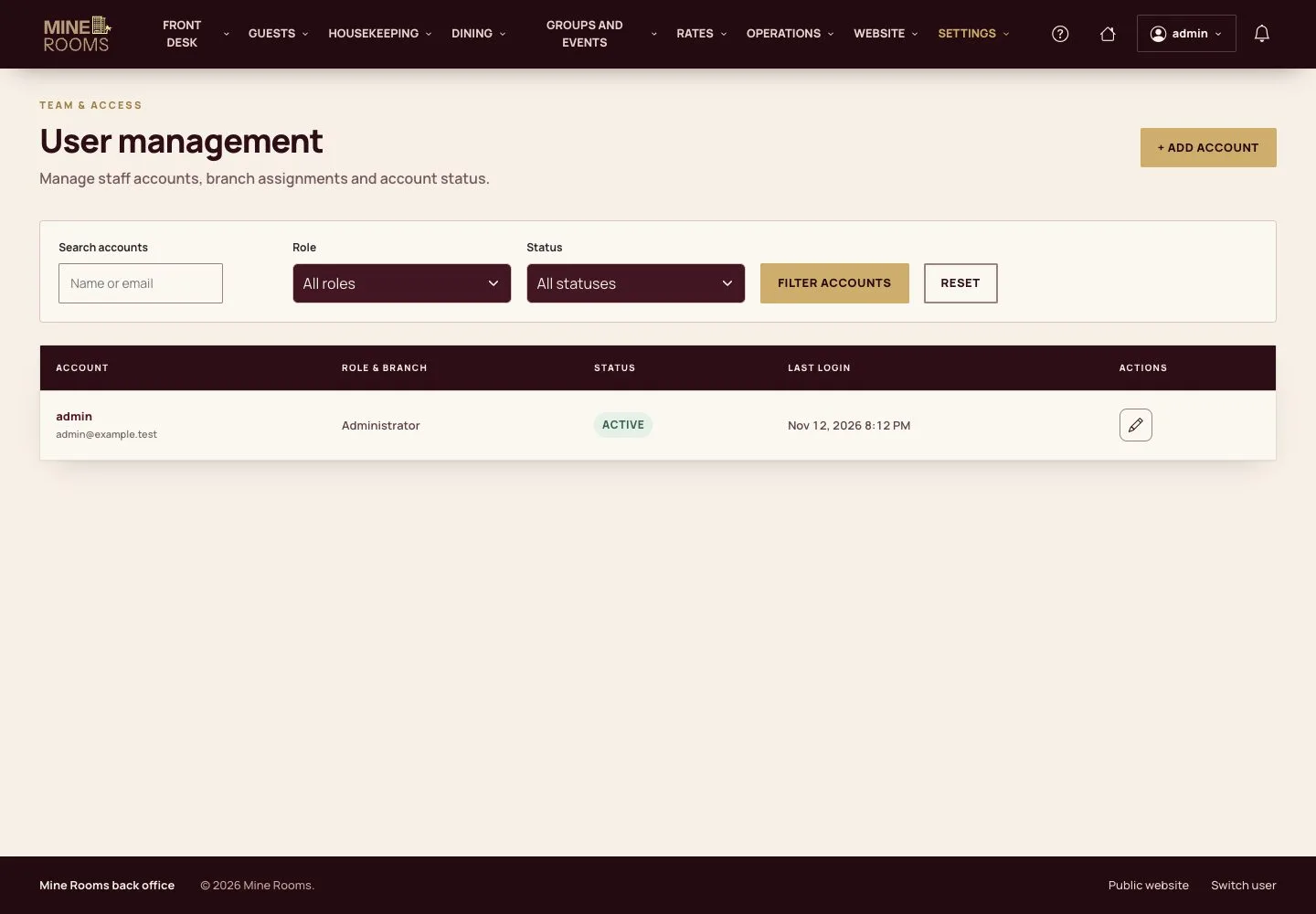
Staff accounts
Administrator

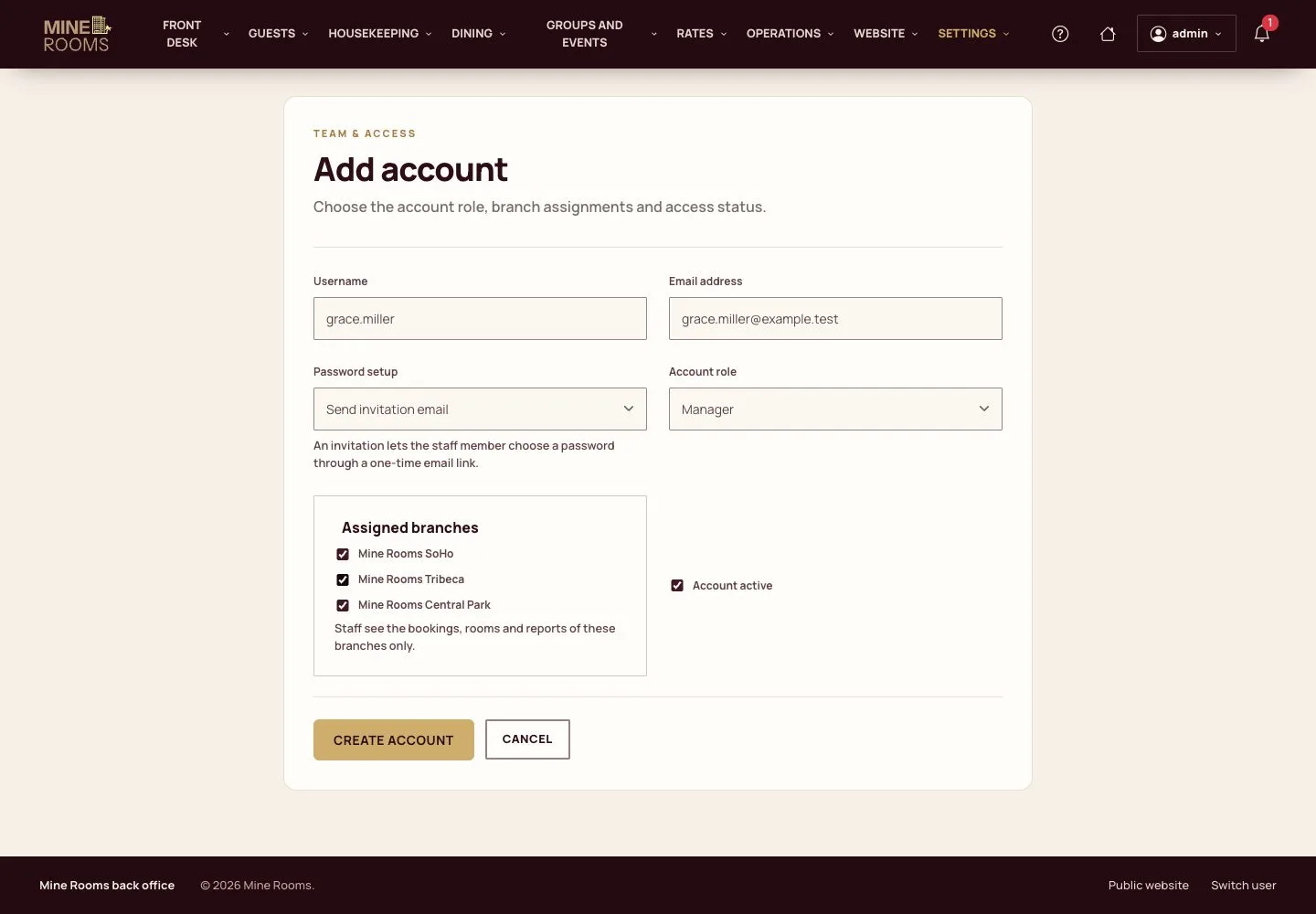
Add an account
Administrator

2Step 2 of 4
- Add an account: the name, the email, the role and the houses.
Step by step: Staff and access
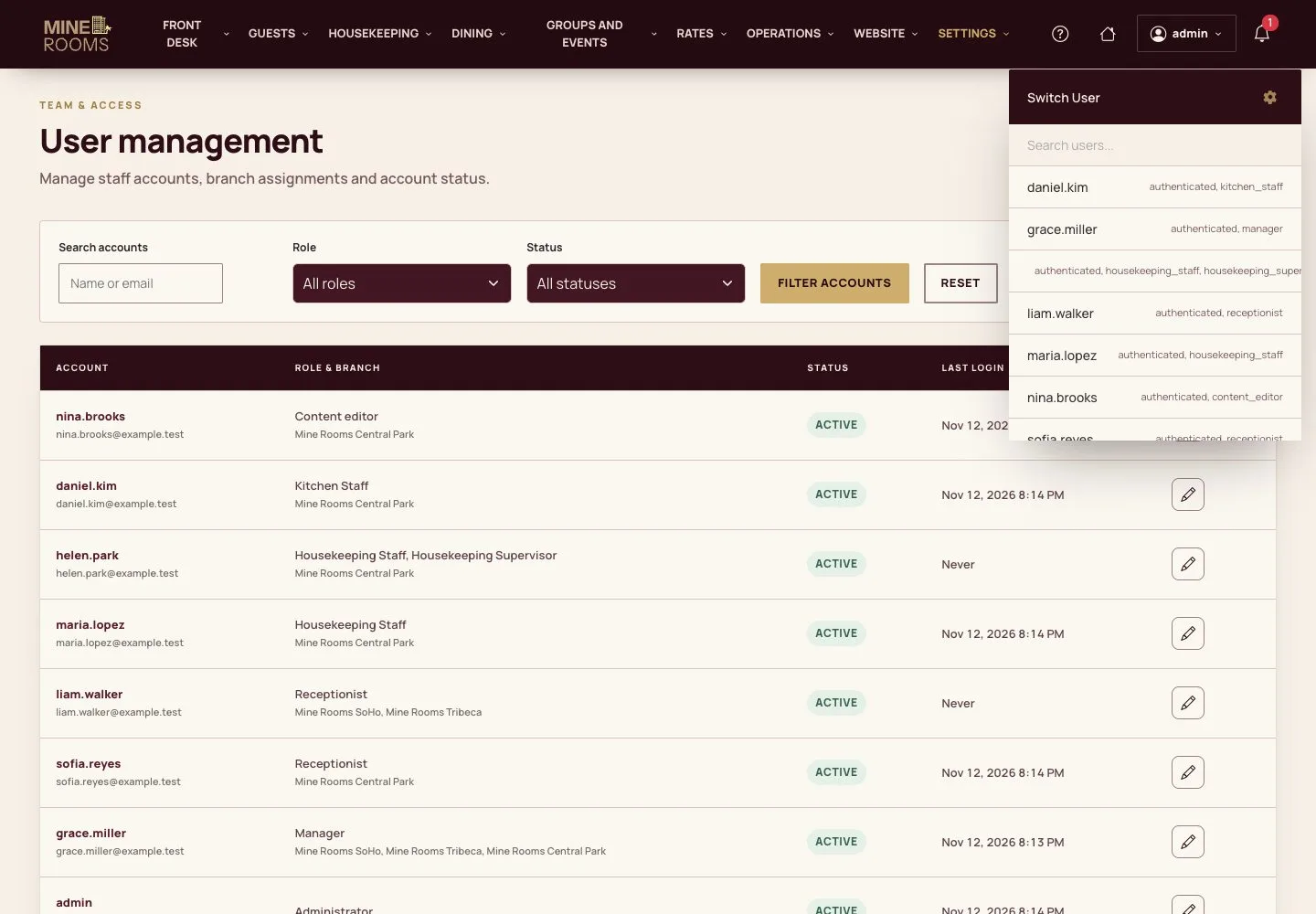
Switch user
Administrator

3Step 3 of 4
- Switch user shows the product as another account sees it, on the screen that account works from.
- Switch back signs you in again as yourself: with two-step sign-in, enter your authenticator code, then you return to the same page.
Step by step: Staff and access
Feature packs
Administrator

4Step 4 of 4
- Settings › Feature packs turns the optional packs on or off for the whole hotel; their data is kept.
Step by step: Staff and access
Open illustrated screen ↗Full image ↗
Check
Each member of staff has an account with the role and the houses of their work.
1 / 5