









Data import
Future reservations, their guests and deposits from the previous system
- Houses, room types and rooms set up
Manager
Import reservations
Manager

1Step 1 of 1
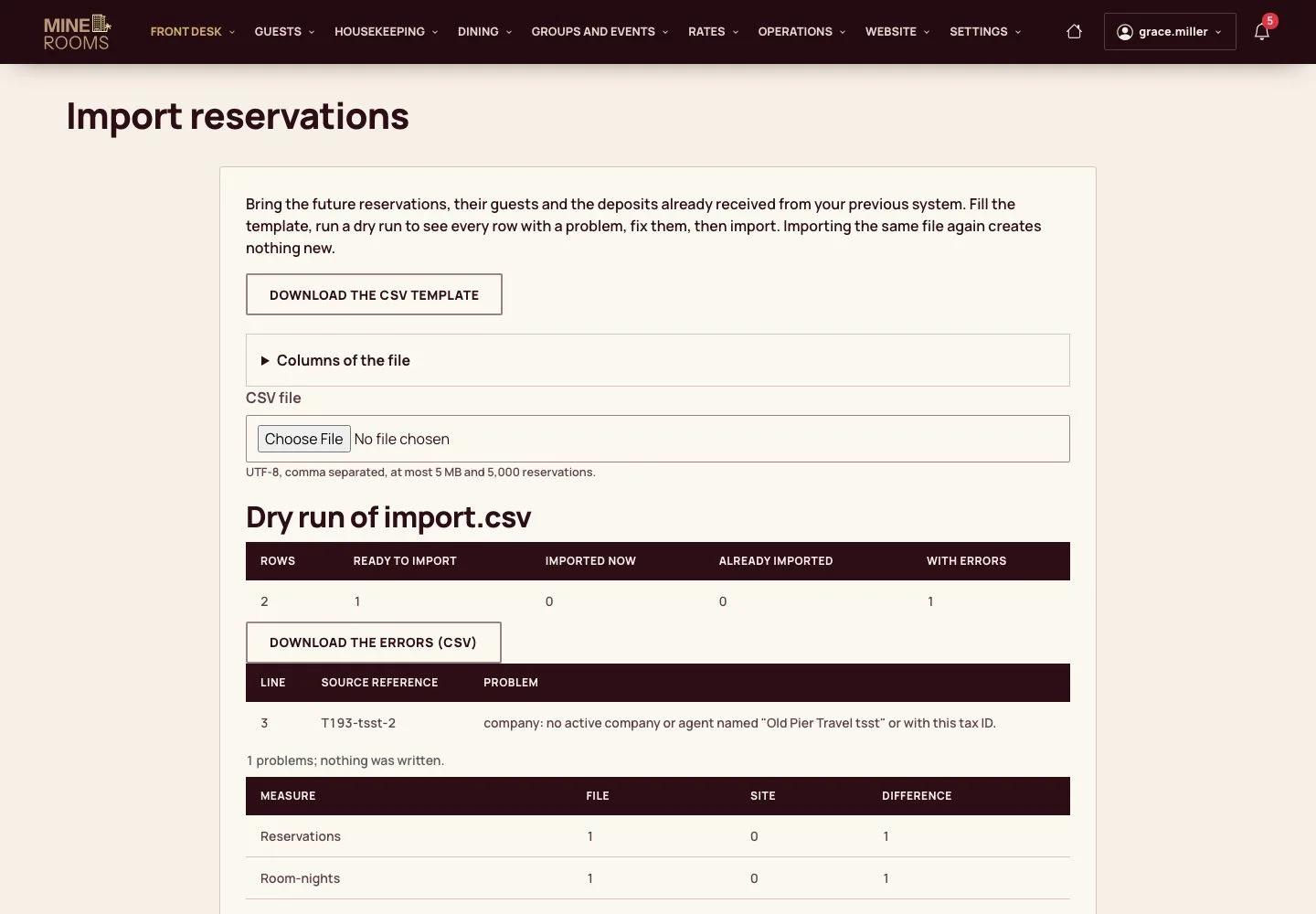
- Download the CSV template and fill one line per reservation: the stay, the guest, the party with the ages of children, and any deposit already received.
- Dry run checks every line and lists each problem; fix the file and run it again. When no line has a problem, Import writes the reservations.
Importing the same file again creates nothing new.
Enlarge, then scroll
Open illustrated screen ↗Full image ↗
Check
The future reservations of the previous system are in Mine Rooms with their guests and deposits, once each.
1 / 2