









Quick guide for the front desk
Five tasks of a shift, in order, and what to do when the system is down
- A front desk account of the house
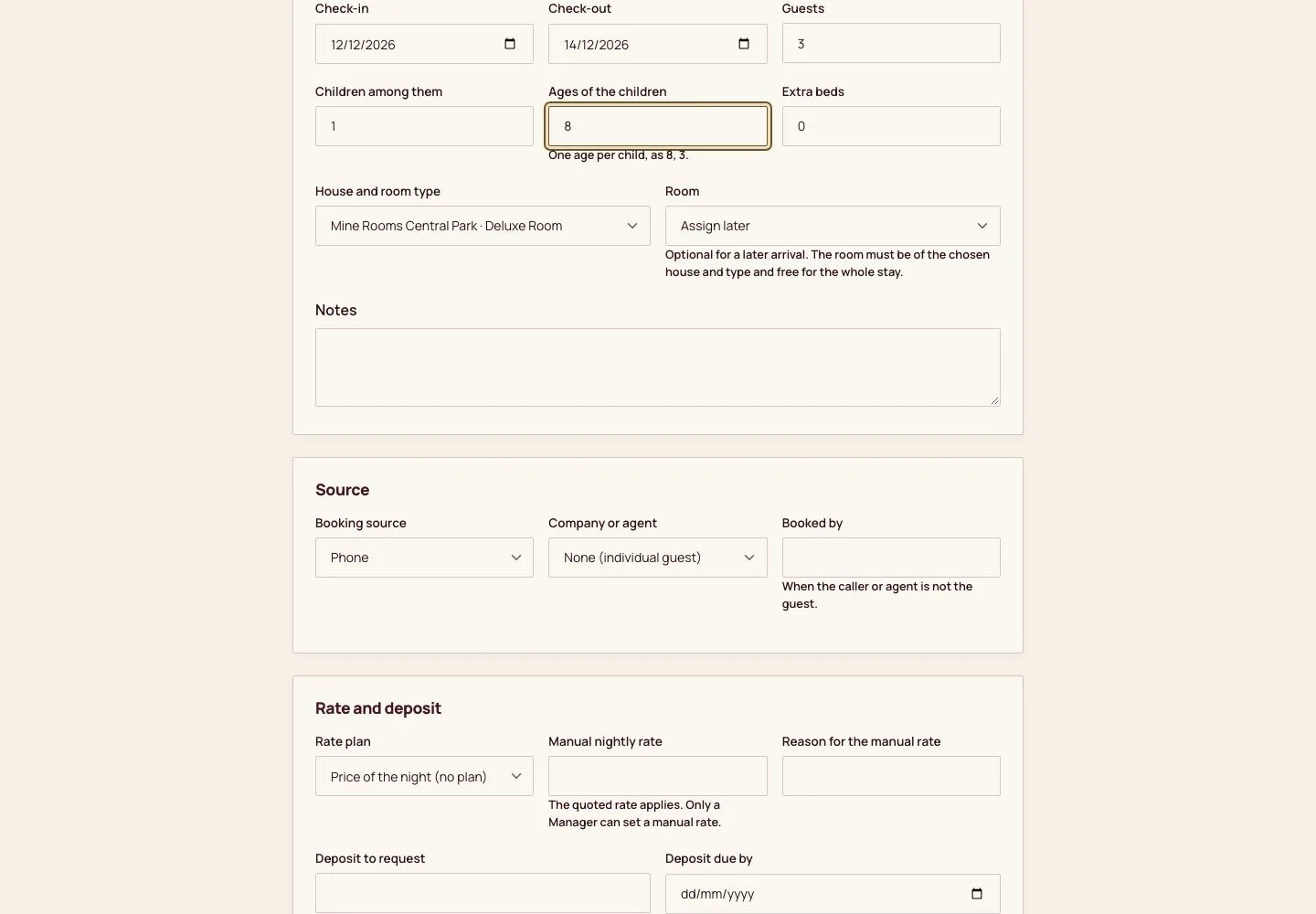
Take a phone reservation
Receptionist

1Step 1 of 6
- Front desk, then Desk reservation: the guest, the dates, the party, the house and room type and the source.
- Review booking, then Create booking.
Step by step: Desk and phone reservations
Enlarge, then scroll
Check a guest in
Receptionist

2Step 2 of 6
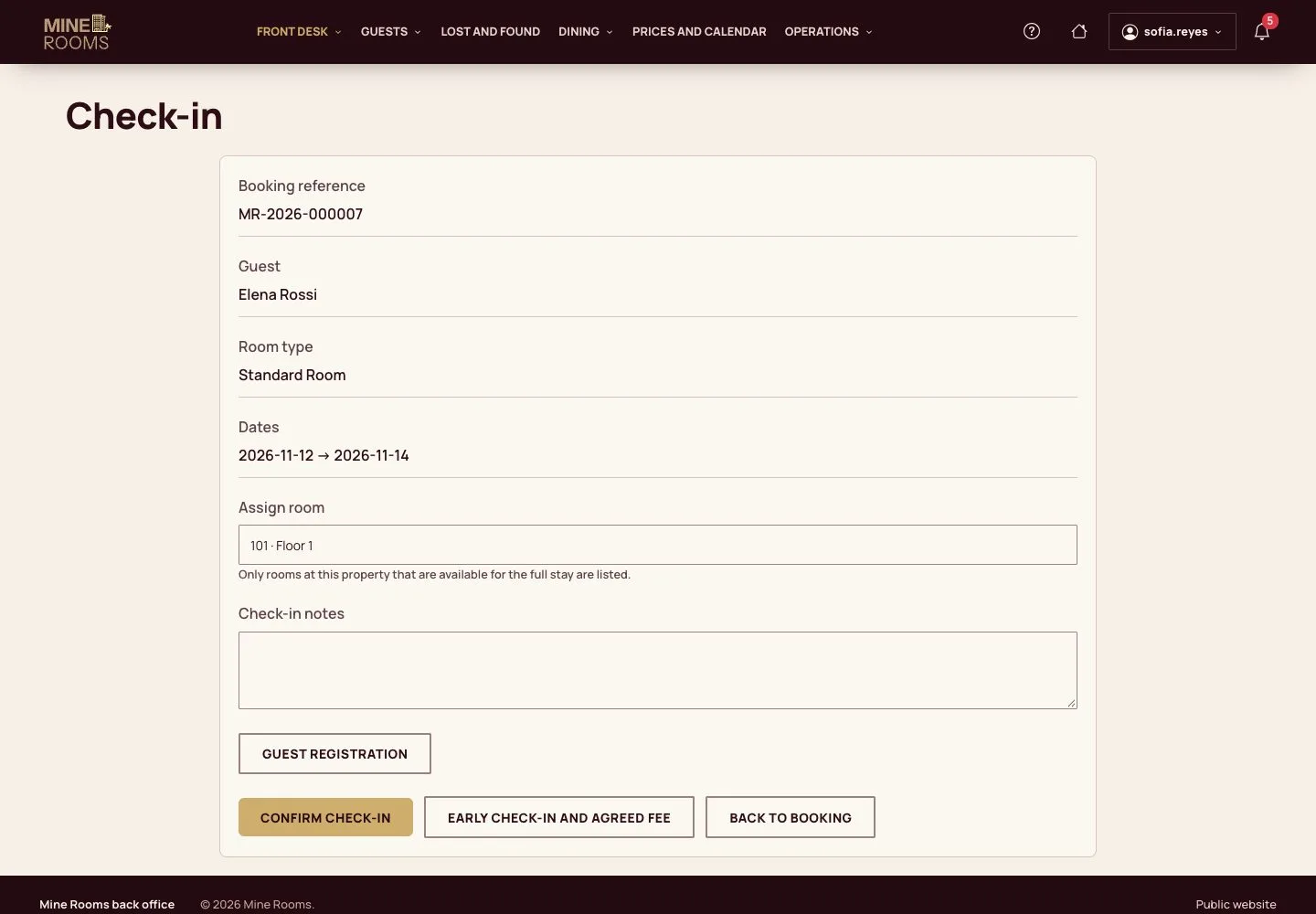
- On the reservation, Check-in: choose a clean room under Assign room, then Confirm check-in.
- Guest registration records the documents of the staying guests where the house asks for them.
When no room of the type is clean yet, the form offers Notify housekeeping: guest waiting.
Step by step: Check-in
Enlarge, then scroll
Record a service
Receptionist
3Step 3 of 6
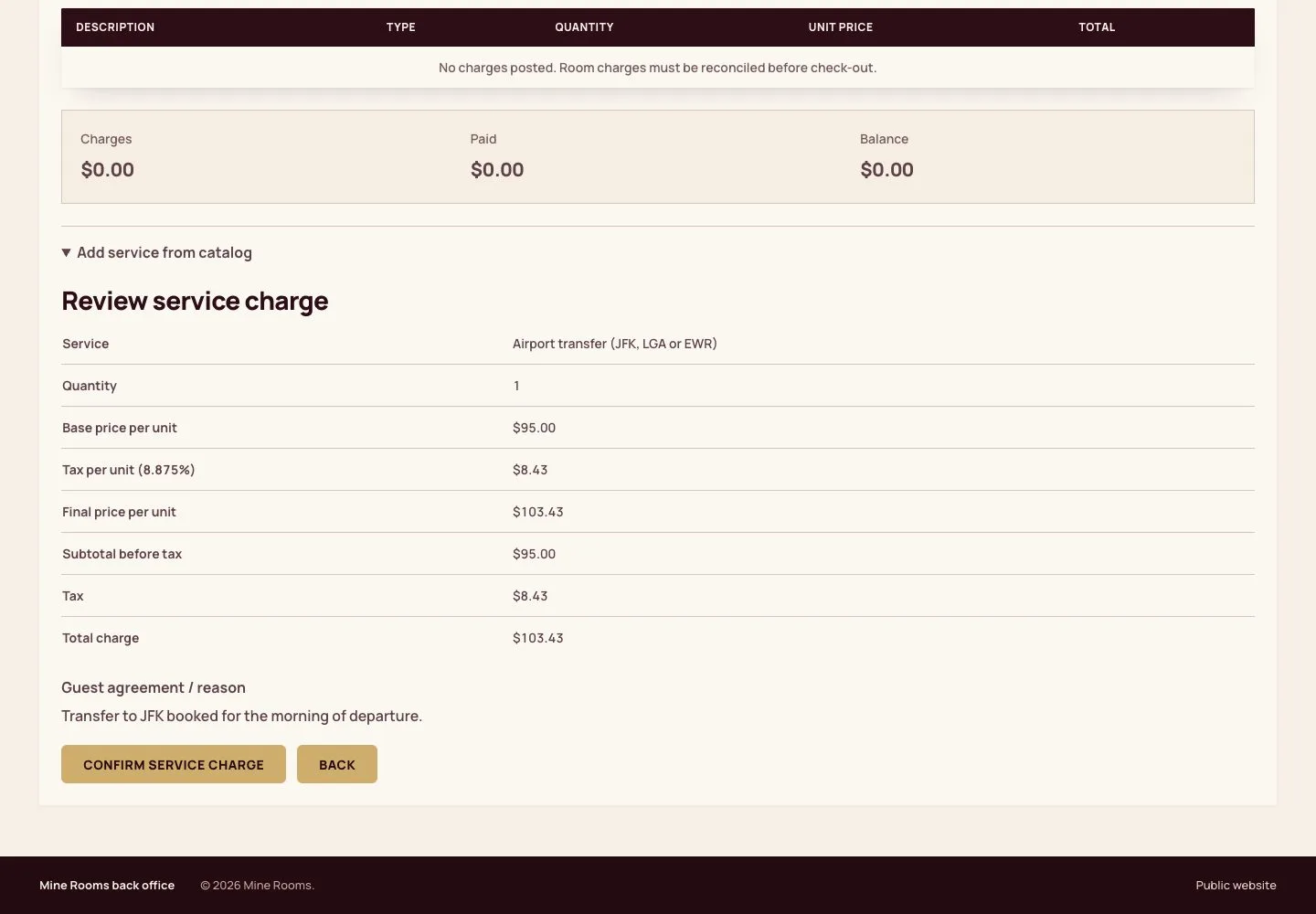
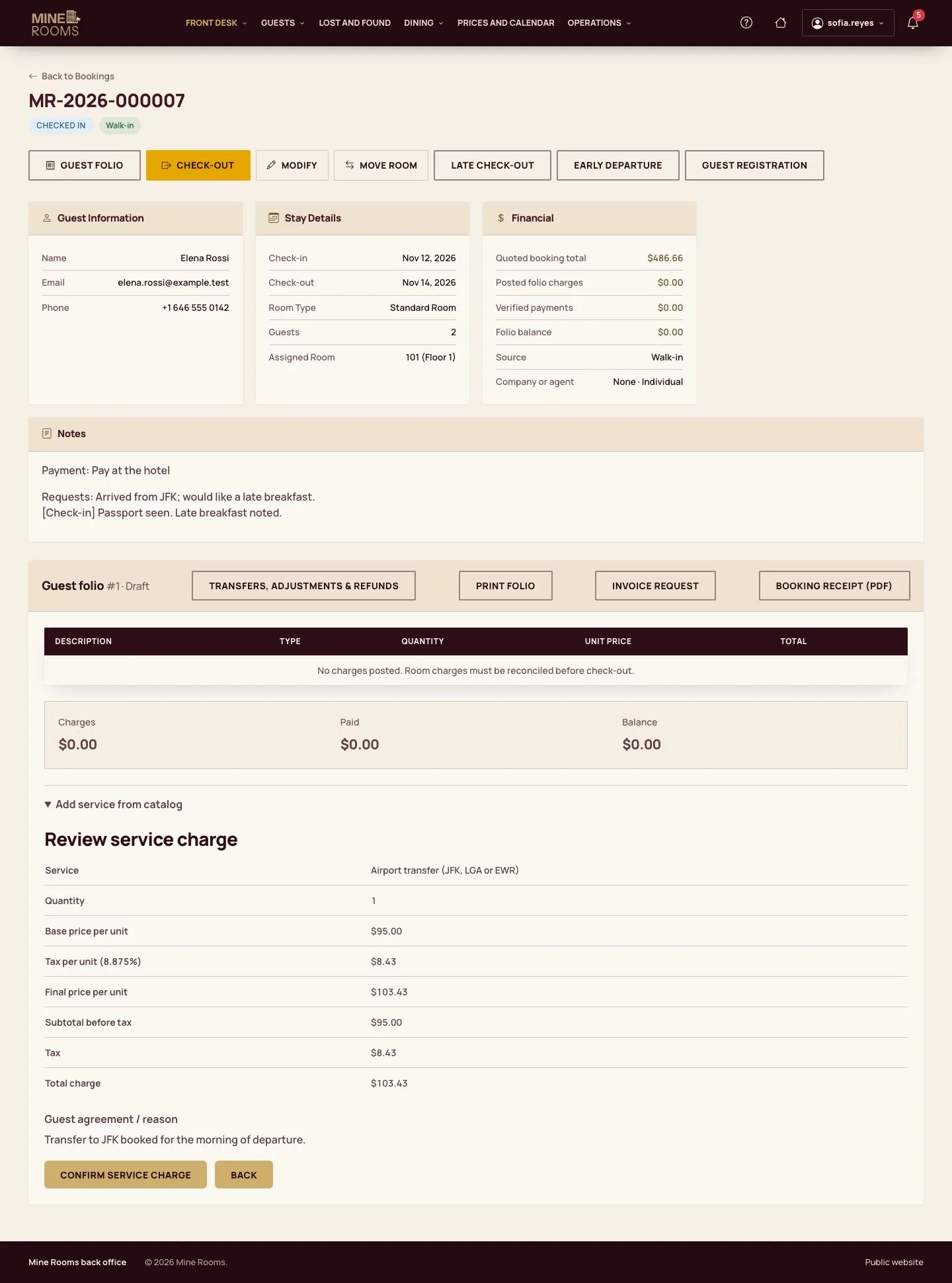
- On the reservation, Add service from catalog: the service, the quantity and the Guest agreement / reason.
- Review charge, then Confirm service charge.
Step by step: Guest folio
Enlarge, then scroll
Check a guest out
Receptionist
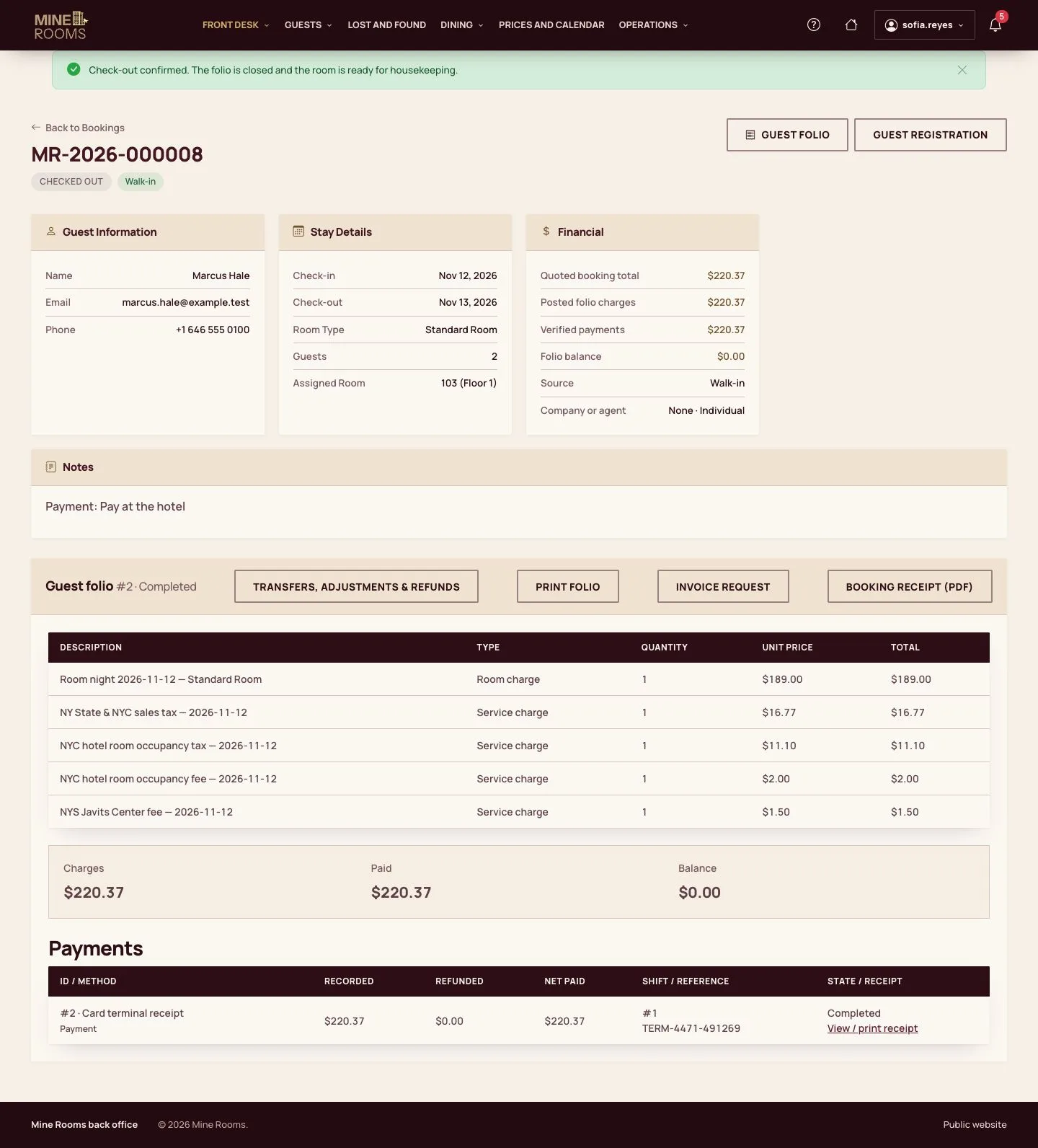
4Step 4 of 6
- On the reservation, Check-out: Post room charges, then Add partial or split payment for the balance (Record cash received where the house has no counter methods).
- Review payment and receipt, tick that the money was received and Confirm recorded payment; then Confirm Check-out.
Money is taken inside your shift: when the payment page asks, Open my shift first.
Step by step: Check-out and invoice
Enlarge, then scroll
Hand over the shift
Receptionist
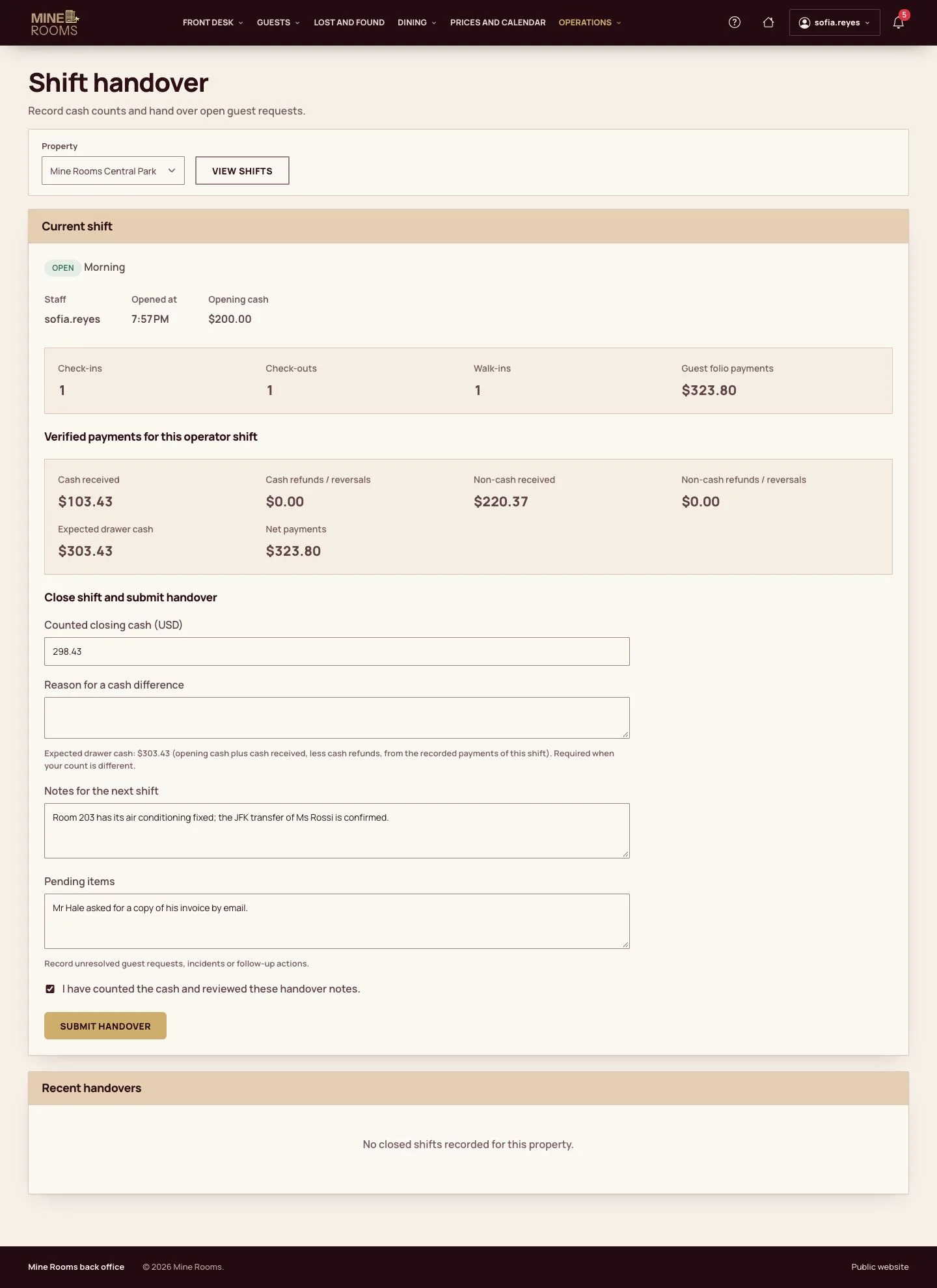
5Step 5 of 6
- Shift handover opens on your shift: count the drawer and enter it under Counted closing cash; the page shows the Expected drawer cash, and a difference needs its reason.
- Add the notes for the next shift, tick I have counted the cash, then Submit handover. The next shift starts with Open new shift.
Step by step: Shift handover and night audit
Enlarge, then scroll
When the system is down
Receptionist
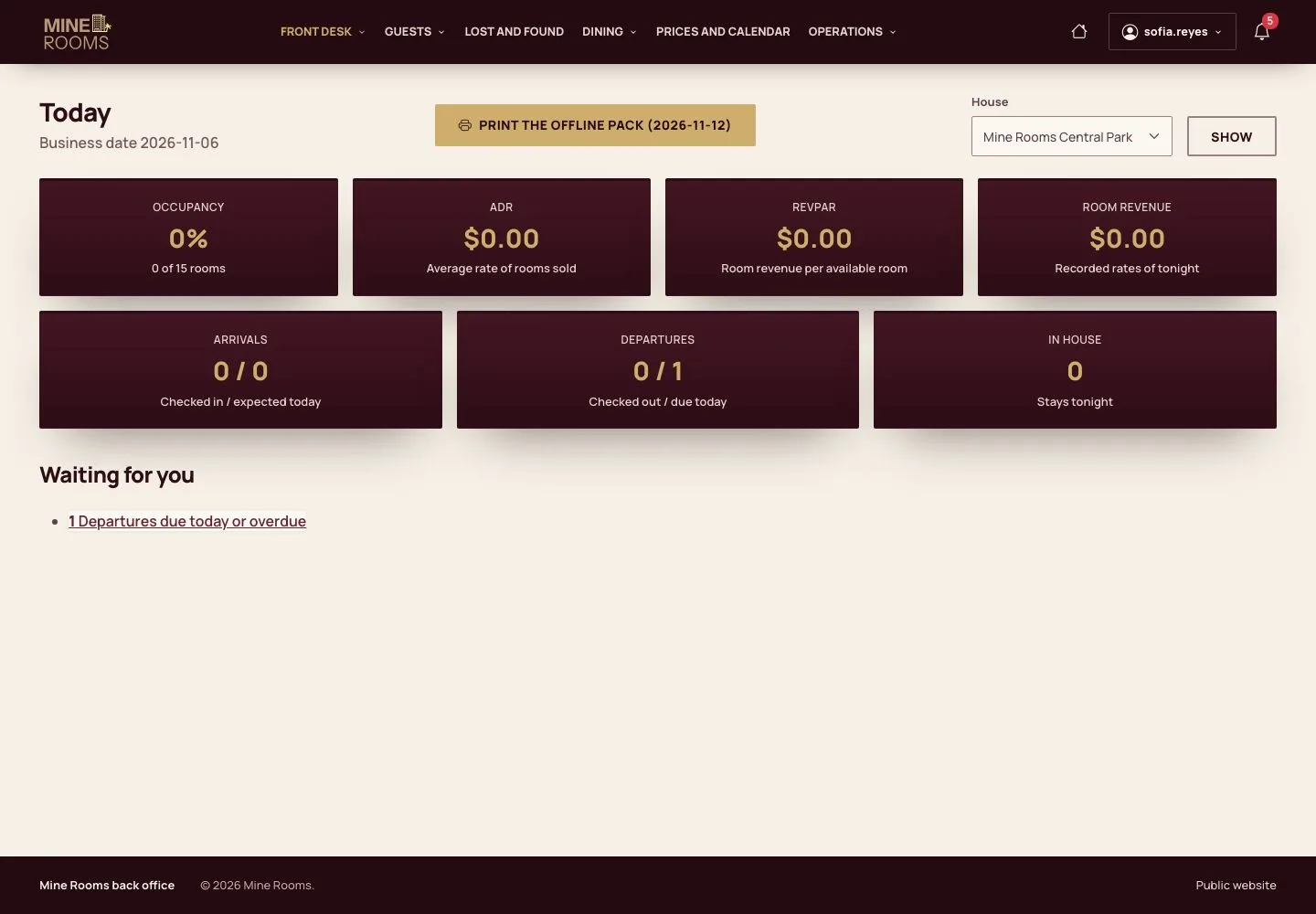
6Step 6 of 6
- Print the offline pack from Today and work on its sheets until the system is back.
Step by step: Offline pack
Open illustrated screen ↗Full image ↗
A new receptionist books, checks in, records a service, checks out and hands over the shift.