Open Reader features
One place from PDF to data
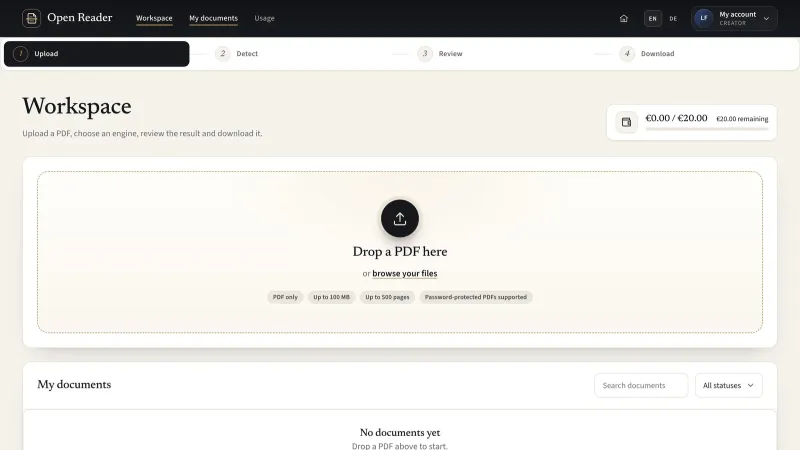
Upload, choose an engine, review the extracted blocks and download the corrected result in the same workspace.
Check the source as you edit
Compare each block with its region on the PDF page. Correct the text, type, reading order and table structure.
Control where processing happens
Use local free engines or select a configured cloud engine with a processing notice. Paid engines also require an estimate and budget confirmation.
 Open Reader
A workspace between the PDF and your next task
Reports, scanned documents and mixed layouts contain more than plain text. Open Reader brings the extracted structure into view so you can decide what to keep, what to fix and how to reuse it.
The product screens below are illustrative prototypes using fictional documents and accounts.
 View full size
The tools between upload and usable data
Keep extraction, correction and export connected in one workspace.
- PDFUpload and inspectChoose a PDF and review its pages, text layer and language before extraction.
- EnginesMatch the documentUse Free Text or Free Layout, or select a configured AI or Document AI engine.
- ReviewCorrect in contextKeep the original page beside editable content and highlighted regions.
- TablesRetain useful structureReview rows, columns, header cells and merged cells in the table editor.
- ImagesInclude visual contentKeep extracted images and captions with the content they describe.
- ExportChoose your formatDownload JSON, XML, CSV, Excel, Word, HTML or PDF, individually or in a ZIP.
- BudgetFollow paid usageSee estimates, reserved costs and recorded usage against monthly limits.
- DeployA dedicated instanceInstall the same product on a dedicated cloud environment or on-premise.
A clear place for each role
Four roles separate document work, processing configuration and instance administration. Document access follows ownership.
Public: explore and try
Explore the trialBrowse the introduction and account pages. When a trial is enabled, try a PDF with free engines within the configured limits.
Creators: work with your PDFs
Explore the workspaceExtract and correct your own documents, return to saved results and download the formats your work requires.
Content Admins: configure processing
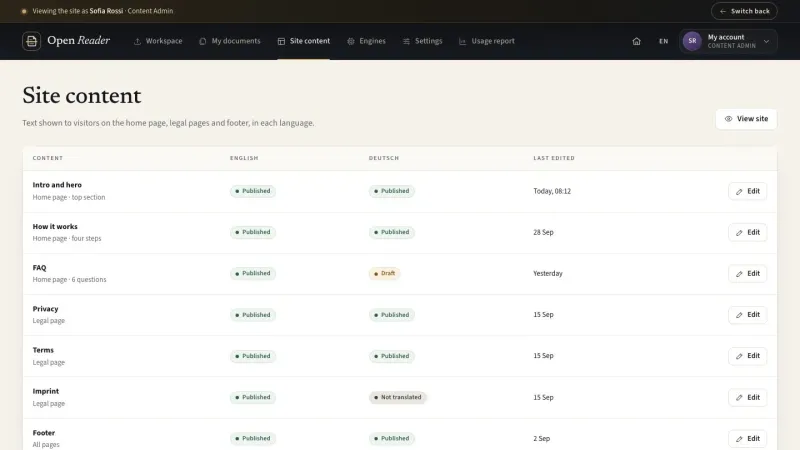
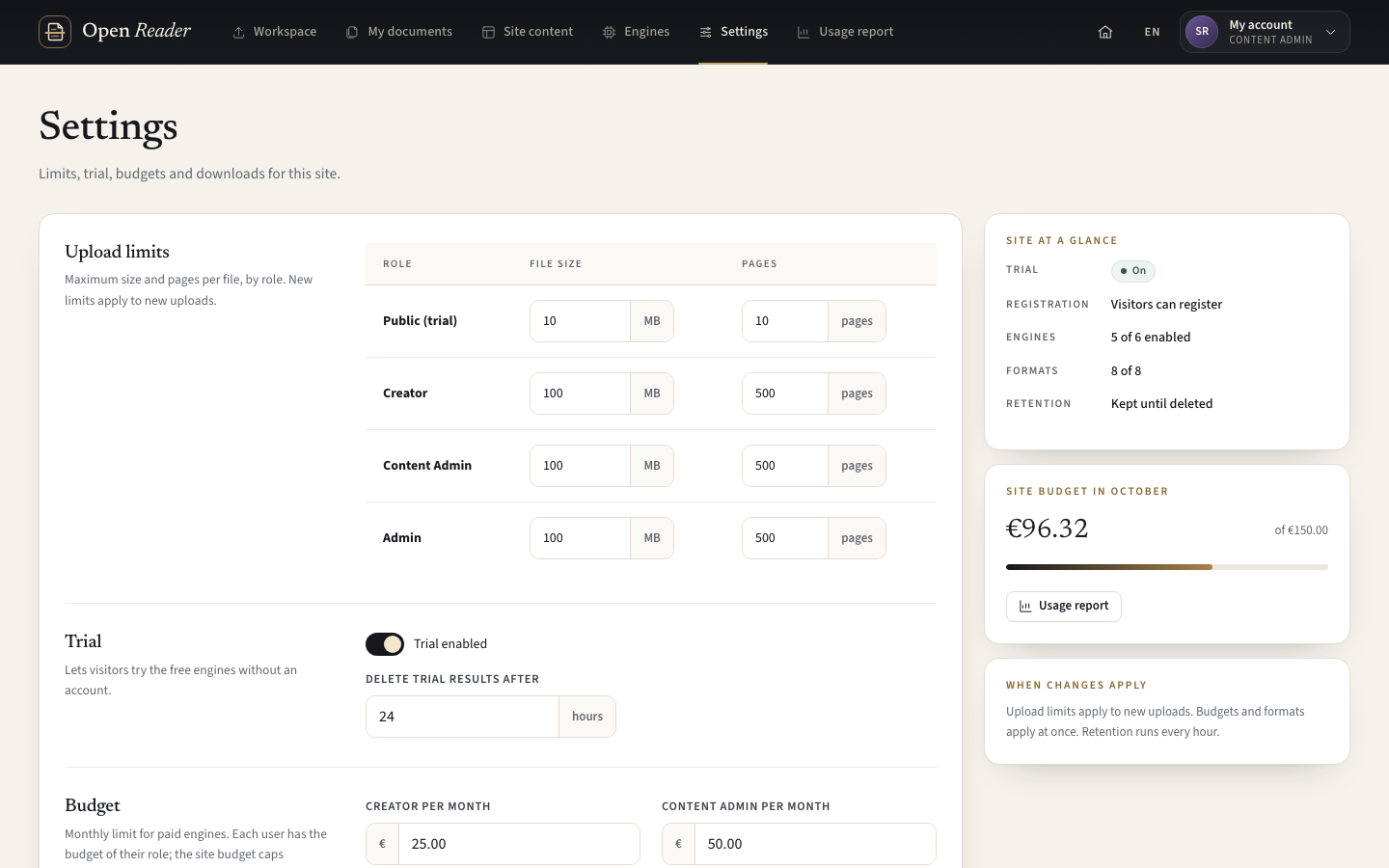
Explore configurationManage site content, enabled engines, limits and budgets. Review site usage while working with your own PDFs.
Admins: maintain the instance
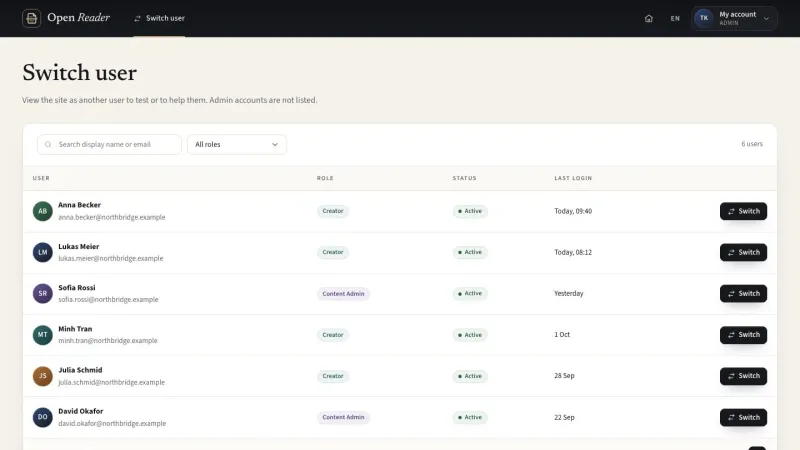
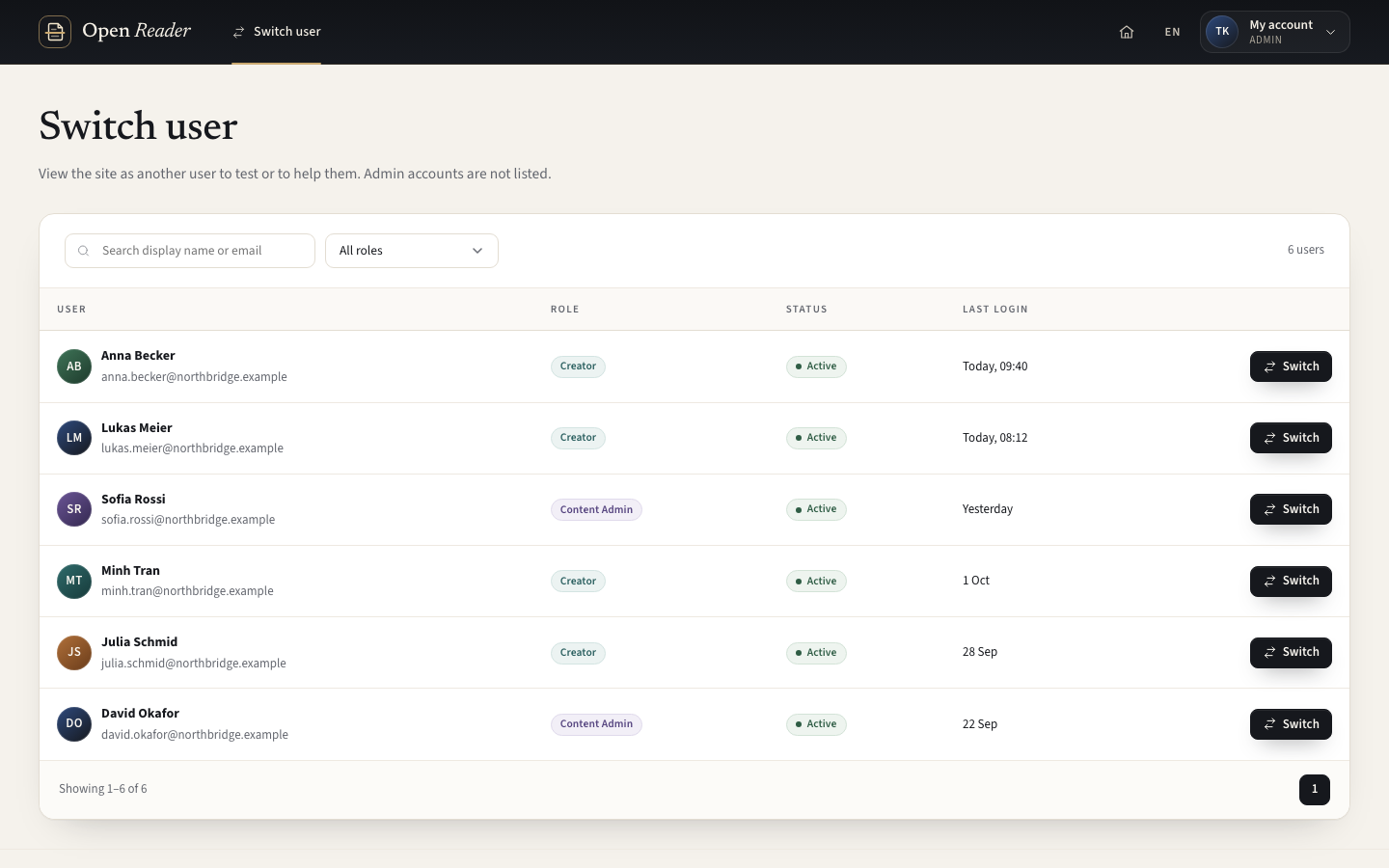
Explore administrationManage accounts, roles and branding. Support a non-admin account through an audited Switch user session.
From a PDF to a result you can use
The same workspace carries the document through every step.
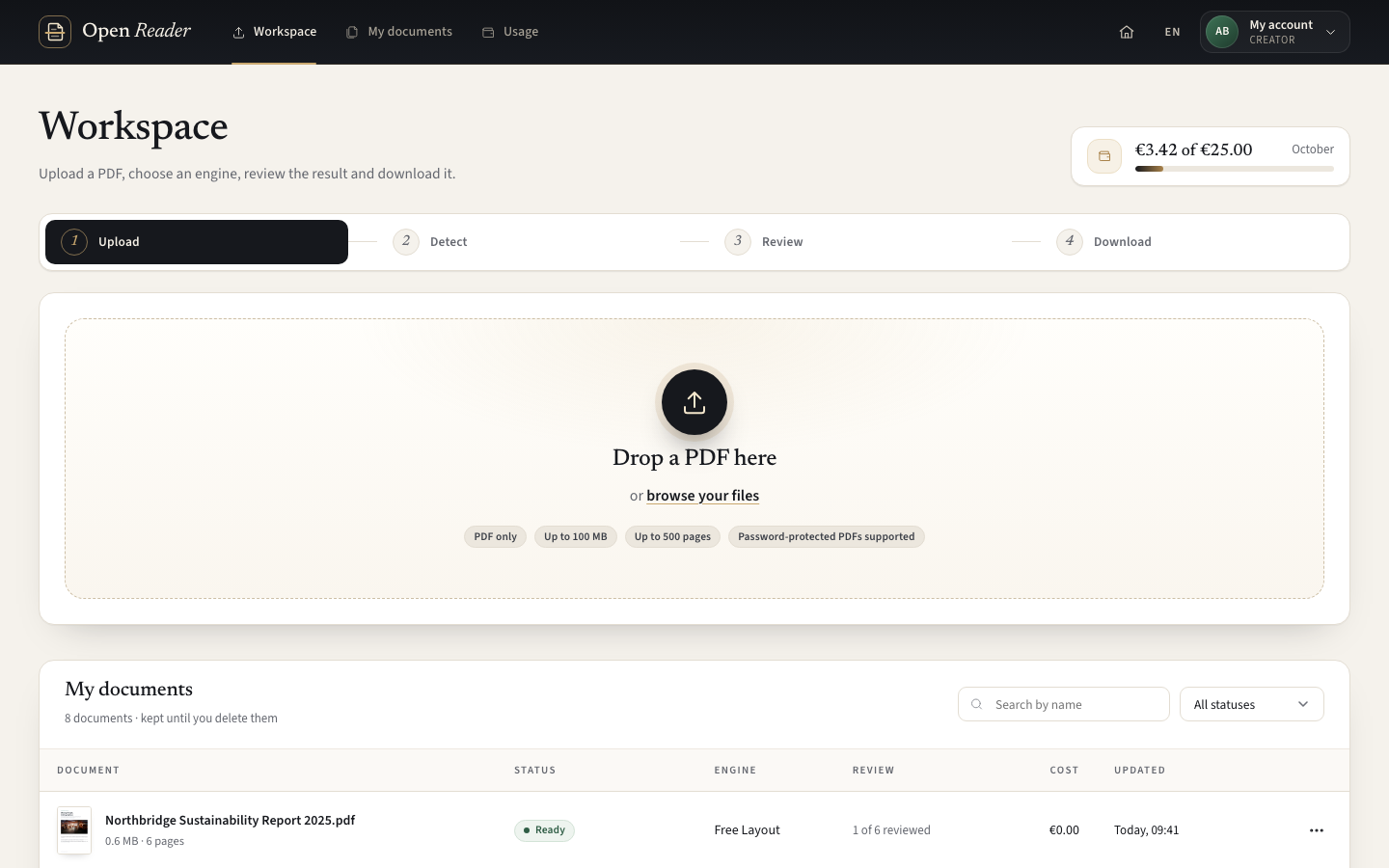
Upload a PDF
Choose the source file and supply its password if the document requires one.
Choose the scope
Review the quick scan and select the engine, pages and language.
Confirm paid processing
For a paid engine, review the estimate and available budgets before starting.
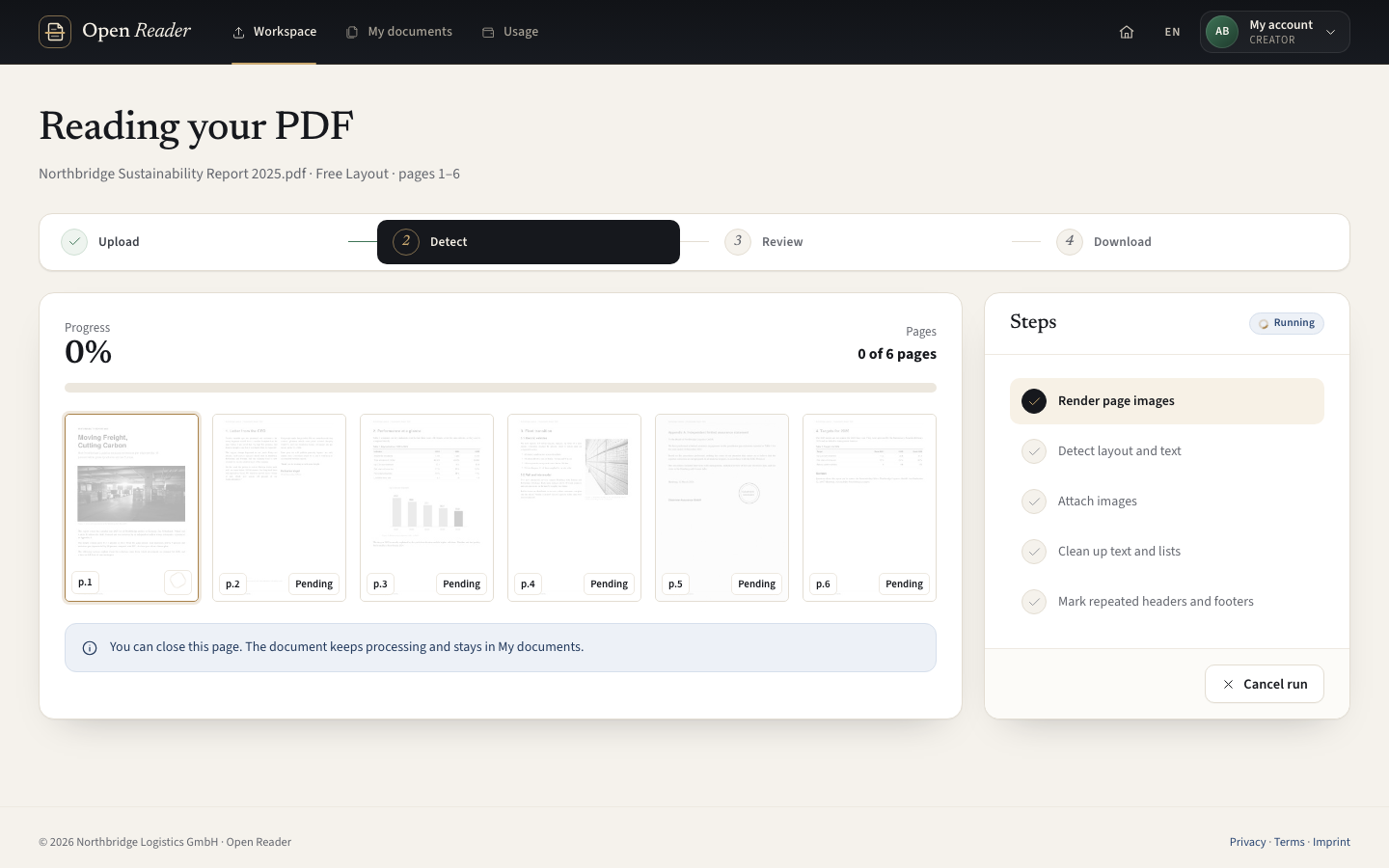
Follow the progress
Track processing by page. Return to the workspace while the run continues.
Review and correct
Check flagged blocks against the original. Edit, re-read a region or re-run selected pages.
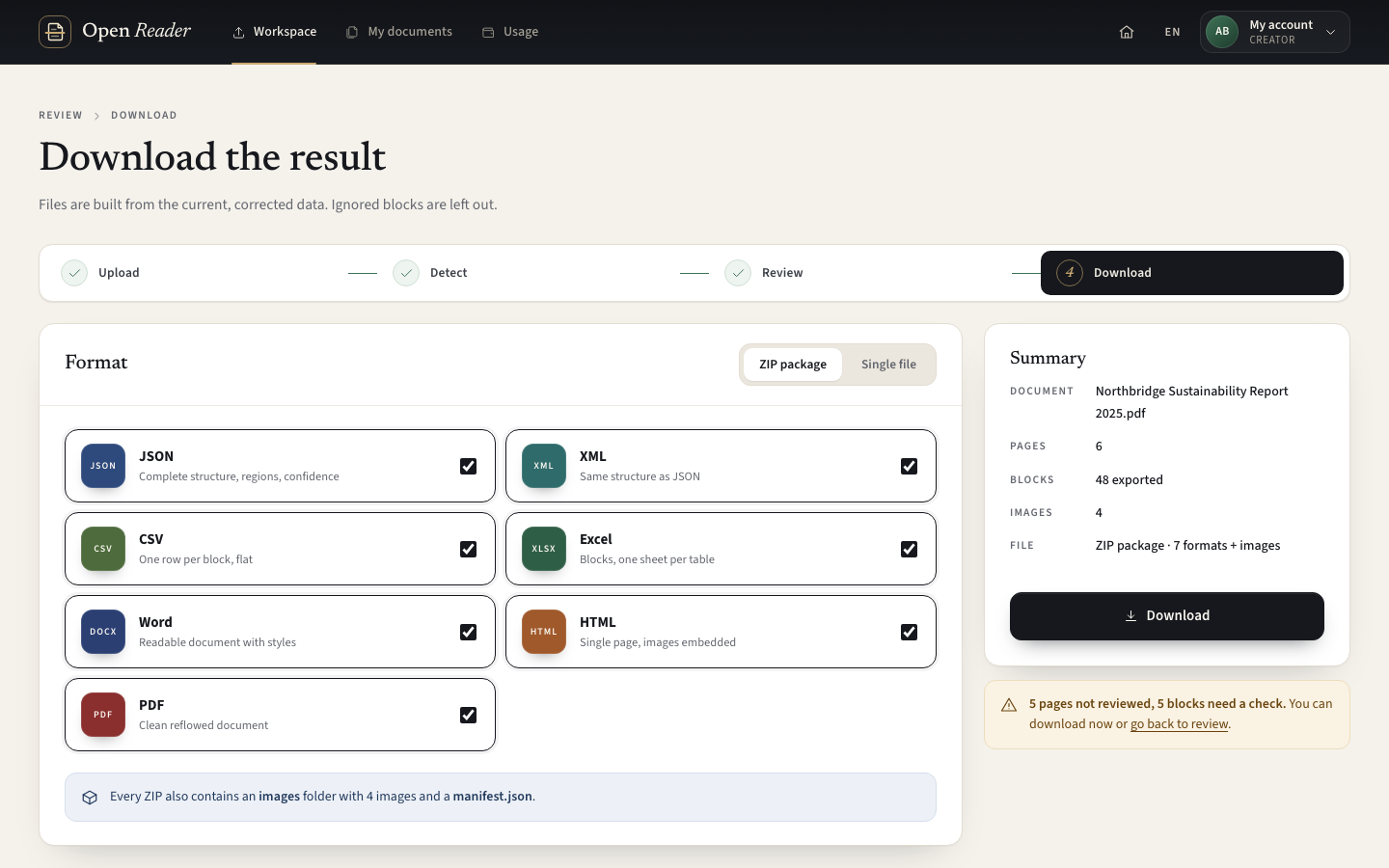
Download the result
Choose a single format or combine selected formats and full-resolution images in a ZIP.
Make corrections where the document makes sense
The review workspace connects extracted content to the original PDF. Select a block to see its region, then make the correction in the same view.
- Edit text, block type and reading order
- Review lists, tables, images and captions
- Filter Needs check, Edited and Ignored blocks
- Draw a region and re-read it with a compatible engine
- Reset a correction or re-run chosen pages after confirming that their edits will be discarded
View full sizeChoose processing with the cost in view
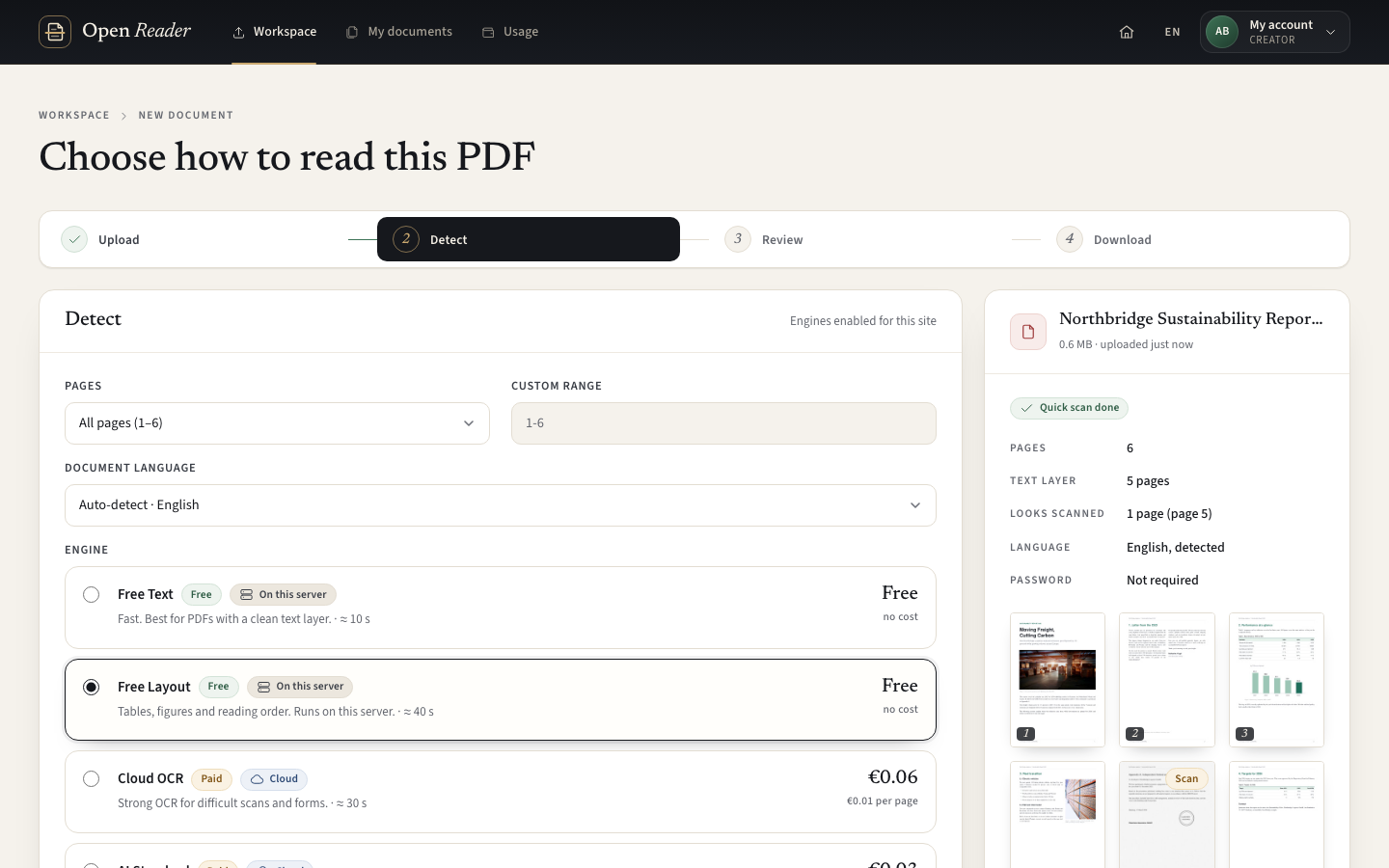
Local free engines handle processing on the instance. Configured cloud engines offer another option for difficult documents, with a clear processing notice. Paid engines also require cost confirmation.
- Free Text for text and OCR; Free Layout for layout and tables
- Enabled engines with configured credentials appear in the picker
- Select a page range and language before a run
- For paid engines, confirm the estimate against your role budget and the site budget
- Customers use their own provider credentials and pay their provider directly
 View full size
Put the product in your own environment
Open Reader is designed as a dedicated system for each customer, deployed on cloud infrastructure or on-premise from the same installation package.
- Private document ownership across the four roles
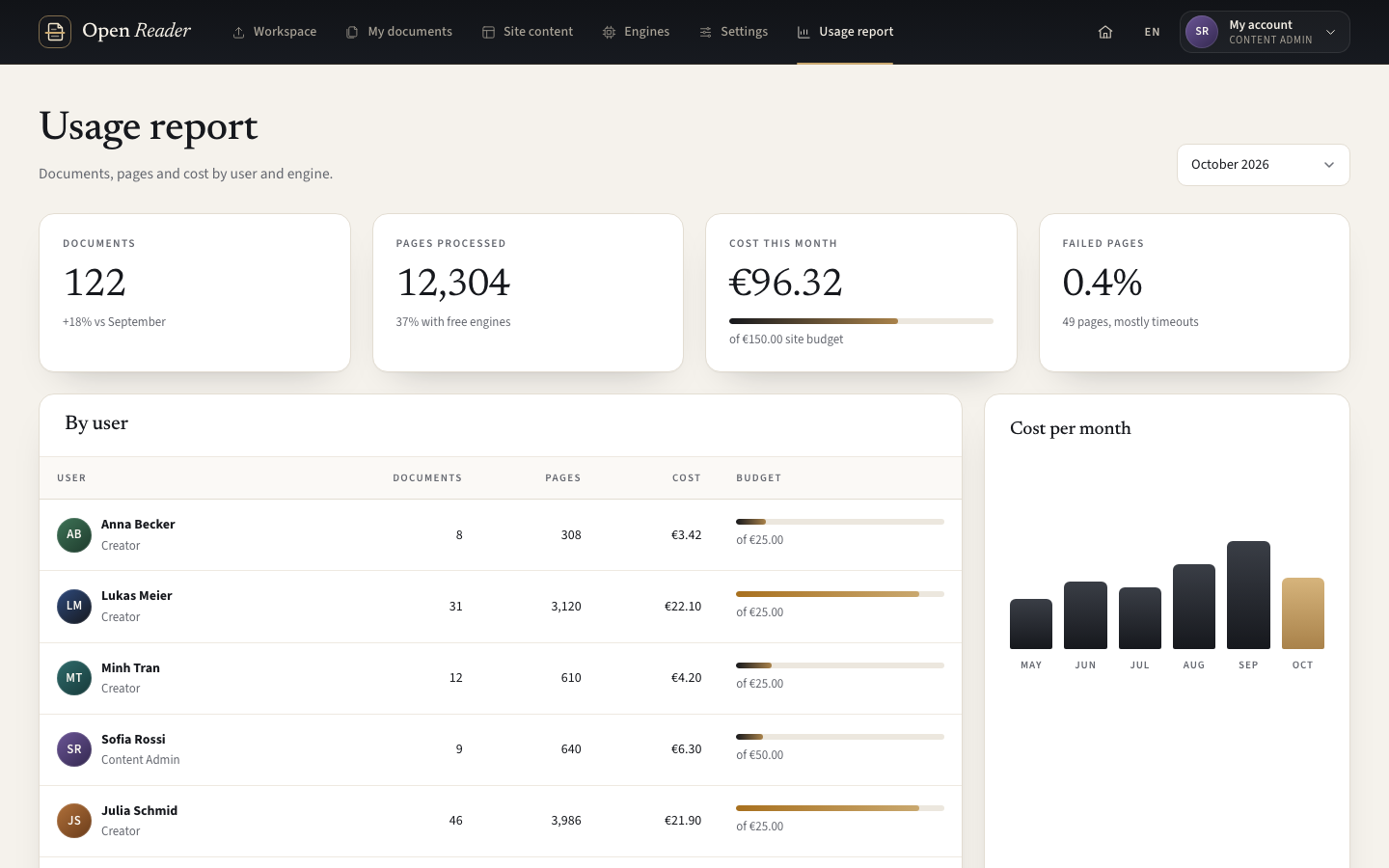
- Site content, engines, budgets and limits for Content Admins
- Accounts, roles, branding and audited user support for Admins
- Configurable retention for registered-user documents and optional Trial documents
- Optional cloud engines still send selected content to the configured provider
 View full size
See the product workflow
Prototype screens illustrate extraction, review, export and the supporting controls.


Live demo
Each demo is a working copy of Open Reader with sample data, open for you to try.
Local engines and optional cloud processing
Choose the engine for the document and your organisation’s processing policy. Both routes return to the same review and export workflow.
| Choice | Local free engines | Optional cloud engines |
|---|---|---|
| Where it runs | On the customer’s server or internal layout service | At the configured external provider |
| Typical choice | Text extraction, OCR and layout with local tools | Difficult content that benefits from a configured AI or Document AI engine |
| Provider charges | No provider processing charge | For paid engines, provider charges are recorded from usage or marked as estimated |
| Before starting | Choose the scope and respect file and concurrency limits | Check the cloud notice; paid engines also need estimate confirmation and available user/site budgets. |
| Public trial | Enabled non-cloud free engines only | Unavailable to anonymous trial users |
| After processing | The same visual review and export workflow | The same visual review and export workflow |
Keep the content and its structure together
Every engine feeds the same document model. Review corrections become the result used by every export.
Open Reader A consistent path from source to output
Original PDF Pages, source images and the content to inspect
Extract with the selected engine
Structured content and your corrections Text, types, reading order, lists, tables, images and page regions
Export the current effective result
Your next task JSON, XML, CSV, Excel, Word, HTML, PDF or a ZIP package
Product capabilities
- PDF upload and page inspection
- Engine selection and per-page progress
- Text, lists, tables, images and captions
- Visual correction and selected reprocessing
- Seven individual export formats and ZIP packaging
- Role-based settings, budgets and usage reports
Your documents and settings
- Your PDF source documents
- Your own dedicated cloud or on-premise environment
- Enabled engines and provider credentials
- Provider prices, monthly budgets and file limits
- Account policies, site branding and supporting pages
- Retention settings and the decision to enable a public trial
Prepare a dedicated system for your organisation
The deployment and settings are selected for your environment and processing policy.
From installation to an informed rollout
- Choose the environment Prepare a dedicated cloud or on-premise instance. A system for your organisation
- Install the package Deploy the web application, worker, layout service and private storage. One coordinated installation
- Set your policies Configure accounts, file limits, retention and branding. Controls suited to your organisation
- Choose the engines Enable local engines and configure optional provider credentials. A clear processing choice
- Set budgets Enter contracted prices, role budgets and the site ceiling. Paid processing enabled intentionally
- Review sample documents Check the extraction and export formats with your own representative PDFs. An informed production rollout
A result you can trace back to its source
Document ownership, processing choices and corrections stay connected throughout the workflow.
- Your original remains the reference The source PDF stays beside the extracted content during review.
- Corrections are kept separately Edits override detected blocks and can be reset without altering the original PDF.
- Paid processing requires confirmation The selected scope, estimate and available budgets are shown before a paid run.
- Document access follows ownership Creators and Content Admins work with their own documents; Admin support uses Switch user.
- Exports use the corrected result Ignored or deleted blocks are excluded from the current effective data.
- Readable exports follow reading order Word, HTML and PDF rebuild the content for reading; they do not reproduce the original page layout.
Document tasks the product supports
An analyst needs tables from a report. They review the detected cells against the PDF, fix the headers and merged cells, then export an Excel workbook.
Report analysisTables for the next taskVisual review and Excel A document team needs reusable content. They correct headings, lists and captions, exclude repeated headers and download structured JSON with images in a ZIP.
Content reuseContent with its structureJSON and image packaging An organisation needs processing policies it can maintain. It starts with local engines, enables cloud options deliberately and follows paid usage against monthly budgets.
Controlled processingAn organisation’s own instanceEngines, budgets and usage
Questions about Open Reader
Which PDFs can I upload?
The product accepts PDF files within your role’s configured size and page limits. Password-protected documents require the correct password; invalid or damaged files receive a clear upload error.
Can processing stay on our own server?
Free Text and Free Layout use the customer’s server and internal layout service. Optional cloud engines send the selected page images, text or PDF page to the configured provider. The engine picker identifies cloud processing.
How are cloud costs controlled?
Paid runs require an estimate confirmation and available user and site budgets, which start at zero until configured. Prices use the customer’s provider agreement. Actual cost can differ from the estimate. The system records usage and actual cost, or marks the cost as estimated when the provider supplies no usage.
Can I correct extraction errors?
Yes. Review the blocks beside the original page, edit their content and structure, or re-read a region with a compatible engine. Selected pages can be run again after confirming that corrections on those pages will be discarded.
What can I download?
JSON, XML, CSV, Excel, Word, HTML and PDF are available individually. A ZIP can contain selected formats, full-resolution images and a manifest. Every export uses the current corrected result.
Will exports look exactly like the original PDF?
Word, HTML and PDF follow the corrected reading order in a neutral layout. They do not reproduce the original page positions. JSON retains the structured model and regions; Excel retains table structure, while CSV flattens blocks into rows.
Who can access a document?
A document belongs to its owner. Public trial documents belong to the anonymous session. Admins support non-admin accounts through an audited Switch user session rather than a permission that exposes every user’s documents.
Is the public trial always available?
The trial is optional and disabled by default. When enabled, it permits non-cloud free engines within public limits. Trial documents are temporary and are not transferred into an account on login or registration.
A guide for every role
Find the tasks and controls relevant to your role.