






 SubstitutooInternal training
User guide · Anonymous visitor
Use the public enquiry options
Recognise the shared enquiry journey and the embeddable enquiry entry points without submitting a live request during documentation.
Open the shared enquiry form
Anonymous visitor
1Step 1 of 3
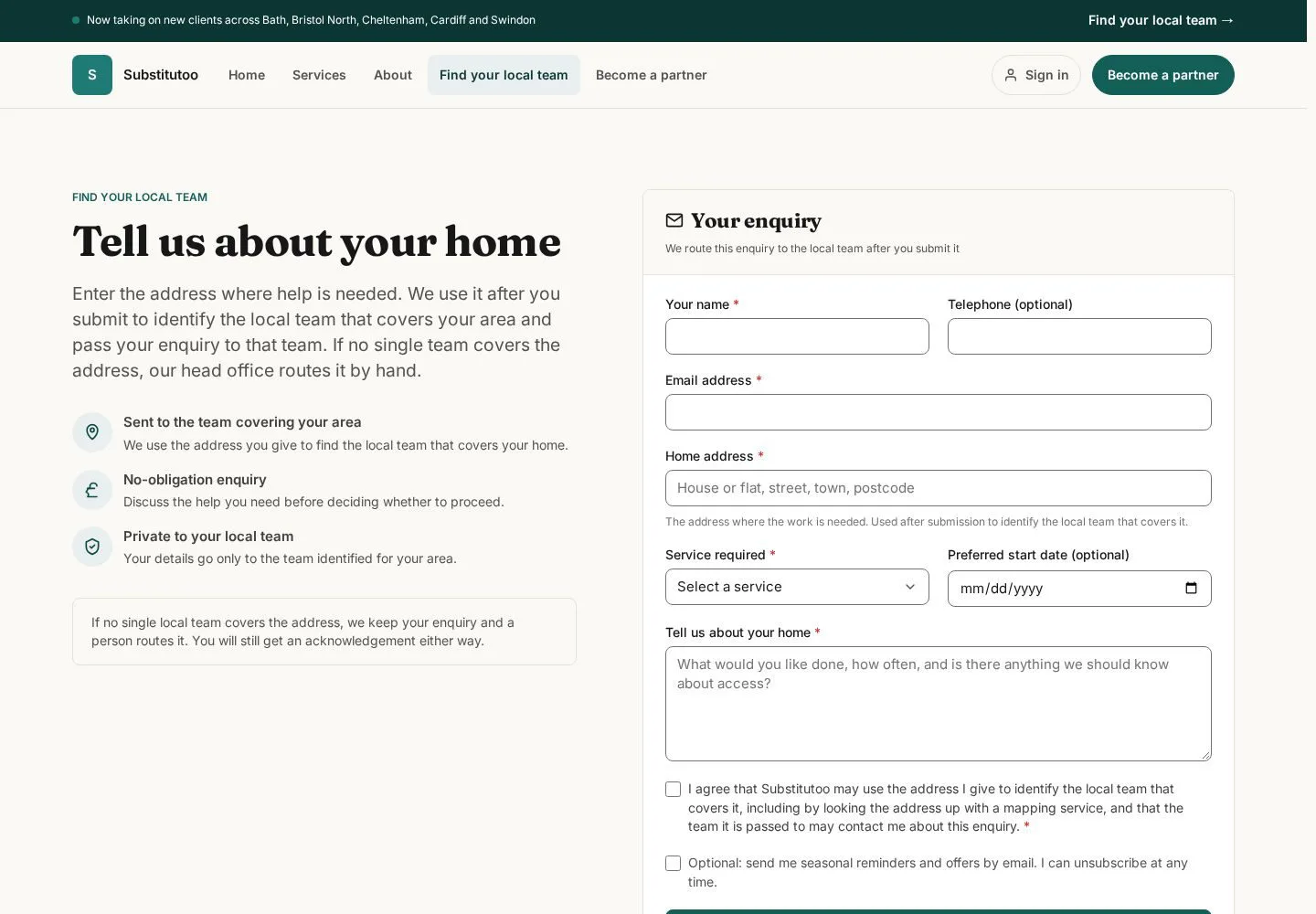
The main enquiry route gathers household, service and contact information for allocation.
- Check the form heading and enter accurate information only when making a real request.
Open on site ↗Full-page screenshot ↗
The shared enquiry form is available without signing in.
Recognise an embedded enquiry
Anonymous visitor
2Step 2 of 3
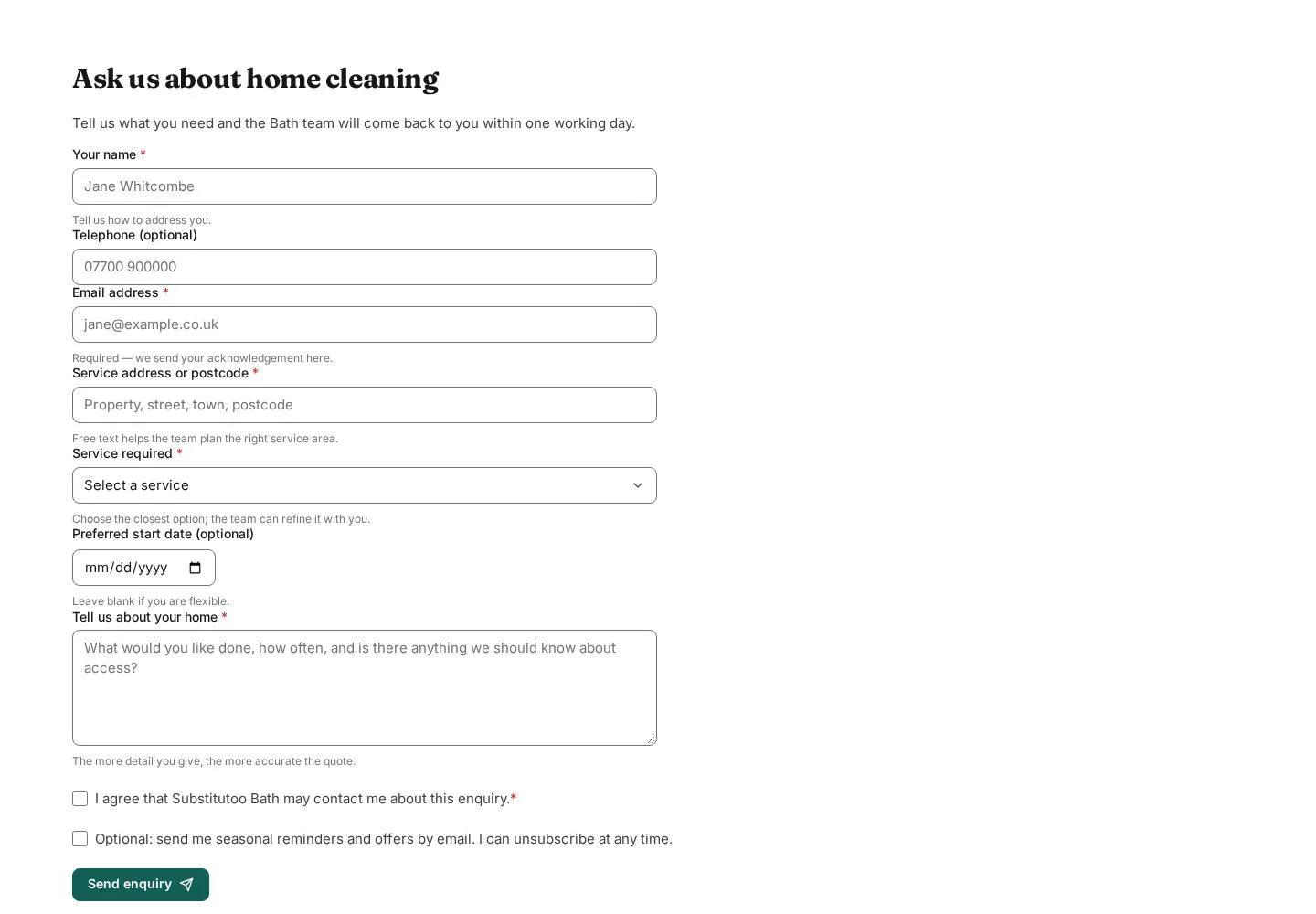
A partner can publish an enquiry widget as another entry point into the same service-intake domain.
- Confirm the widget heading and requested information before entering household details.
Open on site ↗Full-page screenshot ↗
The active widget displays its public enquiry fields.
Review a campaign-specific widget
Anonymous visitor
3Step 3 of 3
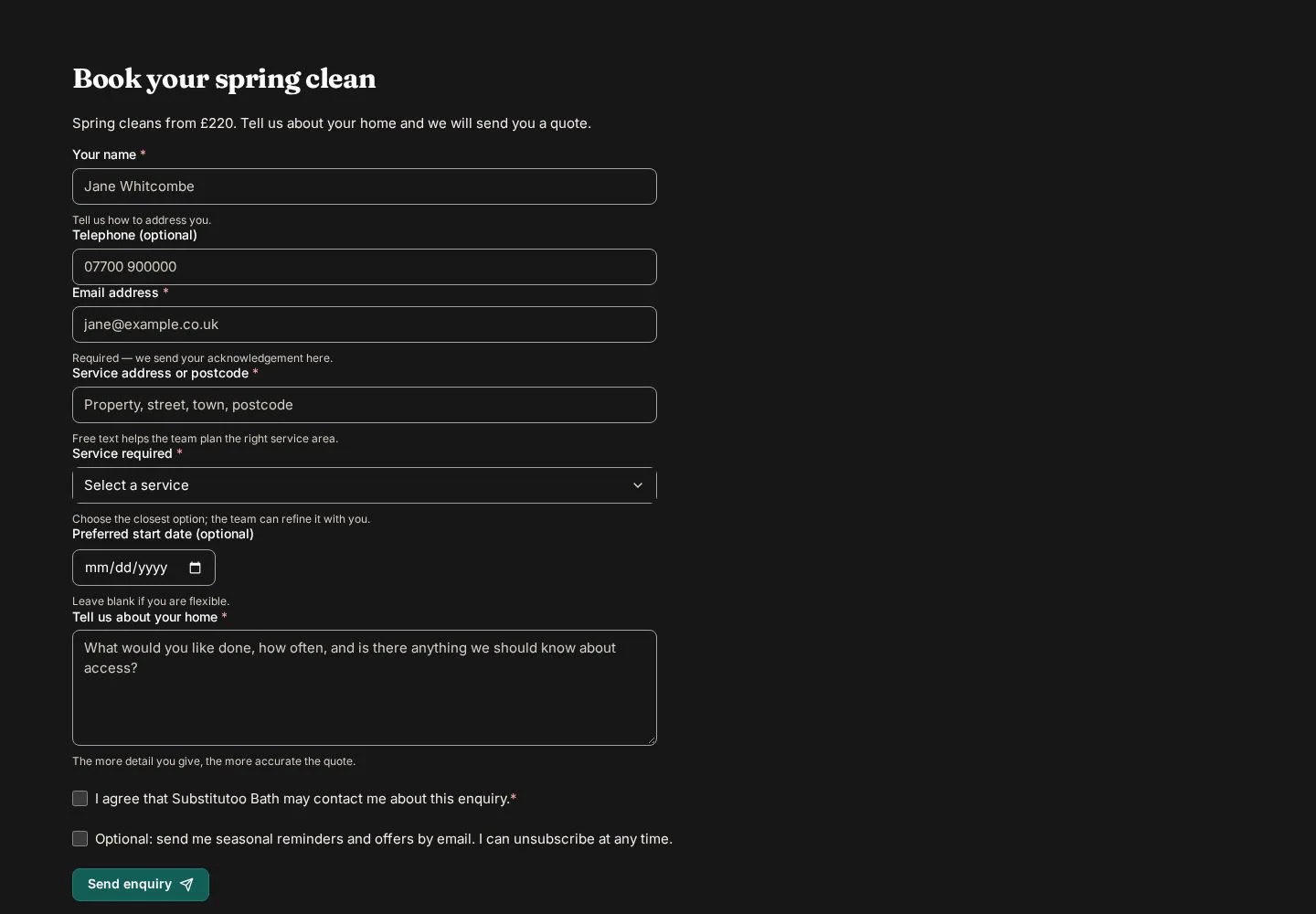
A second published widget demonstrates that its public label can match a specific campaign while remaining an enquiry form.
- Read the campaign label, complete only the relevant fields and review before submitting outside this guide.
Open on site ↗Full-page screenshot ↗
The form is ready for review; no enquiry is submitted by the documentation build.