






 SubstitutooInternal training
User guide · Office Administrator
Review invoices and match payments
Follow the customer-finance records from an invoice list into a payment-match confirmation.
Open invoices
Office Administrator
1Step 1 of 5
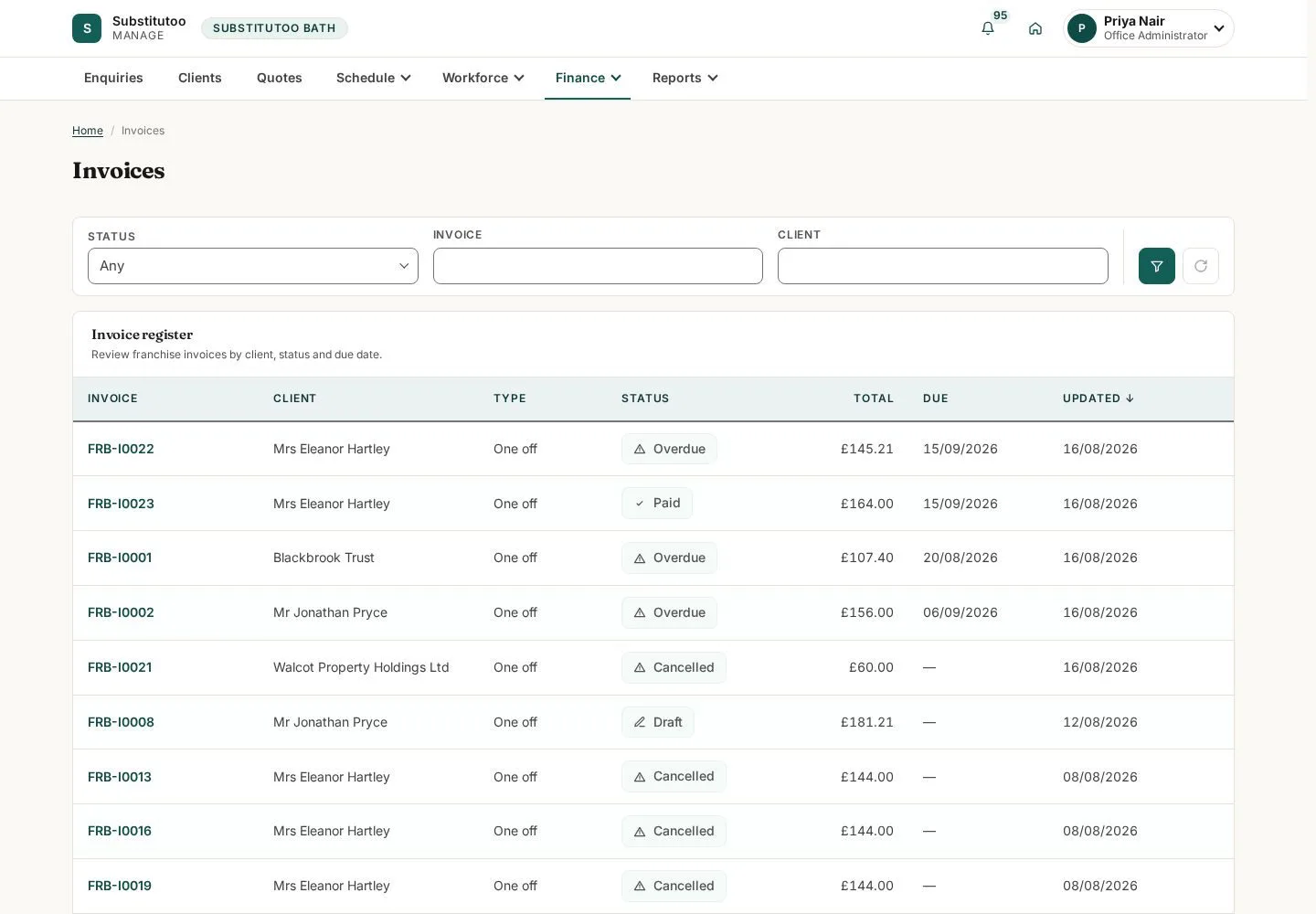
The invoice list is the office view of customer billing records.
- Find the invoice by customer, reference or status and open it.
Open on site ↗sign-inFull-page screenshot ↗
You can locate the billing record that needs attention.
Review invoice detail
Office Administrator
2Step 2 of 5
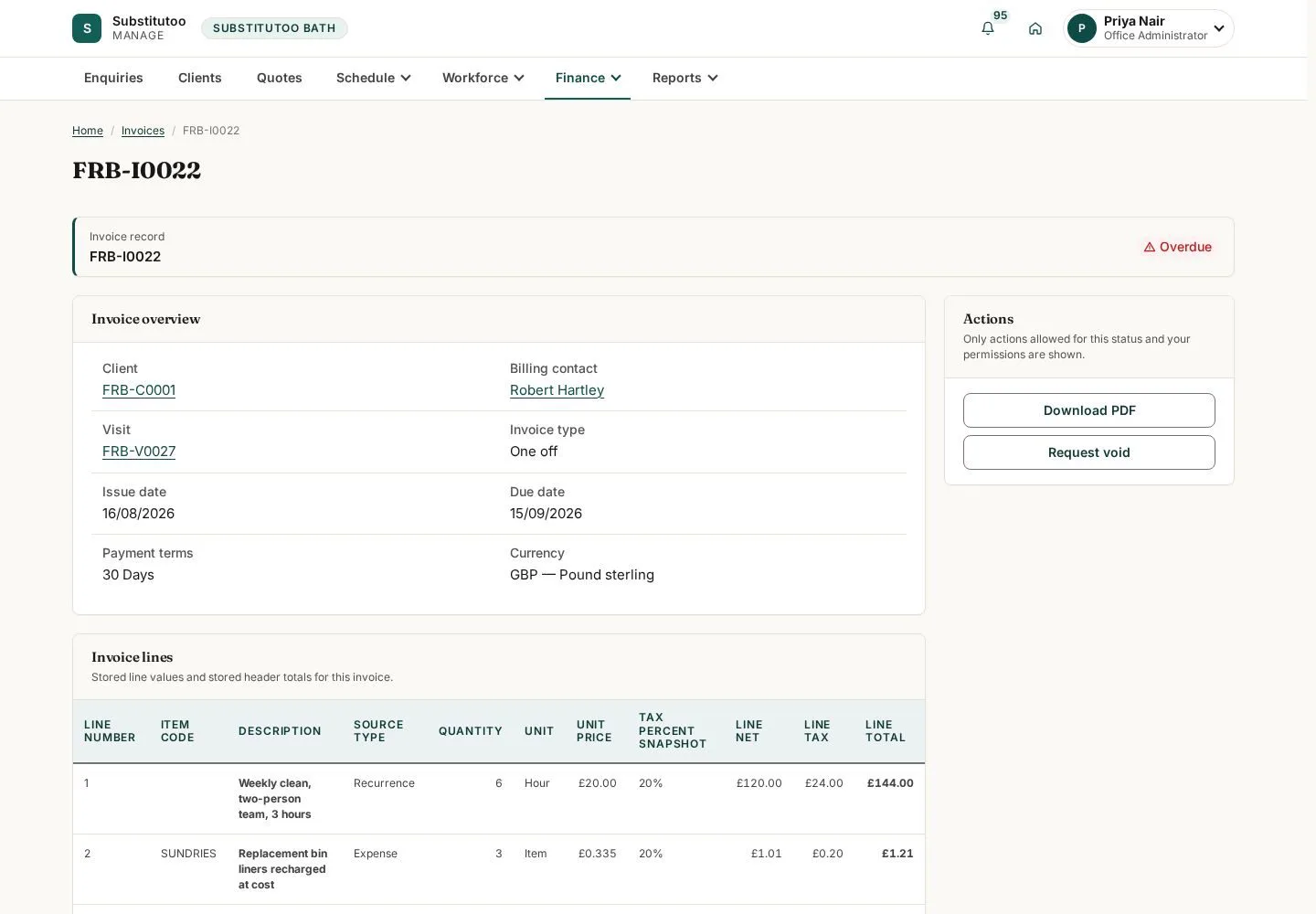
The invoice page shows the reference, state and actions currently available.
- Check the customer, amounts and state before editing or requesting a void.
Open on site ↗sign-inFull-page screenshot ↗
You are reviewing the intended invoice.
Open payments
Office Administrator
3Step 3 of 5
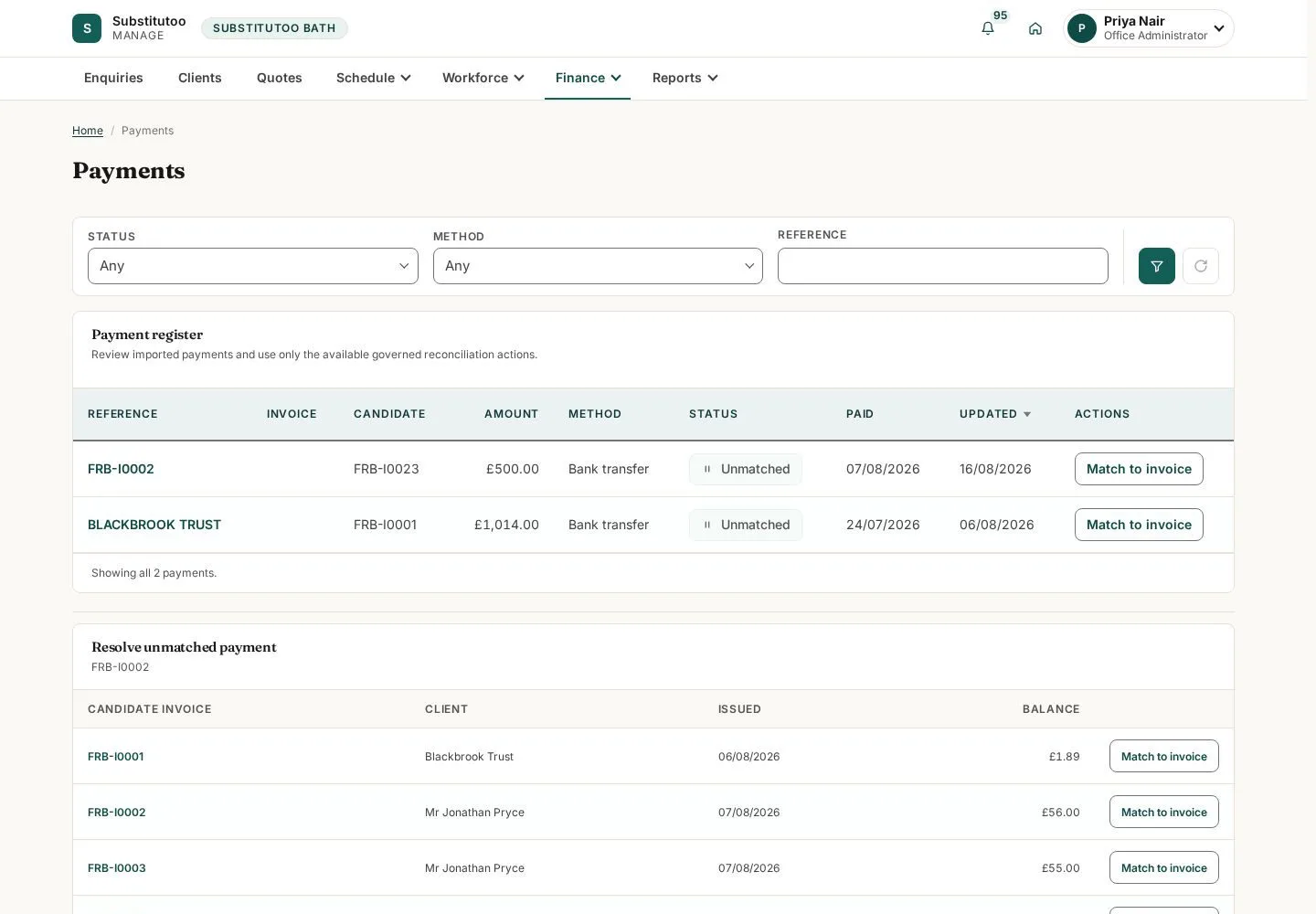
The payment list records incoming money separately from invoice state.
- Find the incoming payment that needs review.
Open on site ↗sign-inFull-page screenshot ↗
You can open a payment before associating it with an invoice.
Review the payment
Office Administrator
4Step 4 of 5
The payment detail contains the amount, reference and current matching information.
- Check the payment evidence and open match only when the target invoice is known.
Open on site ↗sign-inFull-page screenshot ↗
The payment can be assessed independently of an invoice.
Prepare a payment match
Office Administrator
5Step 5 of 5
The match screen makes the association with an invoice explicit.
- Select the correct invoice, compare amounts and confirm only when the relationship is accurate.
Open on site ↗sign-inFull-page screenshot ↗
The match is ready for review; no financial action is executed by the guide.