






 SubstitutooInternal training
User guide · Franchise Owner
Maintain local site content and widgets
Review the partner's public-site controls and embeddable enquiry widgets before changing published material.
Open local site content
Franchise Owner
1Step 1 of 3
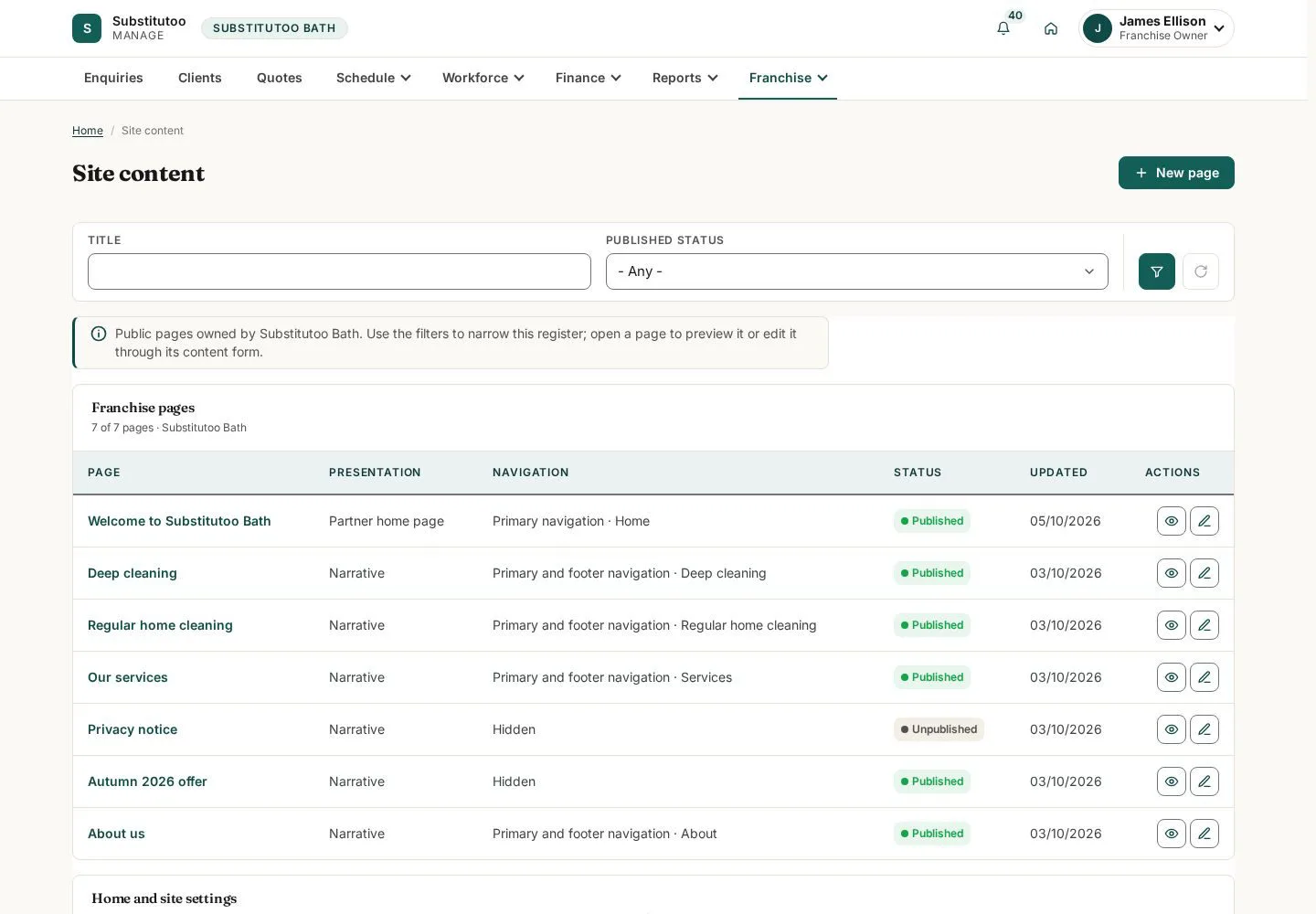
The local content area controls the partner-facing pages exposed by the application.
- Review the current published values and identify the content that needs an authorised update.
Open on site ↗sign-inFull-page screenshot ↗
You can see the current local-site configuration.
Review enquiry widgets
Franchise Owner
2Step 2 of 3
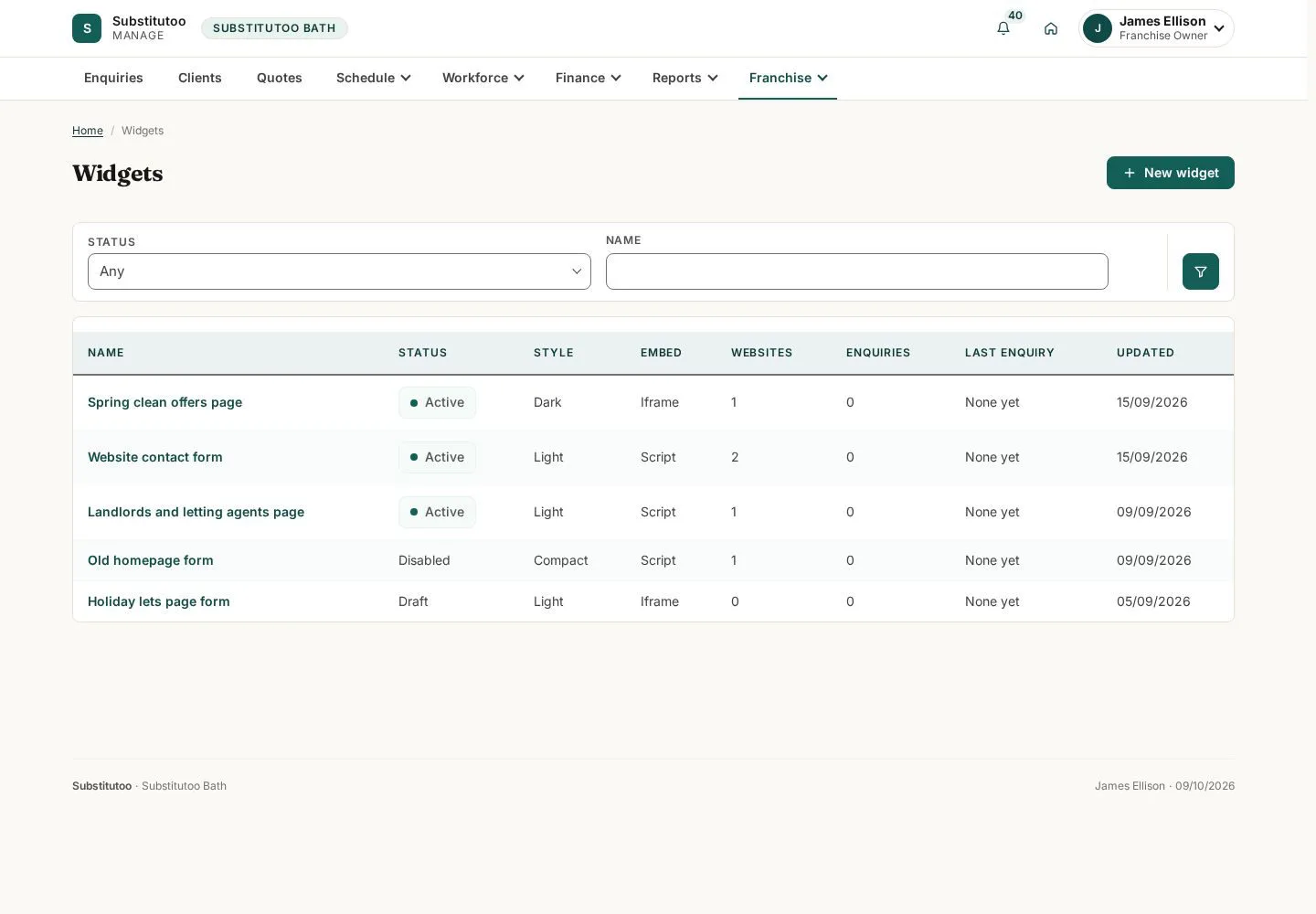
Widgets provide reusable public enquiry entry points associated with the partner.
- Open an existing widget to review it, or use the add route only when a new entry point is required.
Open on site ↗sign-inFull-page screenshot ↗
You can distinguish existing widgets and their status.
Prepare a widget
Franchise Owner
3Step 3 of 3
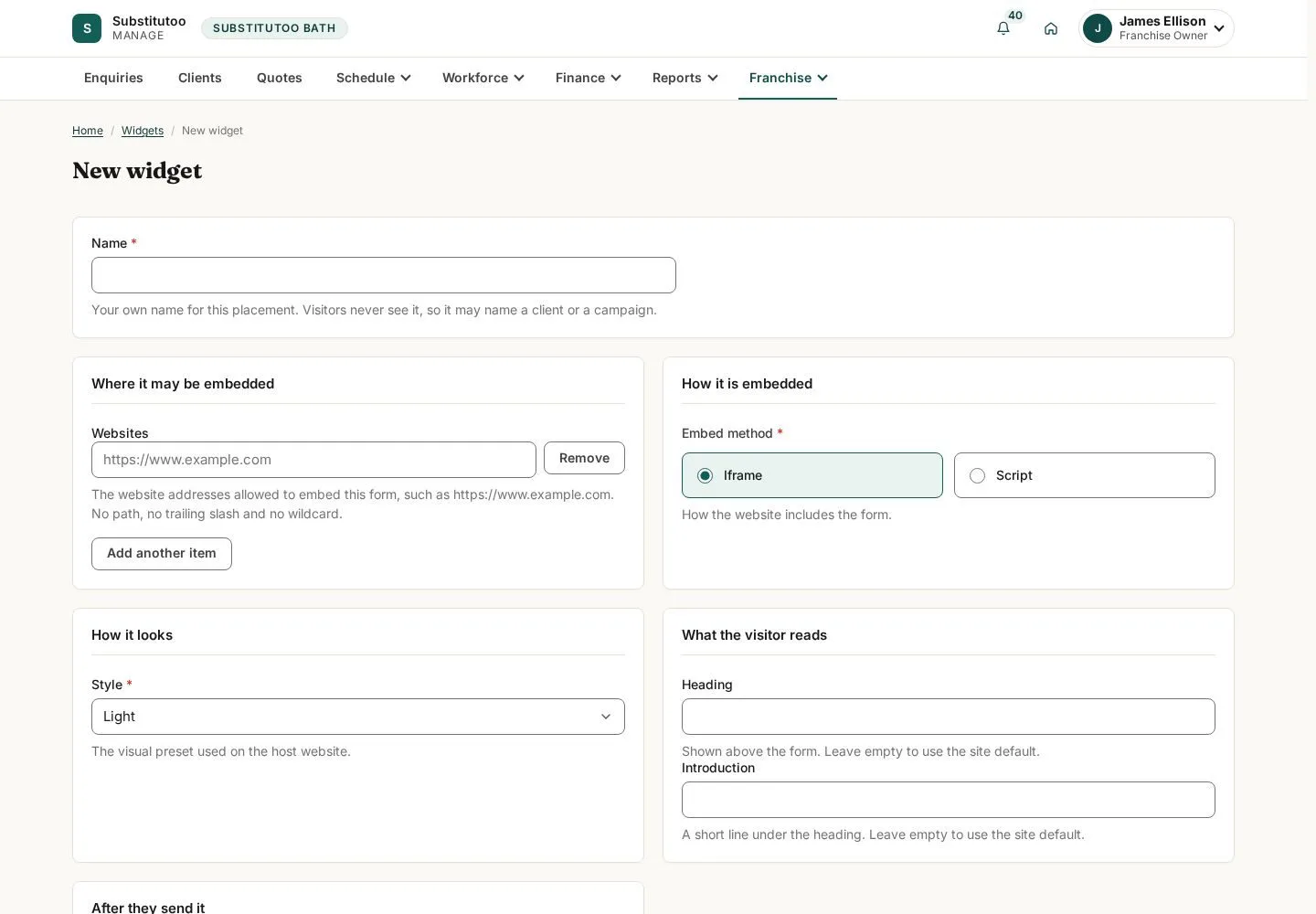
The widget form collects the configuration for a public enquiry entry point.
- Review the label and configuration, then save only after checking where the widget will be used.
Open on site ↗sign-inFull-page screenshot ↗
The form is ready for review; the guide does not publish a widget.