






 SubstitutooInternal training
User guide · Office Administrator
Use self-bills, reports and Xero records
Review supplier self-bills, operational and financial reports, and the recorded Xero synchronisation log.
Open supplier self-bills
Office Administrator
1Step 1 of 5
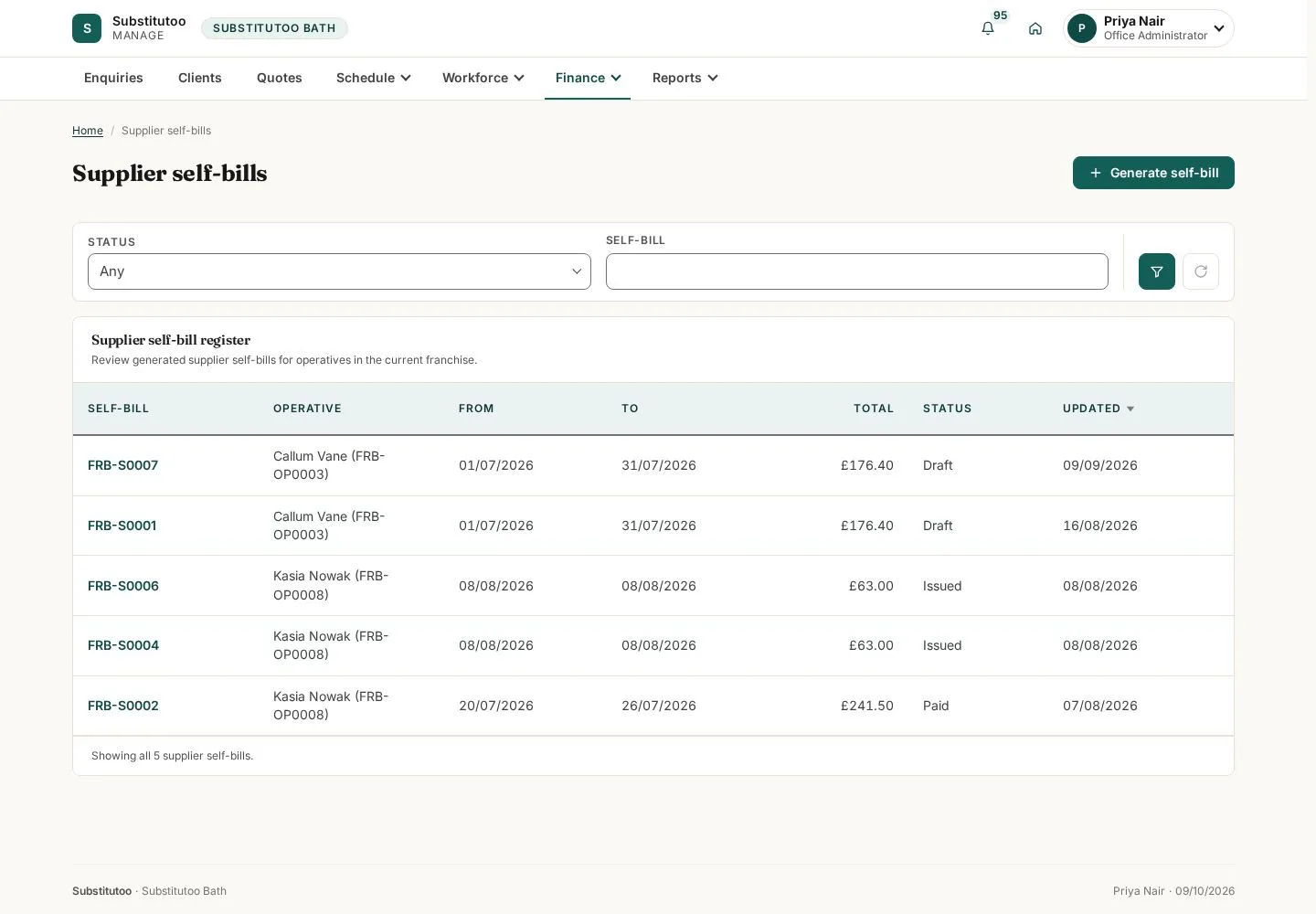
Self-bills are kept separately from customer invoices.
- Find the draft or issued record for the operative and period you need.
Open on site ↗sign-inFull-page screenshot ↗
You can distinguish supplier-side records from customer billing.
Review a self-bill
Office Administrator
2Step 2 of 5
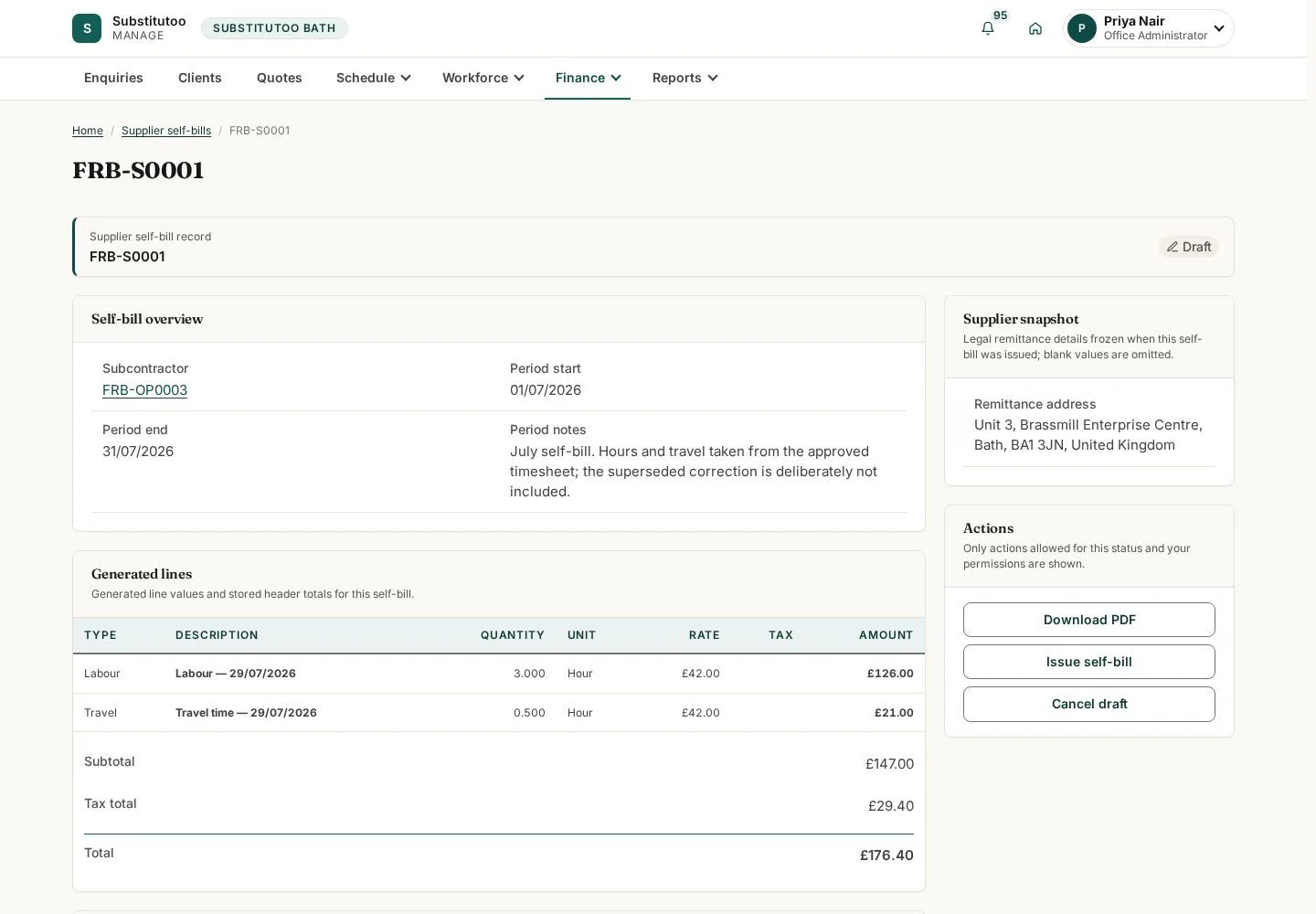
The detail page shows the supplier record and its current lifecycle state.
- Check the operative, period and amounts before choosing any issue or cancel action.
Open on site ↗sign-inFull-page screenshot ↗
The self-bill can be reviewed before a lifecycle decision.
Open operational reports
Office Administrator
3Step 3 of 5
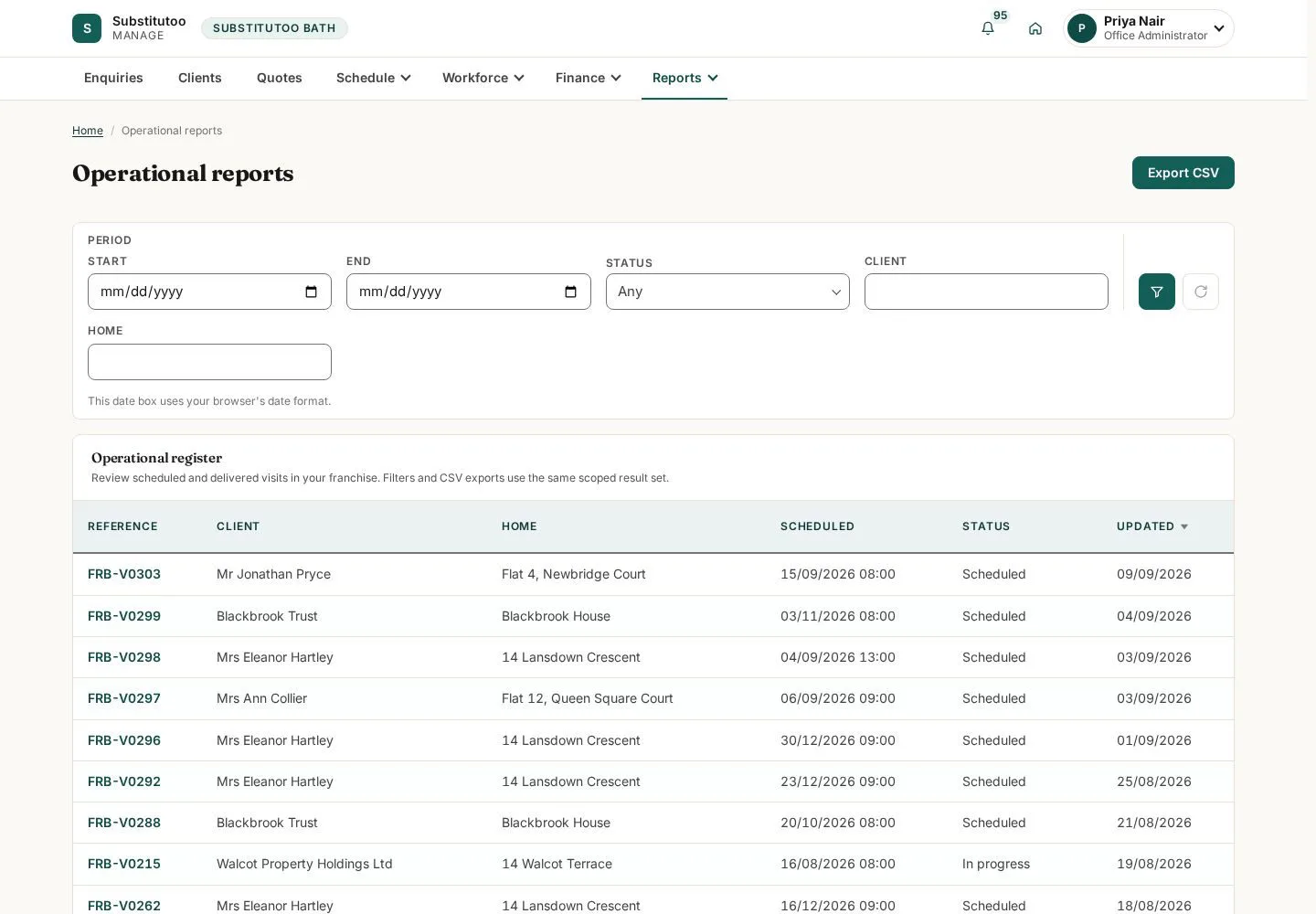
The reports area provides the views available to the office role.
- Choose the report that answers the operational question; apply the filters shown on that report.
Open on site ↗sign-inFull-page screenshot ↗
You are using a report within the partner operation's scope.
Review financial reporting
Office Administrator
4Step 4 of 5
The financial report separates reporting from the transaction edit screens.
- Set the available reporting period and interpret the displayed totals in that context.
Open on site ↗sign-inFull-page screenshot ↗
The report reflects the current filters and available data.
Inspect the Xero sync log
Office Administrator
5Step 5 of 5
The log provides an integration record for reviewing sync outcomes.
- Open a log entry when a finance record needs integration follow-up.
Open on site ↗sign-inFull-page screenshot ↗
You can trace a recorded sync event without changing the accounting record.