






 SubstitutooInternal training
User guide · Franchise Owner
Review the team and partner organisation
Use the owner-only business views to review the partner team, organisation settings and audit reporting.
Franchise OwnerStep-by-step instructions
Open the team view
Franchise Owner
1Step 1 of 3
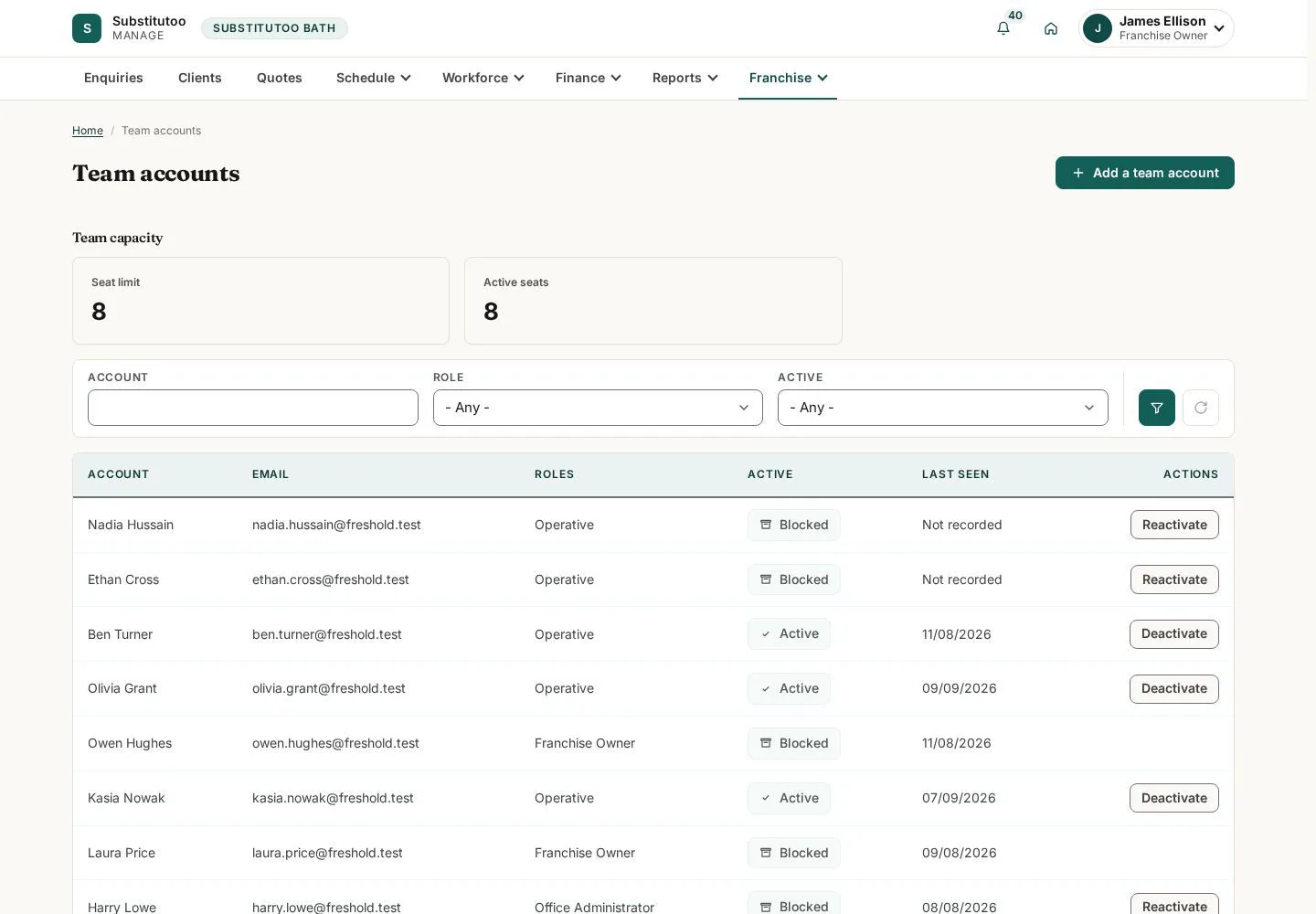
The team page groups the people attached to the partner operation.
- Review the team and open only the person or invitation task you are authorised to manage.
Open on site ↗sign-inFull-page screenshot ↗
What you should see
You see the team within this partner organisation.
Review organisation settings
Franchise Owner
2Step 2 of 3
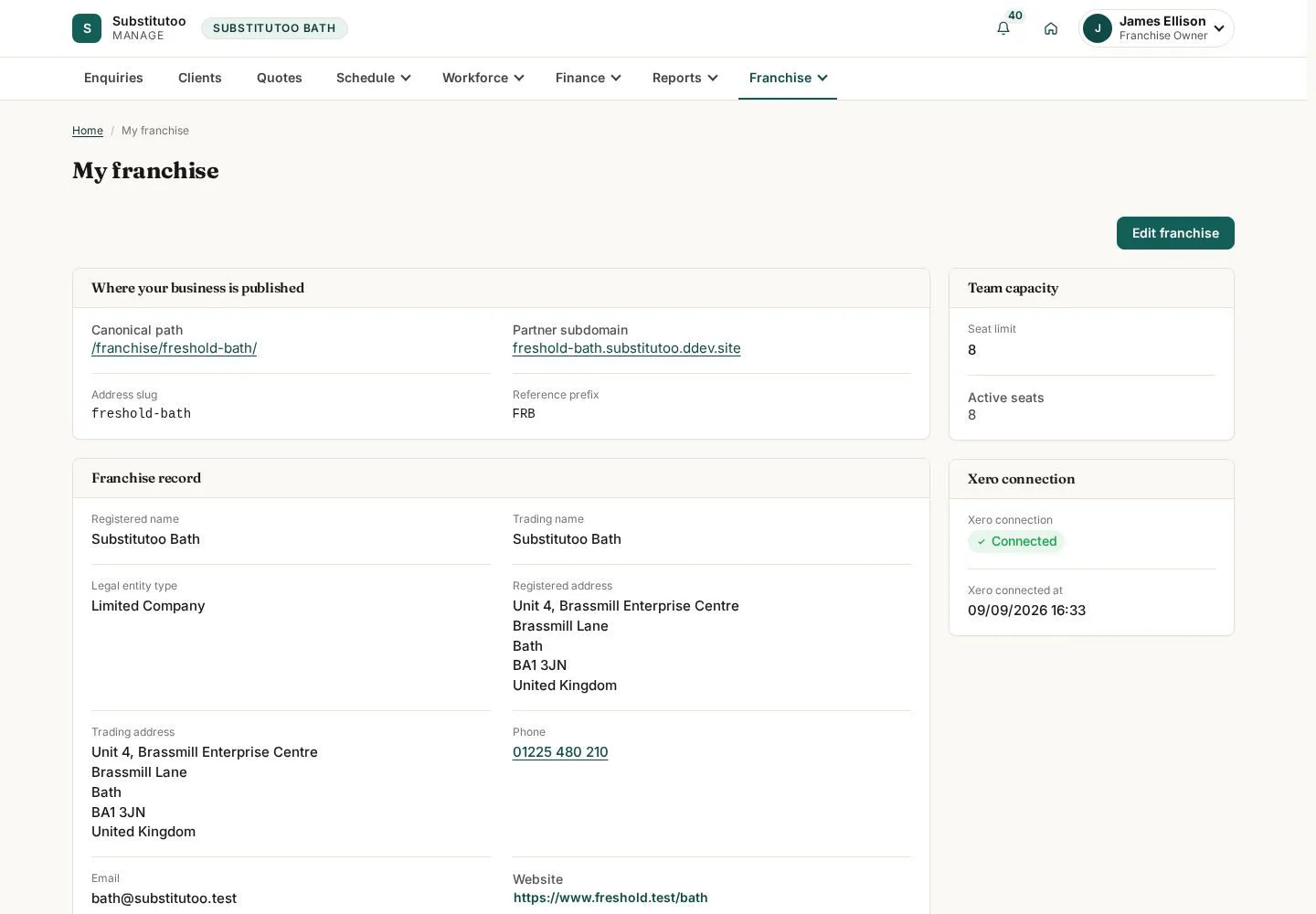
The organisation page contains partner-level business information.
- Check the current organisation details before making authorised changes.
Open on site ↗sign-inFull-page screenshot ↗
What you should see
The owner can review the partner record without entering another partner's data.
Open the audit report
Franchise Owner
3Step 3 of 3
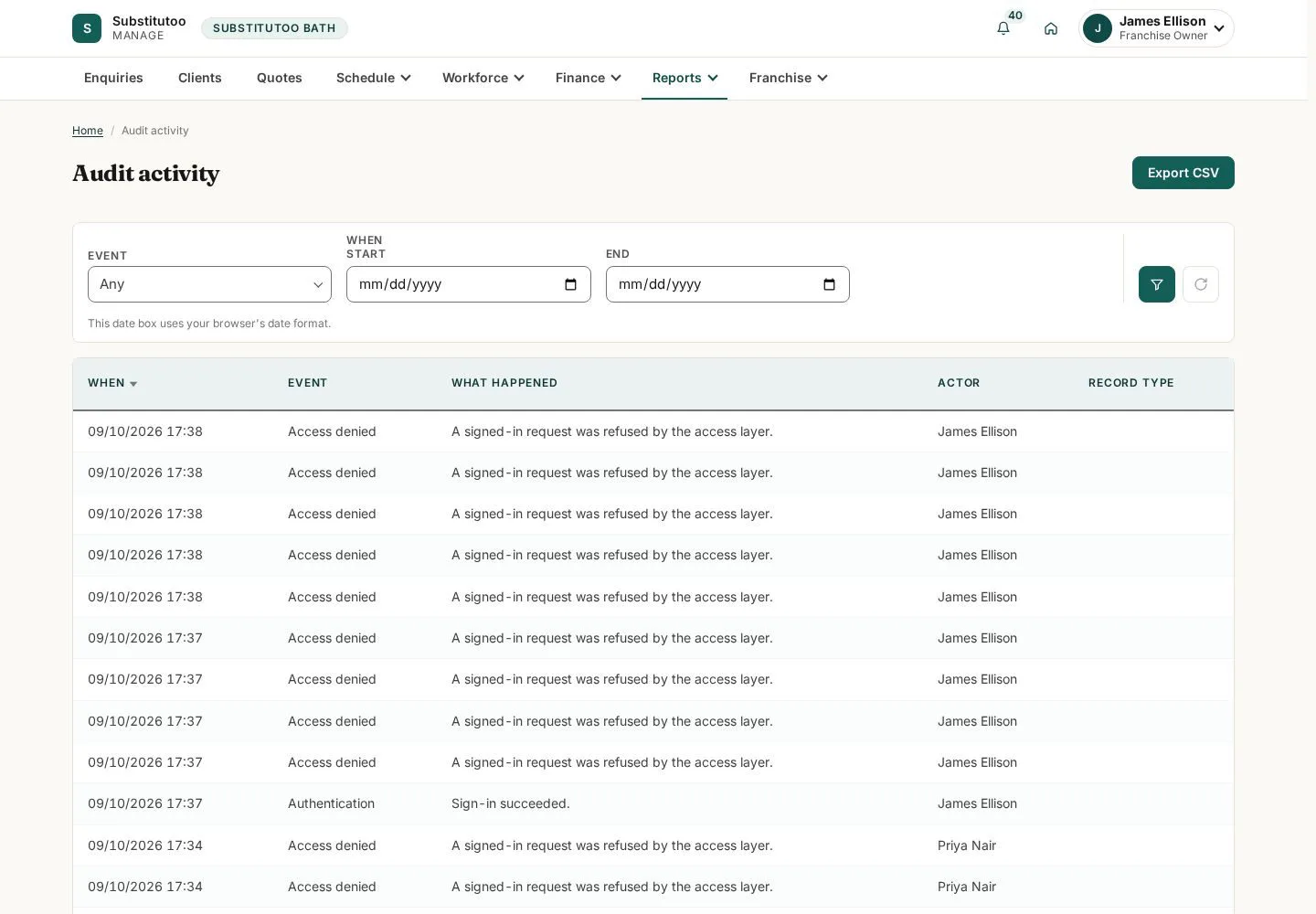
The audit report provides a trace-oriented view for owner oversight.
- Set the available filters and inspect the events relevant to the question being investigated.
Open on site ↗sign-inFull-page screenshot ↗
What you should see
You can review recorded activity for the partner operation.
1 / 4