






 SubstitutooInternal training
User guide · Franchisor
Review the franchise network
Use the aggregate network screens to inspect partner organisations without opening partner-operational edit workflows.
FranchisorStep-by-step instructions
Open network overview
Franchisor
1Step 1 of 2
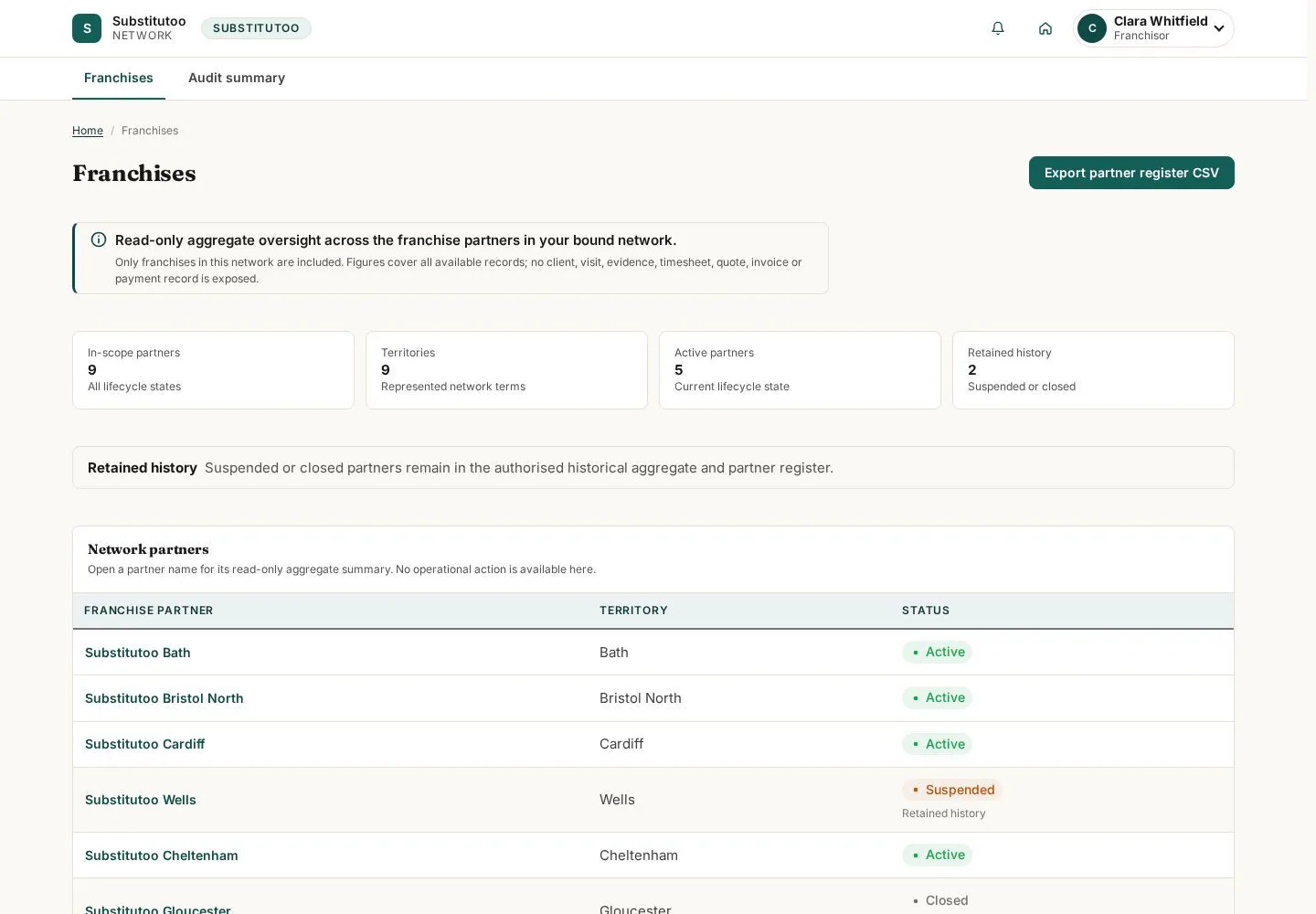
The network page is the franchisor's aggregate starting point.
- Review the organisations and aggregate information shown for the network.
Open on site ↗sign-inFull-page screenshot ↗
What you should see
You see the network view available to the franchisor role.
Open an organisation summary
Franchisor
2Step 2 of 2
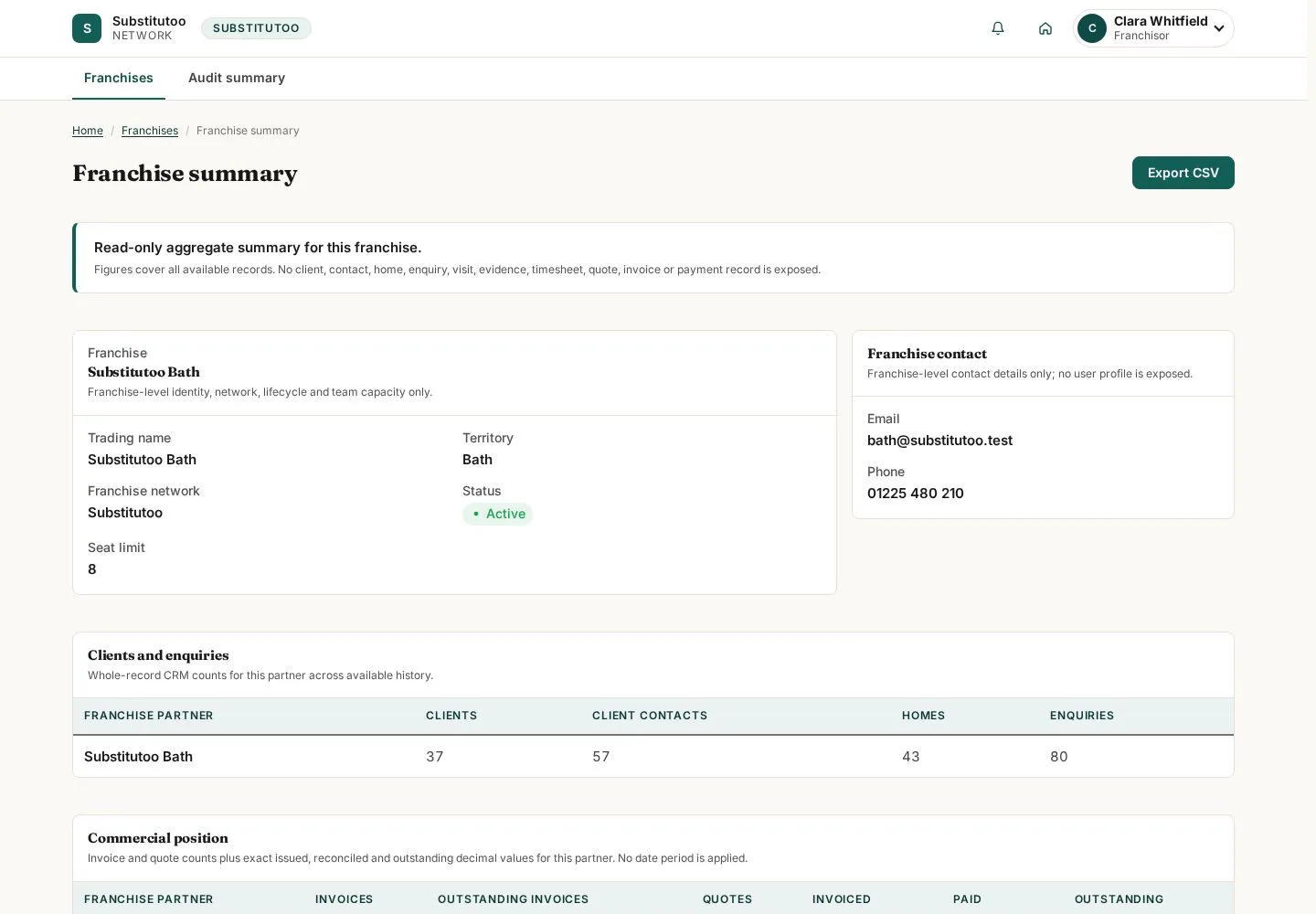
The organisation page provides an aggregate partner view inside the network.
- Confirm the partner and review the information presented without treating the view as an office edit screen.
Open on site ↗sign-inFull-page screenshot ↗
What you should see
You can inspect the selected organisation in the network context.
1 / 3