






 SubstitutooInternal training
User guide · Head Office
Review and allocate shared enquiries
Use the Head Office pipeline to inspect a shared enquiry and prepare its allocation to the correct partner.
Head OfficeStep-by-step instructions
Open shared enquiries
Head Office
1Step 1 of 2
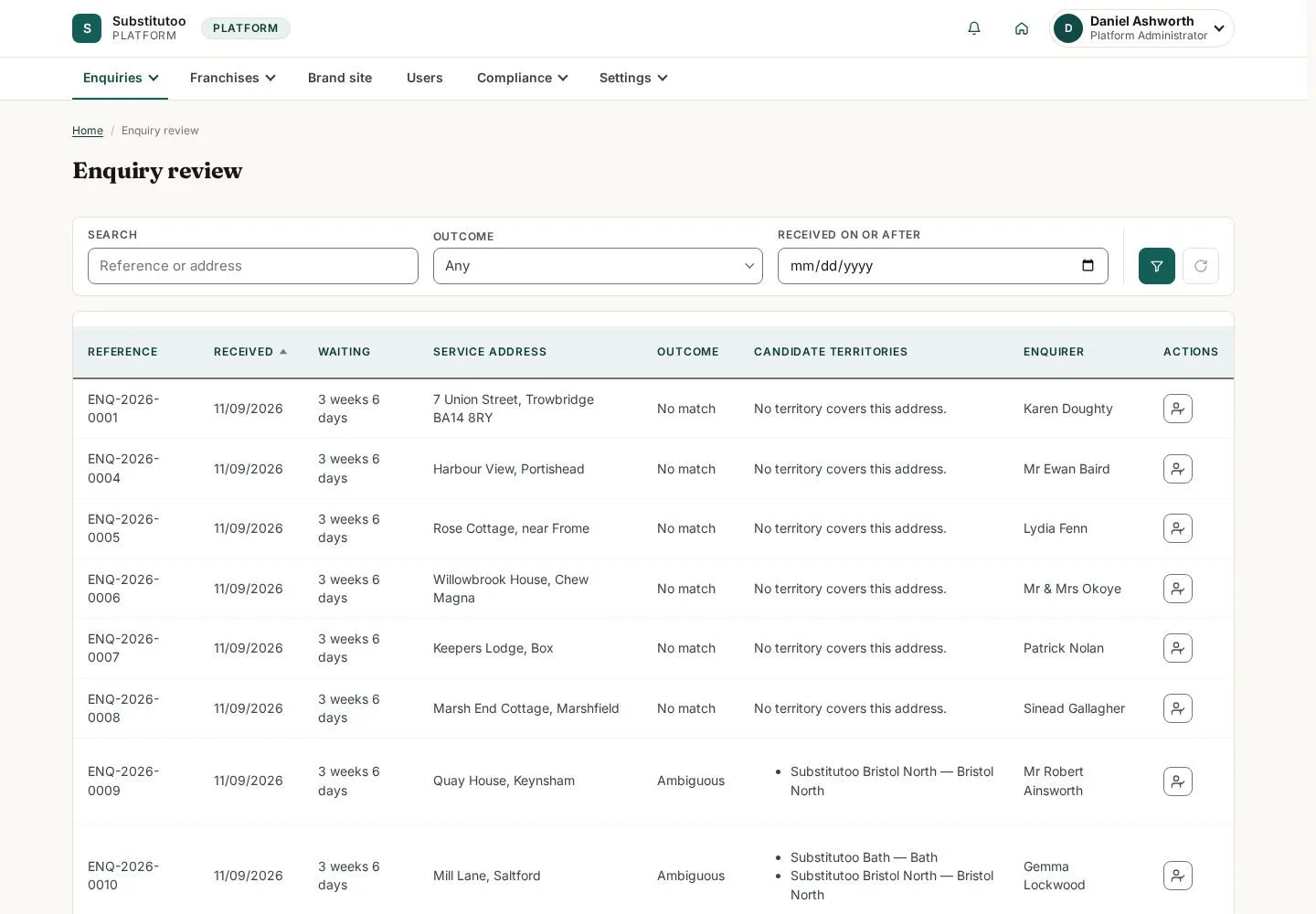
The product enquiry list is the Head Office starting point for network-level intake.
- Find the enquiry that needs routing and review its visible location and status.
Open on site ↗sign-inFull-page screenshot ↗
What you should see
You can identify an unallocated or reviewable shared enquiry.
Prepare allocation
Head Office
2Step 2 of 2
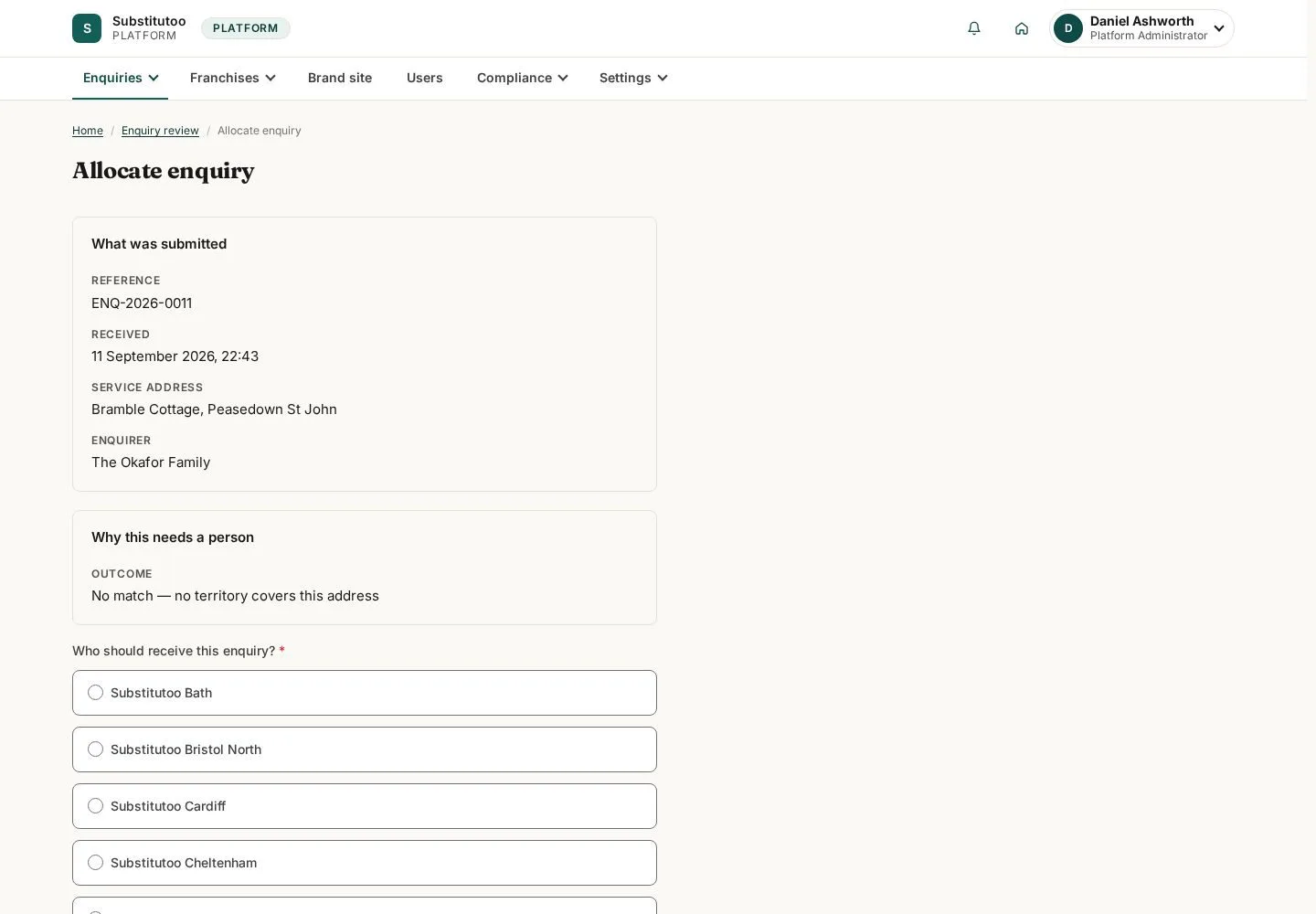
The allocation page makes the chosen partner relationship explicit.
- Choose the appropriate partner using the information shown and confirm only in live network operations.
Open on site ↗sign-inFull-page screenshot ↗
What you should see
The allocation is ready for review; no enquiry is reassigned by this guide.
1 / 3