






 SubstitutooInternal training
User guide · Office Administrator
Set up a customer, home and quote
Review the connected customer and home records, then prepare and inspect a domestic-cleaning quote.
Review the customer
Office Administrator
1Step 1 of 5
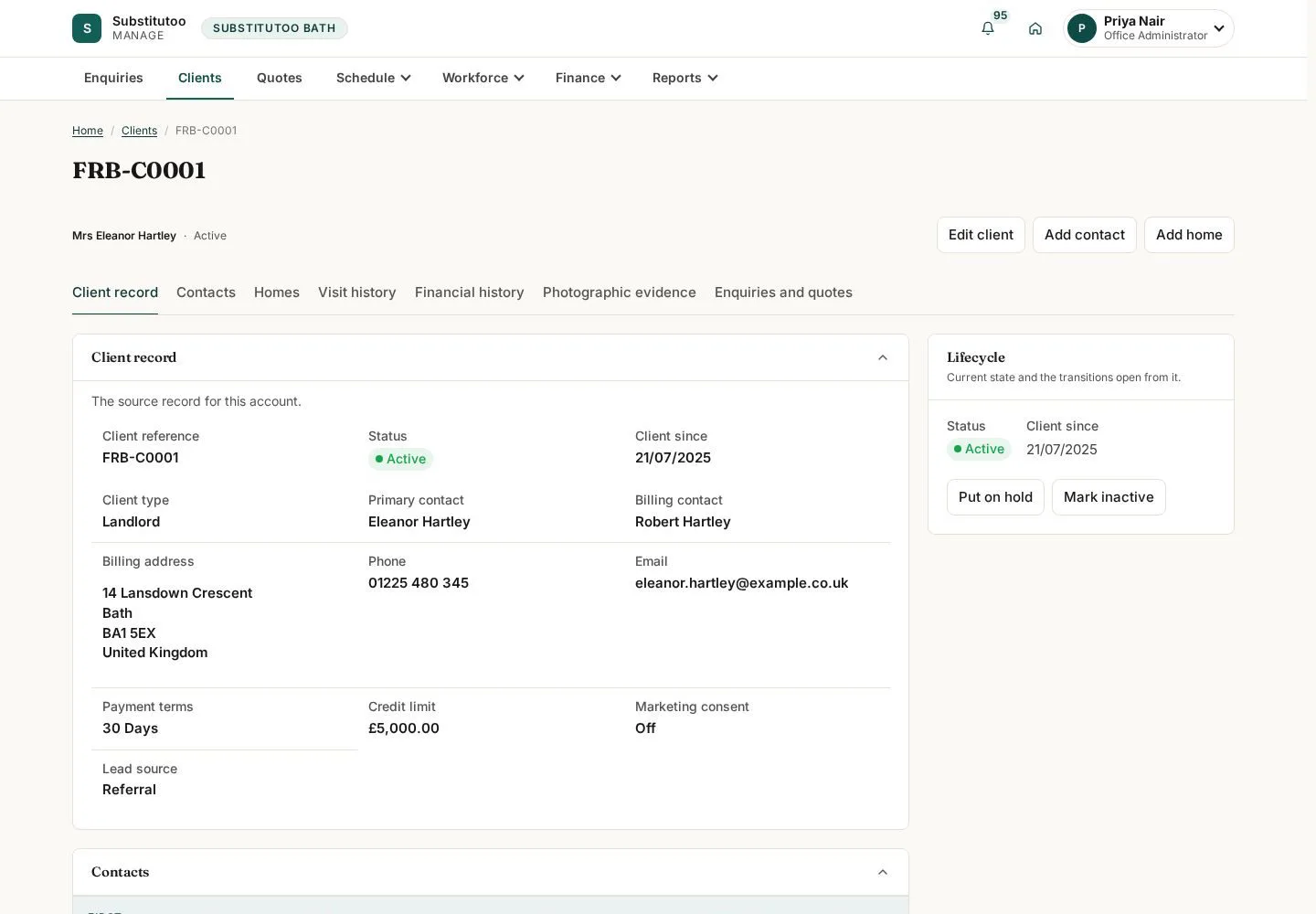
The customer page is the anchor for contact, home and service information.
- Confirm the customer before adding or editing related records.
Open on site ↗sign-inFull-page screenshot ↗
You are working in the correct customer's record.
Review the home
Office Administrator
2Step 2 of 5
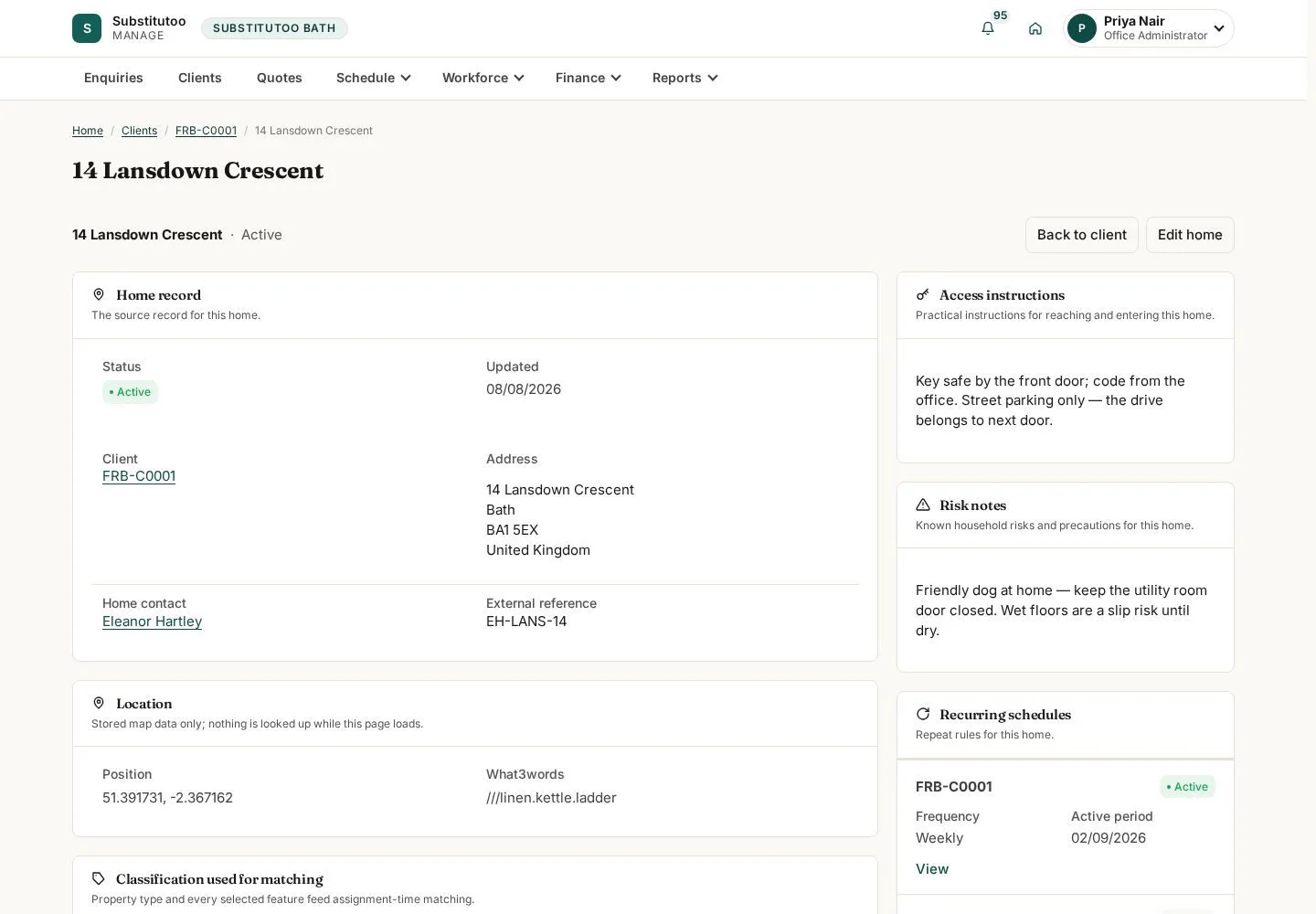
The location page holds the household address and access-related details available to the office.
- Check the home details and update only verified information.
Open on site ↗sign-inFull-page screenshot ↗
The operational home record is linked to the customer.
Prepare a quote
Office Administrator
3Step 3 of 5
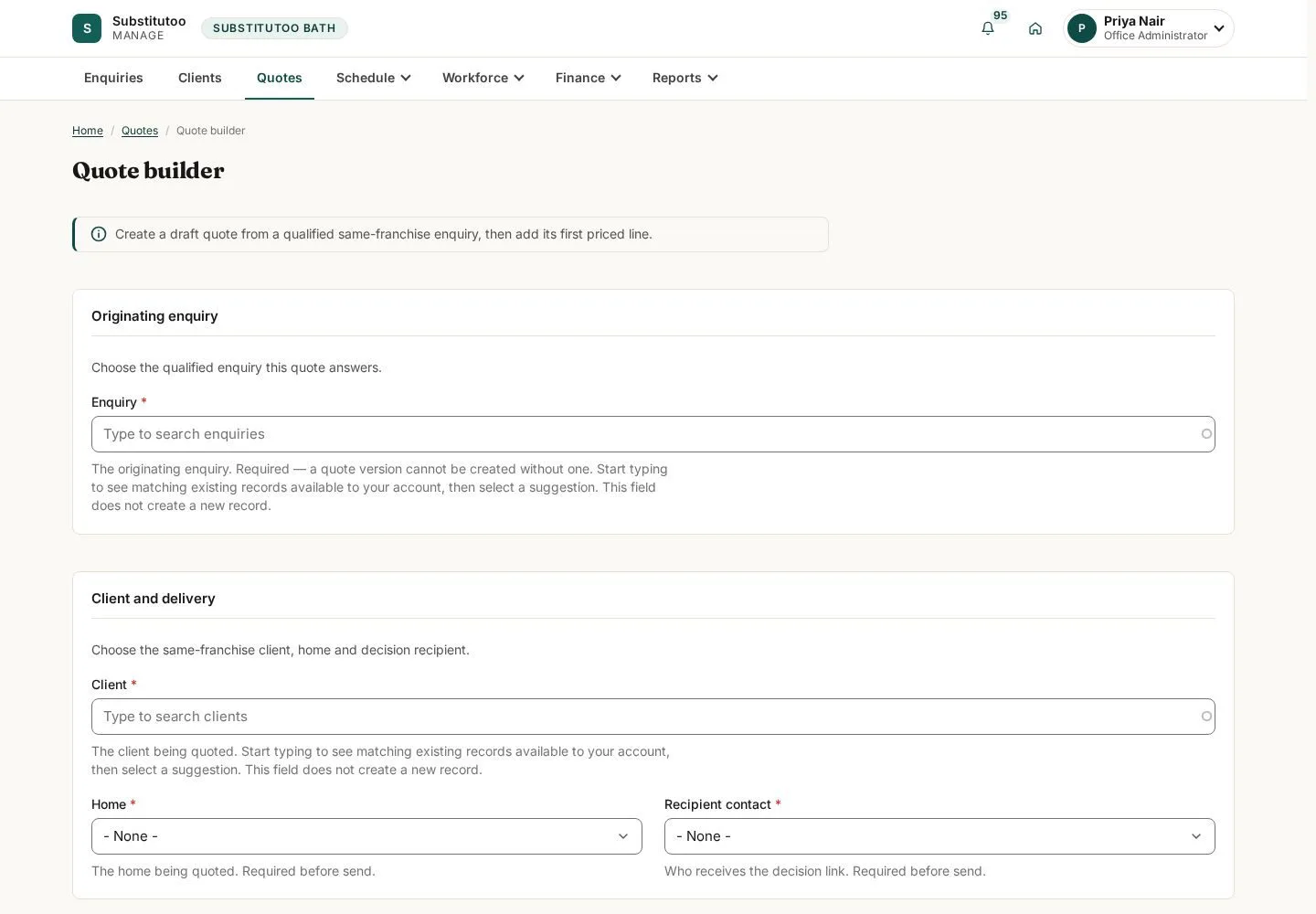
The quote builder gathers the planned service and commercial details.
- Select the correct customer and home, enter the proposed service details, and review the draft before saving.
Open on site ↗sign-inFull-page screenshot ↗
The quote form is ready for authorised completion.
Review the quote record
Office Administrator
4Step 4 of 5
The quote detail records the version and decision state visible to the office.
- Check the customer, service and status before sending or revising through the controls provided.
Open on site ↗sign-inFull-page screenshot ↗
You can see the current quote record and its available actions.
Recognise the re-quote action
Office Administrator
5Step 5 of 5
A re-quote is an explicit transition rather than an invisible overwrite.
- Read the confirmation and proceed only when a revised quote is required.
Open on site ↗sign-inFull-page screenshot ↗
The re-quote transition is visible but remains unsubmitted in this guide.