






 SubstitutooInternal training
User guide · Franchise Owner
Use partner reports and integrations
Move from operational reporting to financial and integration records available to the owner role.
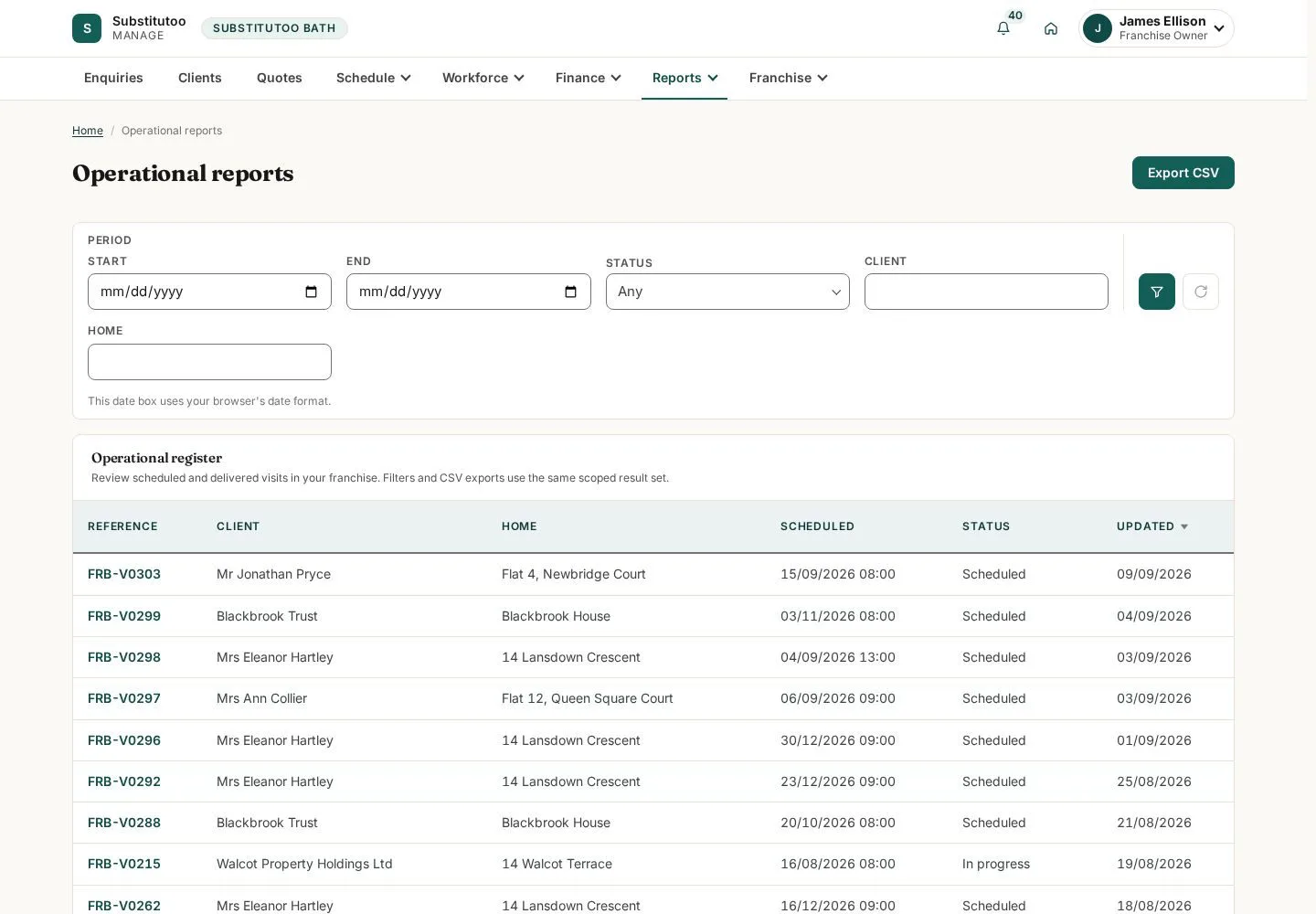
Open operational reports
Franchise Owner
1Step 1 of 4
The report index lists the partner-level views available to this role.
- Choose a report based on the business question rather than editing source records.
Open on site ↗sign-inFull-page screenshot ↗
You see reports within this partner's scope.
Review the financial report
Franchise Owner
2Step 2 of 4
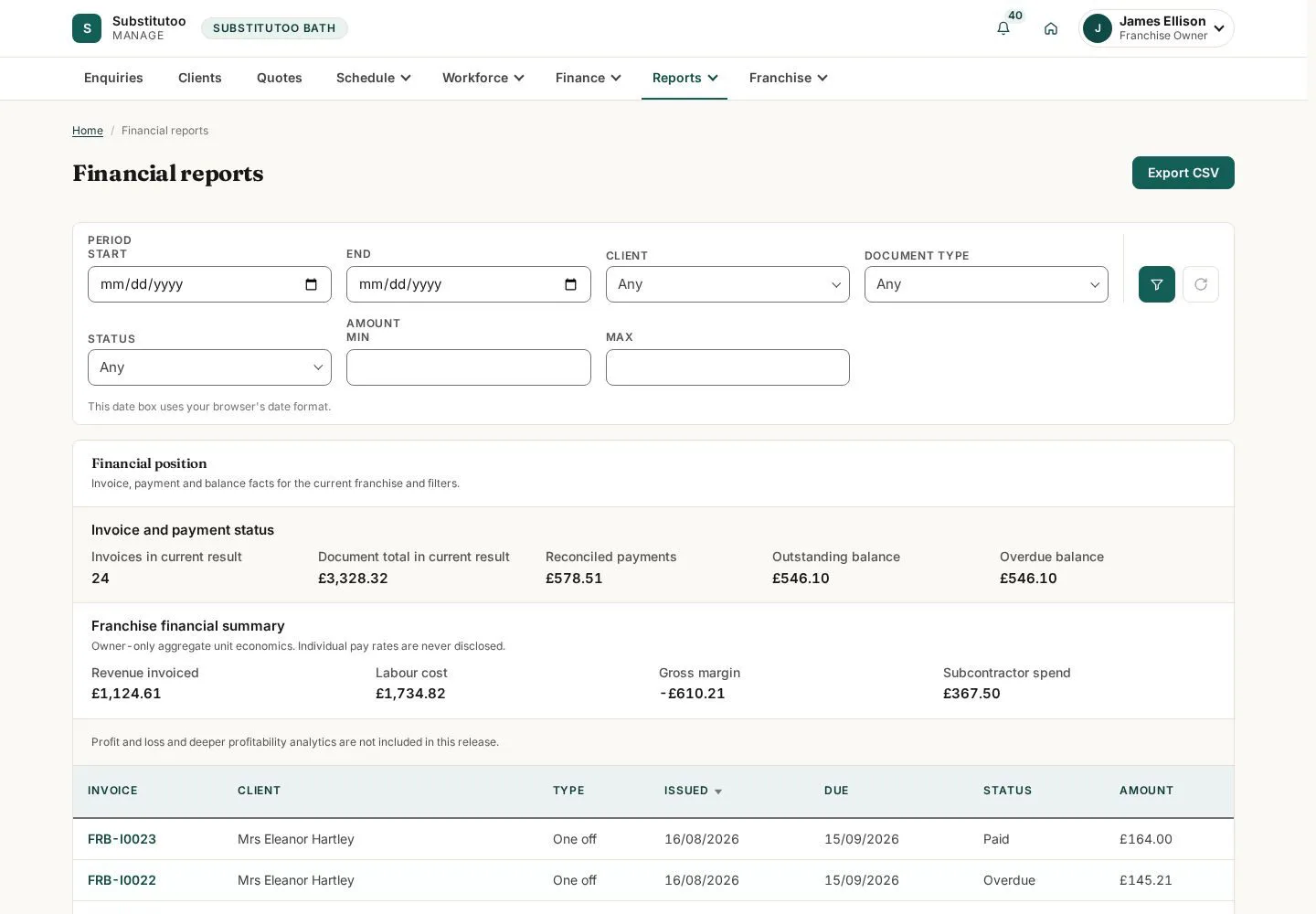
The financial view provides period-based figures for owner oversight.
- Apply the available period filters and interpret the totals with those filters in view.
Open on site ↗sign-inFull-page screenshot ↗
The displayed figures are tied to the selected period and current data.
Review Xero connection status
Franchise Owner
3Step 3 of 4
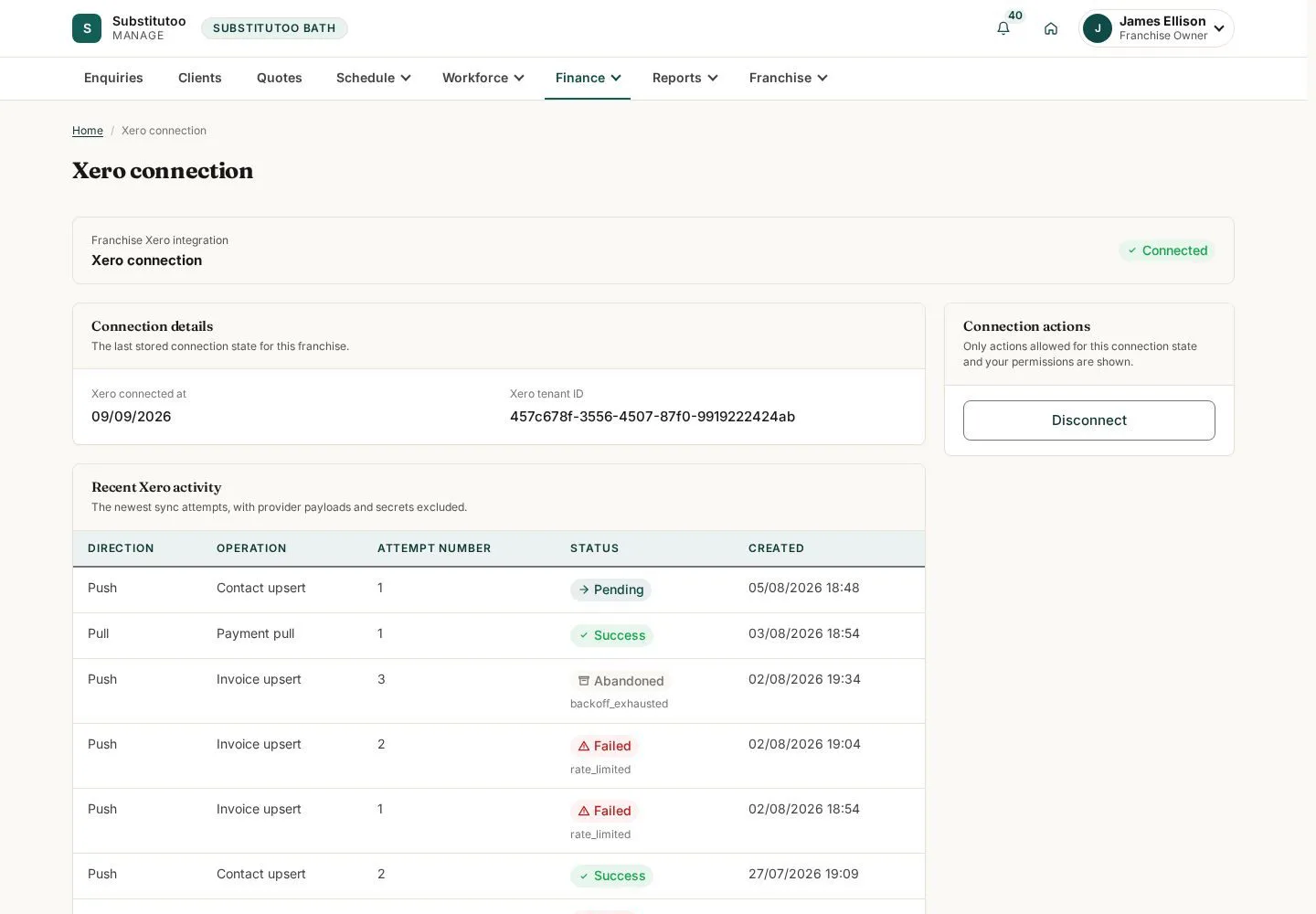
The integration page exposes the partner's current Xero connection controls and state.
- Check status and guidance before changing any accounting connection.
Open on site ↗sign-inFull-page screenshot ↗
You can assess the integration from its recorded state.
Inspect address lookup activity
Franchise Owner
4Step 4 of 4
The lookup log provides a record for investigating location-search behaviour.
- Use the available information to investigate a lookup without altering the customer or home record.
Open on site ↗sign-inFull-page screenshot ↗
You can trace location lookup activity available to the owner.