






 SubstitutooInternal training
User guide · Head Office
Review product governance records
Inspect users, configuration, integration, privacy and audit screens available to Head Office.
Open product users
Head Office
1Step 1 of 5
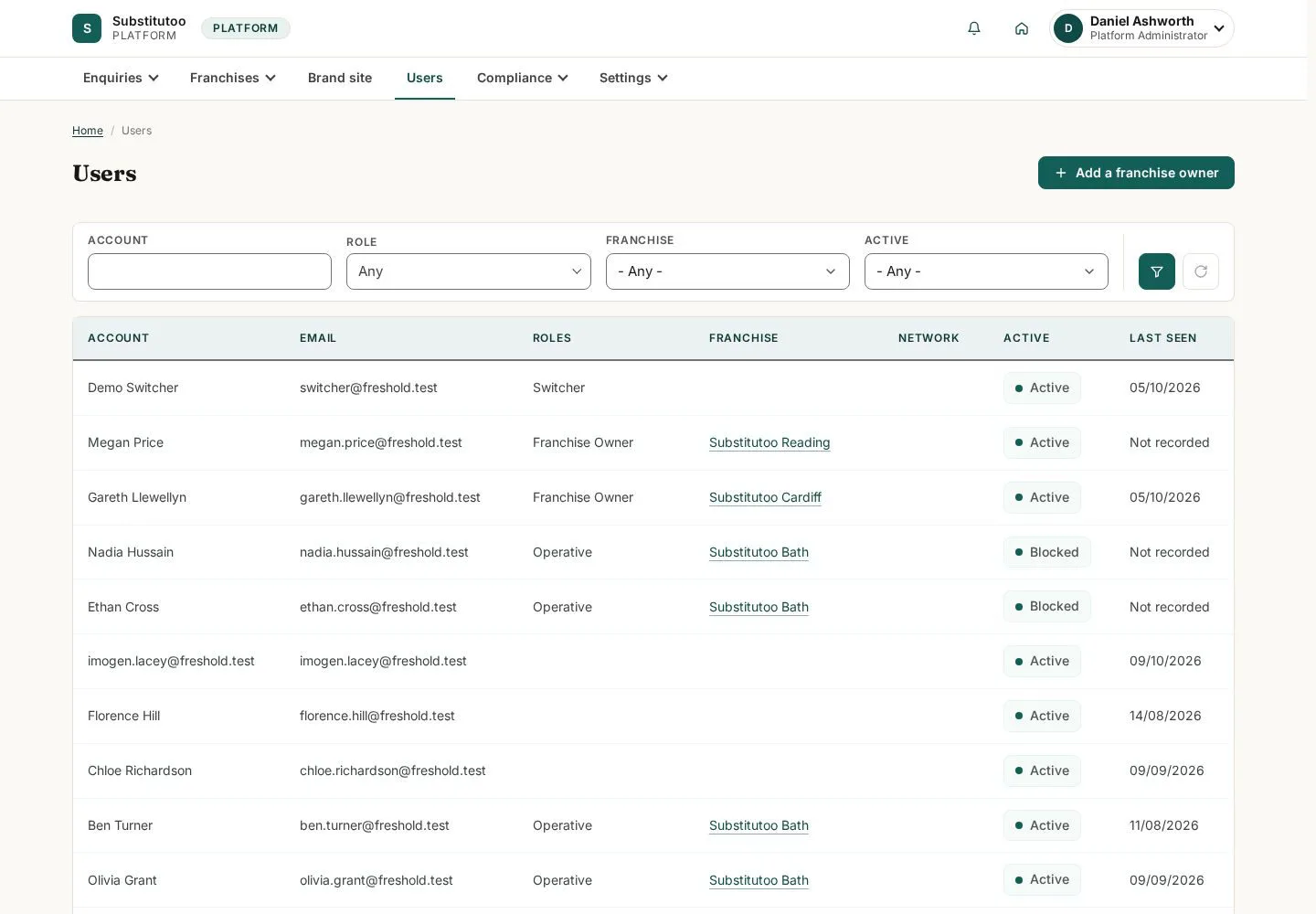
The user list is the Head Office view of accounts within its governance scope.
- Find the account that needs review and confirm its organisation and role before any change.
Open on site ↗sign-inFull-page screenshot ↗
You can identify the intended account in the product view.
Review product settings
Head Office
2Step 2 of 5
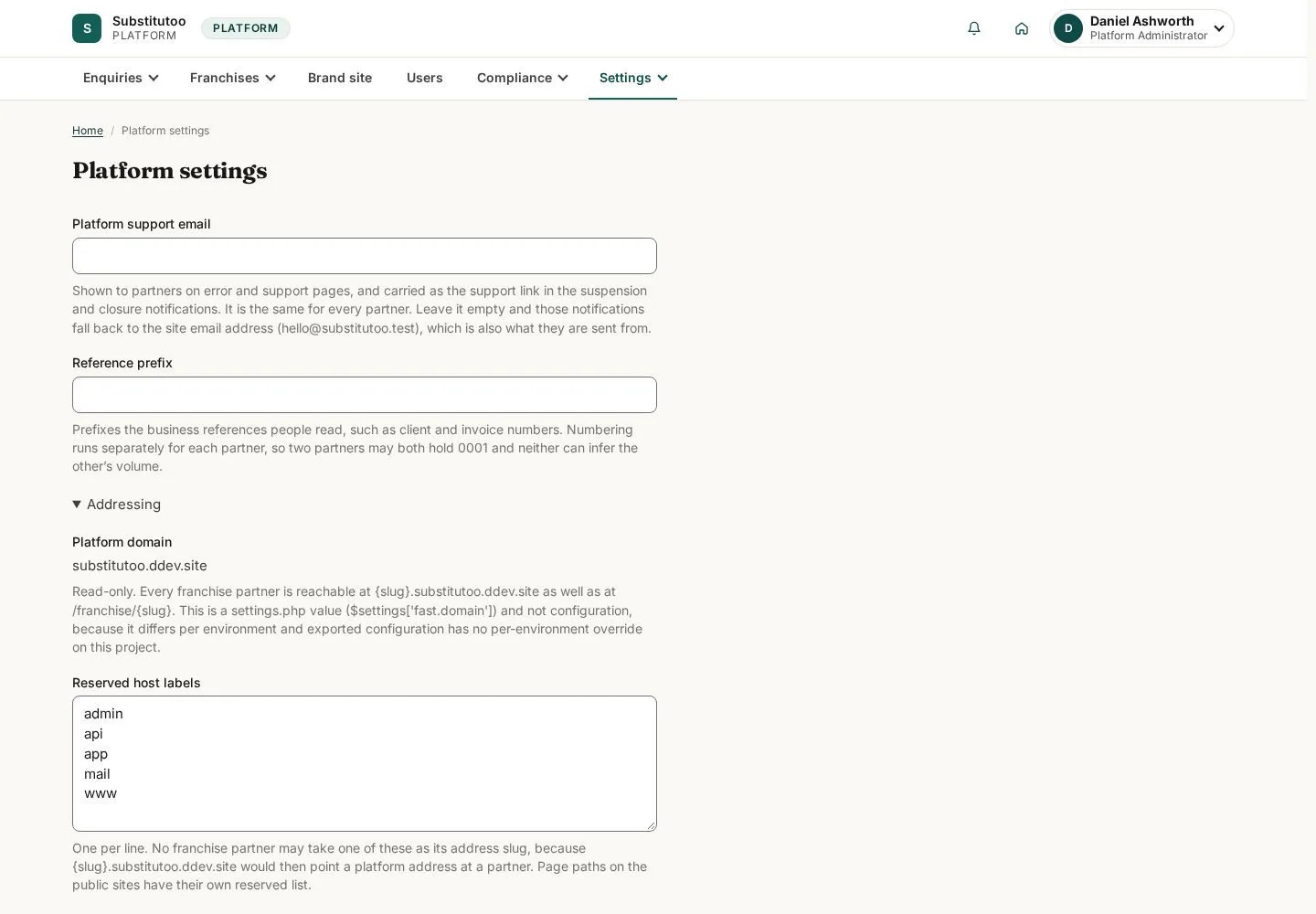
The settings page exposes configuration maintained at Head Office scope.
- Read the current configuration and change only values covered by an approved operational decision.
Open on site ↗sign-inFull-page screenshot ↗
You can review the current product settings.
Review integration records
Head Office
3Step 3 of 5
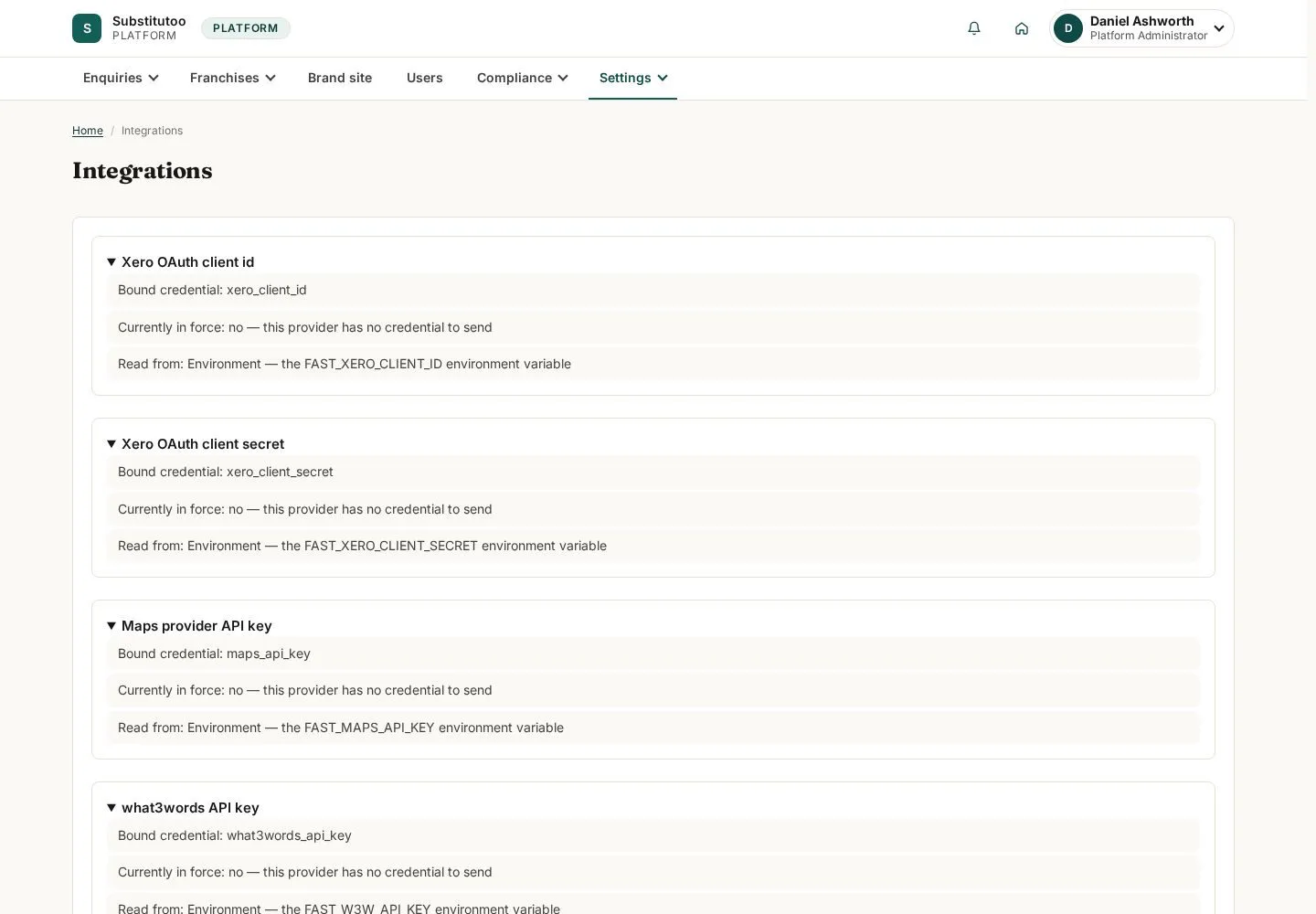
The integrations page groups shared connection information.
- Inspect status and guidance before changing a shared integration.
Open on site ↗sign-inFull-page screenshot ↗
You can assess integration state without performing a connection action.
Open privacy operations
Head Office
4Step 4 of 5
The GDPR screen provides the privacy-management records available to Head Office.
- Use the displayed records and filters for an authorised privacy request.
Open on site ↗sign-inFull-page screenshot ↗
You can review privacy-operation records within Head Office scope.
Inspect the audit trail
Head Office
5Step 5 of 5
The product audit is the trace-oriented view for governance investigations.
- Apply the available filters and inspect the events relevant to the question.
Open on site ↗sign-inFull-page screenshot ↗
You can review recorded product activity without changing operational records.