
Substitutoo features
Every enquiry finds its local team
A customer gives their home address once. The enquiry goes to the franchise whose territory covers it, and Head Office decides the few that no territory or two territories cover.
Quotes accepted online
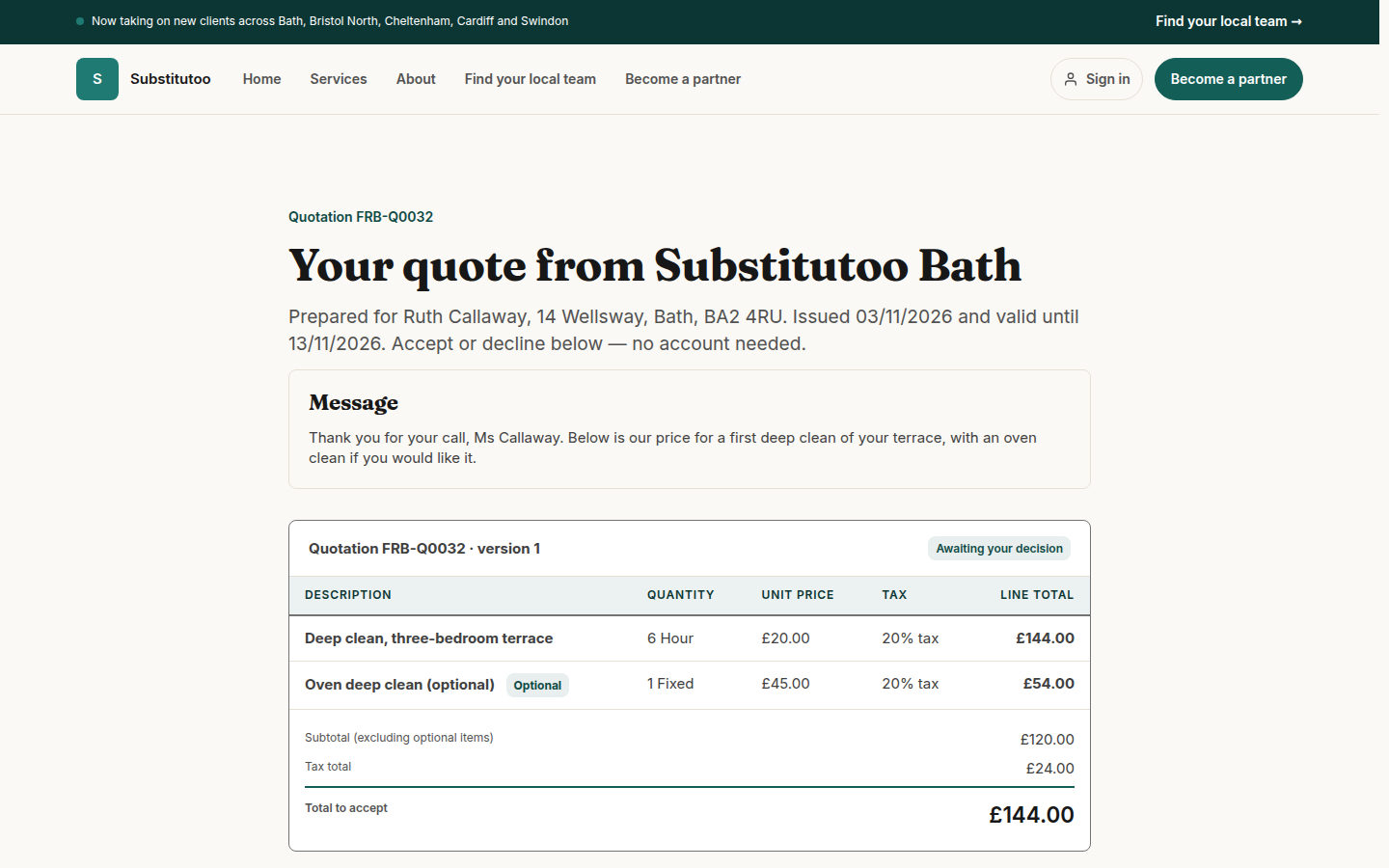
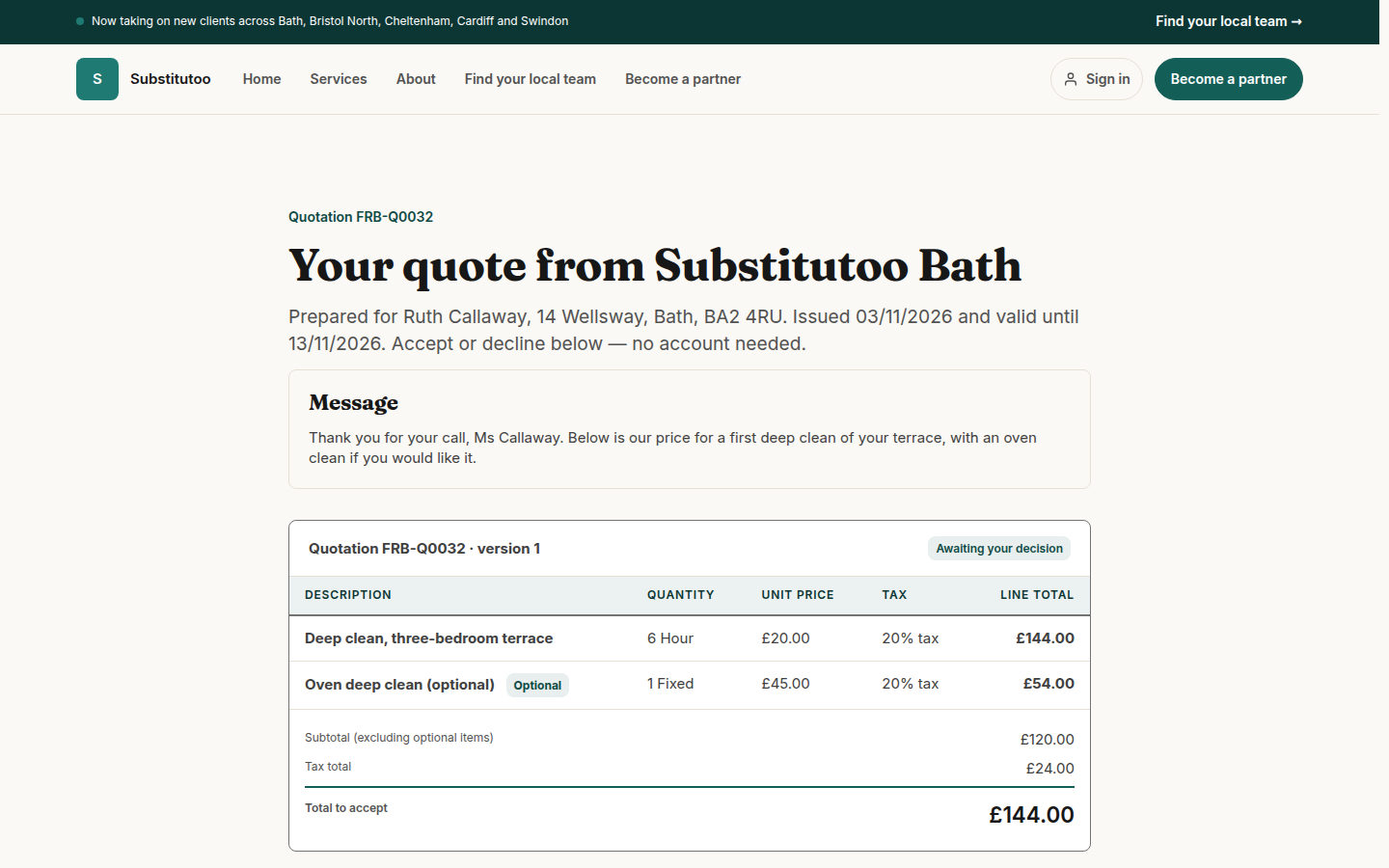
Customers open their quote from a personal link, choose the optional extras and accept or decline. No account, no printing, and the first visit is booked on its own.
Proof of every clean
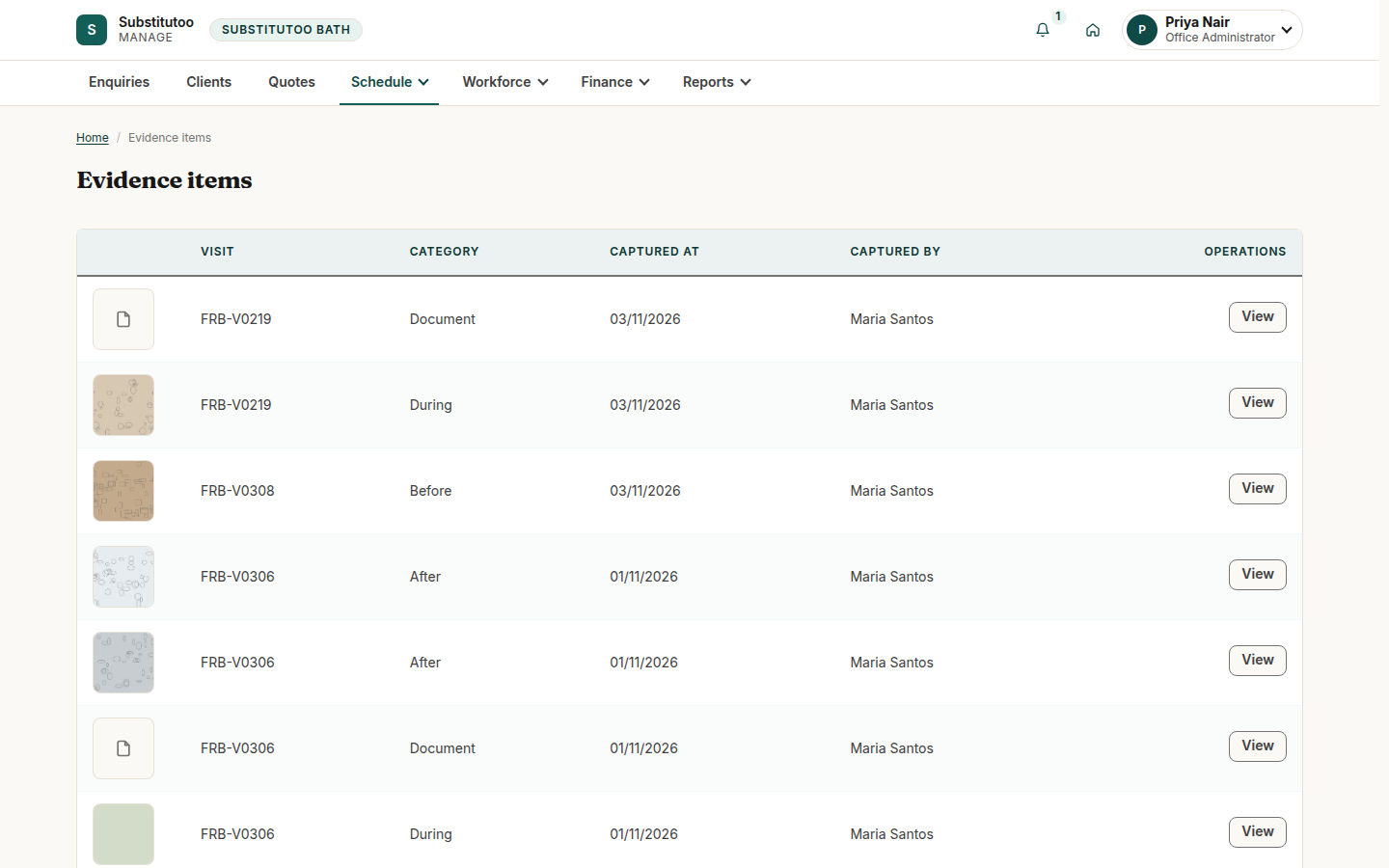
Operatives photograph each visit on their phone. The office approves the work before it is invoiced, and evidence is never edited or deleted.

A cleaning brand and its franchises in one system
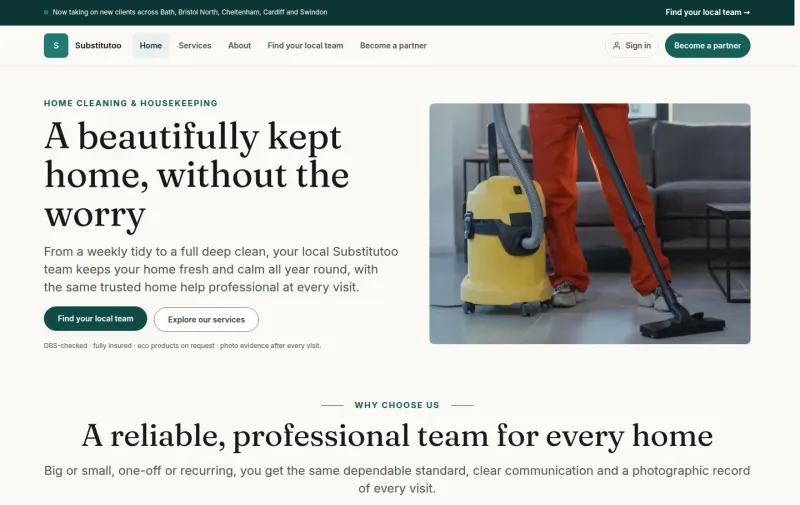
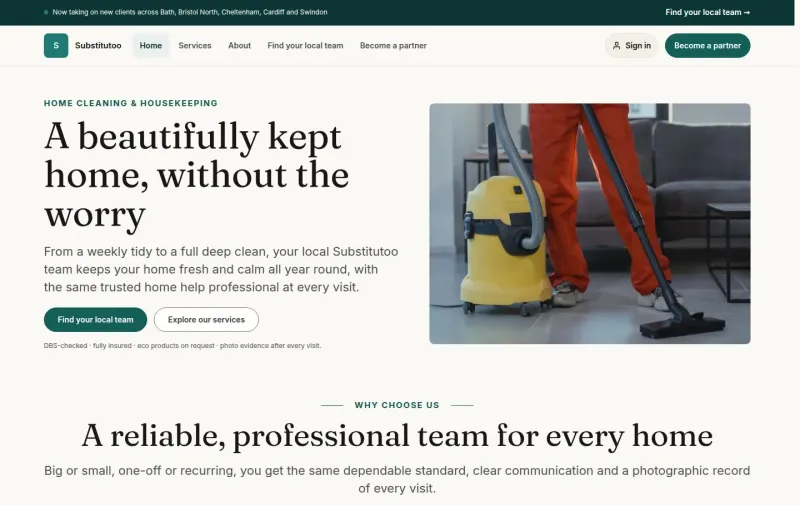
Substitutoo connects the brand’s website, Head Office and every local franchise. Customers ask for a clean and accept their quote online; franchise offices plan the work and the rota; operatives record each visit on their phone; and the money follows the approved work into Xero.
The screens show Substitutoo Bath and its sample customers, a demonstration franchise of the Substitutoo network. The people and records are sample data.
 View full size
Everything a cleaning business runs on
From the first enquiry to the paid invoice, with each part of the work in its own place.
- EnquiriesOne pipeline per franchiseFrom New to Won, with the moves each stage allows.
- QuotesVersions and decisionsPriced lines, optional extras, a personal link and the accepted total.
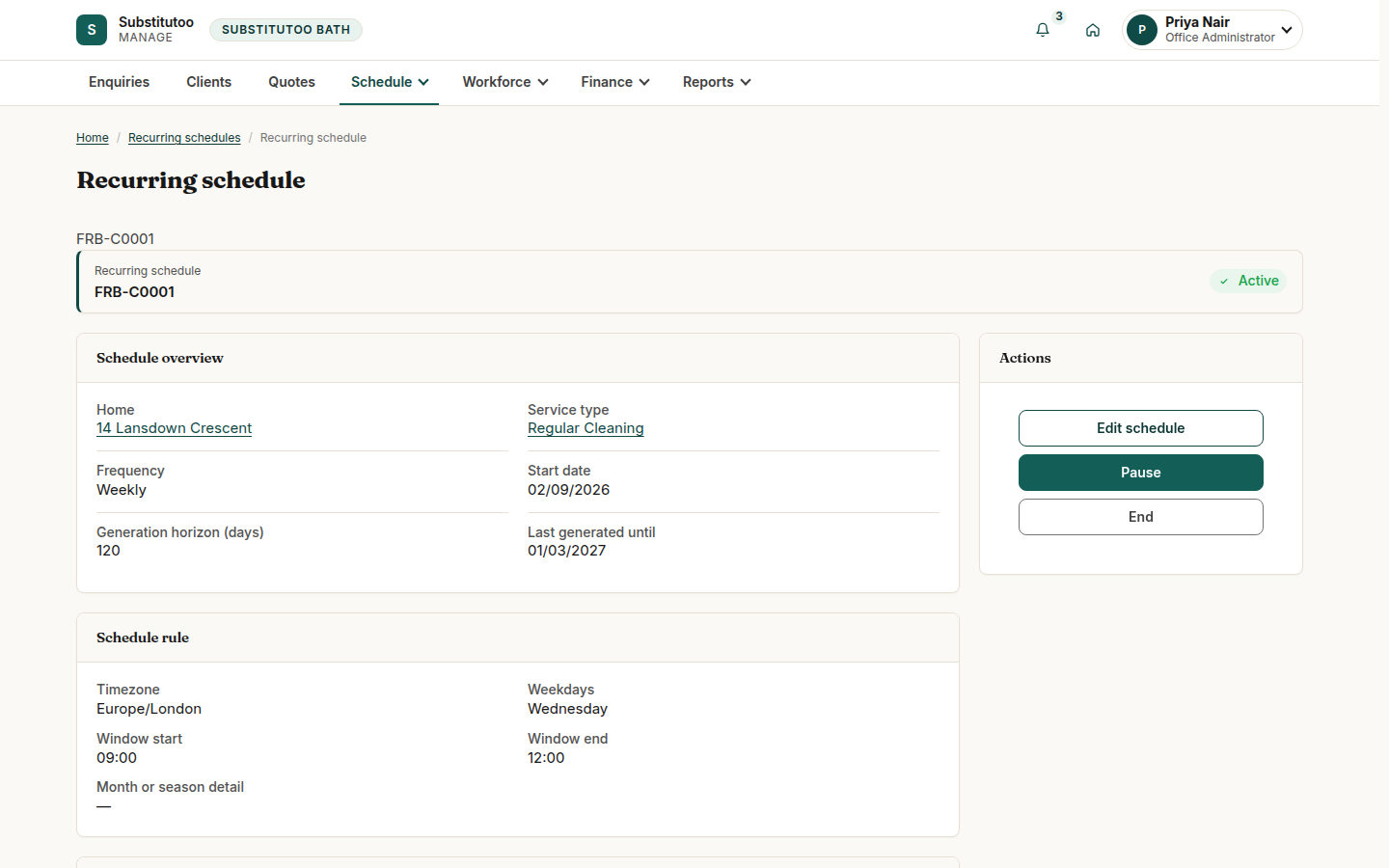
- Regular cleansWeekly and fortnightlyVisits booked ahead from one rule, one per occurrence.
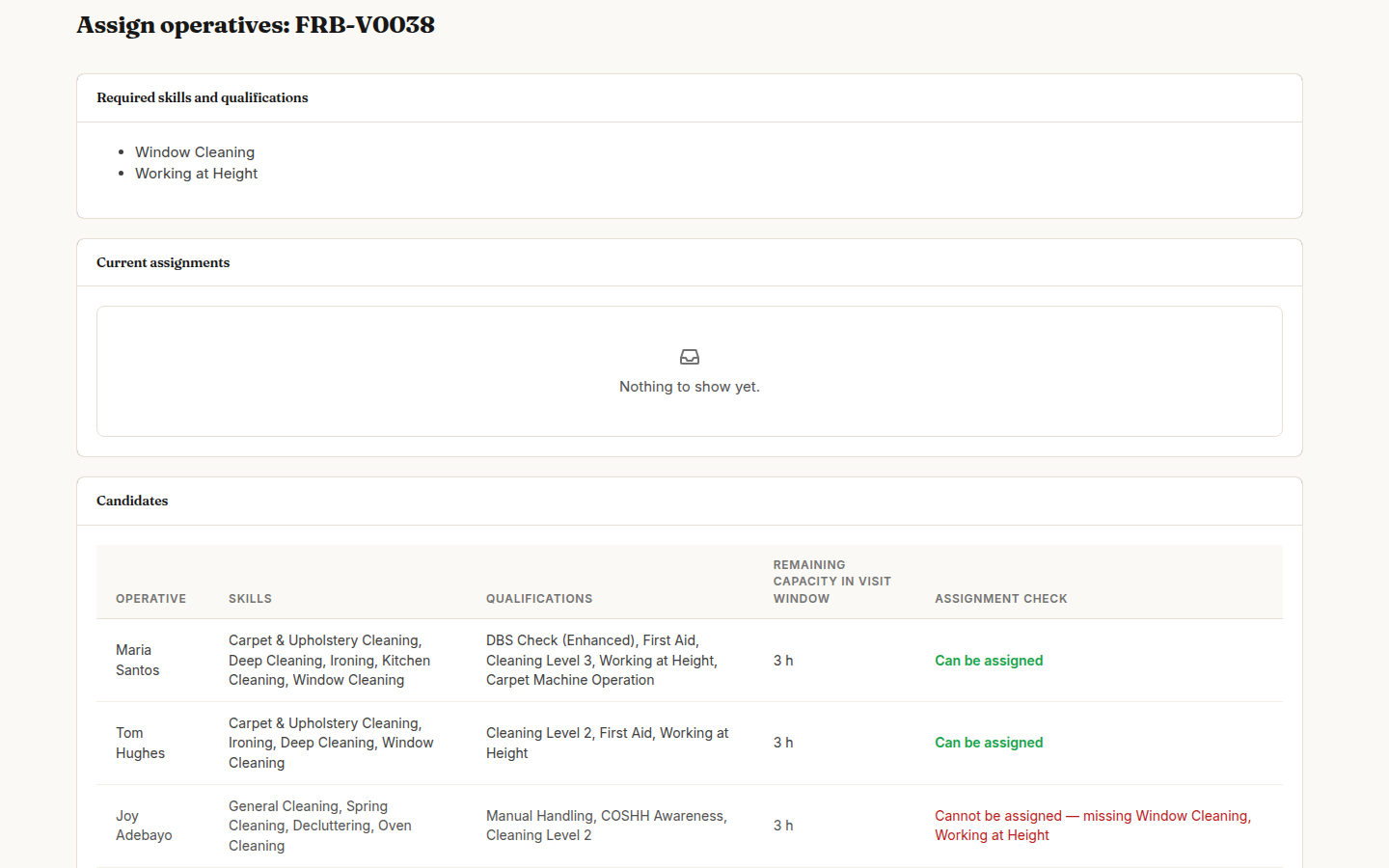
- RotaThe right operativeSkills, hours and clashes checked before anyone is assigned.
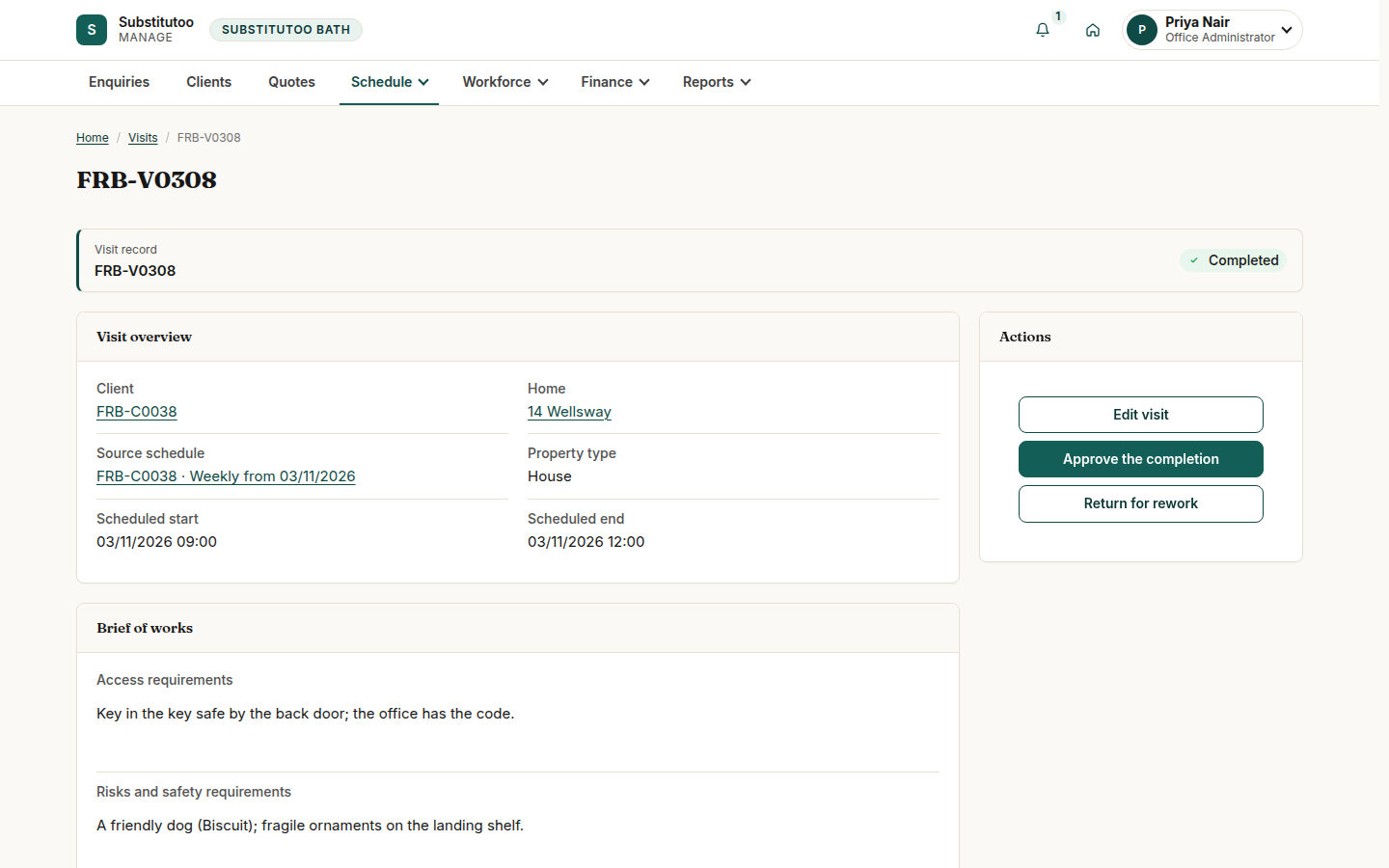
- VisitsOn the phoneMy Day, Start work, Complete visit, with the Brief of Works at hand.
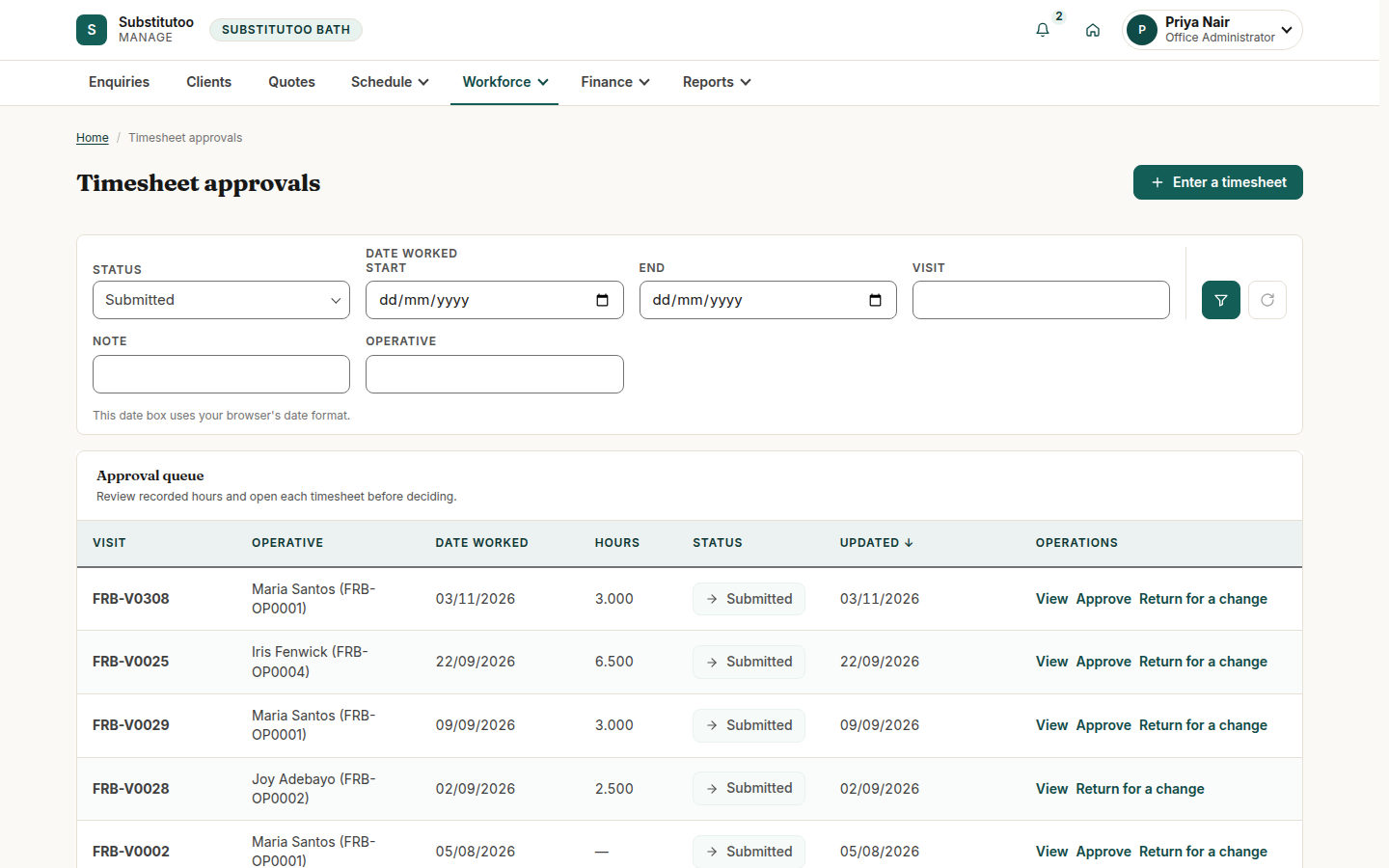
- TimesheetsHours and travelApproved by the office, locked, corrected without losing the original.
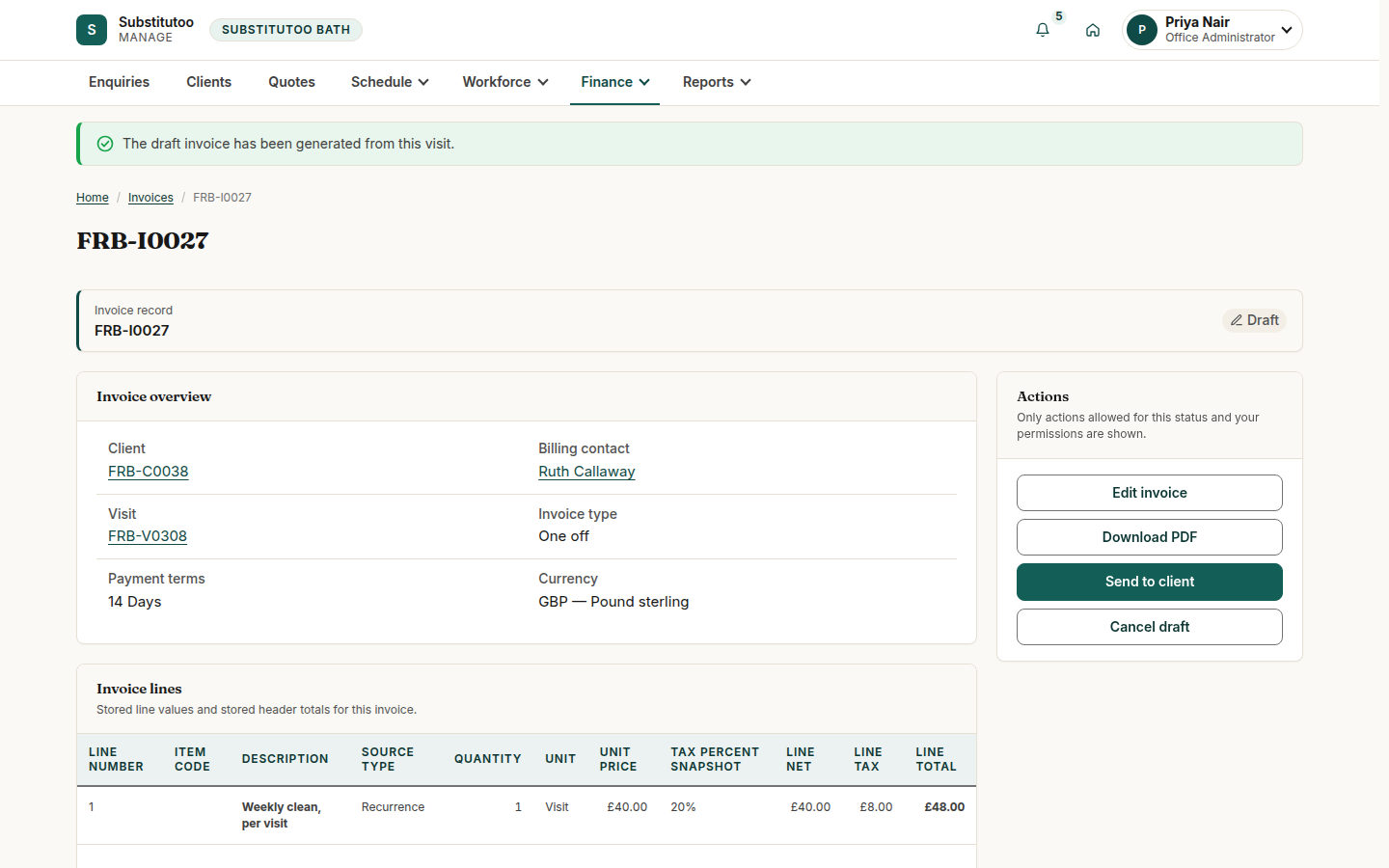
- InvoicesFrom approved workBuilt from what was accepted, sent with a PDF, paid through Xero.
- NetworkHead Office viewFranchises, territories, the brand site and every franchise’s figures.
For the brand, the franchises and the people in customers’ homes
Each person signs in to the menus of their own role, and each franchise sees only its own customers and work.
Head Office running the brand
Explore Head OfficeOpen franchises and draw their territories, keep the brand site and shared lists up to date, decide the enquiries no territory covers and follow every franchise’s figures.
Franchise offices running the day
Explore the franchise officeWork enquiries into customers, send quotes, plan regular cleans and the rota, approve visits and hours, and send invoices from one place.
Operatives in customers’ homes
Explore the field appSee today’s visits in order, read how to get in and what to watch for, photograph the work and record the hours on the phone.
The job, end to end
One enquiry, followed through to the paid invoice.
Enquiry
From the brand site, a franchise’s own pages, a widget on another website or a phone call.
Qualify and convert
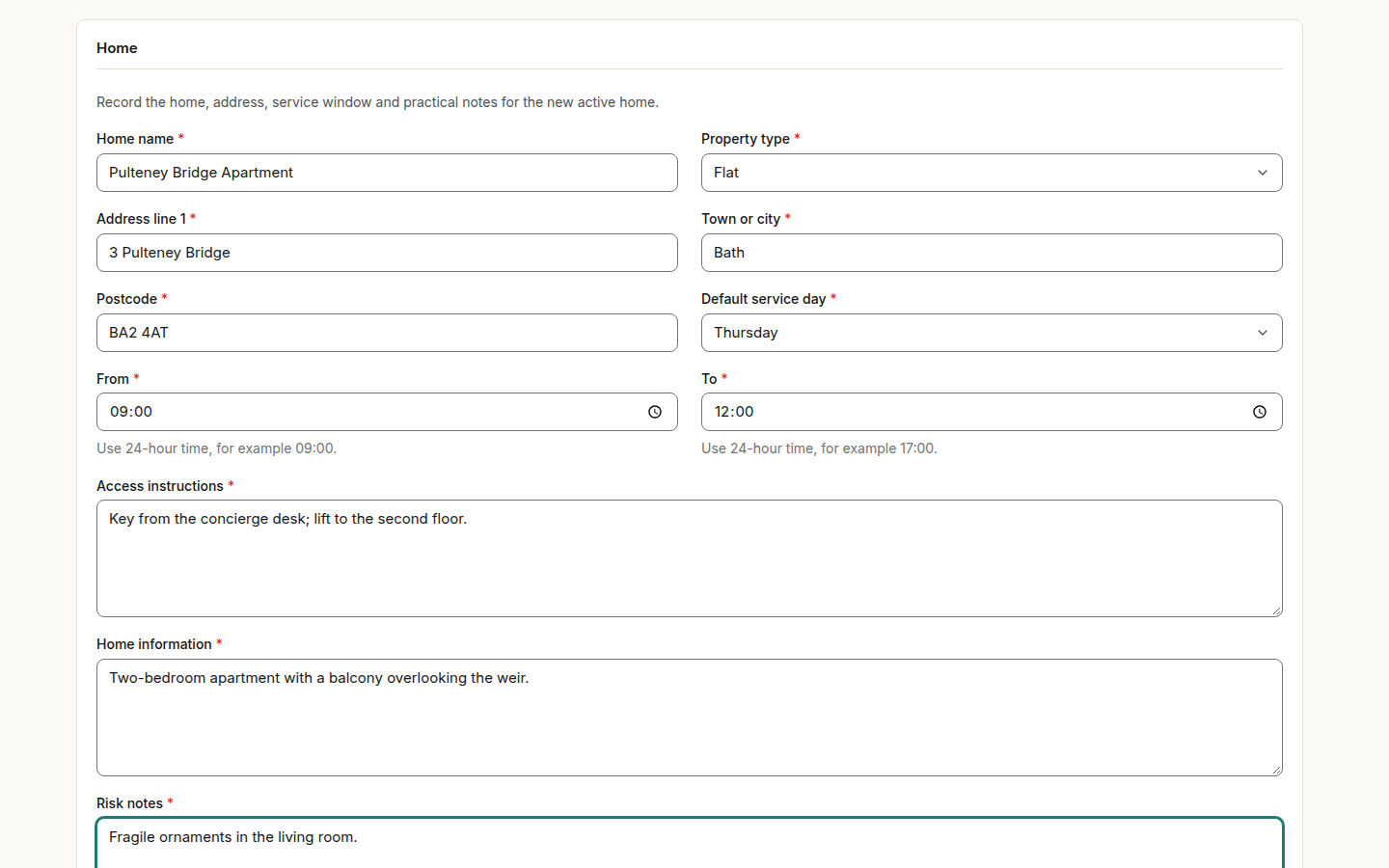
The office records what was agreed and creates the customer, the contact and the home in one go.
Quote
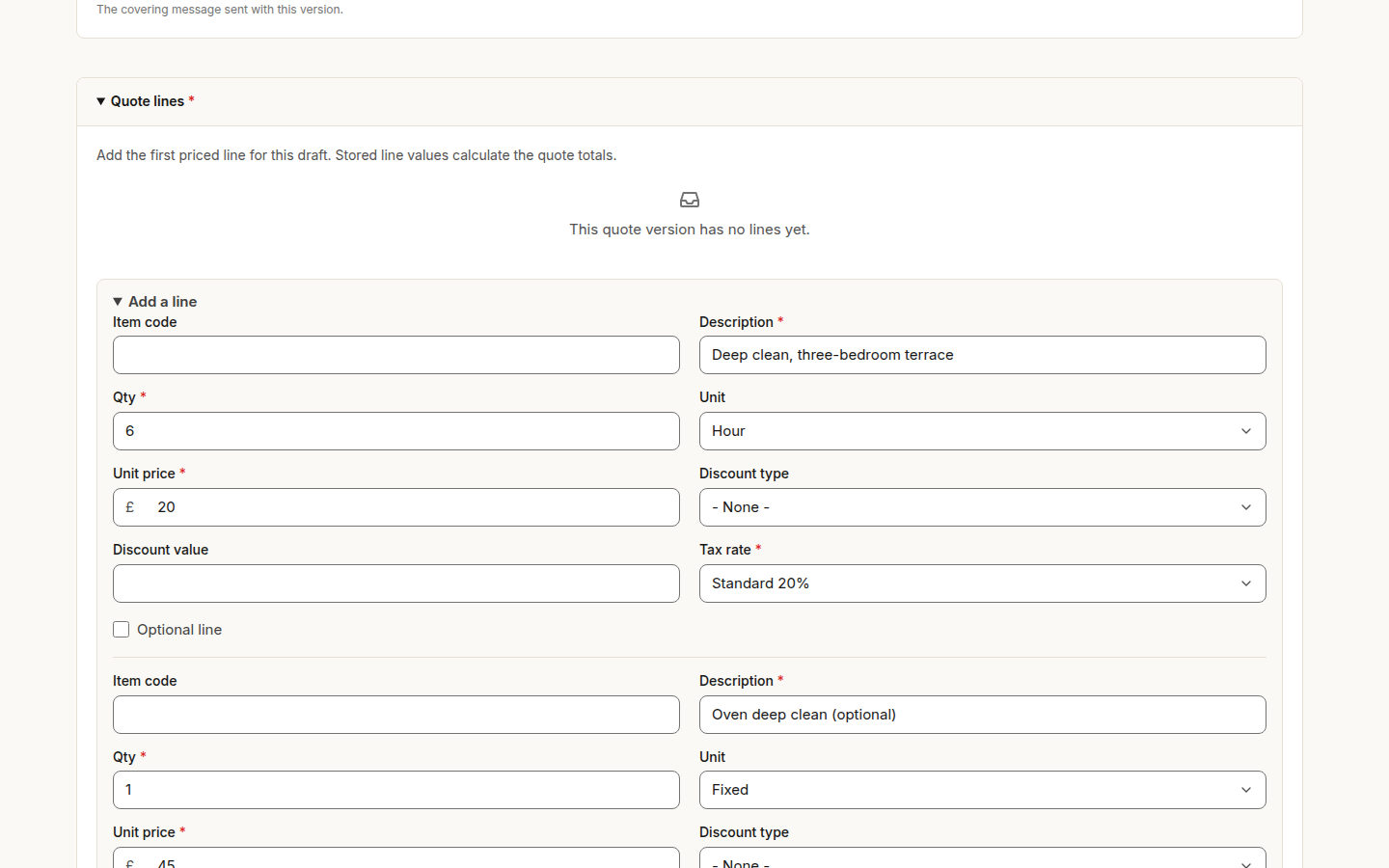
Priced lines with VAT and optional extras, sent with a personal decision link.
Customer decides
Accepts or declines online; an acceptance books the first visit in the home’s service window.
Regular cleans
A weekly or fortnightly rule books the next visits ahead, each with its own price.
Assign
The office picks operatives who have the skills the home needs and the hours free.
Clean and photograph
The operative starts work, takes before, during and after photos and completes the visit.
Approve and record hours
The office approves the visit and the operative’s timesheet.
Invoice and get paid
The invoice is generated from the approved work, sent with its PDF and matched to payments from Xero.
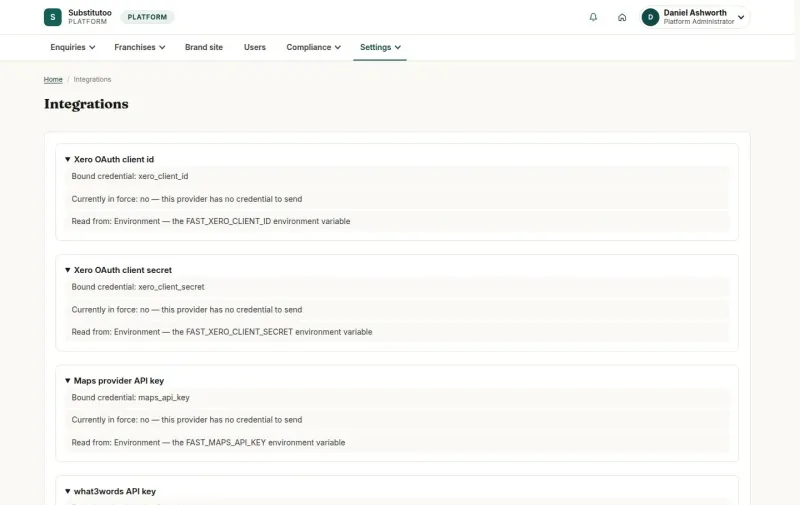
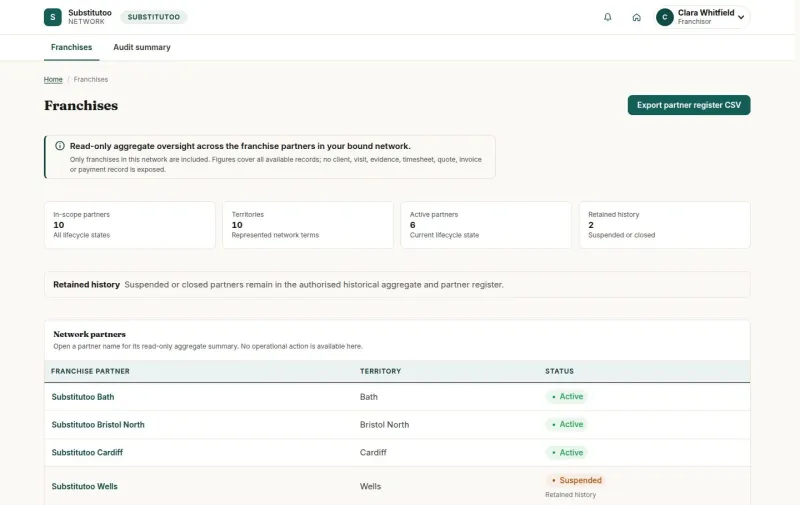
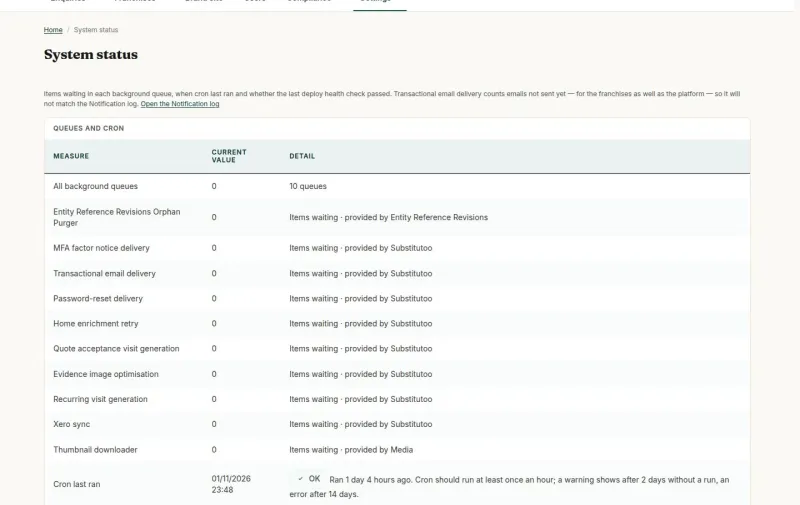
For Head Office: the brand and its network
Head Office sees the enquiries no territory could place, with the reason and the candidate franchises, and gives each to the right team with a recorded reason. It opens franchises, draws their territories on the map and keeps the brand site and the shared lists for everyone.
- Enquiry review with No match and Ambiguous enquiries
- Franchises opened, activated, suspended or closed
- Territories drawn on the map and assigned
- Platform settings, users and System status
 View full size
For the franchise office: the day’s work
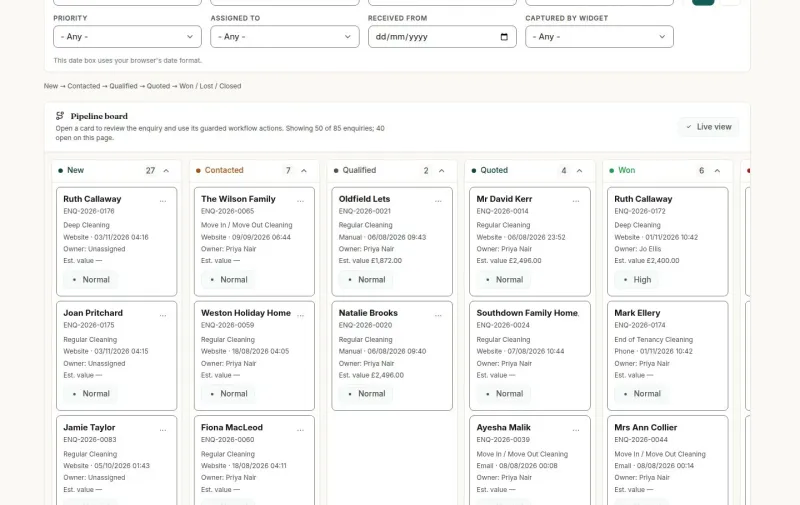
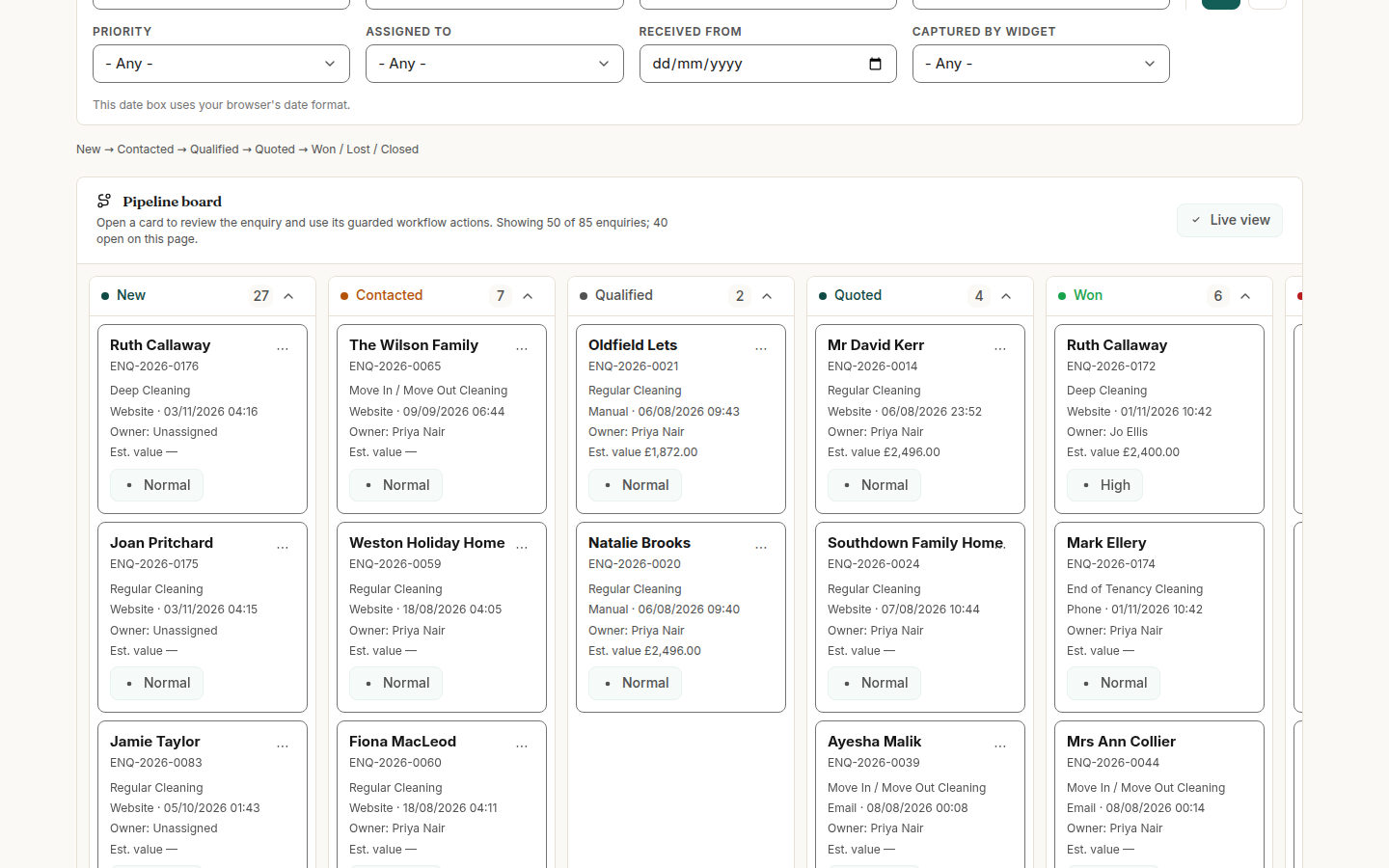
The Office Administrator works every enquiry on one board, by stage, and converts the wanted ones into customers with their homes. Quotes, regular cleans, the rota, visit approvals, timesheets and invoices are all in the same menus.
- Enquiry pipeline from New to Won
- Quote builder and online decisions
- Assignment checked against skills and hours
- Operations exceptions listing what needs a person
 View full size
For operatives: the visit on the phone
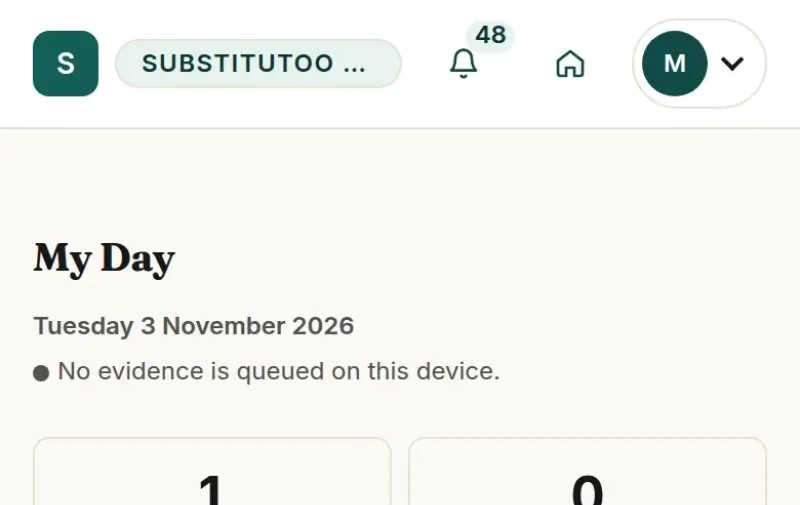
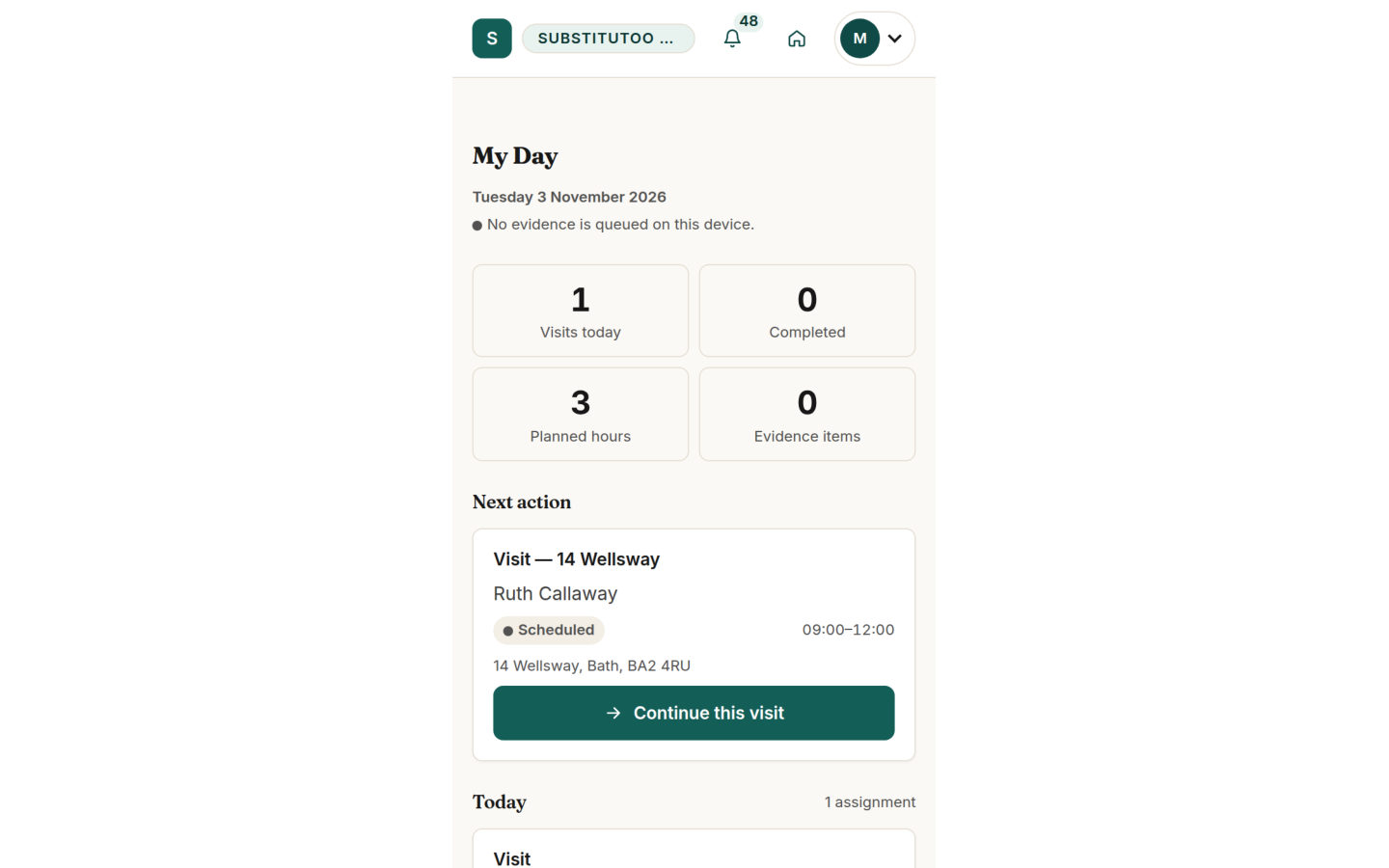
Operatives see only their own work: today’s visits in order, the Brief of Works for each home and three buttons that matter on the day. Times are stamped as they happen and the photos go straight to the visit.
- My Day with the next visit first
- Start work and Complete visit
- Photos before, during and after the clean
- Rota and timesheets on the same phone
 View full size
For franchise owners: the business behind the work
The Franchise Owner reads the month’s work, money and hours, keeps the franchise’s team and website, and connects its own Xero organisation. Self-employed operatives are paid by self-bill from their approved hours.
- Operational, financial and approved-hours reports
- Team accounts within the seat limit
- The franchise’s own website pages and enquiry widgets
- Xero sync and supplier self-bills
 View full size




Live demo
Each demo is a working copy of Substitutoo with sample data, open for you to try.
Running a cleaning network, with and without Substitutoo
The same work, kept in one system instead of inboxes, diaries and spreadsheets.
| Without Substitutoo | With Substitutoo | |
|---|---|---|
| Where enquiries go | Forwarded by email, sometimes to the wrong team | Routed by the territory that covers the home |
| Quotes | Documents sent and chased by phone | A personal link; the decision and total recorded |
| Regular cleans | Re-entered in a diary every week | Booked ahead from one rule |
| Proof of work | Photos in personal phones | Photos on the visit, kept for good |
| Hours | Paper timesheets typed in later | Recorded on the phone, approved and locked |
| Invoices | Written by hand from notes | Generated from the approved work |
| The network | Each franchise in its own spreadsheet | One system, each franchise separate |
Your business in the platform
Your brand, your network and your prices, on the platform’s own functions.
Substitutoo Brand, franchises and the work they share
Head Office The brand site, franchises, territories, shared lists and platform settings
Enquiries routed by territory
Each franchise Its customers, homes, quotes, visits, team, invoices and website
Uses the platform’s functions
Substitutoo functions Routing, quotes, schedules, field app, evidence, timesheets, invoicing, Xero, audit
Product capabilities
- Brand site, franchise pages and enquiry widgets
- Territory routing and Enquiry review
- Enquiry pipeline, customers, contacts and homes
- Quotes with online decisions
- Weekly and fortnightly regular cleans
- Assignment, rota and the operatives’ field app
- Photo evidence, visit approval and timesheets
- Invoices, payments, self-bills and Xero
- Reports, audit log and GDPR tools
Your business setup
- Your brand, colours and photographs
- Your franchises, territories and postcode districts
- Your services, property types and size bands
- Your home features and the skills and qualifications they need
- Your lead sources, lost reasons and client types
- Your prices, payment terms and VAT rates with their Xero codes
- The seat limit of each franchise
- Your notification and email wording
- Each franchise’s own Xero organisation
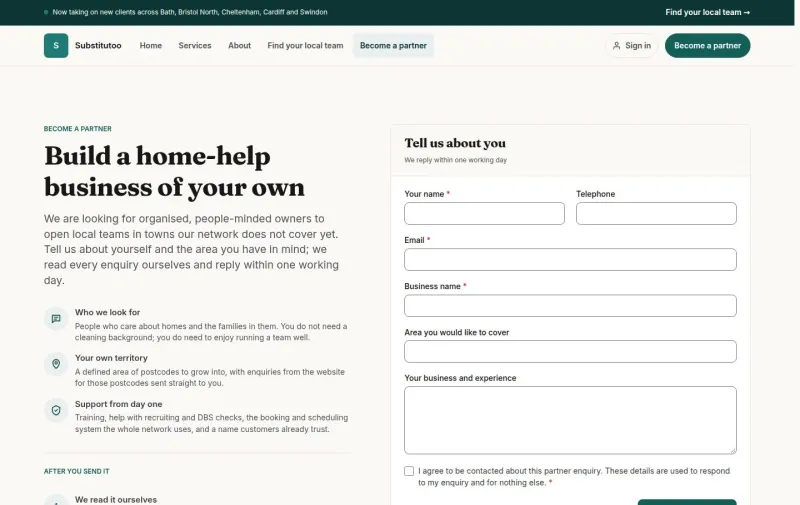
Open a new franchise
From a signed partner to its first enquiry.
From partner to first enquiry
- Open the franchise Head Office records the franchise and its owner and sets its seat limit. Onboarding until activated
- Draw its territory The area on the map and its postcode districts. Enquiries routed from day one
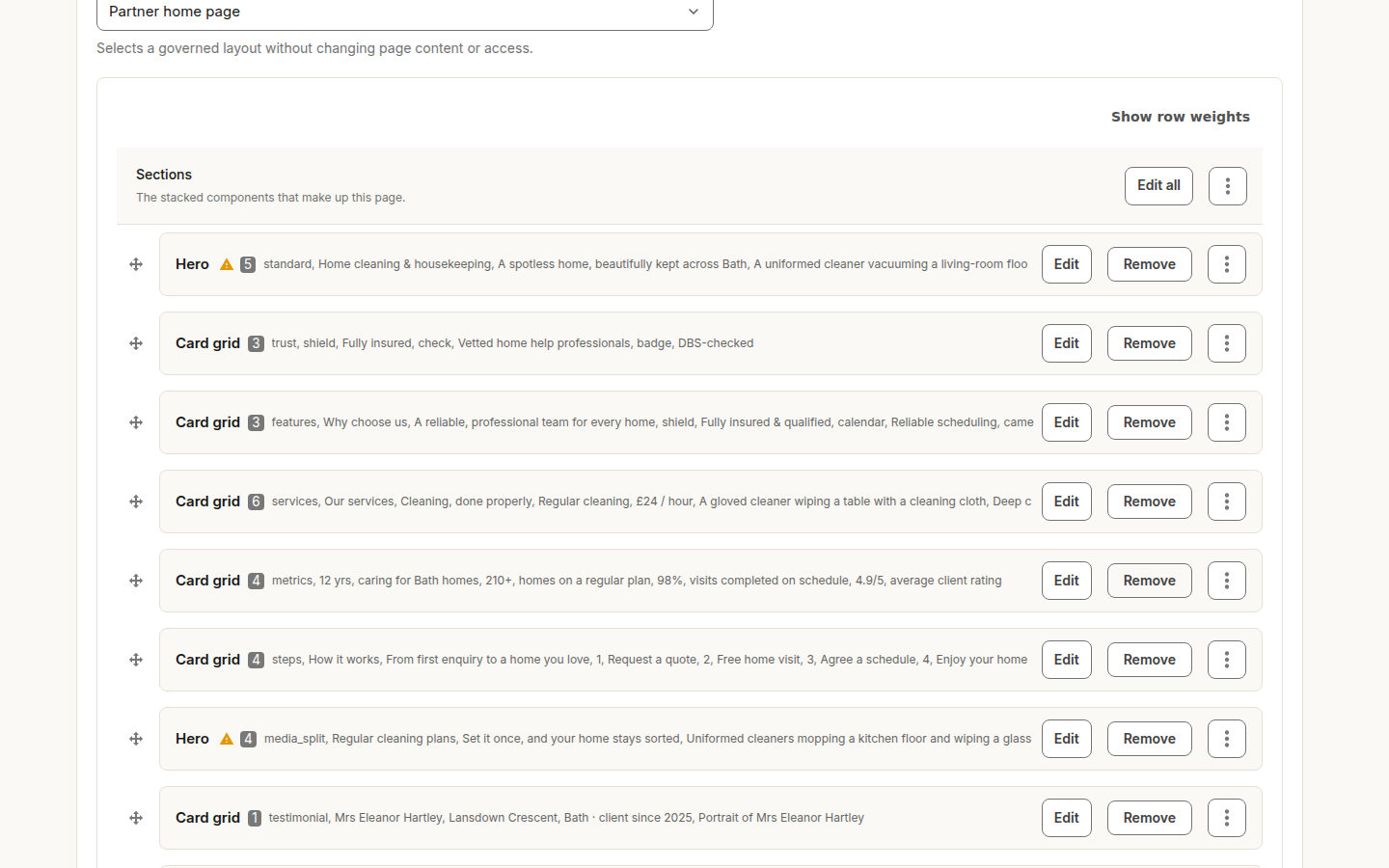
- Activate The franchise’s pages go live at its own address. Address and starter home page
- Build the team The owner adds the office and the operatives’ profiles. Seats counted, roles fixed
- Set up the website Pages, announcement bar and enquiry questions. Widgets for other websites
- Take the first enquiry From the brand site, the franchise’s pages or a phone call. Into the pipeline as New
Records you can rely on
What was quoted, done, approved and invoiced stays as it was recorded.
- A sent quote is never changed. A change is a new version; the customer’s decision stays with the version they saw.
- Evidence is never edited or deleted. A wrong photo is superseded with a reason; the original stays on the record.
- Approved hours are locked. A correction is a new row; the approved one is unchanged until the correction is approved.
- Invoices come from approved work only. Each visit is invoiced once, from what the customer accepted.
- Every change is in the audit log. Who did what and when, for the franchise and for Head Office.
Everyday situations it handles
A landlord rings on Friday about an end of tenancy clean before Monday’s inspection. The office records the call as an enquiry, converts it and sends a quote the landlord accepts from the email the same afternoon.
Office AdministratorA phone enquiryFrom call to booked visit A customer gives an address that two franchises could serve. Head Office reads the candidates on Enquiry review and gives it to one team with a reason, and the enquiry joins that team’s pipeline at once.
Head OfficeAn address on a boundaryNothing lost between teams An operative finds the oven needs more than the usual clean. The note goes on the completed visit; the office reads it before approving and adds an oven clean to the next quote.
OperativeSomething to reportThe office knows before invoicing A cleaner goes on leave with visits booked for the next fortnight. Operations exceptions lists each one, and the office withdraws and reassigns them before the day.
Office AdministratorCover for leaveNo visit left without a cleaner
Questions about Substitutoo
How does an enquiry reach the right franchise?
The customer gives their home address. The system matches it to the territory that covers it, by postcode district and, where territories are drawn, by the area on the map. When no territory or more than one matches, the enquiry waits in Head Office’s Enquiry review.
Does a customer need an account to accept a quote?
No. The quote email carries a personal link that works once. The customer sees the lines and the total, ticks any optional extras and accepts or declines.
Can each franchise have its own website?
Yes. Each franchise has its own pages at its own address, built from sections its owner edits, and enquiry widgets for other websites. The brand site is kept by Head Office.
What does an operative need?
A phone with a browser. The field app shows today’s visits, the Brief of Works, Start work, photos and Complete visit, the rota and timesheets. Photos taken without signal are sent when the connection returns.
How are invoices and payments handled?
An invoice is generated from each approved visit and sent with its PDF. Each franchise connects its own Xero organisation; invoices go to Xero and payments come back and are matched to the invoices.
Can Head Office see a franchise’s customers?
Head Office runs the platform and decides unplaced enquiries; the Franchisor sees each franchise’s figures, read-only. A franchise’s customers, quotes and visits belong to that franchise.
Which regular cleans are booked automatically?
Weekly and fortnightly schedules book their visits ahead. Monthly, quarterly and seasonal arrangements can be recorded and their visits added by hand while the rule for their dates is agreed.
A guide for every role
Find the guide for your role: each task follows a workflow step by step on the real screens.