Switch users in the demo

Workflow 02 · Switch user · Switch back · Audit

In the demo one account, the Switcher, steps into any sample person and sees exactly what they see, with no password for each.

The Switcher can do nothing else, every switch is recorded, and a live system has the switch turned off.

  • The demo's Switcher account; the switch exists in the demo only
Account
Sign in as the Switcher

Switcher

Sign in as the Switcher

1Step 1 of 13 · workflow step 01

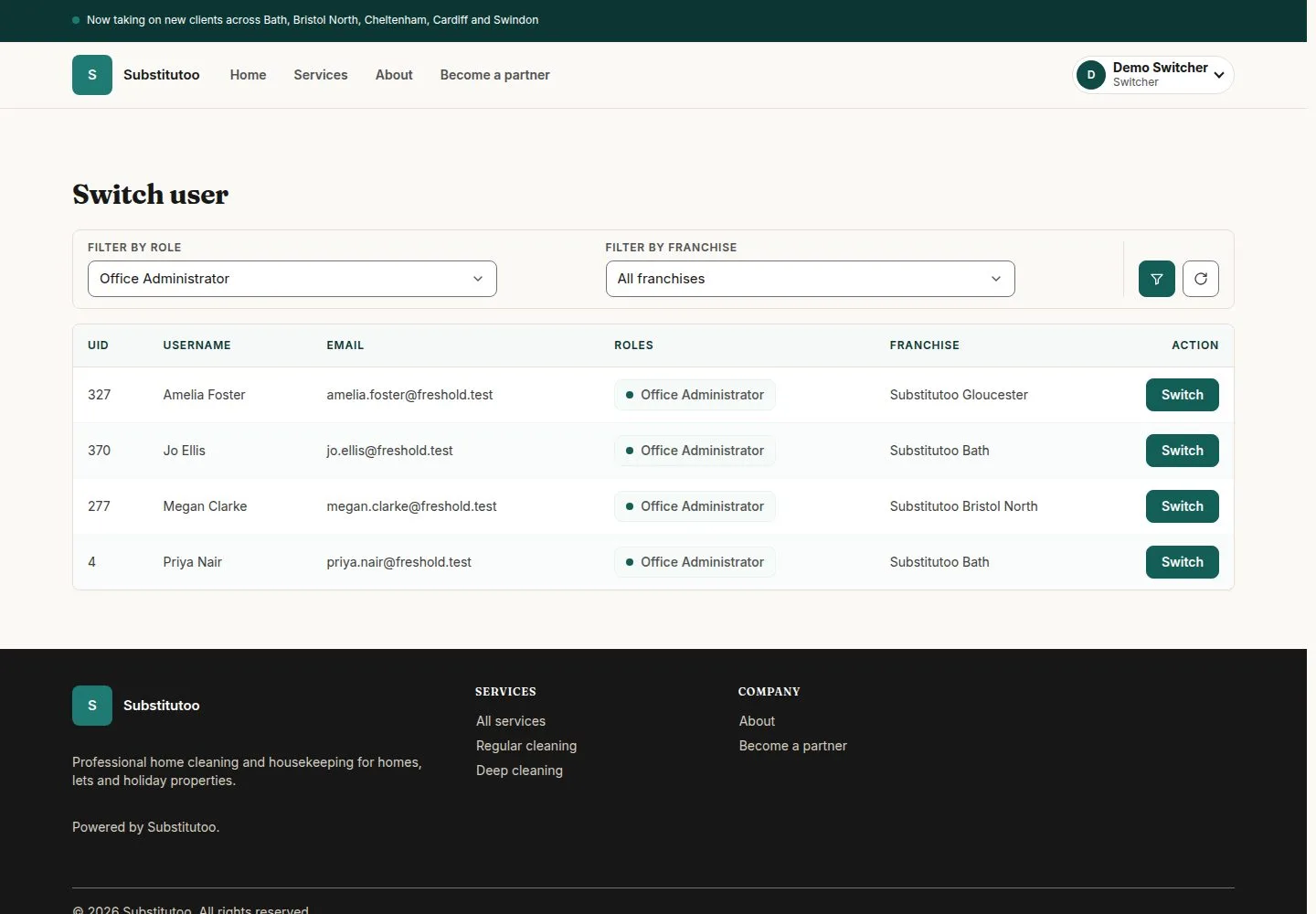
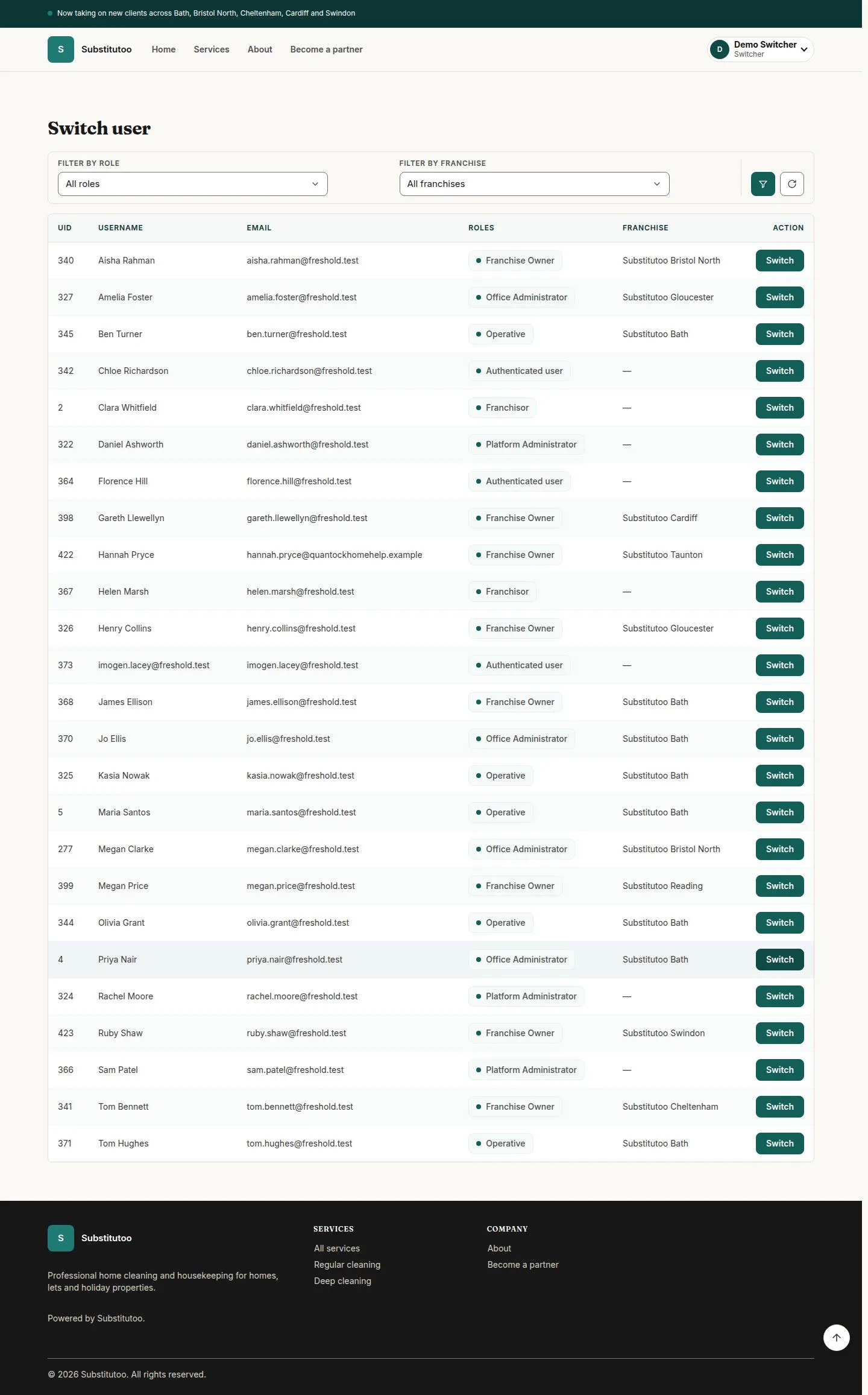
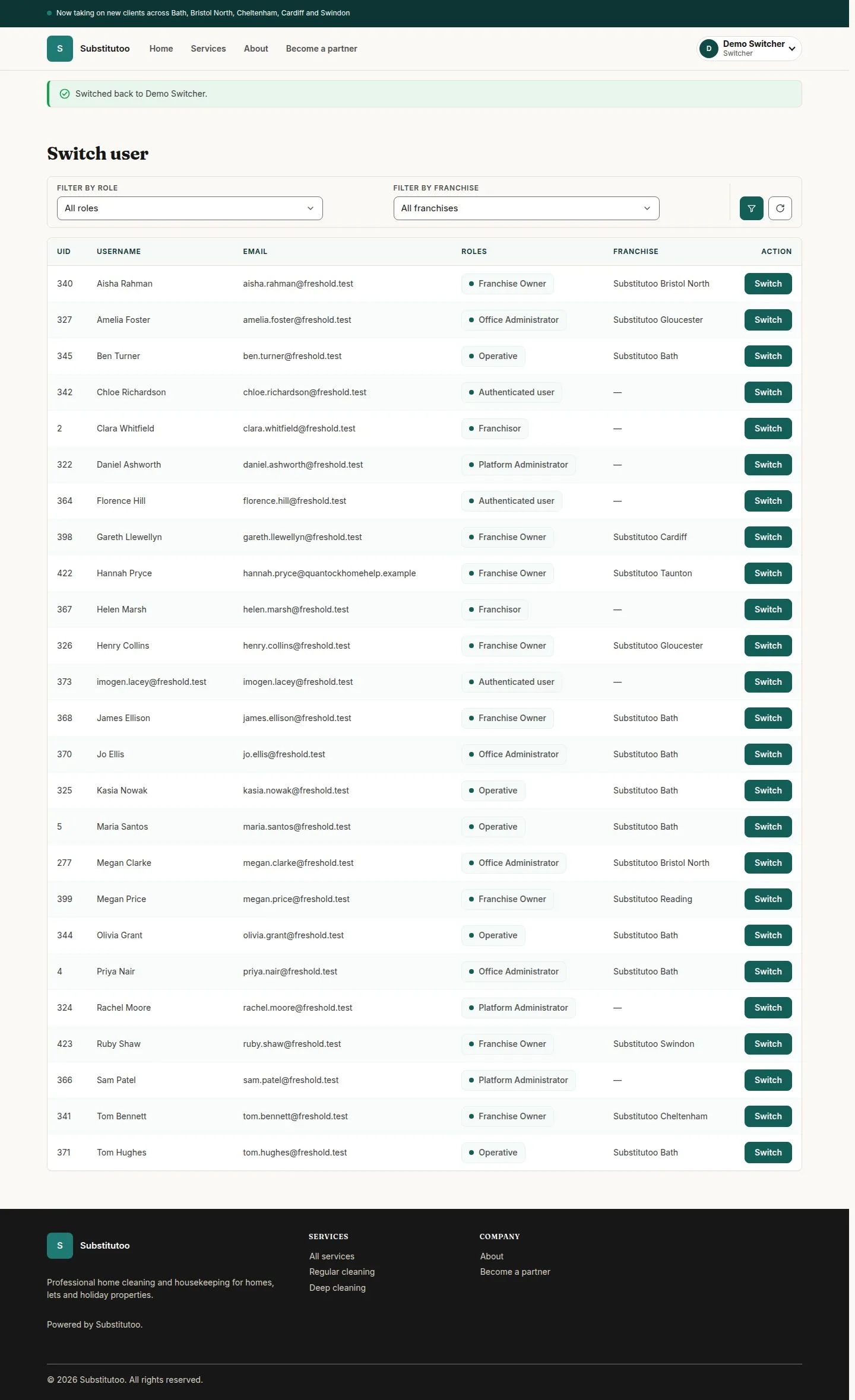
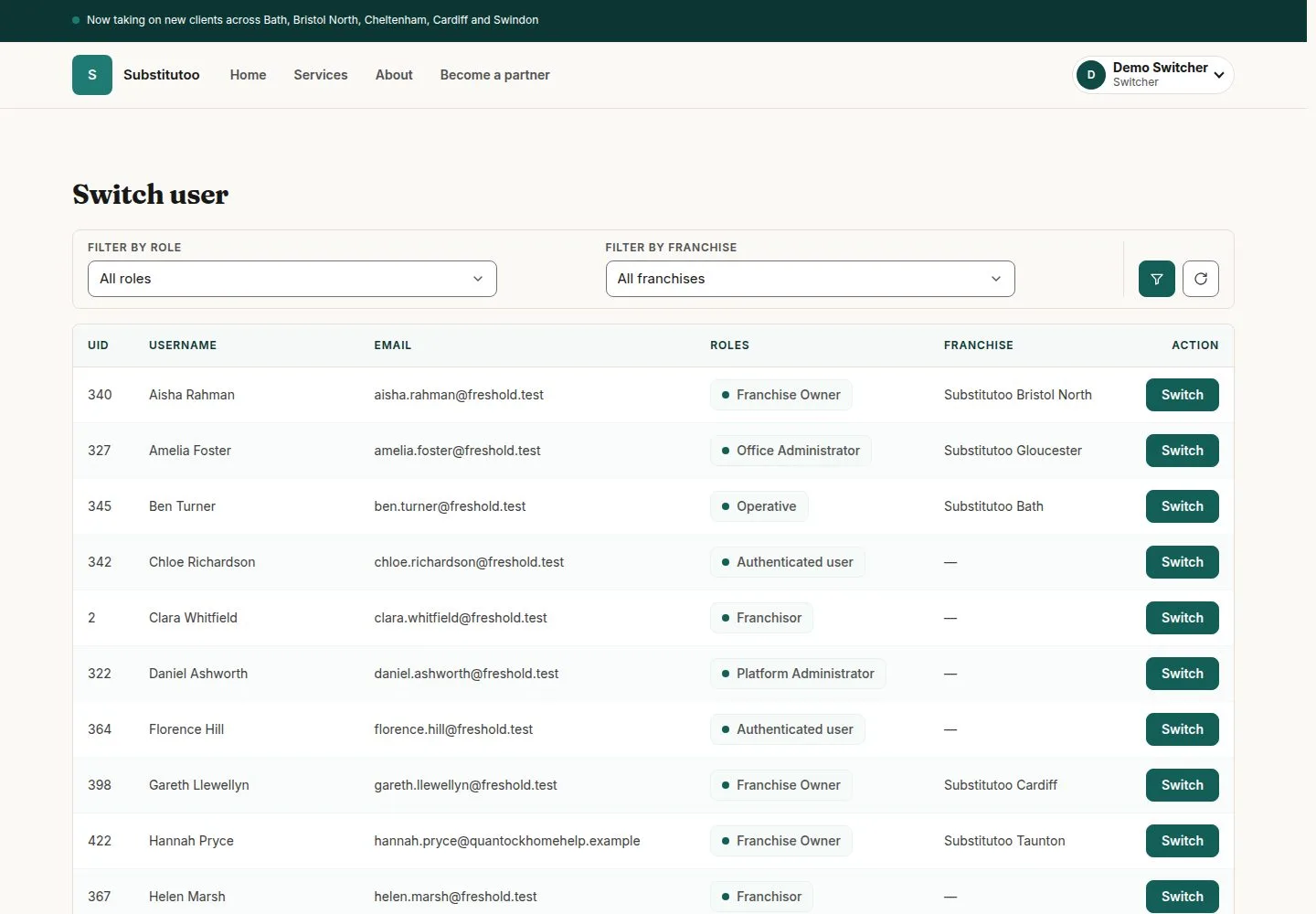
  1. Switch user
  2. Every active account

The Administrator starts here too; the list leaves out administrators and other switchers.

Enlarge, then scroll

Open illustrated screen ↗Full image ↗

The system does this
  • Show no list at all when the switch is off, as on a live system
Account · Switch users in the demo01

Narrow the list

Switcher

Narrow the list

2Step 2 of 13 · workflow step 02

  1. Filter by role
  2. Filter by franchise

Enlarge, then scroll

Open illustrated screen ↗Full image ↗

Account · Switch users in the demo02

The People list

Administrator

The People list

3Step 3 of 13 · workflow step 02.1

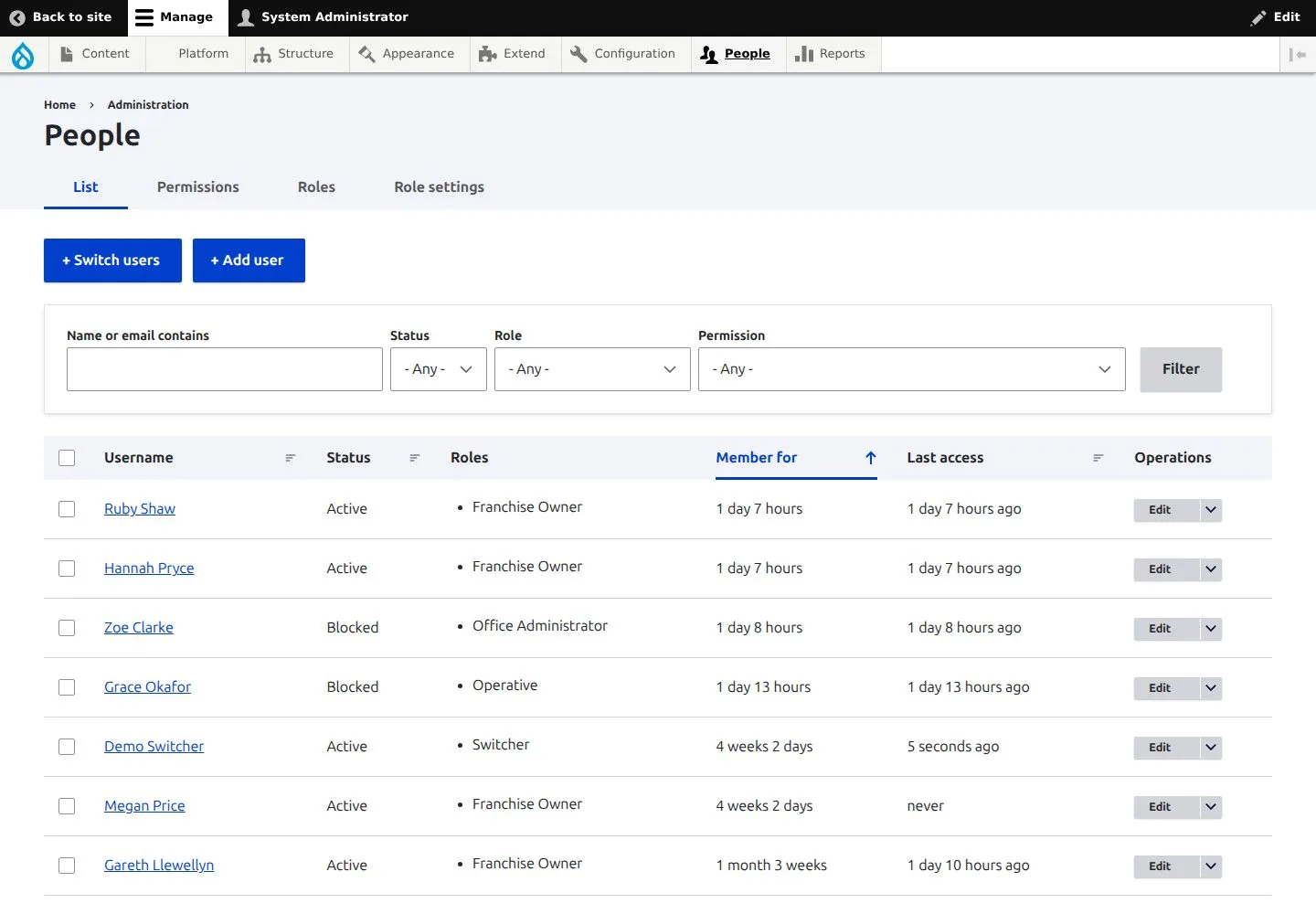
  1. People

The Administrator also has every account under People.

Enlarge, then scroll

Open illustrated screen ↗Full image ↗

Account · Switch users in the demo03

Switch into a person

Switcher

Switch into a person

4Step 4 of 13 · workflow step 03

  1. Find the person
  2. Switch

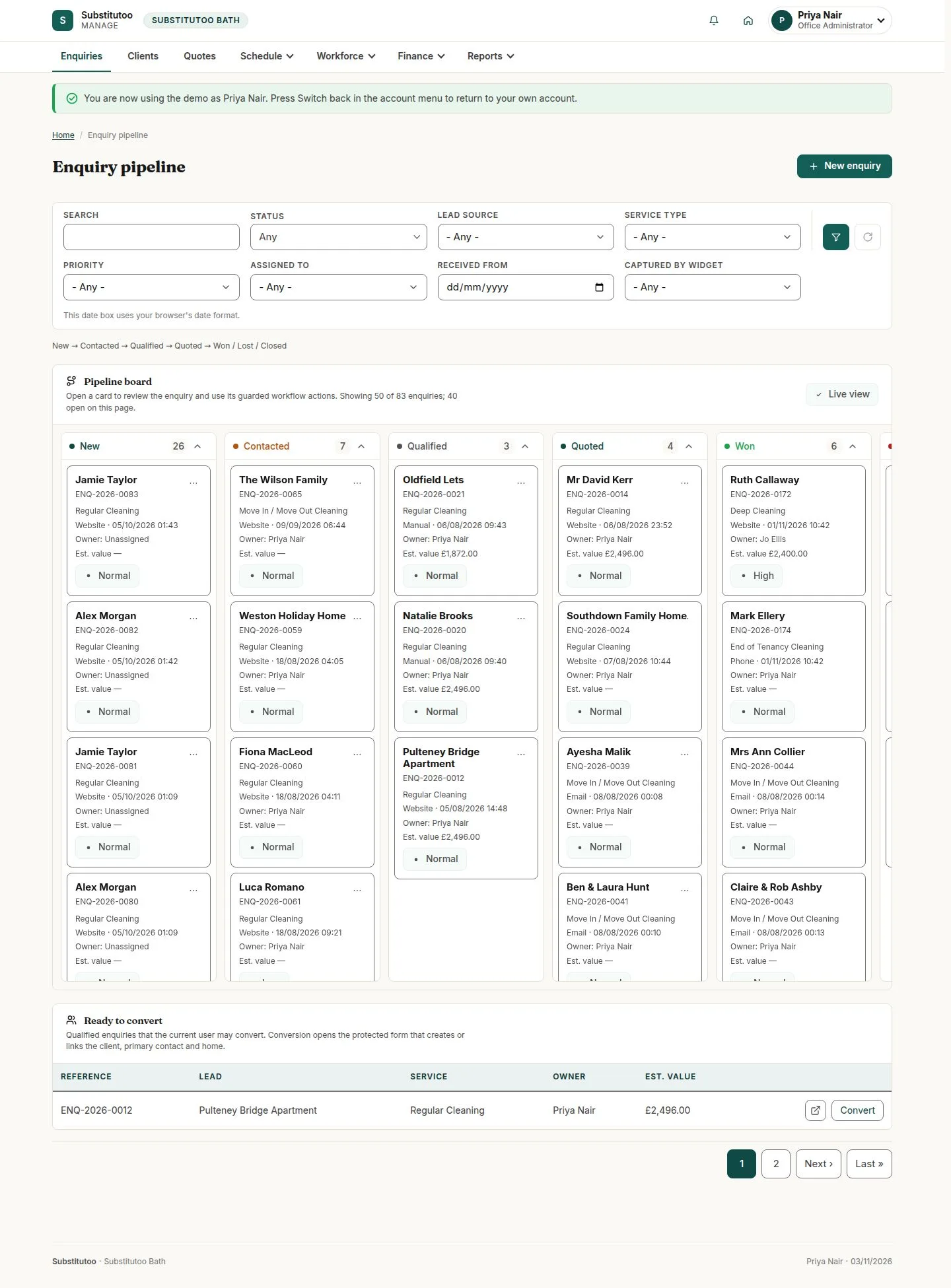
Priya Nair is the Office Administrator of Substitutoo Bath.

Enlarge, then scroll

Open illustrated screen ↗Full image ↗

Account · Switch users in the demo04

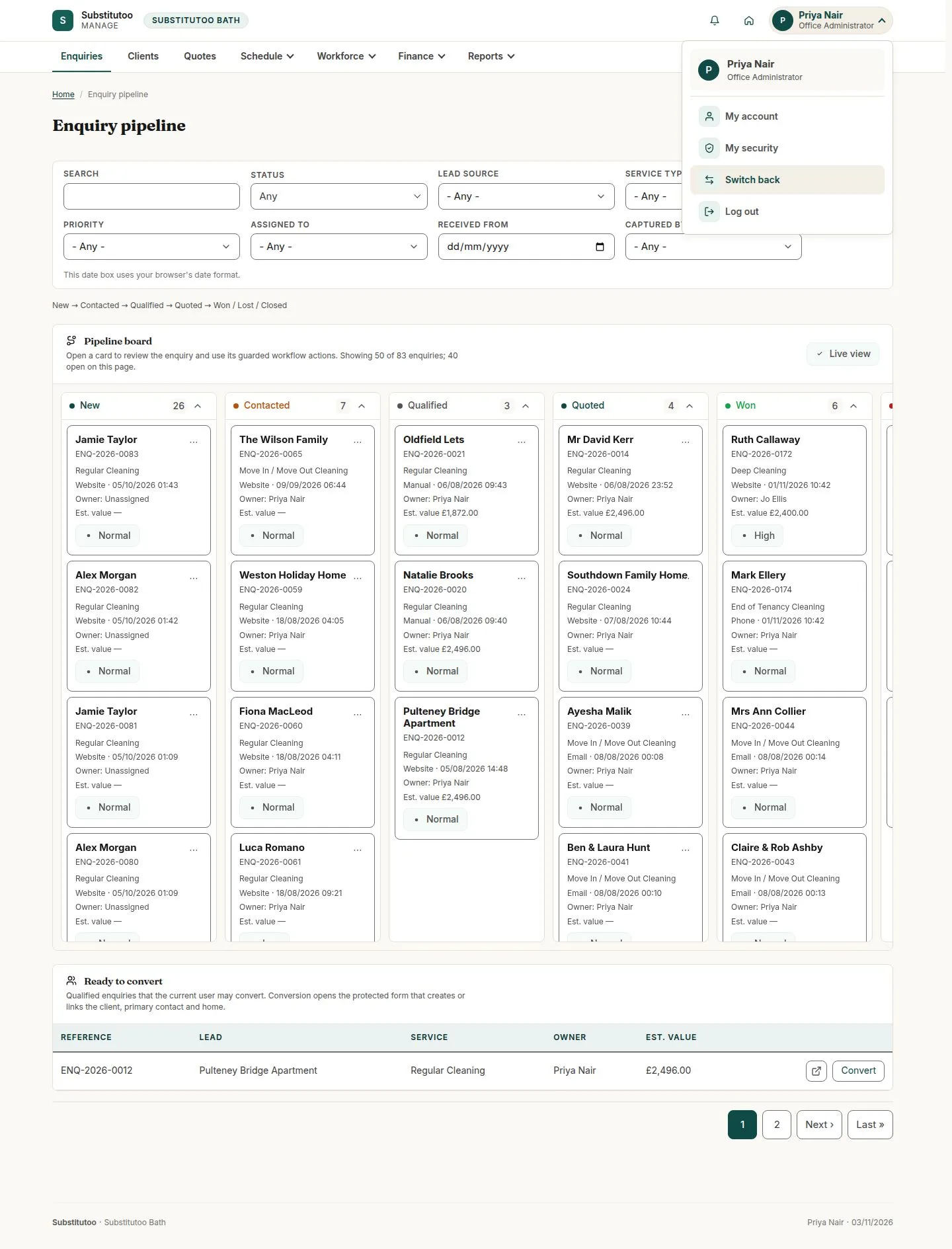
In Priya's back office

Office Administrator
In Priya's back office

5Step 5 of 13 · workflow step 03

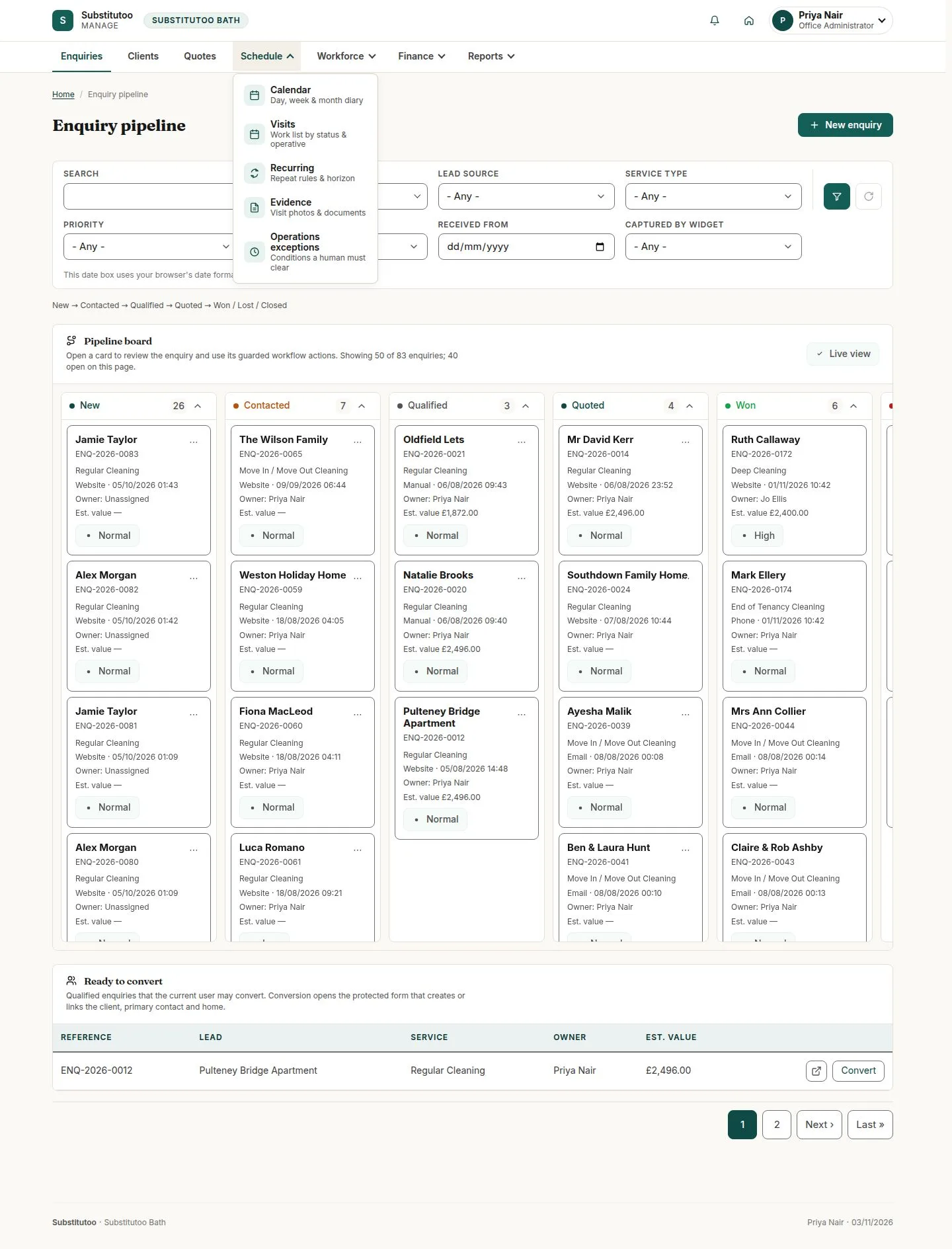
  1. Her start page
  2. Her menus only

To switch into someone else, switch back first.

Enlarge, then scroll

Full image ↗

The system does this
  • Record the switch in the audit log under the Switcher's own name, with the person switched into
  • Refuse a switch link without its valid token
Account · Switch users in the demo05

The menu bar

Office Administrator

The menu bar

6Step 6 of 13 · workflow step 04

  1. Enquiries, Clients, Quotes
  2. Schedule, Workforce, Finance, Reports

The brand name at the top left always brings you back to Enquiries.

Enlarge, then scroll

Full image ↗

Account · Switch users in the demo06

The house icon

Office Administrator

The house icon

7Step 7 of 13 · workflow step 04

  1. House icon
  2. Back office

The house opens the franchise's public site; Back office brings you back.

Enlarge, then scroll

Full image ↗

Account · Switch users in the demo07

Switch back

Office Administrator

Switch back

8Step 8 of 13 · workflow step 05

  1. Account menu
  2. Switch back

Enlarge, then scroll

Full image ↗

Account · Switch users in the demo08

Back on the list

Switcher

Back on the list

9Step 9 of 13 · workflow step 05

  1. Switch user list

Enlarge, then scroll

Open illustrated screen ↗Full image ↗

Account · Switch users in the demo09

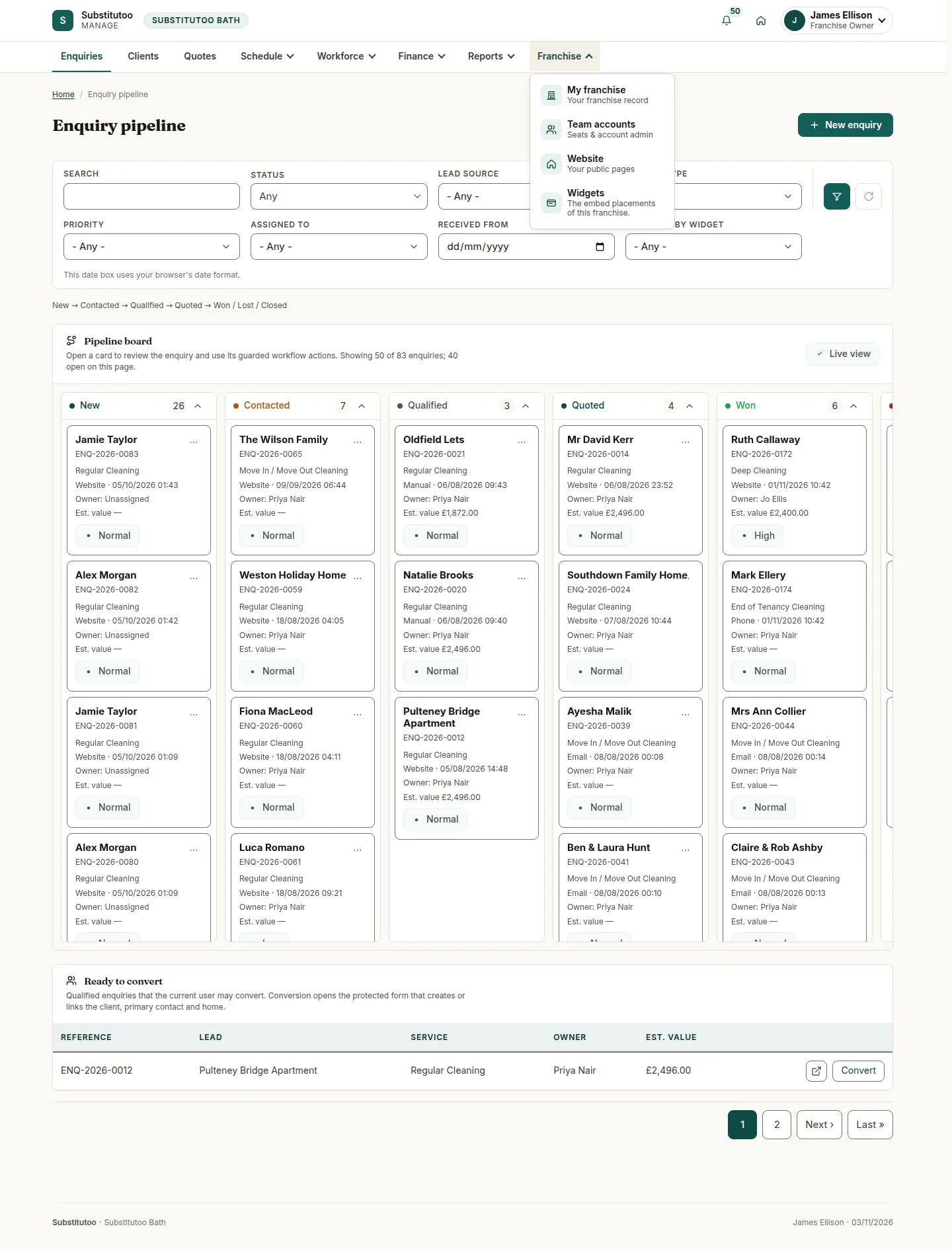
James, the Franchise Owner

Franchise Owner

James, the Franchise Owner

10Step 10 of 13 · workflow step 06

  1. Franchise menu

James owns Substitutoo Bath: the office's menus plus Franchise and the owner's actions.

Enlarge, then scroll

Full image ↗

Account · Switch users in the demo10

Maria, the Operative

Operative

Maria, the Operative

11Step 11 of 13 · workflow step 06

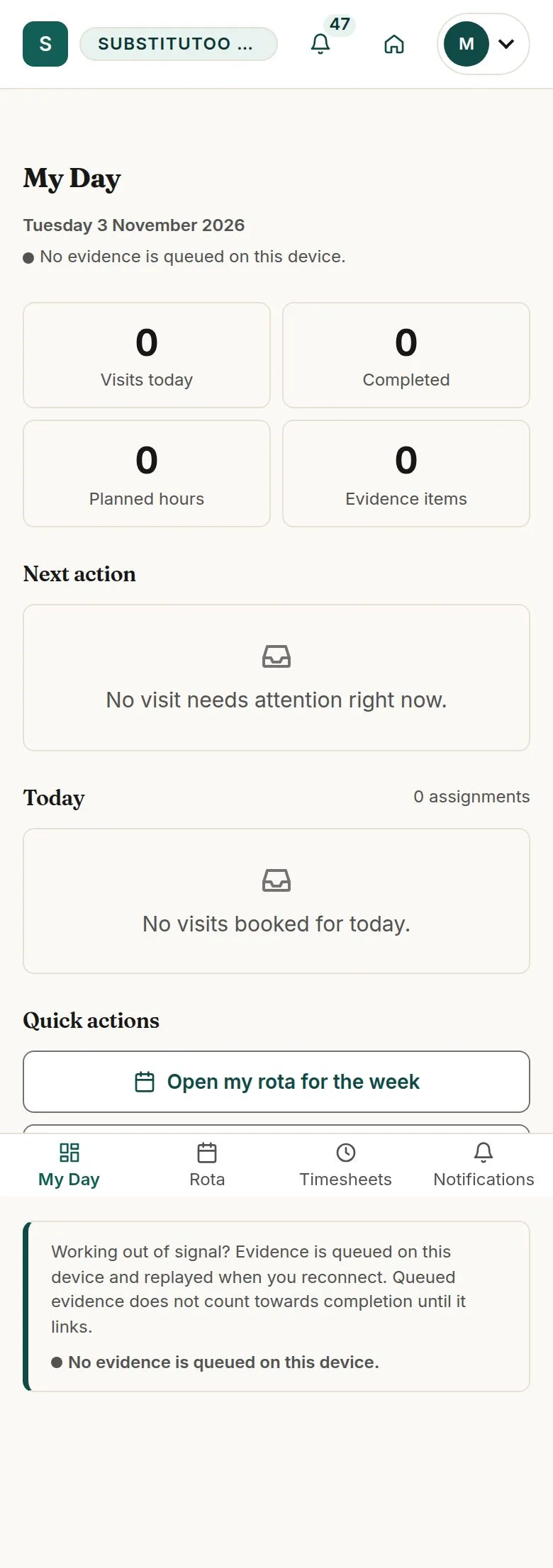
  1. My Day

Operatives work in the field app on their phone.

Enlarge, then scroll

Full image ↗

Account · Switch users in the demo11

Refused on business pages

Switcher

Refused on business pages

12Step 12 of 13 · workflow step 06.1

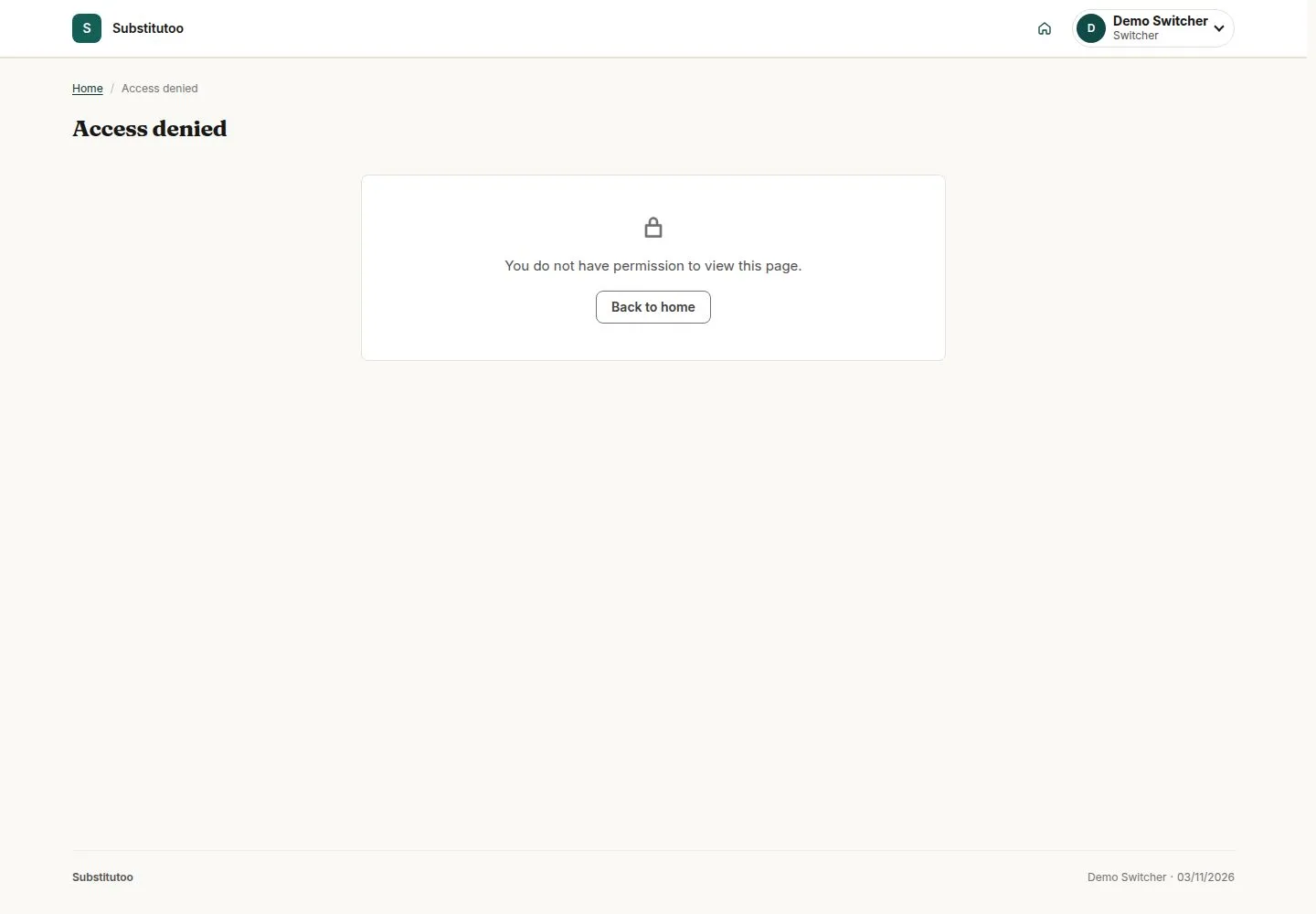
  1. No business page

Without switching, the Switcher opens no business page.

Enlarge, then scroll

Full image ↗

Account · Switch users in the demo12

Every switch in the audit

Franchise Owner
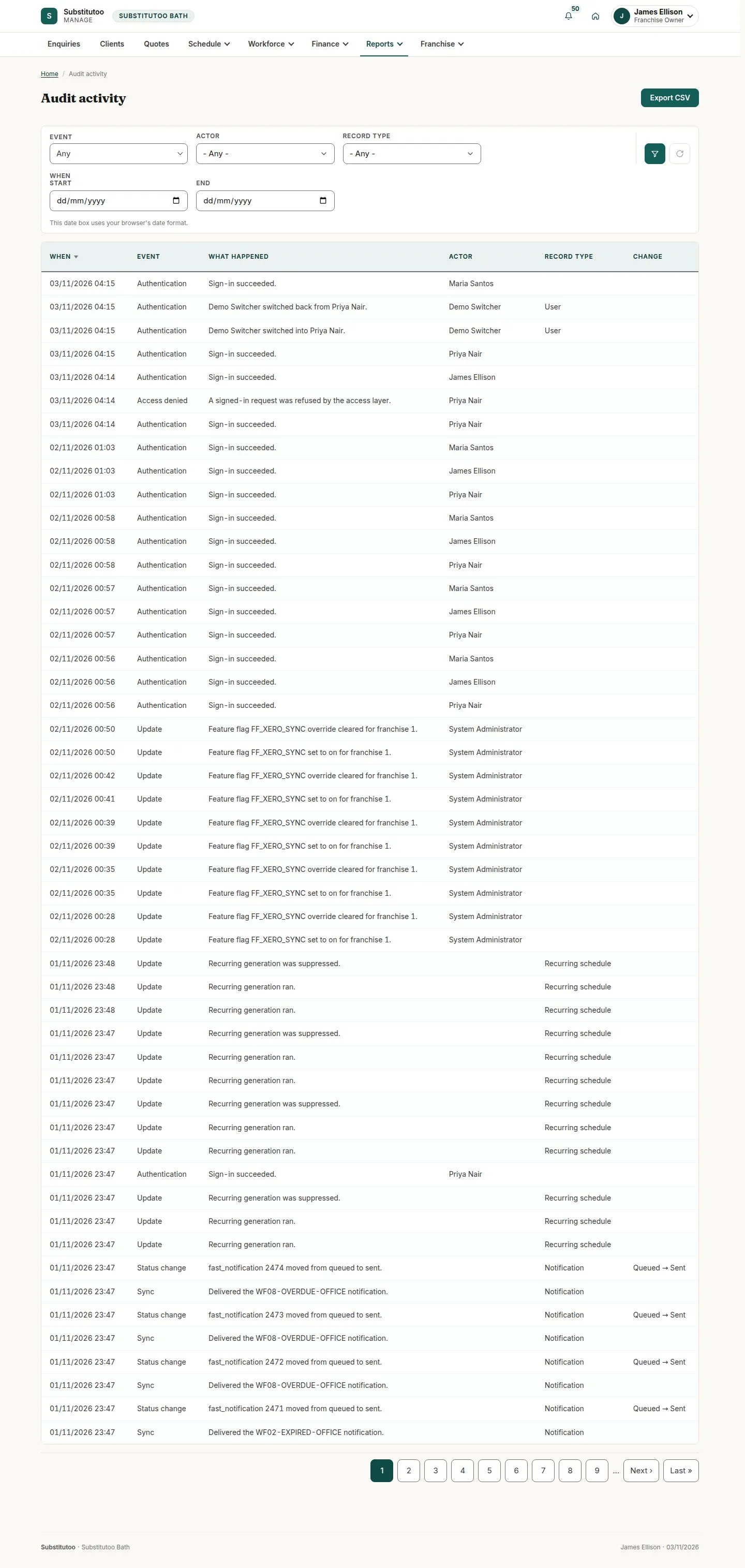
Every switch in the audit

13Step 13 of 13 · workflow step 07

  1. Reports, Audit
  2. Switched into

A switch into a franchise account is in that franchise's audit, under the Switcher's own name.

Enlarge, then scroll

Open illustrated screen ↗Full image ↗

The system does this
  • Keep the switch off on a live system; the demo accounts, the Switcher and the administrator's password are reviewed before go-live
Check

Back on the Switcher's list; every switch in the audit

Account · Switch users in the demo13
1 / 14
Privacy Terms