Recurring schedule

Workflow 08 · Rule · Charge line · Activate · Generated visits

Regular cleans are set up once as a rule: which days, what time, at what price and with which operative.

The system then books the visits a few weeks ahead, exactly one per occurrence, and never changes visits already made.

  • Office Administrator
  • An Active client and home
Office Administrator

Recurring schedules

Office Administrator

Recurring schedules

1Step 1 of 9 · workflow step 01

  1. Frequency and dates
  2. Generated to
  3. Status

Enlarge, then scroll

Open illustrated screen ↗Full image ↗

Office Administrator · Recurring schedule01

New recurring schedule

Office Administrator

New recurring schedule

2Step 2 of 9 · workflow step 02

  1. Client and home
  2. Frequency and day
  3. Time window
  4. Start date and horizon

Enlarge, then scroll

Open illustrated screen ↗Full image ↗

Office Administrator · Recurring schedule02

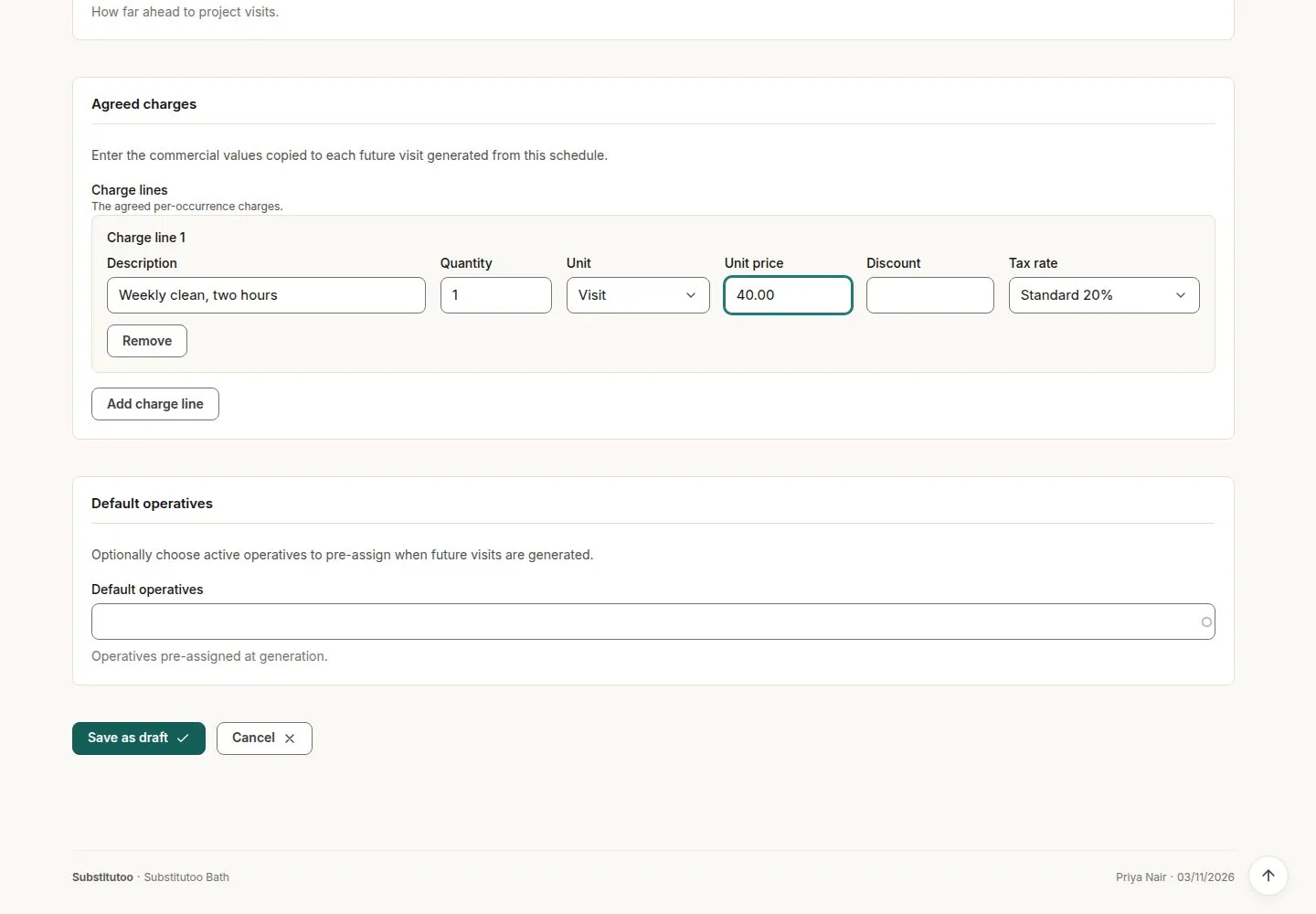
Charge line and usual operative

Office Administrator

Charge line and usual operative

3Step 3 of 9 · workflow step 03

  1. Description, quantity, unit
  2. Price and VAT
  3. Usual operative
  4. Save as draft

Enlarge, then scroll

Open illustrated screen ↗Full image ↗

Office Administrator · Recurring schedule03

Activate

Office Administrator

Activate

4Step 4 of 9 · workflow step 04

  1. Activate
  2. Checks before activation

The rule must produce a date, the client and home must be Active, and there must be a charge line.

Enlarge, then scroll

Open illustrated screen ↗Full image ↗

The system does this
  • Book exactly one visit per occurrence from today up to the horizon, never past the end date; running again books none
  • Skip occurrences while the client is on hold; book a visit with nobody on it when the usual operative is not active, and list it in Operations exceptions
  • Email the customer once, for the first visit of the schedule, not once per visit
Office Administrator · Recurring schedule04

Monthly, quarterly or seasonal

Office Administrator

Monthly, quarterly or seasonal

5Step 5 of 9 · workflow step 04.2

  1. Month or season detail
  2. Same day of the month

Visits fall on the start date's day of the month, or the last day of a shorter month; a seasonal schedule must name its months.

Enlarge, then scroll

Open illustrated screen ↗Full image ↗

Office Administrator · Recurring schedule05

The schedule and its visits

Office Administrator

The schedule and its visits

6Step 6 of 9 · workflow step 06

  1. The rule
  2. Charge line snapshot
  3. Generated visits

Enlarge, then scroll

Open illustrated screen ↗Full image ↗

Office Administrator · Recurring schedule06

Pause and resume

Office Administrator

Pause and resume

7Step 7 of 9 · workflow step 07

  1. Pause
  2. Resume

No new visits while paused; resuming books no duplicates.

Enlarge, then scroll

Open illustrated screen ↗Full image ↗

Office Administrator · Recurring schedule07

Change the schedule

Office Administrator

Change the schedule

8Step 8 of 9 · workflow step 08

  1. Edit
  2. Days, time, price or operative
  3. Applies to visits not yet made

Enlarge, then scroll

Open illustrated screen ↗Full image ↗

Office Administrator · Recurring schedule08

End the schedule

Office Administrator

End the schedule

9Step 9 of 9 · workflow step 09

  1. End
  2. Visits already made are kept

Enlarge, then scroll

Open illustrated screen ↗Full image ↗

Check

One visit per occurrence within the horizon; changes apply forward only

Office Administrator · Recurring schedule09
1 / 10
Privacy Terms