





MenuNerdsCafé managementService handbook
User guide · Waiter
Record a booking taken by phone
Find reservations and enter a phone or counter request with enough details to follow up.
- Confirm the guest’s date, time, party size and contact details.
WaiterStep-by-step instructions
Check the reservation list
Waiter
1Step 1 of 2
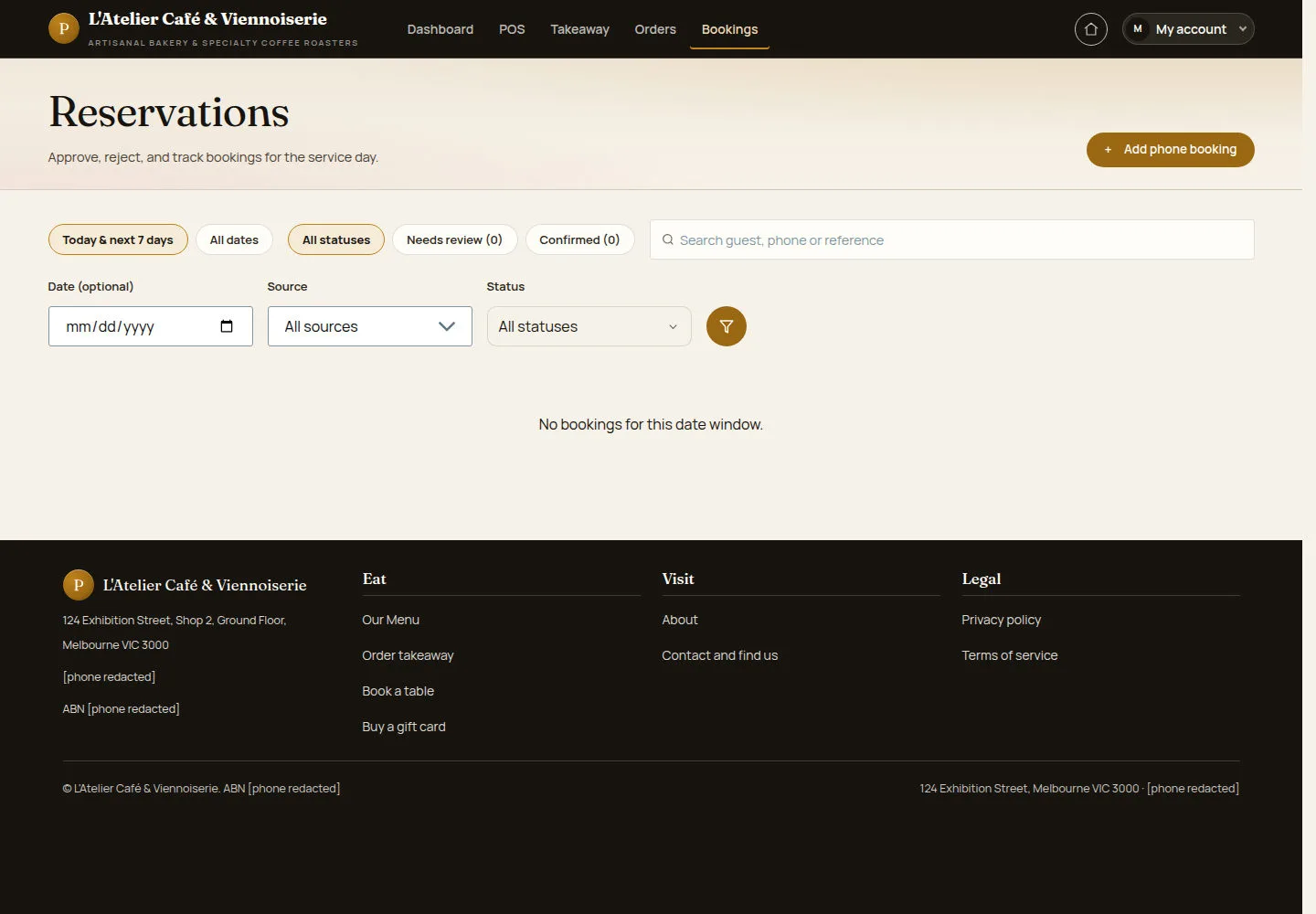
Search the relevant date before adding another request.
- Open Reservations. Filter the date, source and status; select Add phone booking for a new request.
Open on site ↗sign-inFull-page screenshot ↗
What you should see
You can find an existing request or proceed with a new phone booking.
Enter the guest request
Waiter
2Step 2 of 2
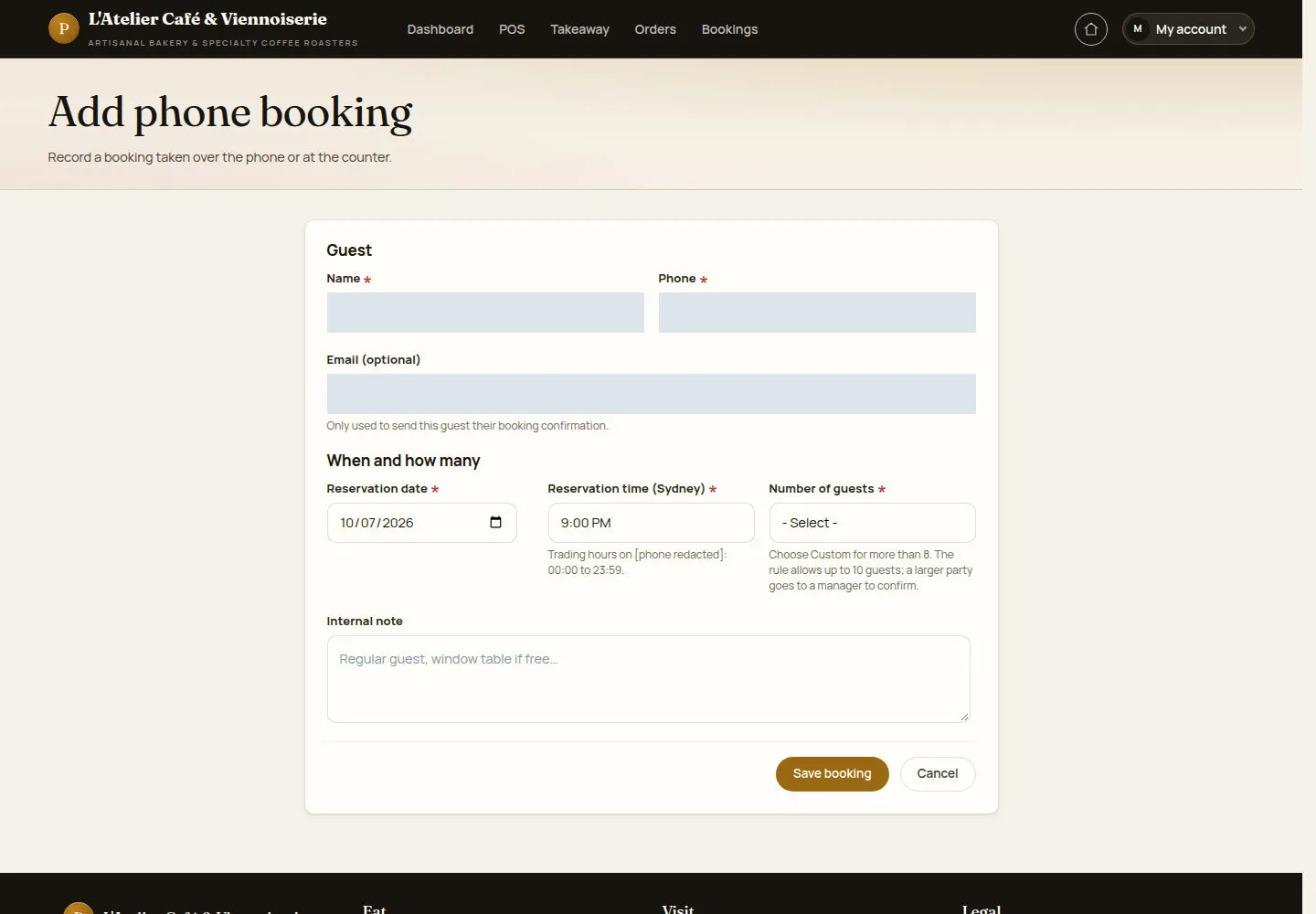
The form records the guest, seating time, party size and an internal note.
- Fill the guest details and booking fields. Check the venue time shown by the form and any larger-party warning before saving.
Open on site ↗sign-inFull-page screenshot ↗
What you should see
After saving, check the resulting status in Reservations and communicate that status to the guest.
1 / 3