





MenuNerdsCafé managementService handbook
User guide · Guests
Staff sign-in:access and password recovery
Reach the staff workspace with your own account or request password help.
- Use the account assigned by the café. Guest ordering does not require a staff account.
GuestsStep-by-step instructions
Sign in as staff
Guests
1Step 1 of 2
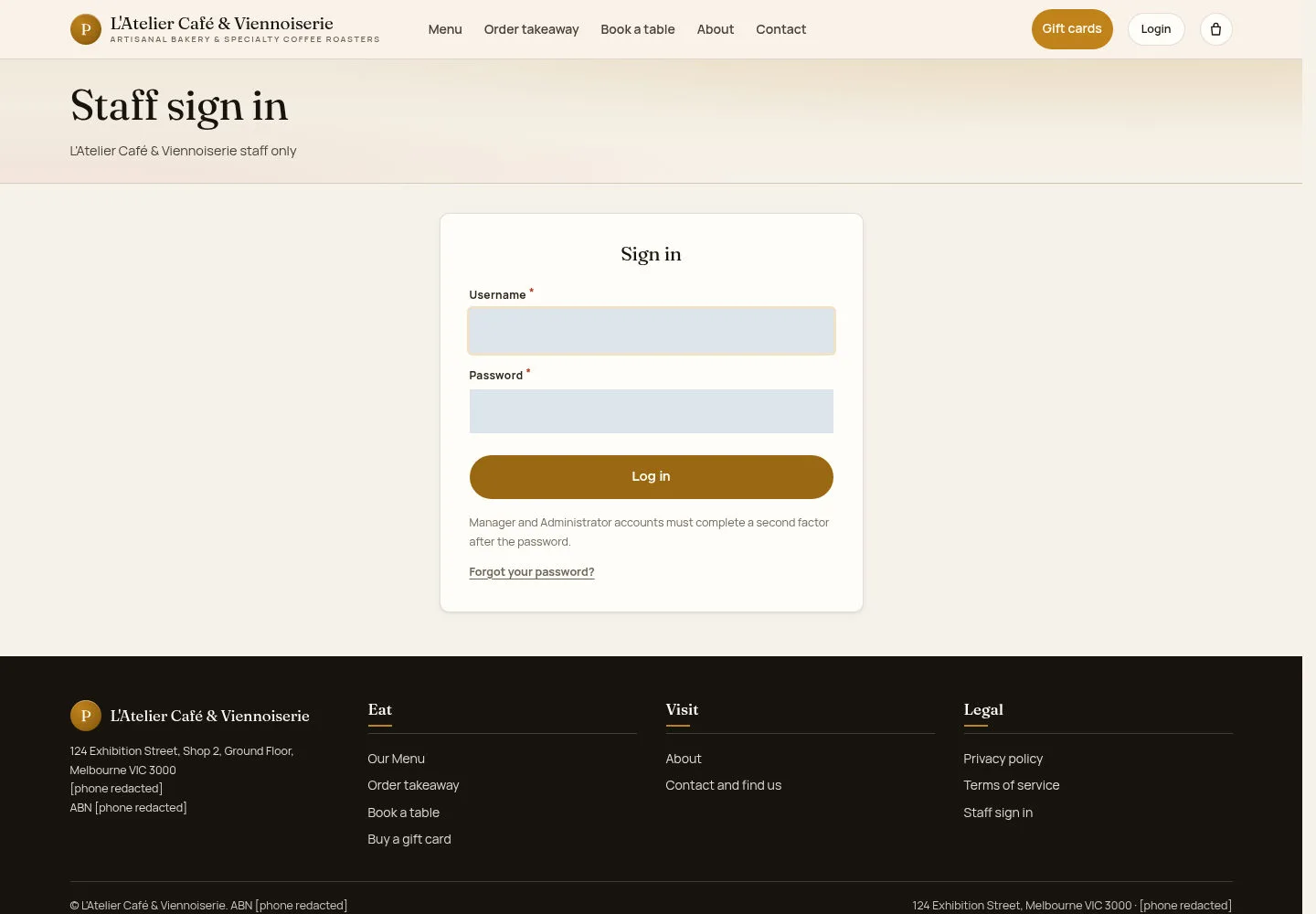
The staff sign-in is separate from the public ordering pages.
- Select Staff sign in. Enter your account details and follow any security checks shown.
Open on site ↗Full-page screenshot ↗
What you should see
A successful sign-in opens the permitted workspace. If access is refused, ask your manager to check the account.
Request password recovery
Guests
2Step 2 of 2
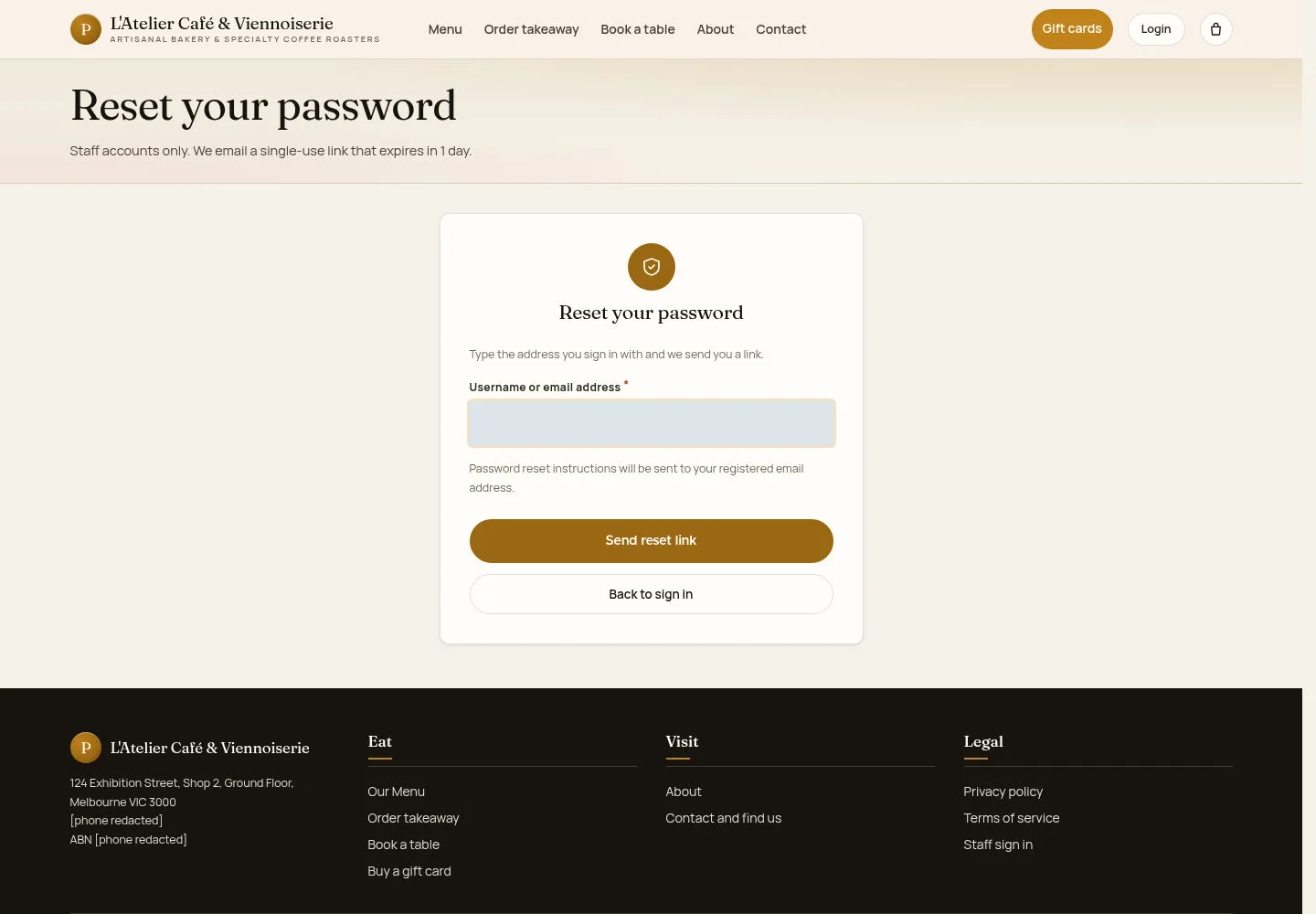
Use the recovery page when you cannot remember your password.
- Open the password reset link and enter the identifier requested by the form. Follow the instructions for your account.
Open on site ↗Full-page screenshot ↗
What you should see
The page explains the next step. Check your own mailbox if an email is requested; opening this form alone does not reset a password.
1 / 3