





User guide · Manager
Maintain the menu:items, categories and options
Keep guest-facing descriptions, prices and order choices aligned with the menu being served.
- Use a Manager account and have the approved menu changes ready.
Find the menu item
Manager
1Step 1 of 4
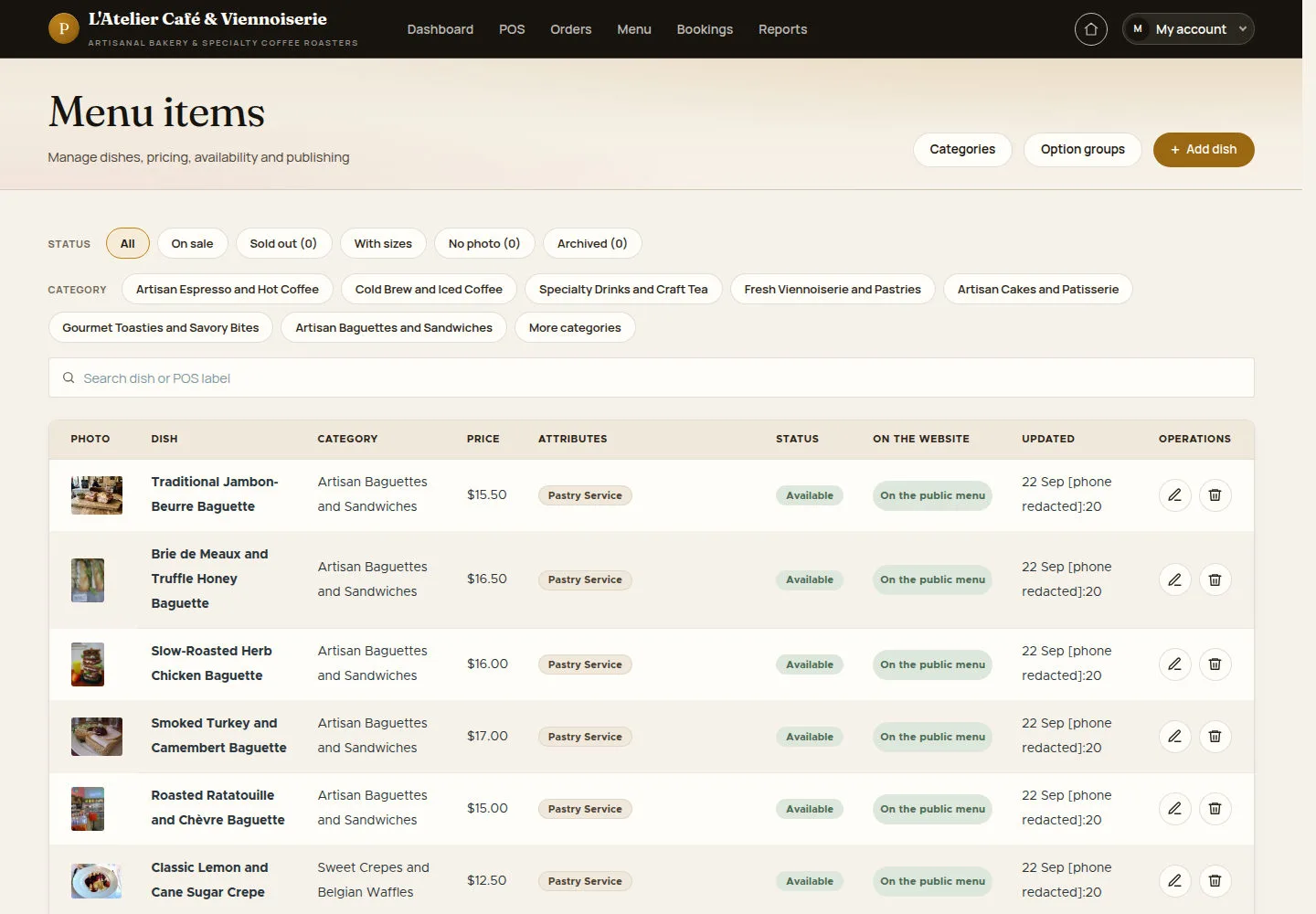
Menu items is the staff list for managing dishes.
- Open Menu items. Search for the dish and choose its edit action, or Add menu item for a new dish.
Open on site ↗sign-inFull-page screenshot ↗
You reach the intended dish form without changing another item.
Set the labels and price
Manager
2Step 2 of 4
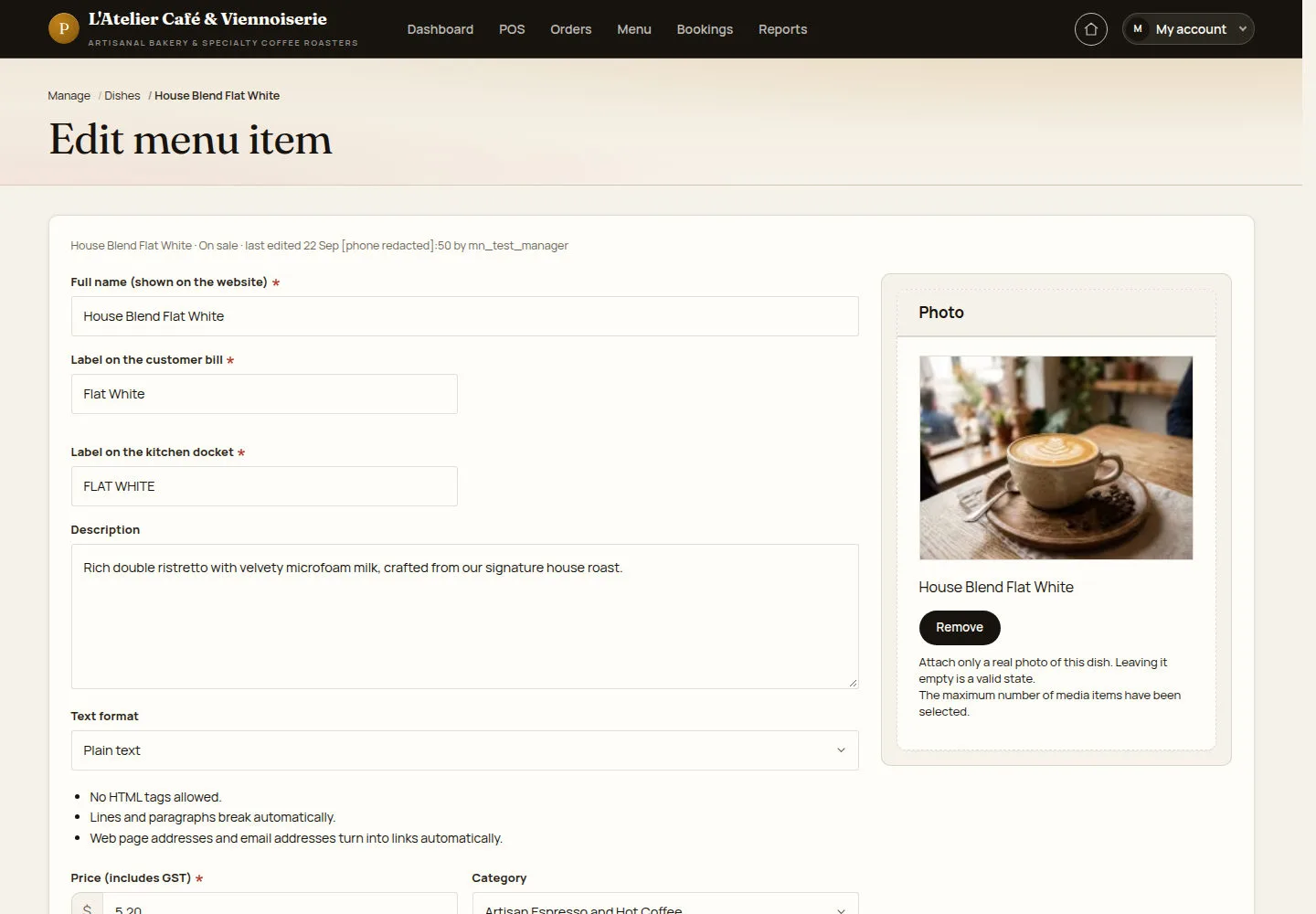
The item form separates the website name, bill label and kitchen label.
- Check the labels, description, GST-inclusive price, category and dietary flags. Choose the channels and option groups the dish should use, then save.
A price change affects future ordering; do not use an old order total to check the new menu price.
Open on site ↗sign-inFull-page screenshot ↗
After saving, re-open the item and check the intended fields and its public or POS visibility.
Organise a category
Manager
3Step 3 of 4
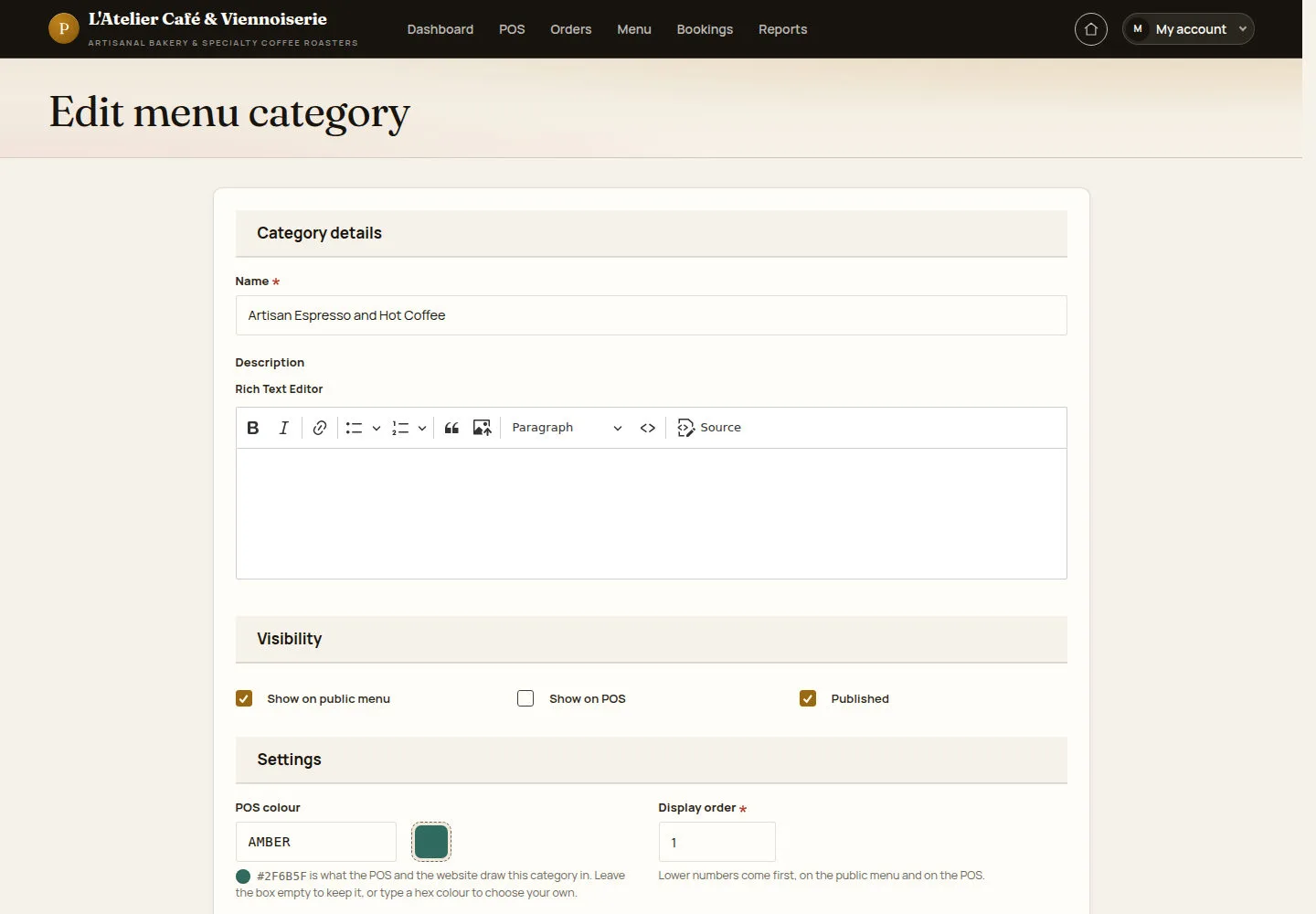
Categories have separate public and POS visibility, a colour and a display order.
- Open Menu categories and edit a category. Check its name, visibility, publication and display order before saving.
Open on site ↗sign-inFull-page screenshot ↗
The category appears in the intended channel and order after a successful update.
Maintain selectable options
Manager
4Step 4 of 4
Option groups define single or multiple choices and their price changes.
- Open Option groups. Check selection type, required choice, option names, extra charges, availability and linked dishes.
Open on site ↗sign-inFull-page screenshot ↗
Linked dishes offer the intended choices. Keep an existing group key unchanged and check defaults before saving.