





MenuNerdsCafé managementService handbook
User guide · Signed-in accounts
Manage your own staff account
Update personal sign-in details from My account and recognise which account services are available.
- Sign in with your own staff account. The example screen belongs to a Waiter account.
Account holder (Waiter example)Step-by-step instructions
Open My account
Account holder (Waiter example)
1Step 1 of 2
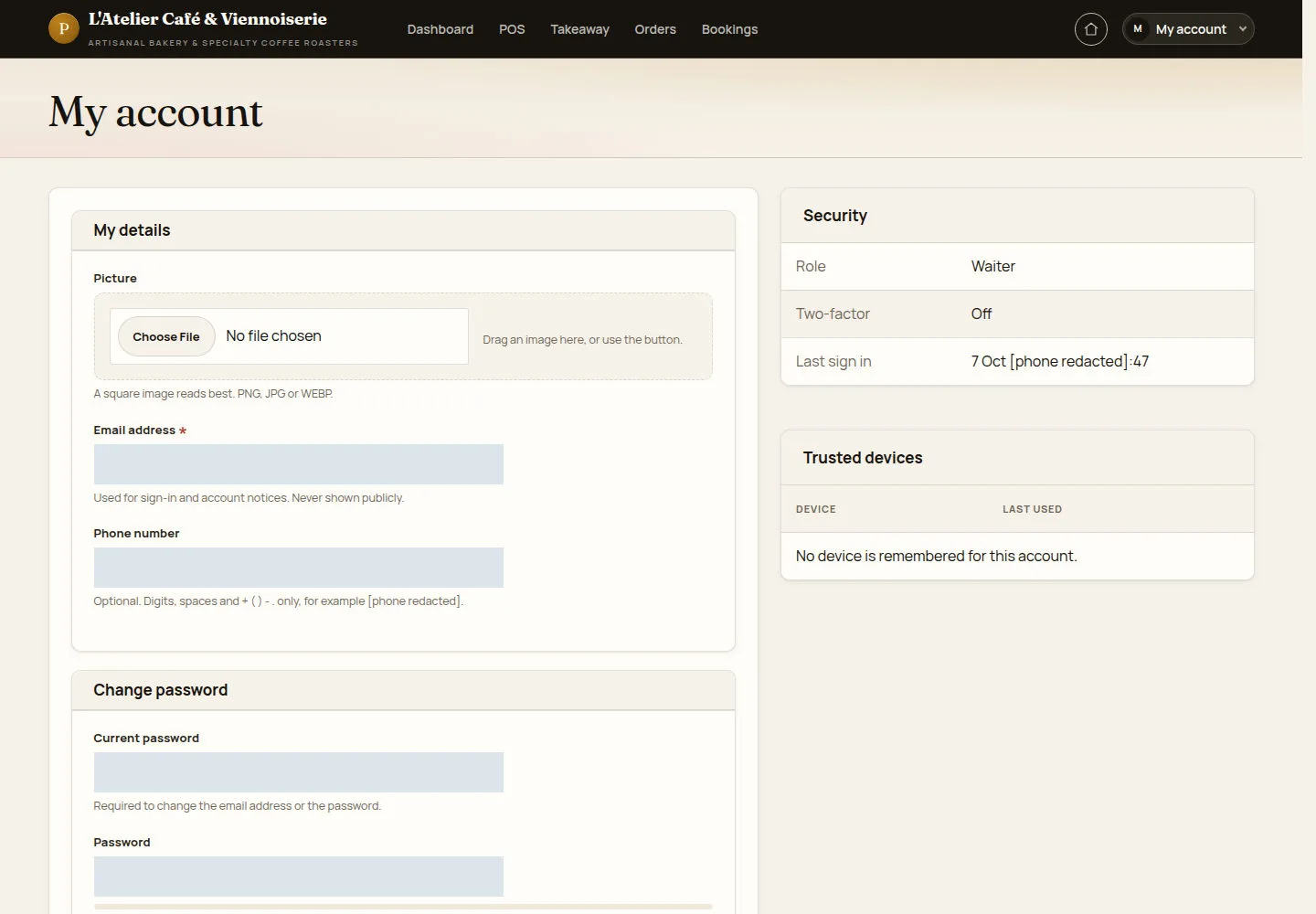
My account contains your contact details and password controls, rather than guest order history.
- Open the account menu and select My account. Check the details before changing them.
Open on site ↗sign-inFull-page screenshot ↗
What you should see
You see the profile form and your assigned role. Customer /account history pages are not available on the current site.
Change details securely
Account holder (Waiter example)
2Step 2 of 2
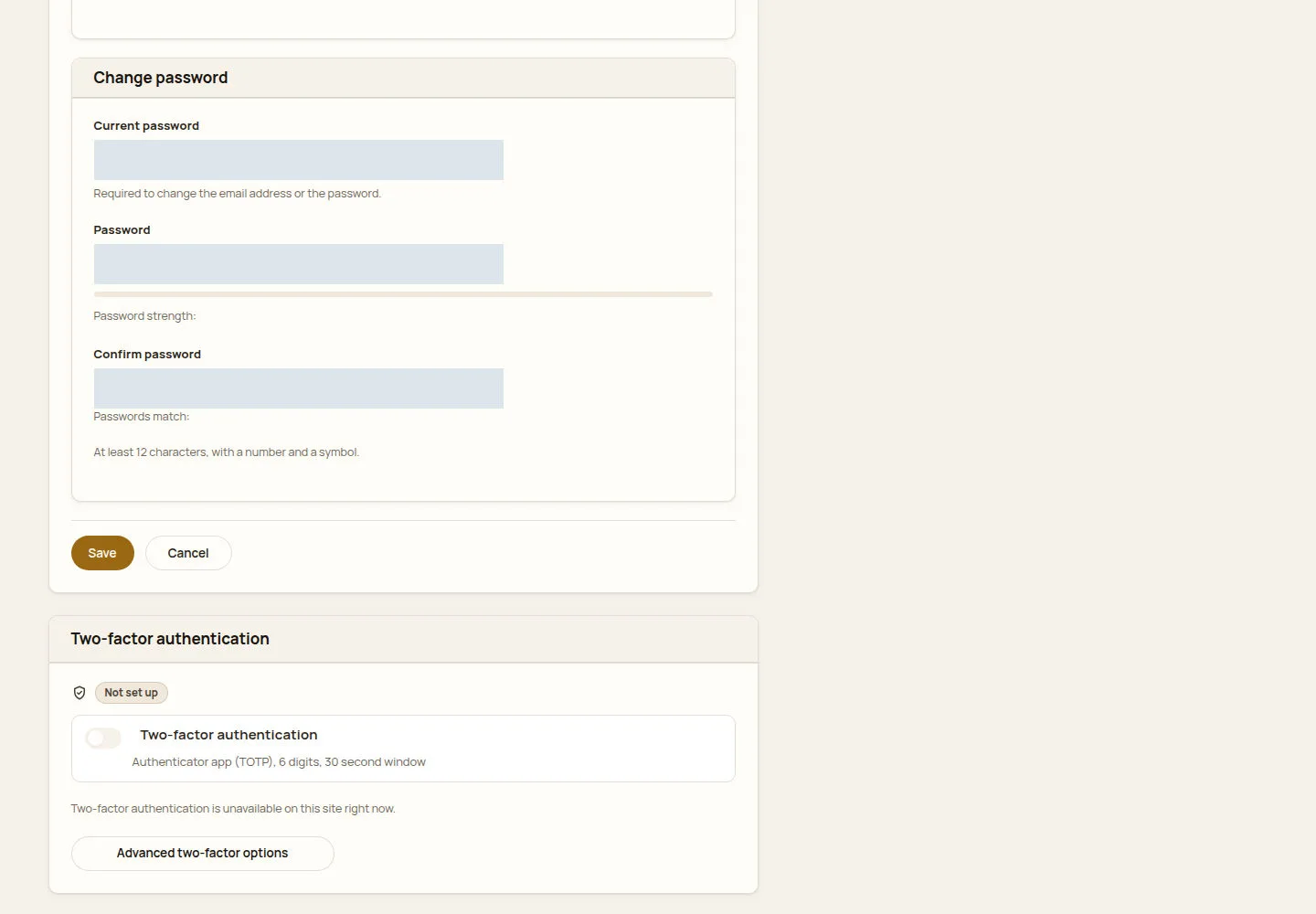
The form requires the current password for sensitive sign-in changes.
- Enter the requested details. For a password change, fill Current password, Password and Confirm password using the displayed requirements.
Open on site ↗sign-inFull-page screenshot ↗
What you should see
After saving, check the confirmation and the updated details. Two-factor setup is unavailable where the page explicitly says so.
1 / 3