





User guide · Guests
Find a drink or pastry:explore the menu
Move from the café home to categories and dish details before you choose how to order.
- You do not need to sign in to browse the menu.
Open the café menu
Guests
1Step 1 of 4
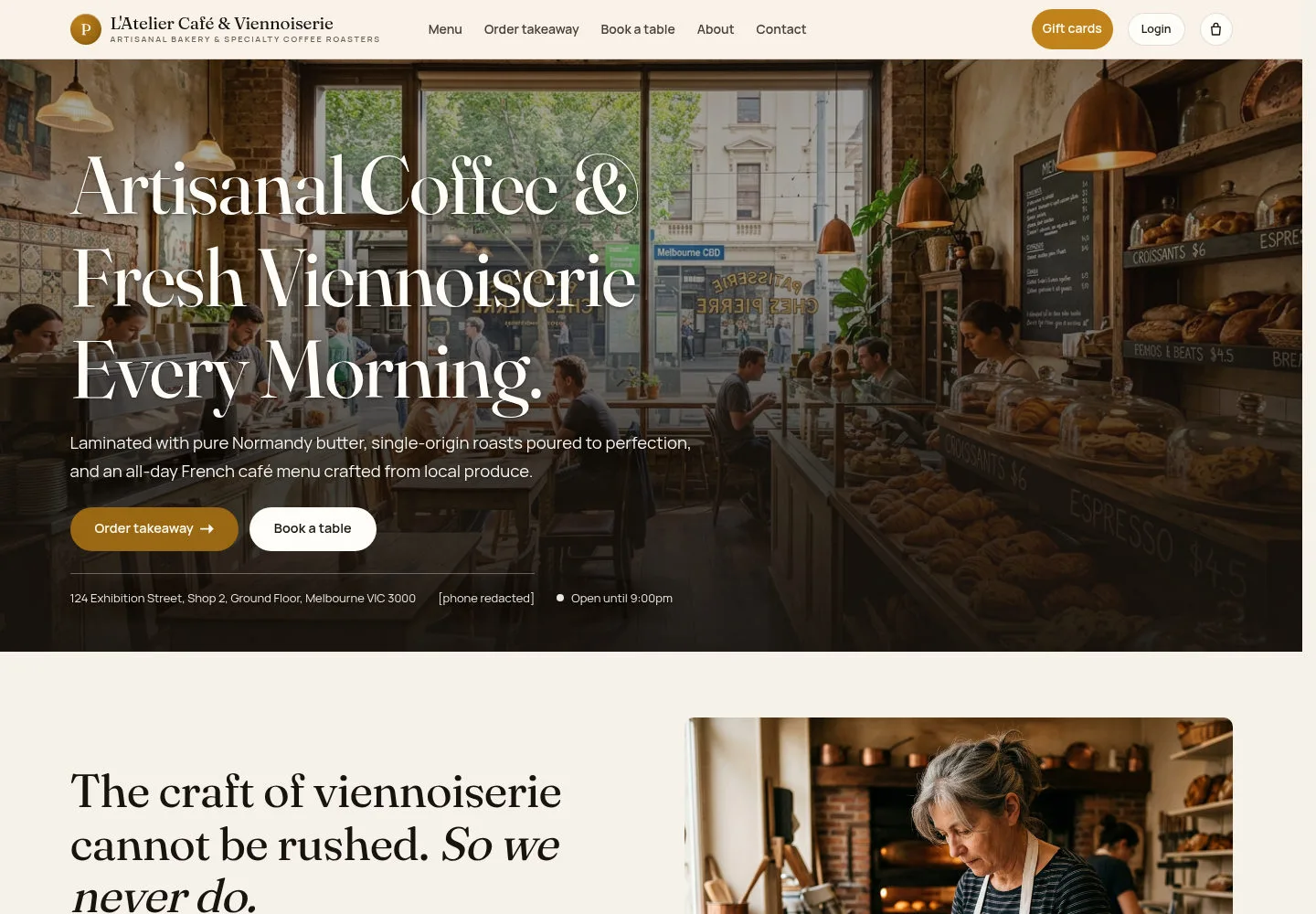
Use the main navigation to reach the menu and the other guest services.
- Select Menu or See the full menu.
Open on site ↗Full-page screenshot ↗
The menu page opens with categories, descriptions and current prices.
Narrow down the choice
Guests
2Step 2 of 4
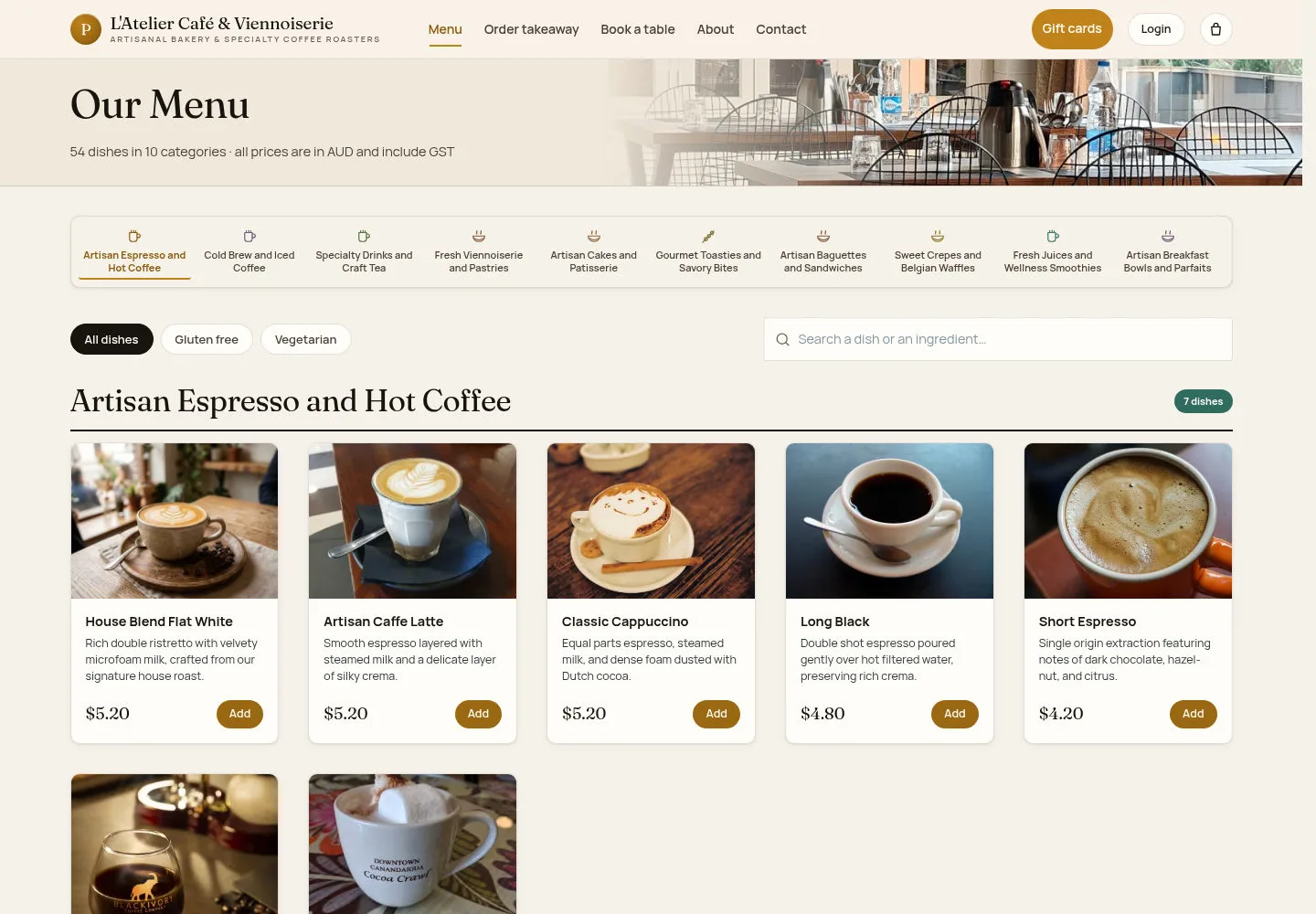
Browse by category and use the available search or dietary filters.
- Choose a category or search for a dish. Clear the filter to see the full menu again.
Open on site ↗Full-page screenshot ↗
Matching dishes remain visible; a no-match message asks you to try another filter.
Read the dish details
Guests
3Step 3 of 4
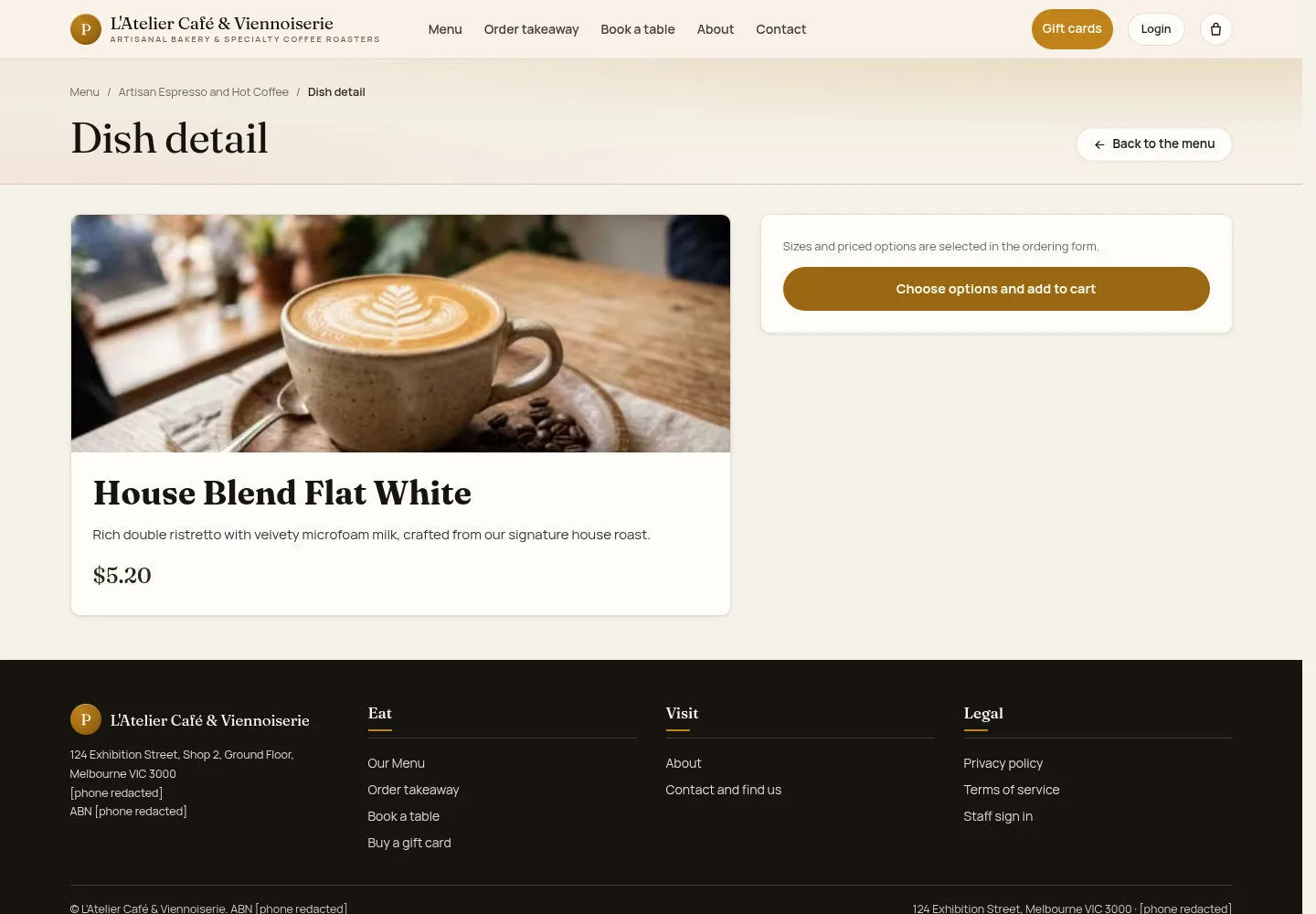
Check the description and base price before moving to the ordering form.
- Open a dish. Read its description; priced sizes and options are chosen in the ordering form.
Open on site ↗Full-page screenshot ↗
The dish page shows Back to the menu and the available ordering link.
Browse from a phone
Guests
4Step 4 of 4
The same categories and menu content are available from the compact navigation.
- Open the menu button when the navigation is collapsed, then choose a category.
Open on site ↗Full-page screenshot ↗
You can read dish cards and prices without switching to a staff account.