





MenuNerdsCafé managementService handbook
User guide · Waiter
Start a counter or phone takeaway
Record the collection identity before working on a counter takeaway order.
- Start a real order only when the guest intends to place it.
WaiterStep-by-step instructions
Capture the collection details
Waiter
1Step 1 of 2
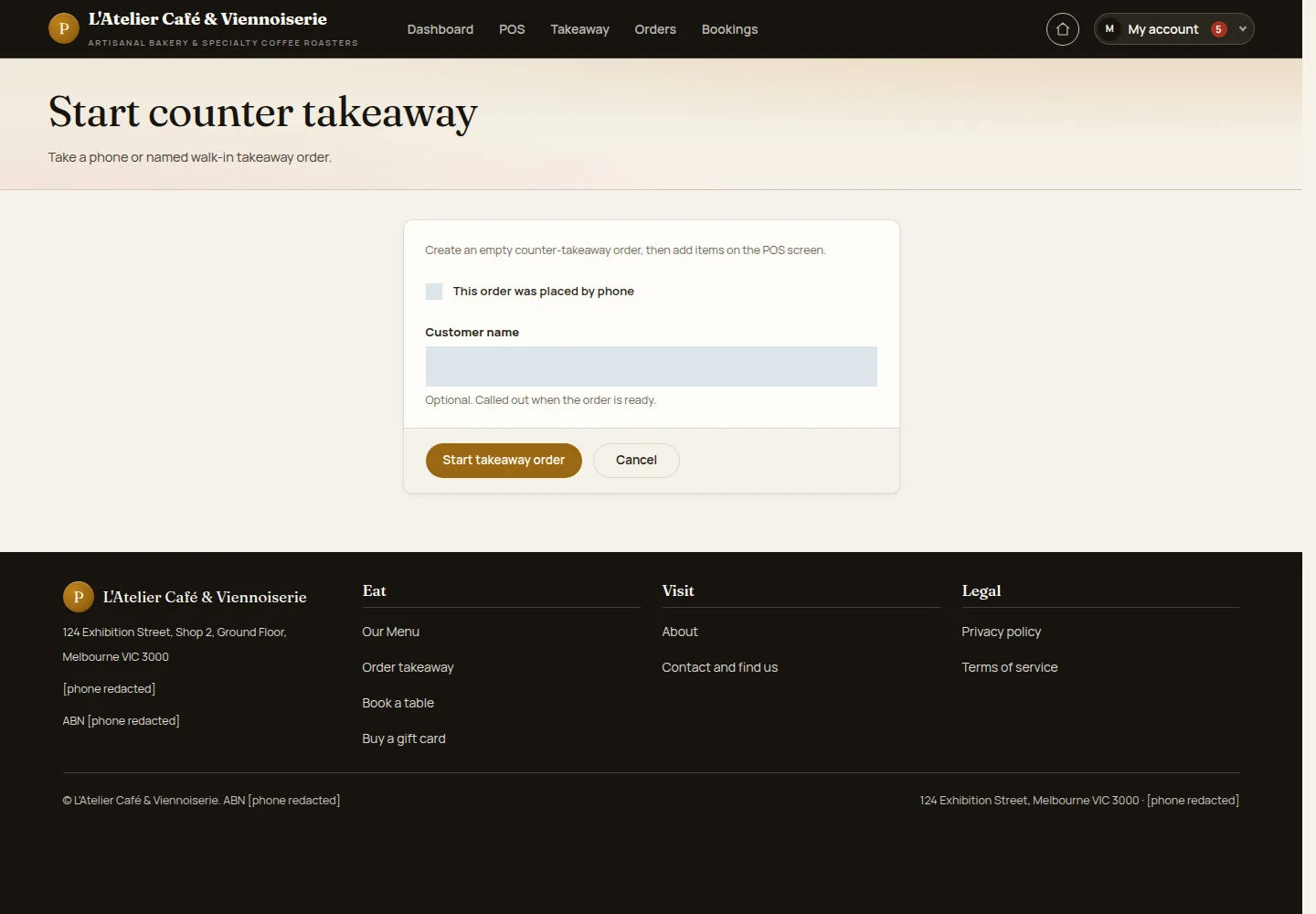
The counter form distinguishes phone orders and allows a customer name and phone.
- Mark the phone-order checkbox when appropriate. Enter the collection details and continue to the order.
Open on site ↗sign-inFull-page screenshot ↗
What you should see
A new counter takeaway order starts empty; items must still be added and checked.
Follow the collection queue
Waiter
2Step 2 of 2
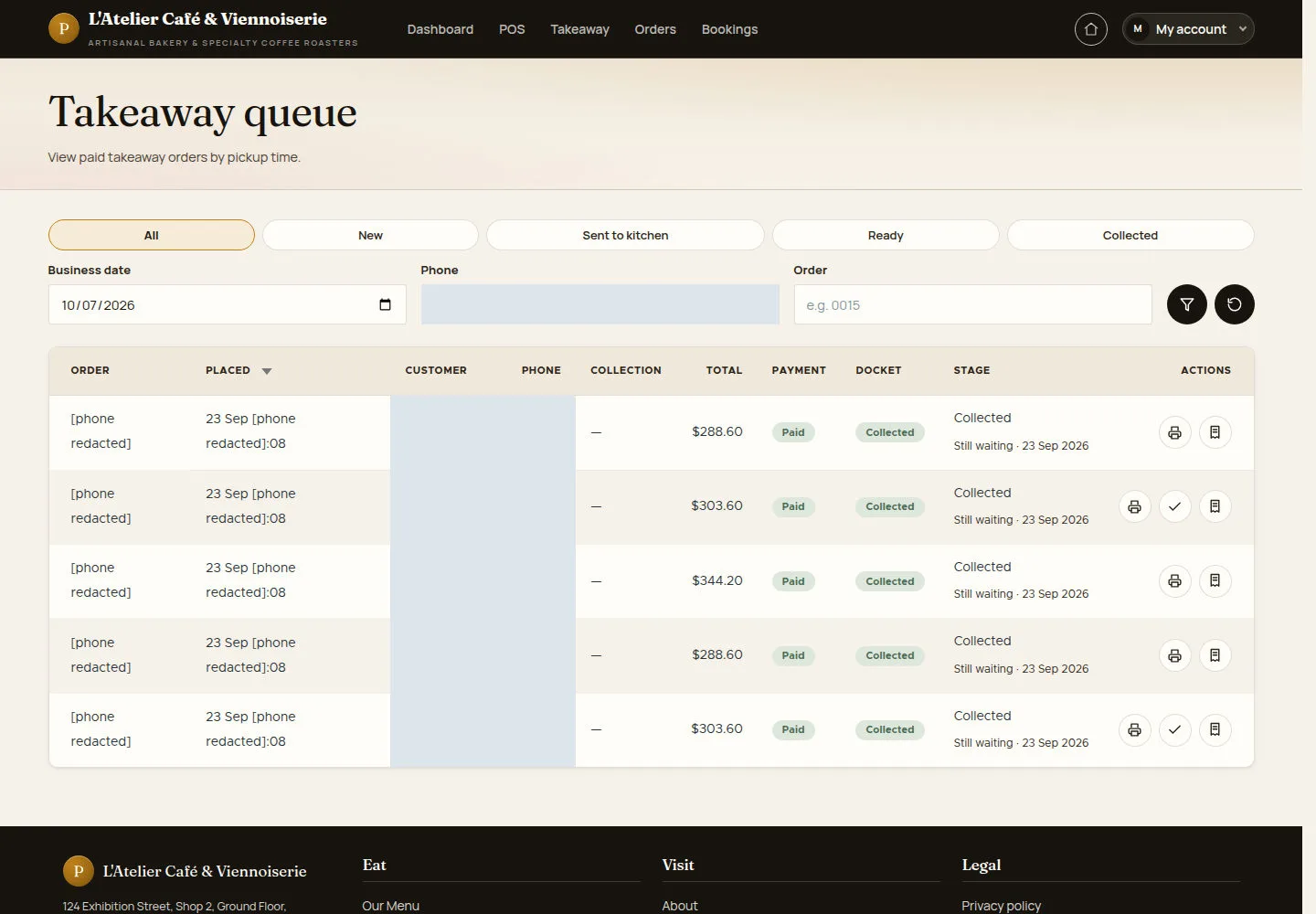
Use the queue to coordinate preparation and handover with the guest.
- Find the order in Takeaway queue. Check its fulfilment and payment state before using the next available action.
Open on site ↗sign-inFull-page screenshot ↗
What you should see
The queue shows the order’s current stage. A payment label alone does not mean the guest has collected the order.
1 / 3