





User guide · Manager
Maintain gift card amounts and promotions
Review issued-card records, configure sale amounts and prepare the promotions the site supports.
- Agree the sale amounts and promotion terms before changing them.
Review gift cards
Manager
1Step 1 of 3
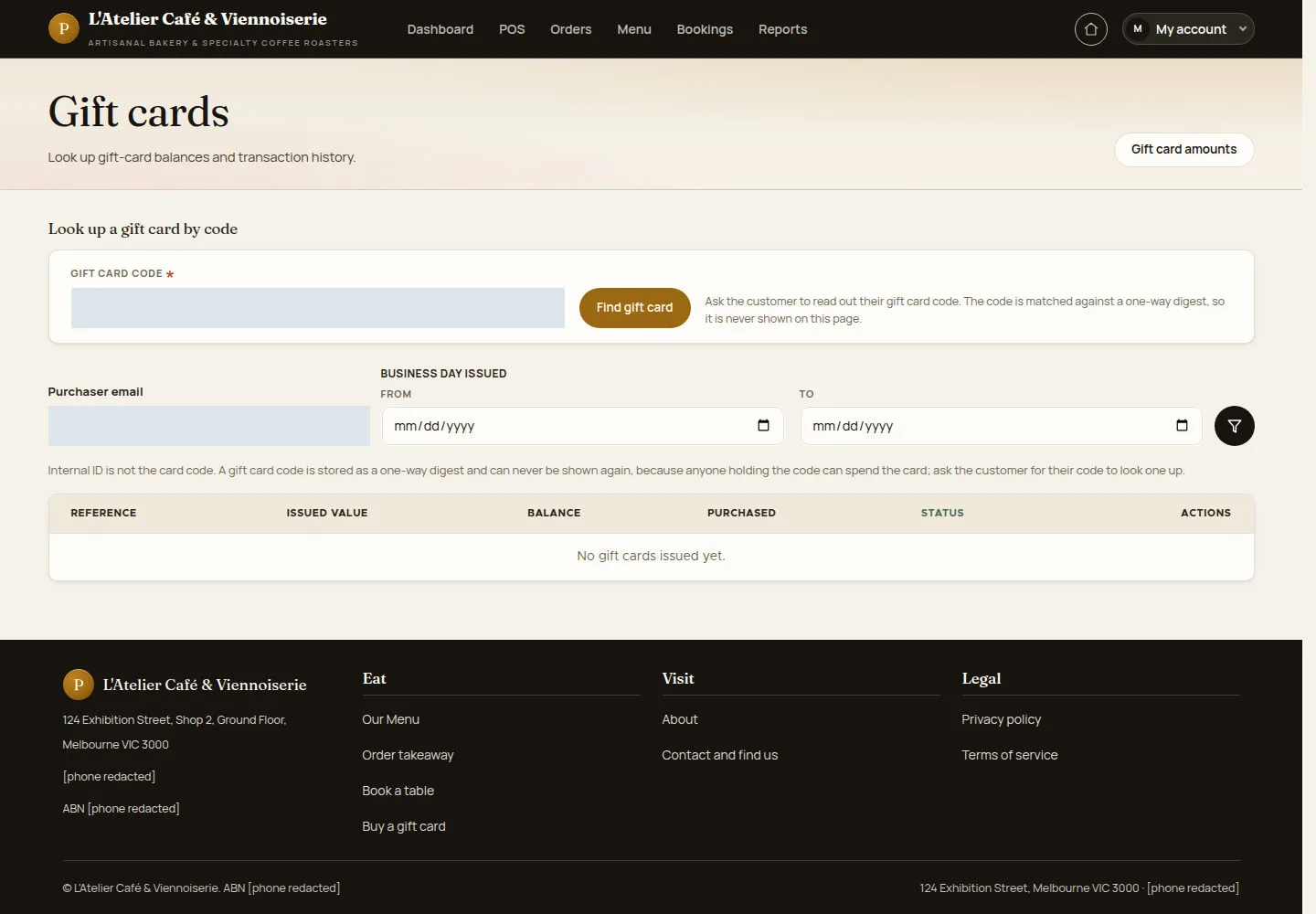
The gift card list is where staff inspect the cards recorded by the site.
- Open Gift cards. Use the available filters to locate a card when a record exists.
Open on site ↗sign-inFull-page screenshot ↗
The list shows matching records or an empty-state message; an empty list is not an issued card.
Configure future sale amounts
Manager
2Step 2 of 3
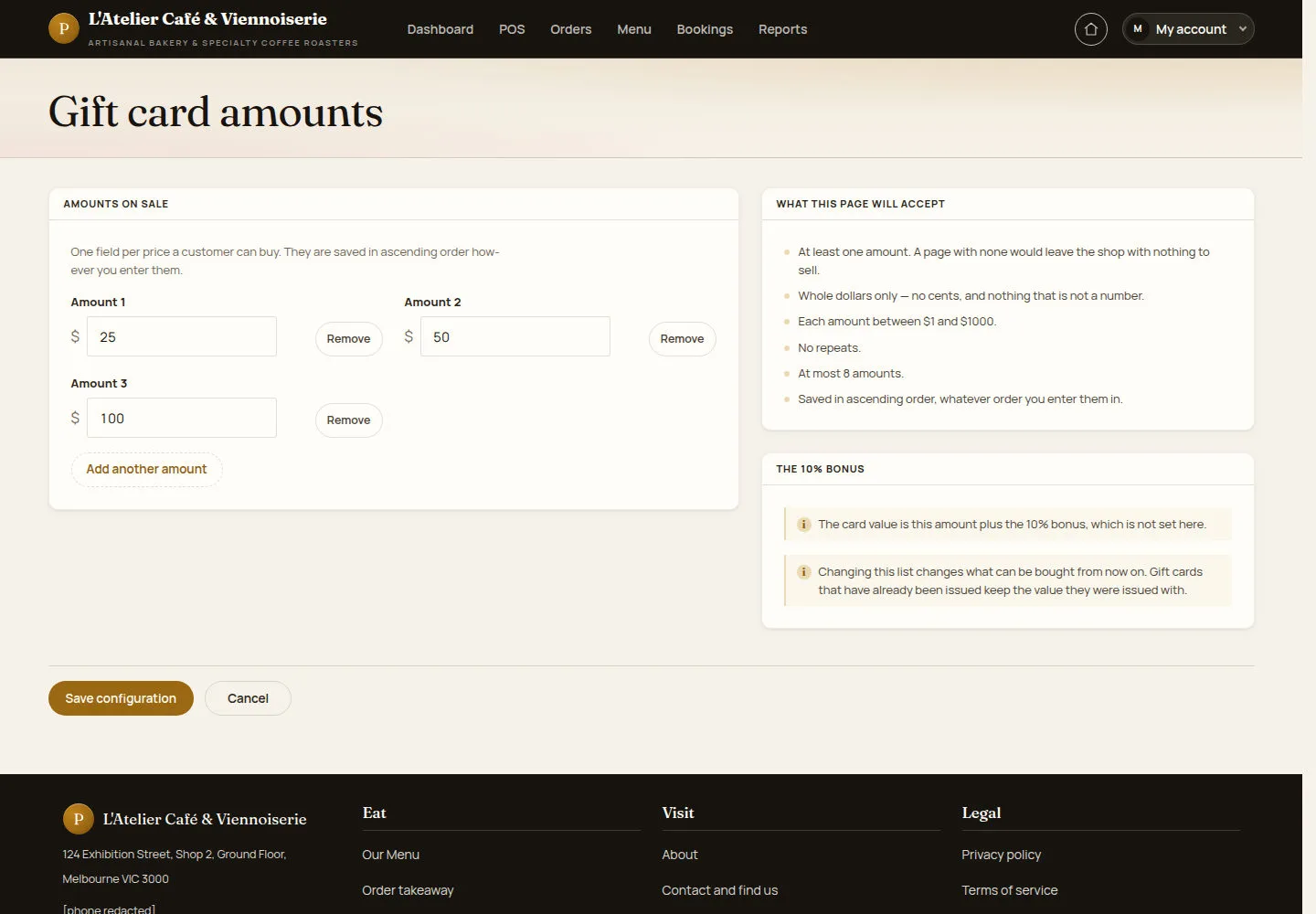
Gift card amounts controls the choices offered for new purchases.
- Open Gift card amounts. Enter distinct whole-dollar amounts within the displayed limits, then save.
Open on site ↗sign-inFull-page screenshot ↗
New purchases use the saved amount choices. Already issued cards retain the value they were issued with.
Prepare a supported promotion
Manager
3Step 3 of 3
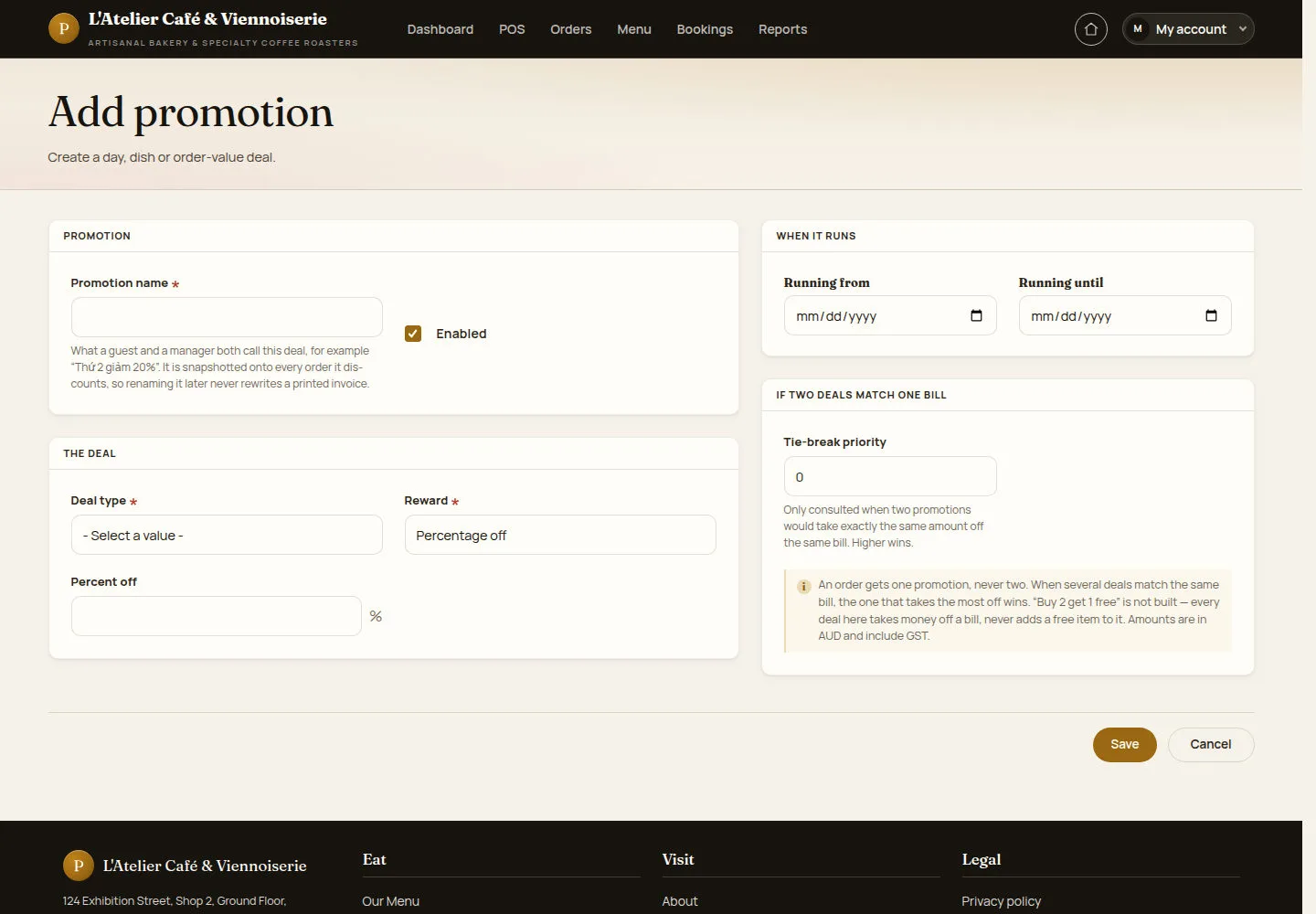
A promotion can target a trading day, particular dishes or an order-value threshold.
- Open Promotions and Add promotion. Set the name, enabled state, deal type, reward, applicability and running period.
Open on site ↗sign-inFull-page screenshot ↗
A saved enabled promotion is eligible only when its conditions match. The current form gives one monetary promotion per order, rather than free-item rewards.