





 MineCourtCourt and venue operations
User guide · Venue Manager
Venue:review the monthly overview
Read the venue dashboard and the current report summary without treating demo values as business outcomes.
- Use an account with access to this workspace.
Venue ManagerStep-by-step instructions
Check the venue context
Venue Manager
1Step 1 of 2
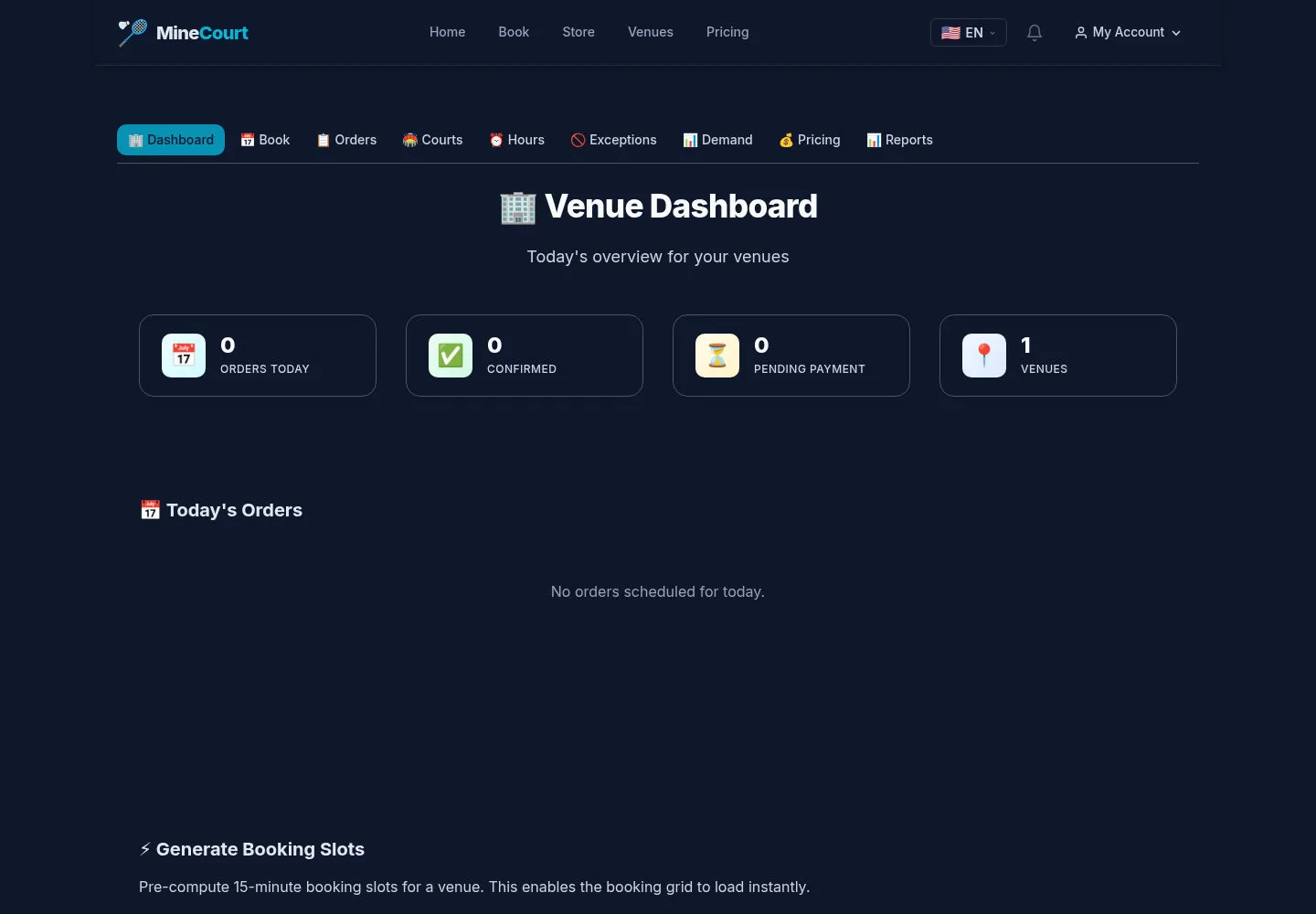
Start in the venue workspace you are responsible for.
- Review today’s orders and open Reports when available.
Open on site ↗sign-inFull-page screenshot ↗
What you should see
The report belongs to the current venue workspace.
Read the monthly summary
Venue Manager
2Step 2 of 2
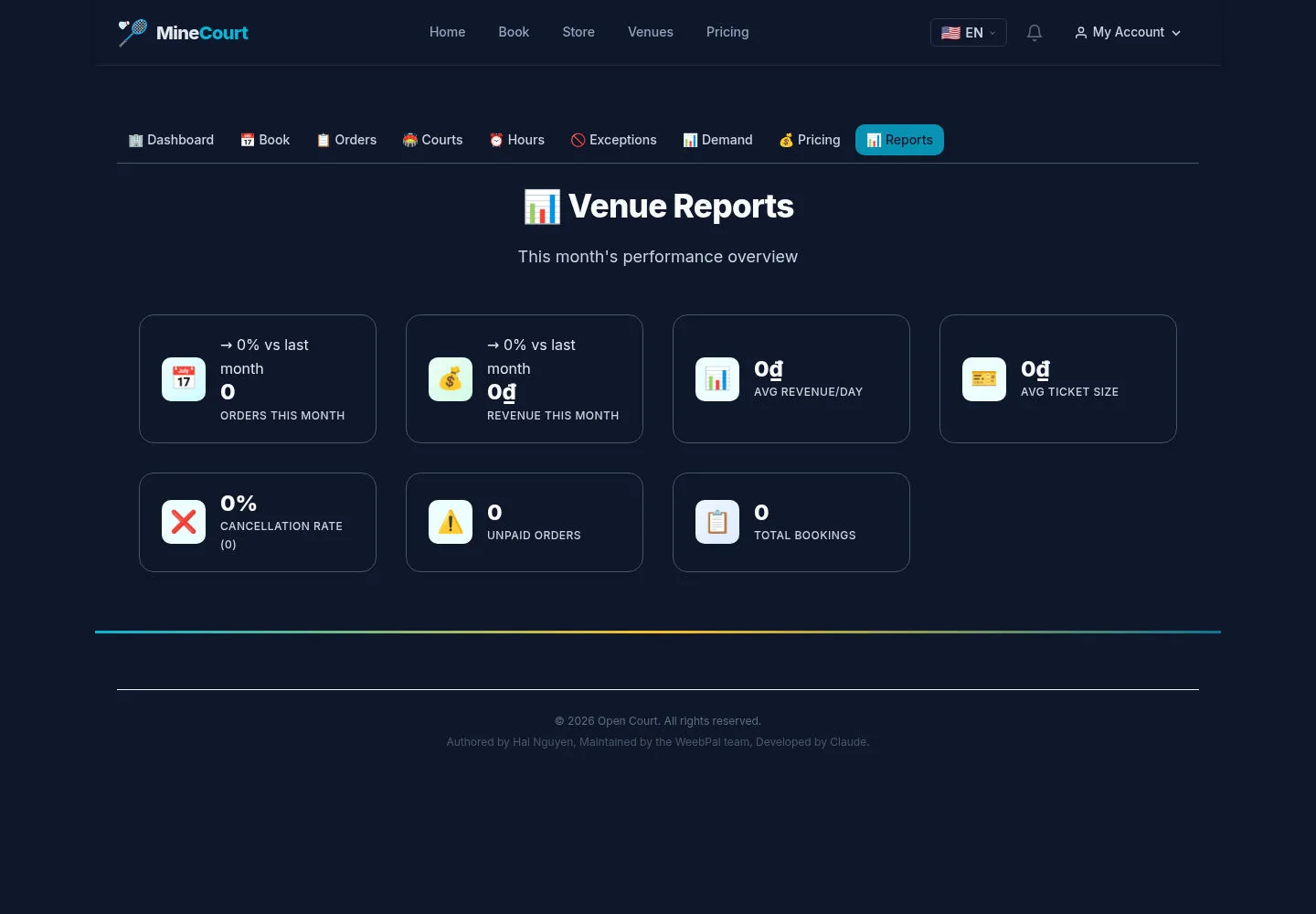
The captured report displays order, revenue, cancellation and unpaid-order summary tiles.
- Read each label with its reporting period and follow up with the order list as needed.
Open on site ↗sign-inFull-page screenshot ↗
What you should see
These tiles show the captured example. They do not establish a separate analytics workspace or verified accounting reconciliation.
1 / 3