






 MineCourtCourt and venue operations
User guide · Company Accountant
Finance:orders and payment states
Use the finance order list for review and recognise the report and audit boundaries.
- Use an account with access to this workspace.
Open the finance overview
Company Accountant
1Step 1 of 4
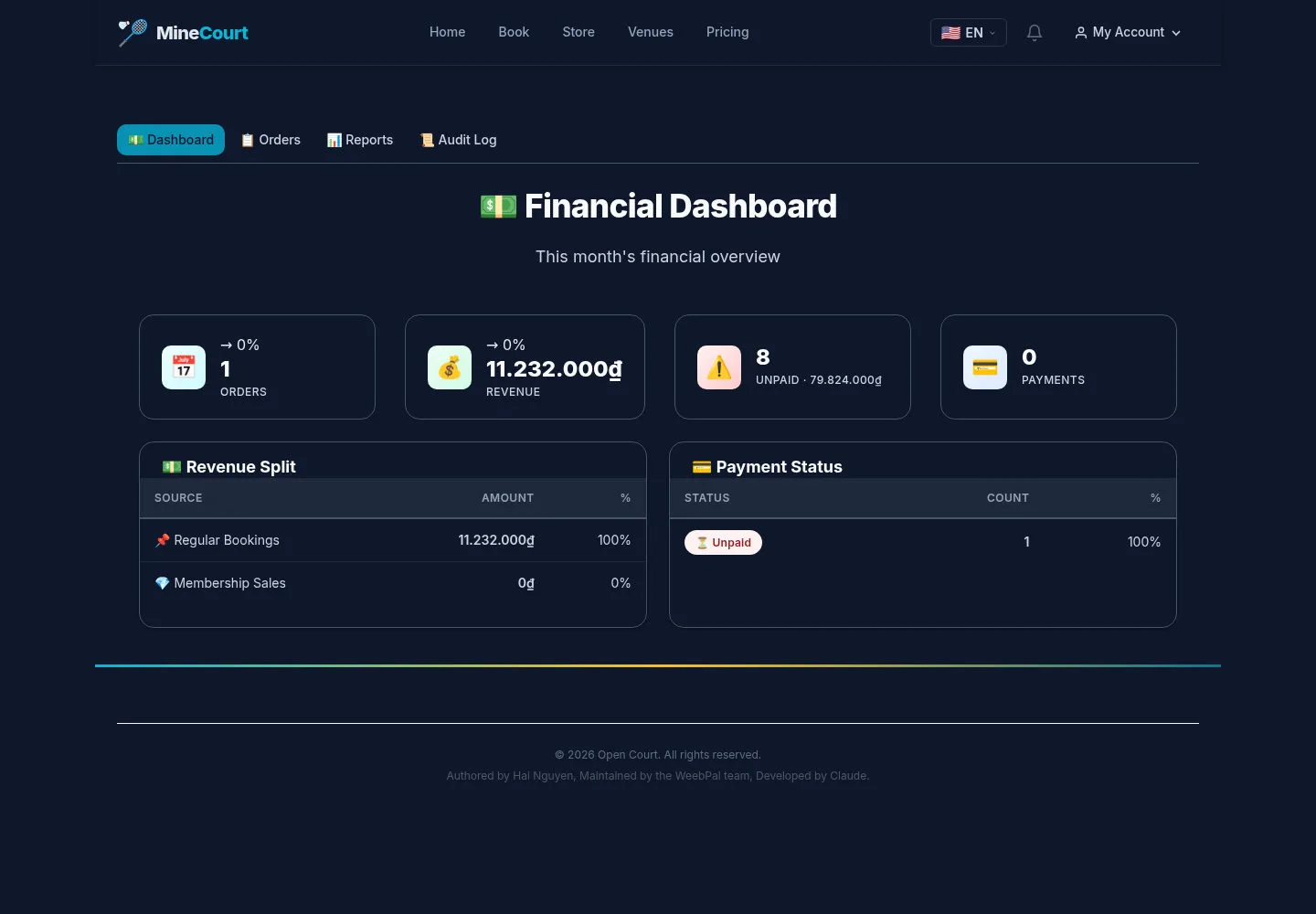
Financial Dashboard shows revenue split and payment-status summaries.
- Review the displayed period and open Orders for record-level inspection.
Open on site ↗sign-inFull-page screenshot ↗
Dashboard values need comparison with the underlying records for reconciliation.
Filter court orders
Company Accountant
2Step 2 of 4
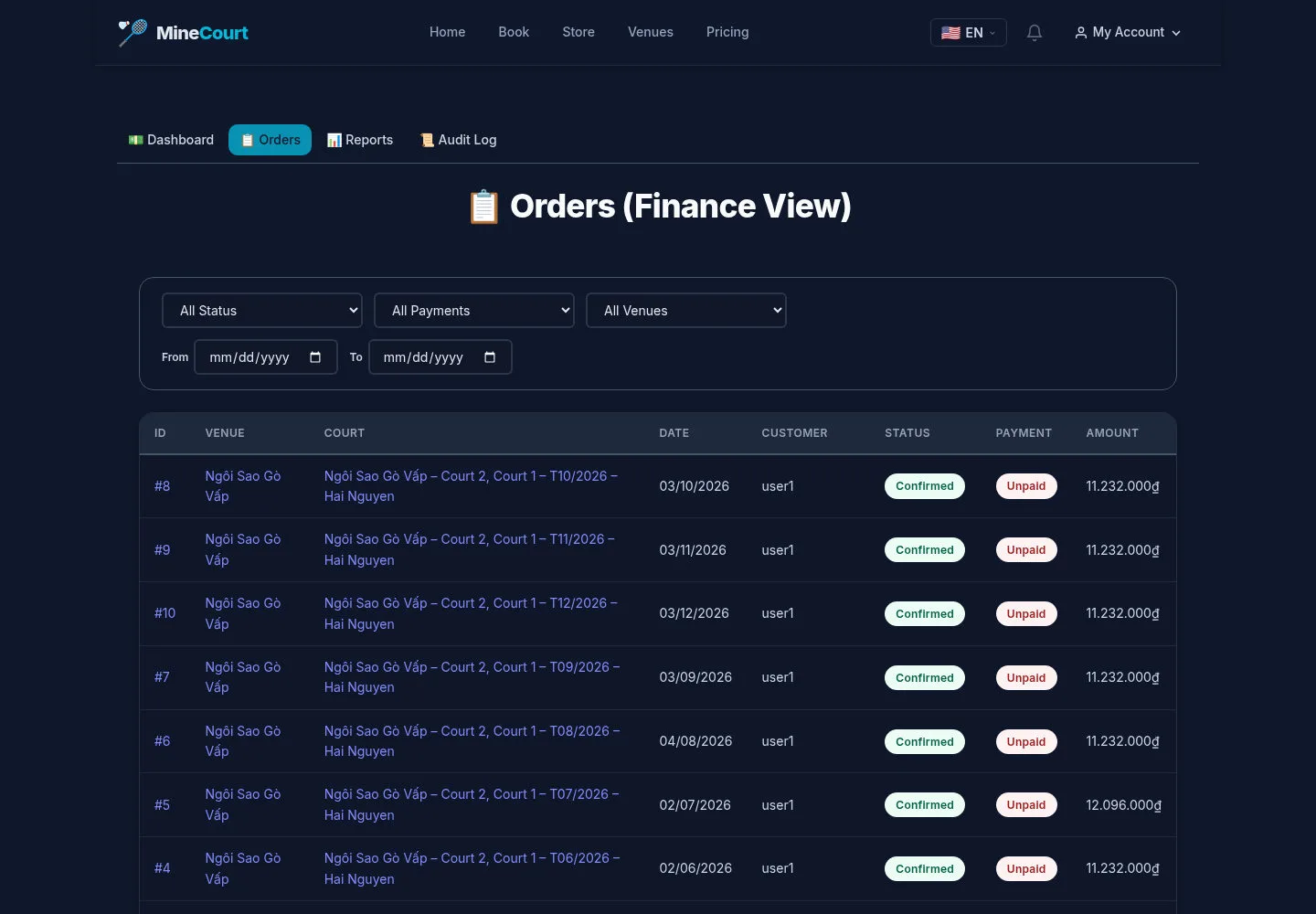
Orders (Finance View) filters by order status, payment state, venue and date.
- Choose the venue and period, then inspect the order and payment columns.
Open on site ↗sign-inFull-page screenshot ↗
An unpaid or partially paid state needs follow-up; the screenshot does not show bank reconciliation, debt collection or a refund.
Recognise the reports placeholder
Company Accountant
3Step 3 of 4
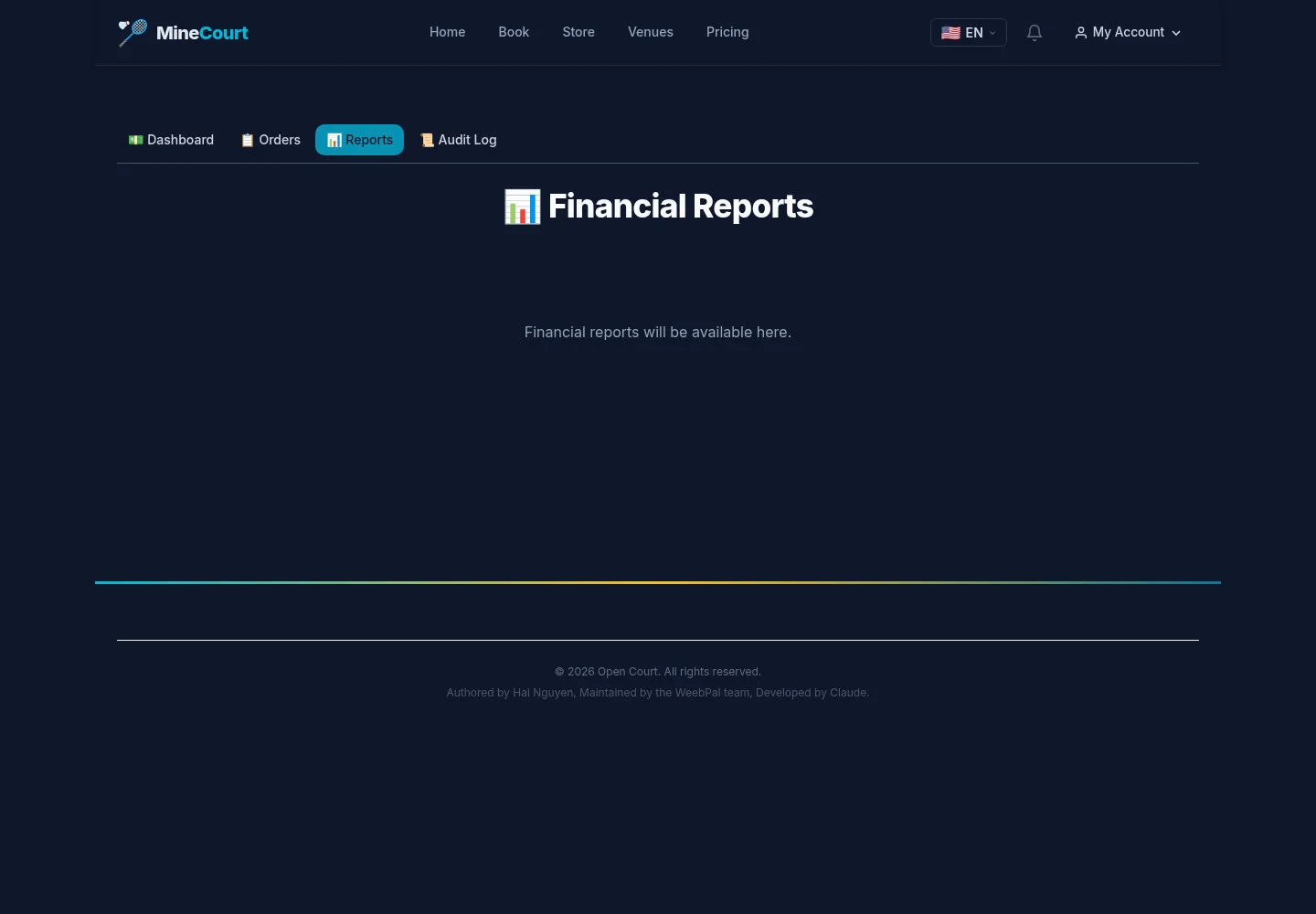
The captured Financial Reports page says Financial reports will be available here.
- Use the order list for the available record-level view.
Open on site ↗sign-inFull-page screenshot ↗
This page does not contain a generated financial report or export.
Review available audit entries
Company Accountant
4Step 4 of 4
Finance has its own Audit Log view.
- Open Audit Log and inspect the entries available to your account.
Open on site ↗sign-inFull-page screenshot ↗
The capture records this view only; it does not validate the planned end-to-end money audit trail.