






 MineCourtCourt and venue operations
User guide · Company Owner
Court orders:payment and sessions
Review a court order and its recurring sessions before taking an operational action.
- Use an account with access to this workspace.
Find the intended order
Company Owner
1Step 1 of 3
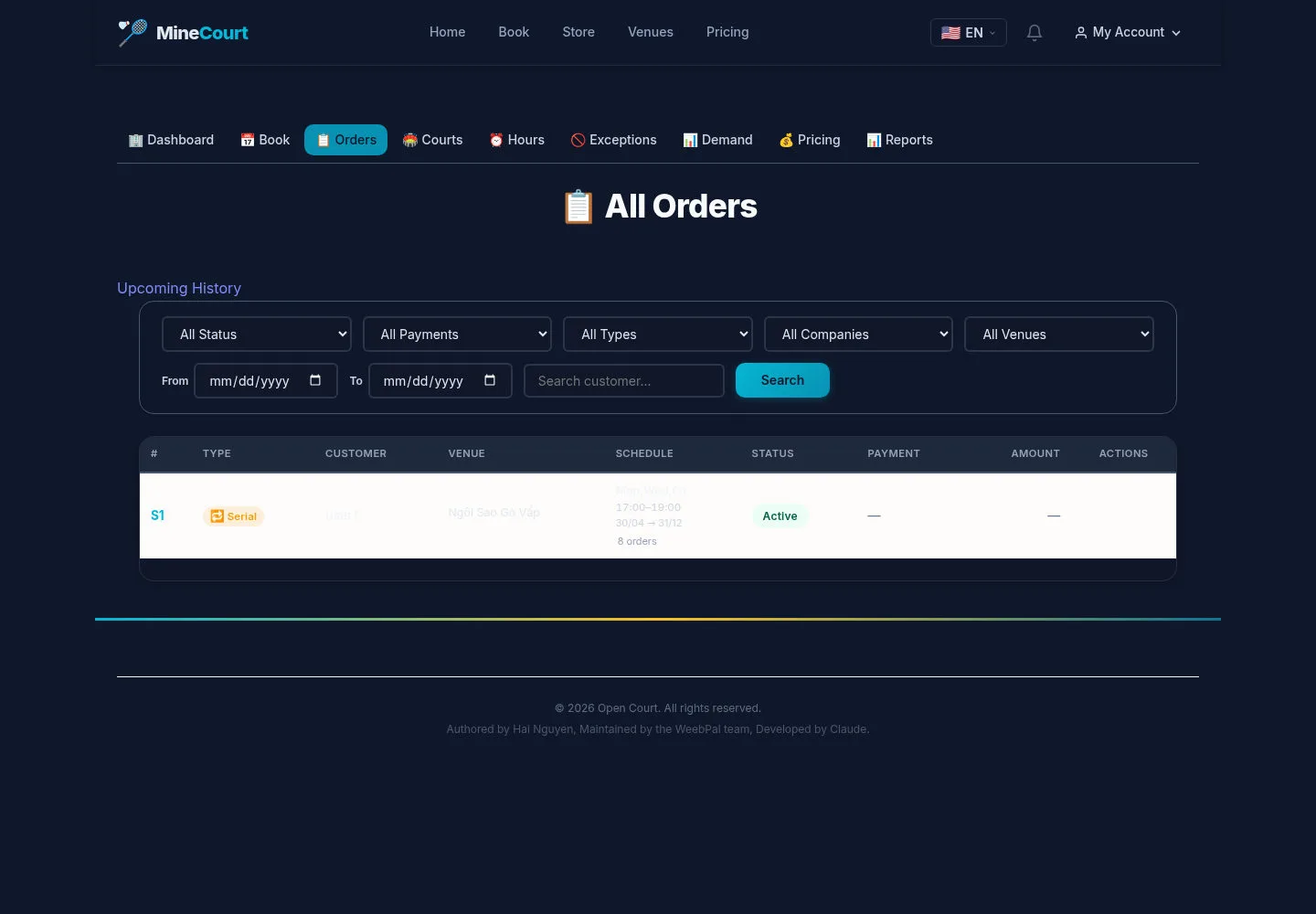
The venue order list links to order details within the owner’s available workspace.
- Check the venue and open the intended order.
Open on site ↗sign-inFull-page screenshot ↗
The order detail shows booking information and payment state separately.
Review payment and sessions
Company Owner
2Step 2 of 3
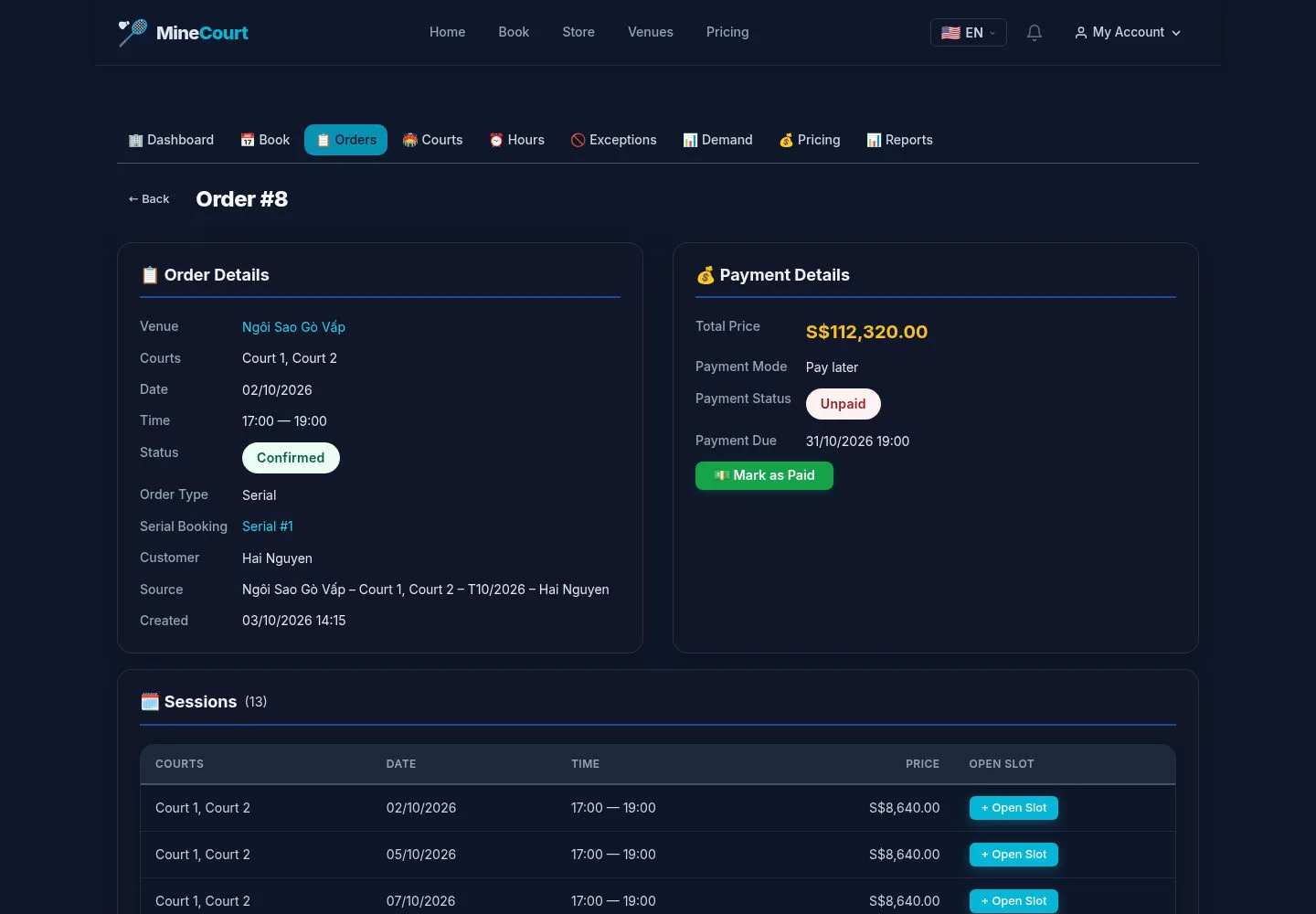
This example contains Order Details, Payment Details and recurring Sessions.
- Review each state before using Mark as Paid or opening a session’s Open Slot.
Open on site ↗sign-inFull-page screenshot ↗
A visible action does not prove money was received. The capture did not mark an order paid or create an Open Slot.
Review the recurring record
Company Owner
3Step 3 of 3
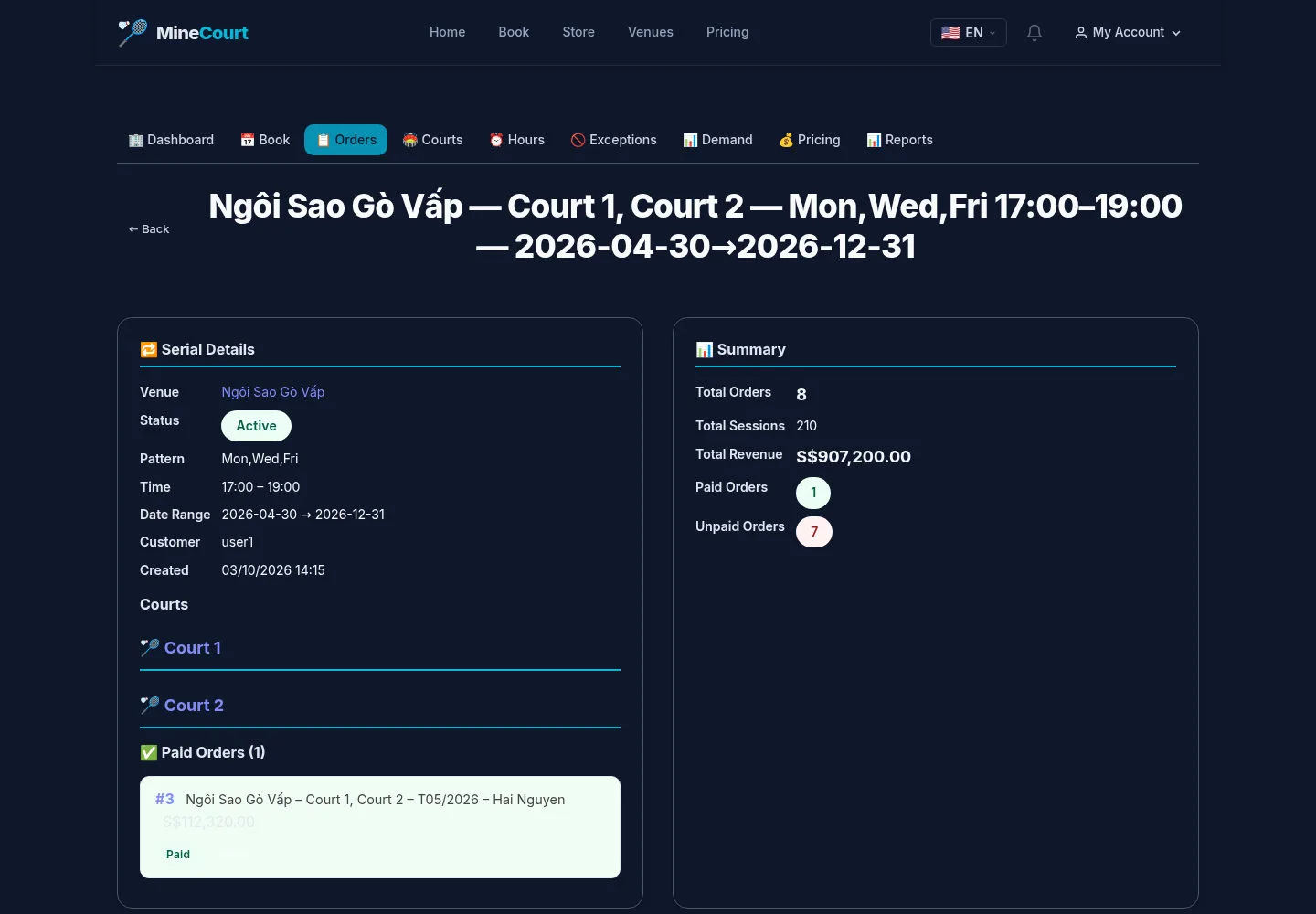
The serial detail is a separate view of a recurring booking.
- Review the series and its sessions before discussing a change with the customer.
Open on site ↗sign-inFull-page screenshot ↗
Cancellation, rescheduling and refund results need the actual authorised transaction; they are not shown by this GET capture.