





 MineCourtCourt and venue operations
User guide · Player
Store:prepare a pickup order
Review a product and the pickup checkout, then find your store order list.
- Sign in with your own Player account. The public pages shown here were captured while signed in.
Review a product
Player
1Step 1 of 4
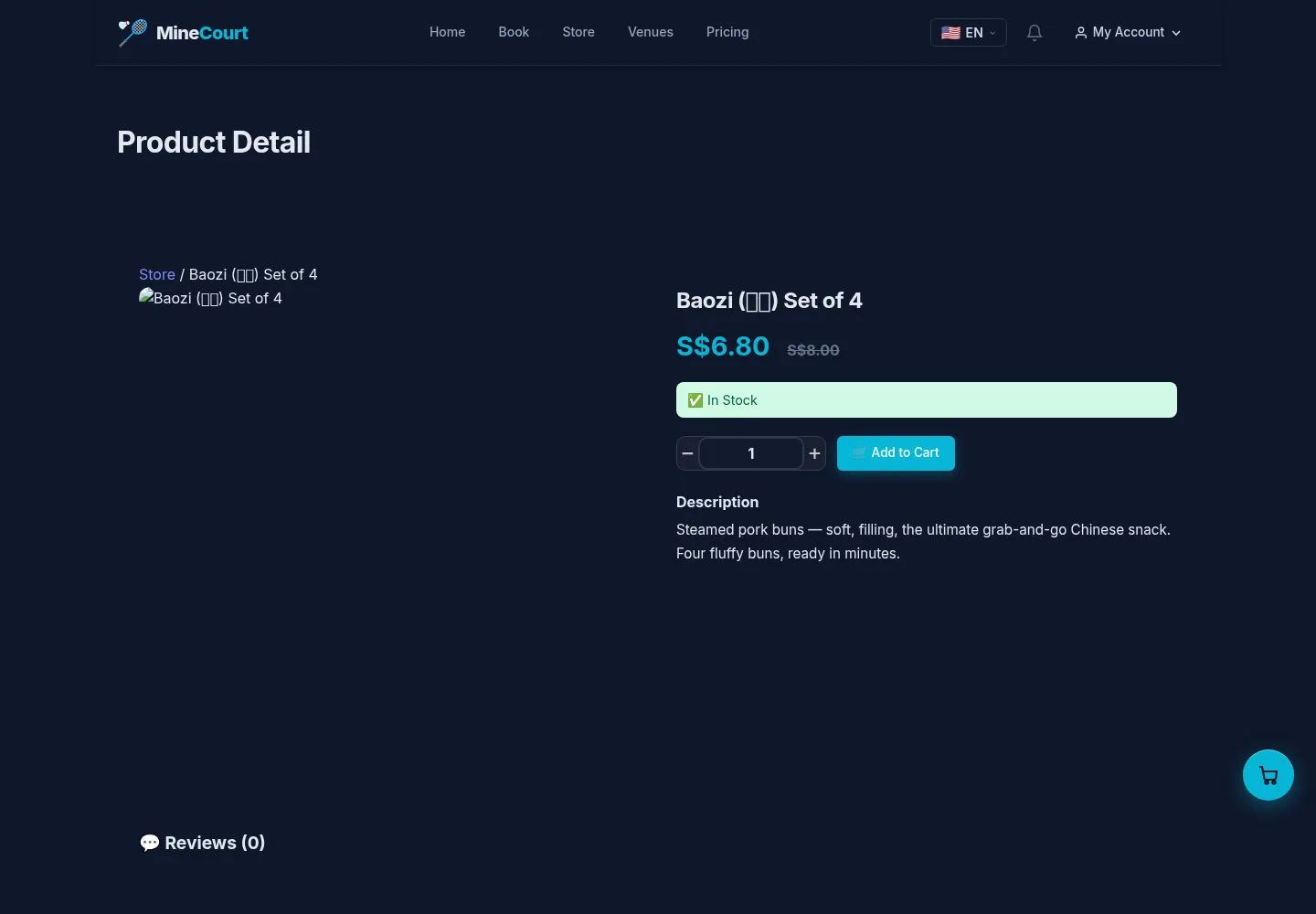
The product page shows description, stock information, quantity and Add to Cart.
- Review the item and choose the quantity you intend to buy.
Open on site ↗sign-inFull-page screenshot ↗
Verify the item and currency before proceeding; displayed demo prices are examples.
Review the cart
Player
2Step 2 of 4
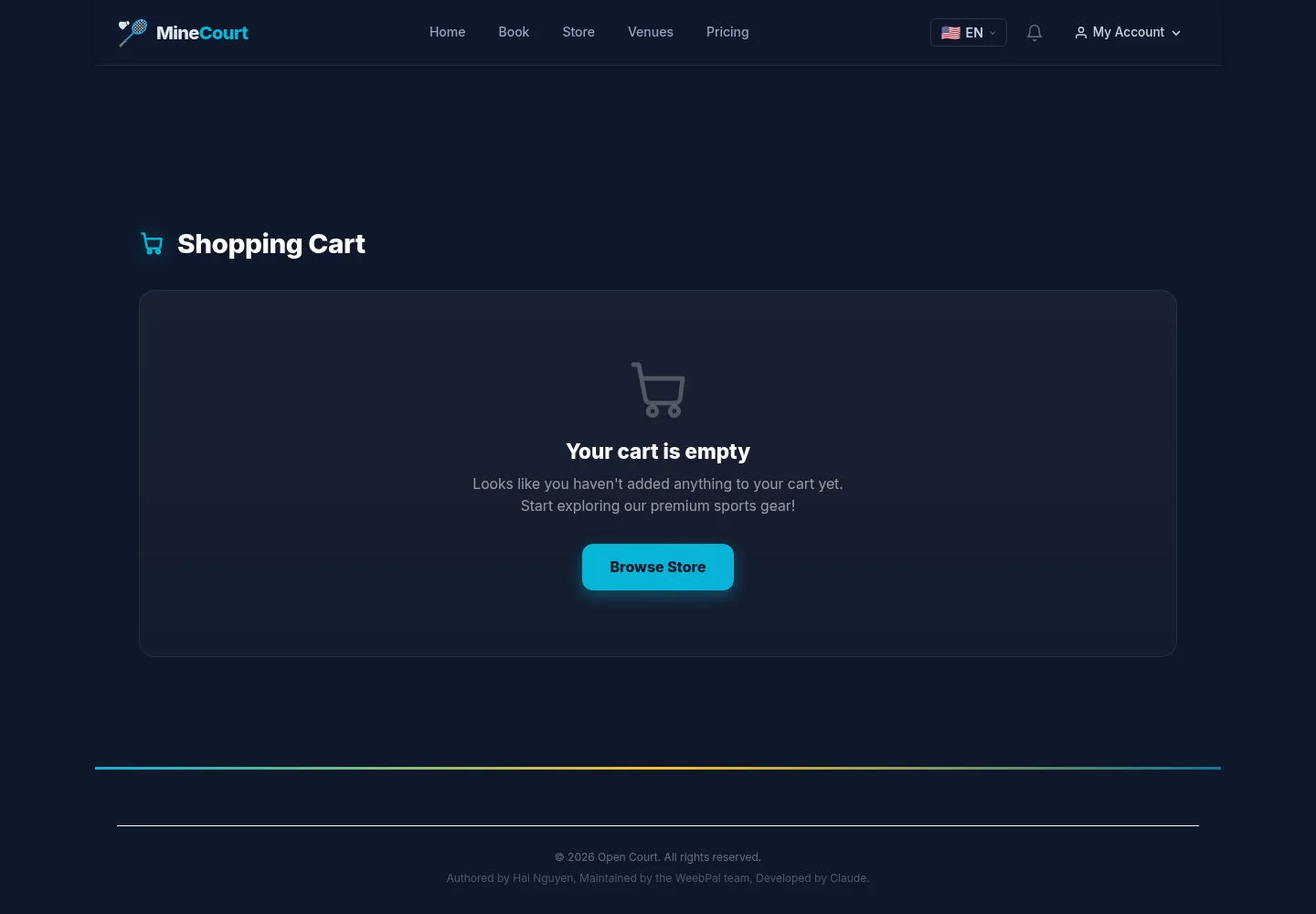
The captured cart is empty because the source crawl did not add products.
- If your cart is empty, use Browse Store to return to the catalogue.
Open on site ↗sign-inFull-page screenshot ↗
Review cart contents on your site before Checkout; this screenshot is an empty state.
Choose pickup and payment mode
Player
3Step 3 of 4
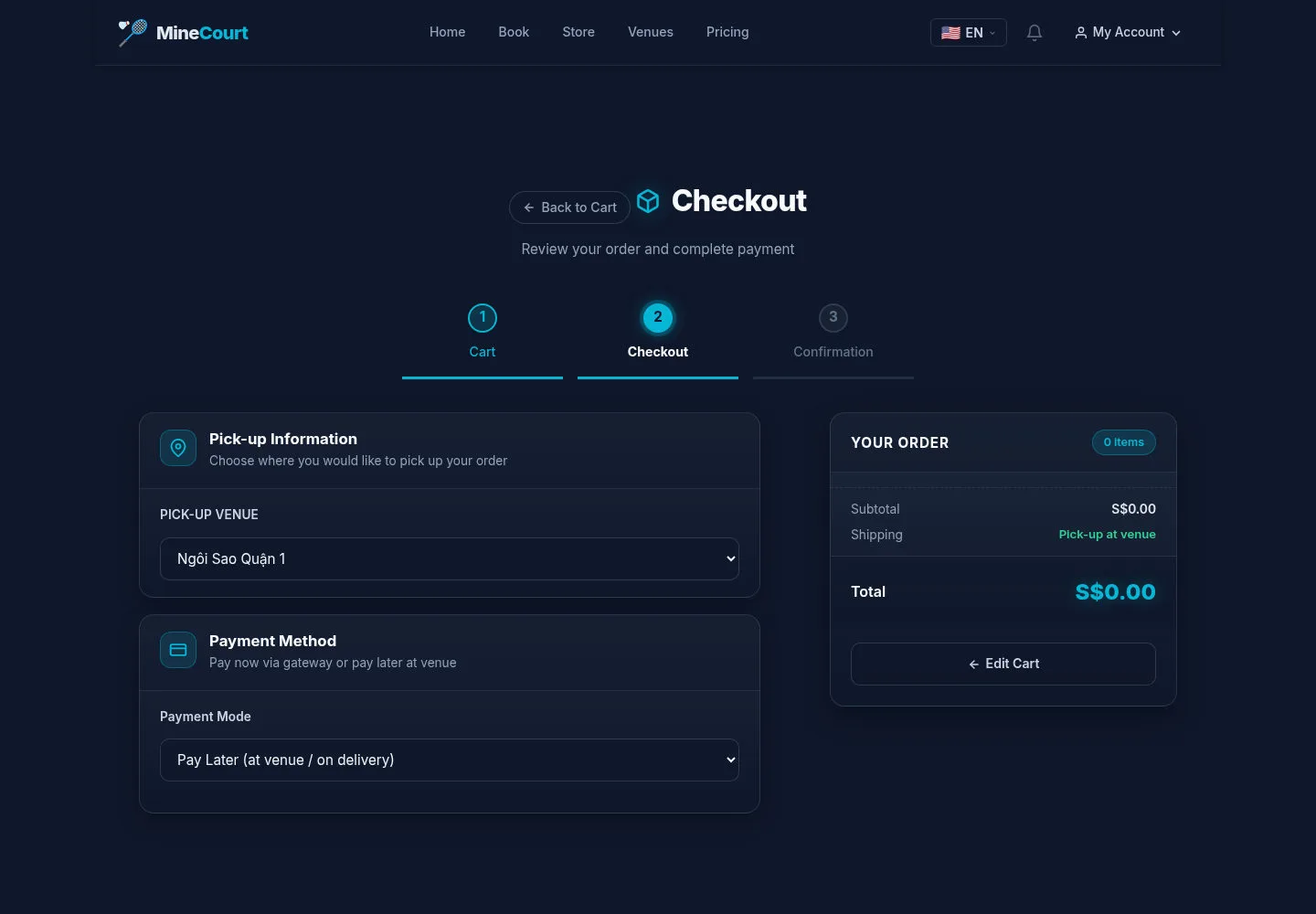
Checkout has a pickup venue, Payment Mode and optional notes.
- Select the pickup venue and payment mode, review YOUR ORDER, then use Place Order when correct.
Open on site ↗sign-inFull-page screenshot ↗
After submitting on your site, verify the resulting order and payment state. This form capture does not show a placed or paid order.
Find your store orders
Player
4Step 4 of 4
Store Orders is separate from court Orders in the personal workspace.
- Open Store Orders to review the orders belonging to your account.
Open on site ↗sign-inFull-page screenshot ↗
Use your actual order state for pickup follow-up. The captured test account has no orders.