





 MineCourtCourt and venue operations
User guide · Venue Manager
Store stock:products and transfer
Find a product, review venue stock and prepare a transfer between venues.
- Use an account with access to this workspace.
Find a product
Venue Manager
1Step 1 of 3
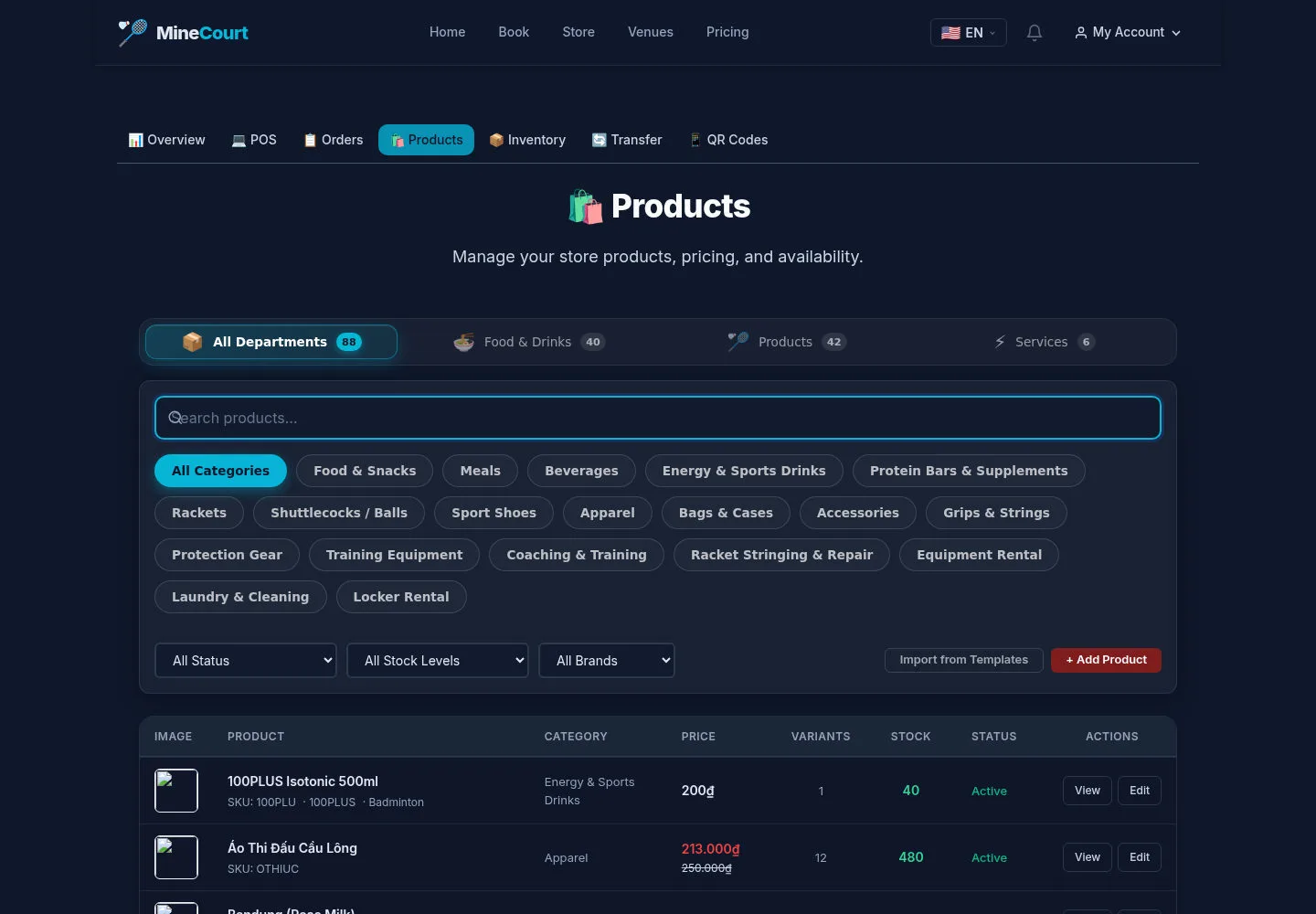
The product list offers department, category, stock and brand filters.
- Search the product and use View or Edit for the intended record.
Open on site ↗sign-inFull-page screenshot ↗
Review its current status and variants before making a stock change.
Review venue stock
Venue Manager
2Step 2 of 3
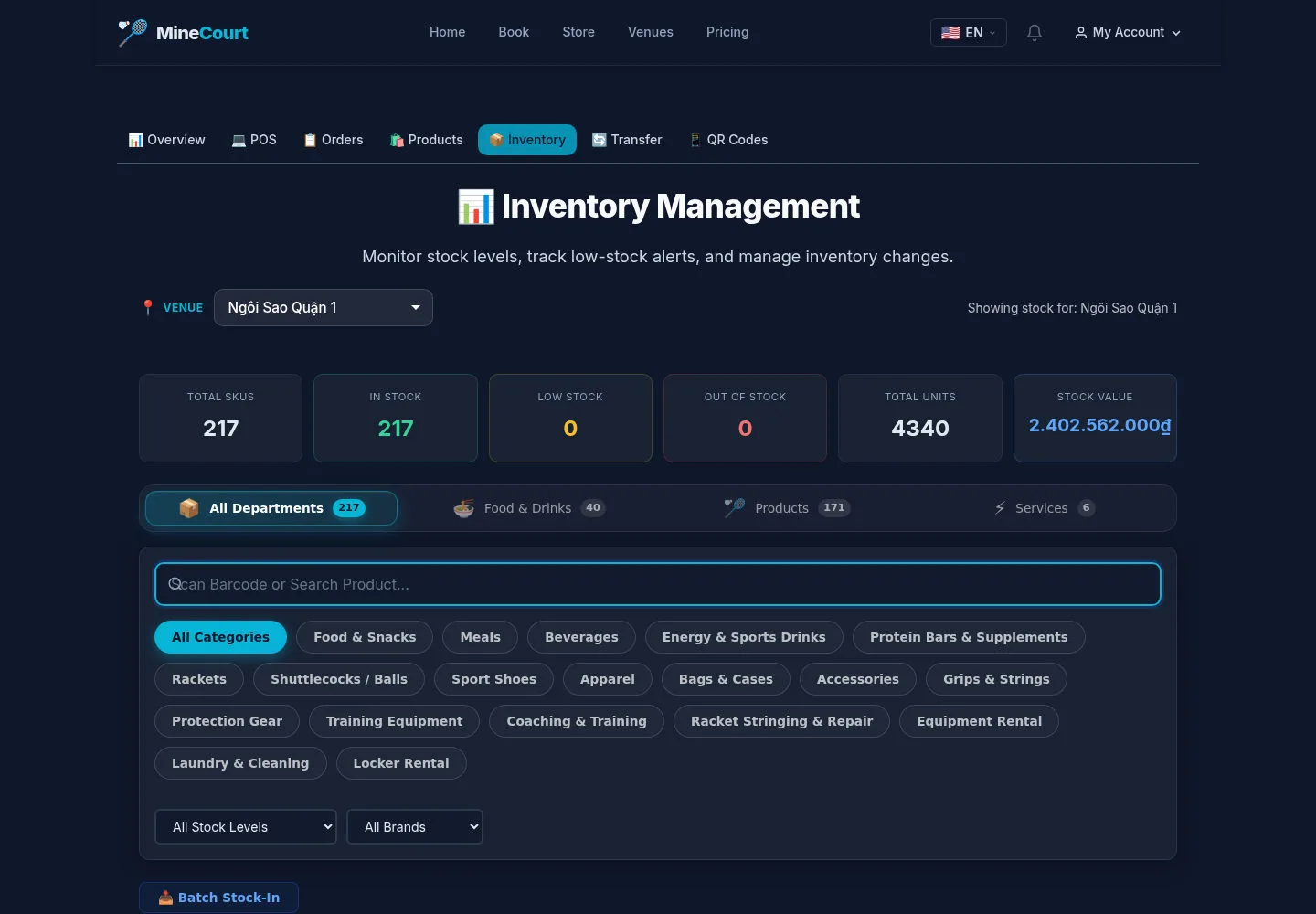
Inventory is scoped by the selected venue and includes stock filters and recent activity.
- Confirm the venue, scan or search the product and review its current quantity.
Open on site ↗sign-inFull-page screenshot ↗
A stock value on screen is the current example, not evidence of a completed adjustment or low-stock notification.
Prepare a venue transfer
Venue Manager
3Step 3 of 3
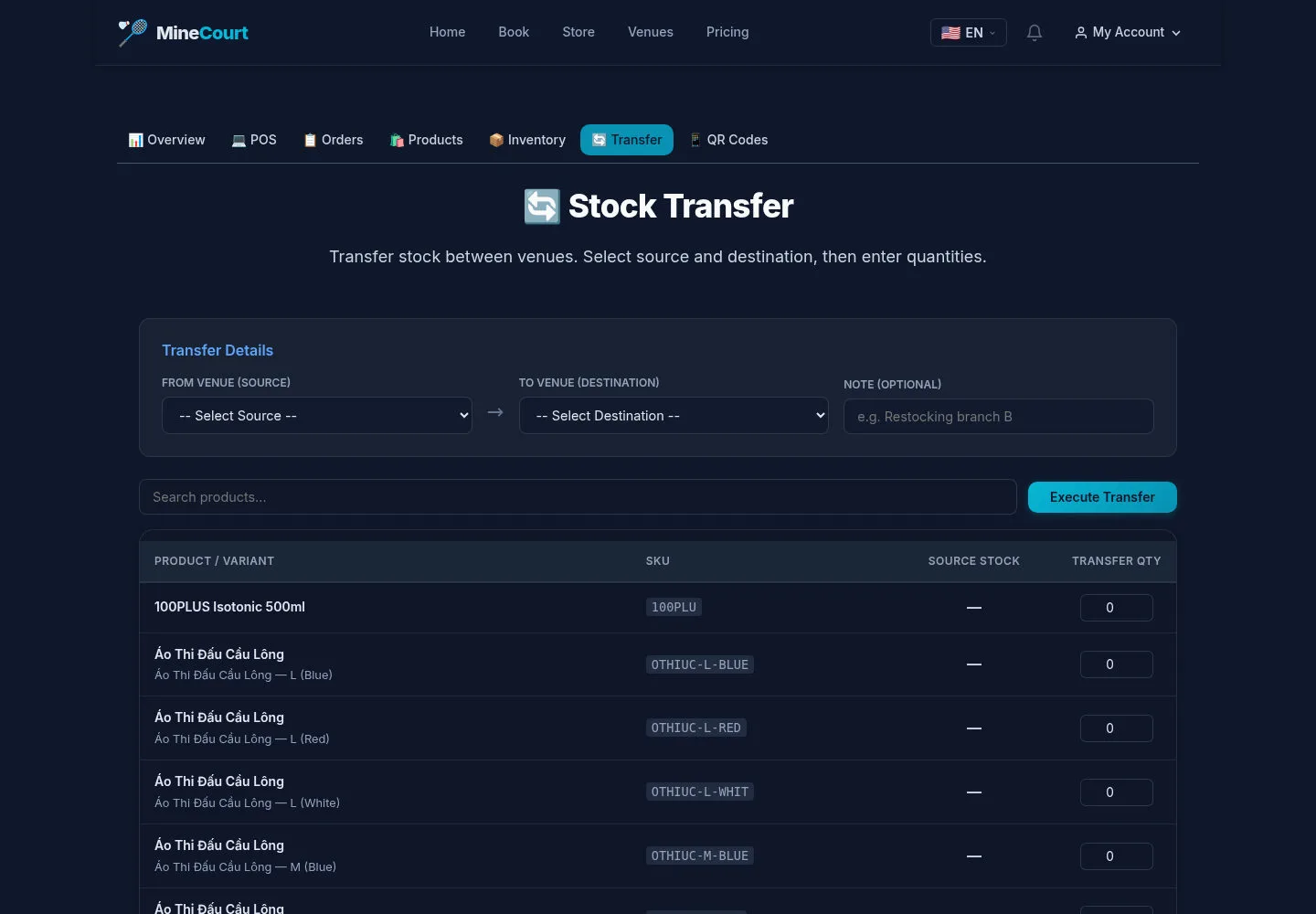
Stock Transfer has source and destination venues, an optional note and product quantities.
- Choose distinct source and destination venues, review available source stock and quantities before Execute Transfer.
Open on site ↗sign-inFull-page screenshot ↗
After an authorised transfer on your site, check both venues and activity. This capture contains no executed transfer.