
WReader.IO features
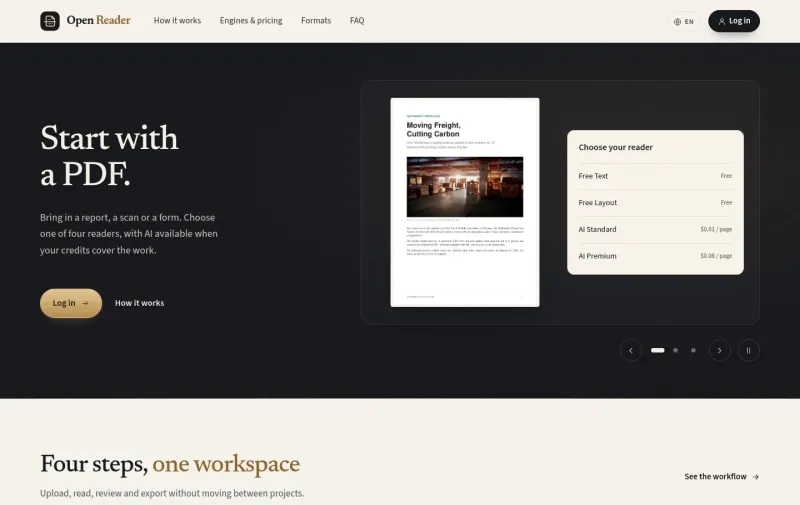
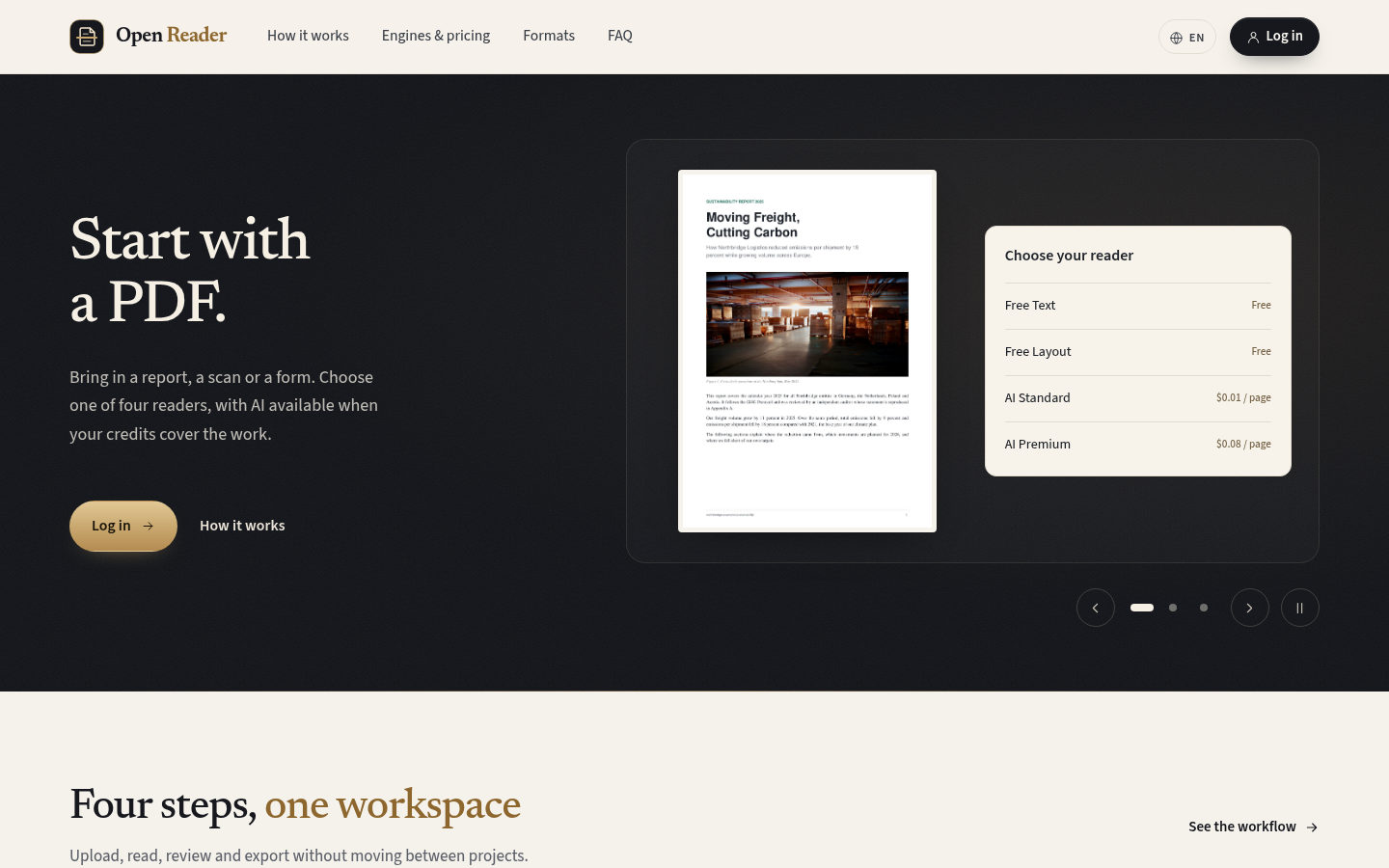
Four engines on every page
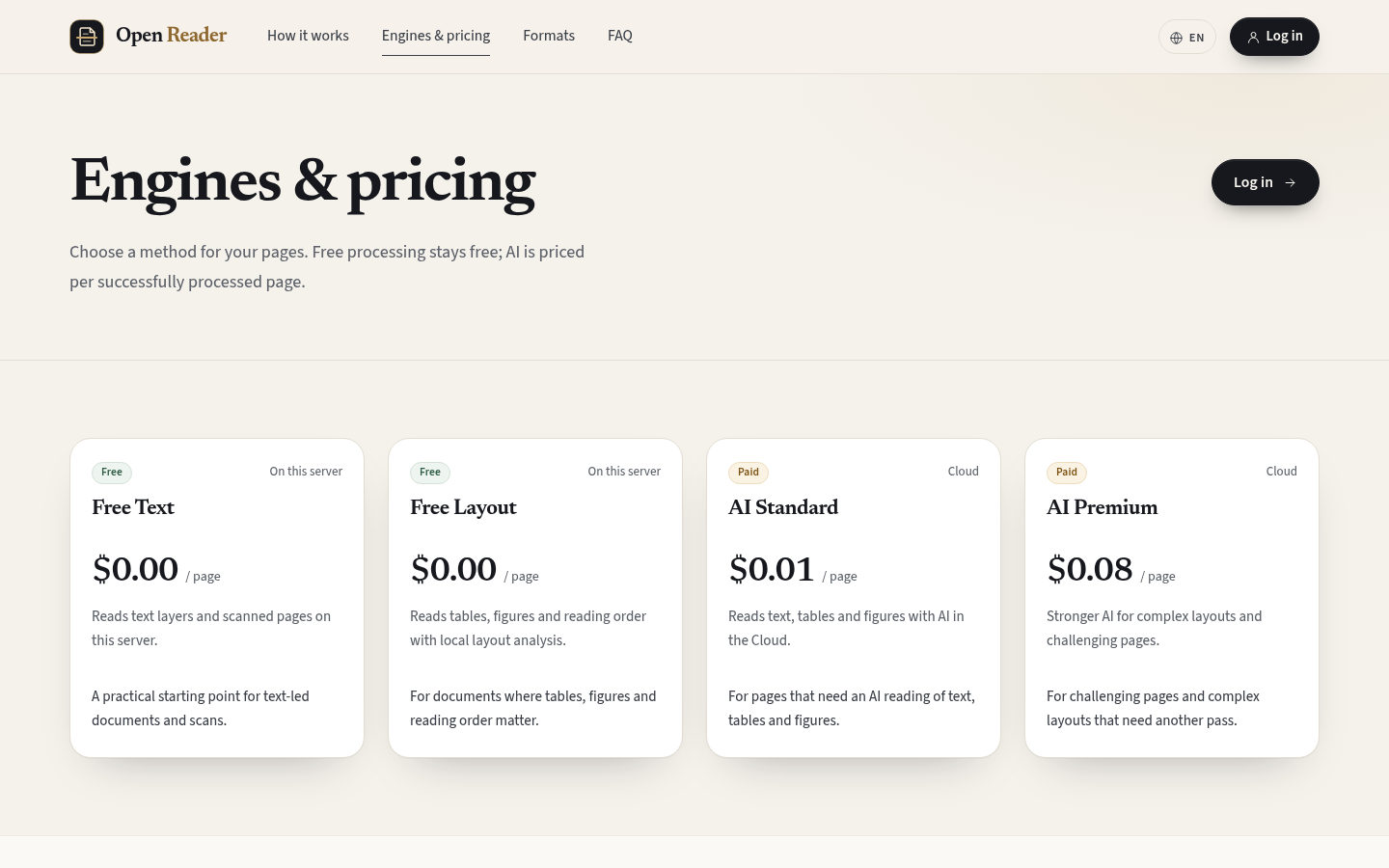
Free Text and Free Layout run on the server at no charge; AI Standard and AI Premium read in the Cloud, priced per page.
Review beside the original
Text, tables and reading order sit next to the page image, and corrections save as you work.
Export what you corrected
Seven formats or one ZIP package, built from the current, corrected data.

From PDF to data you can check
WReader.IO reads PDFs into blocks of text, headings, lists, tables and images, keeps them beside the original page for review and correction, and exports them to the format of your next tool. Free engines run on the server; AI engines are there when a page needs them.
The product screens show a six-page sample sustainability report and the accounts of a development site. They illustrate the existing interface with sample data.
 View full size
The tools from upload to export
Reading, review, credits and exports share one workspace.
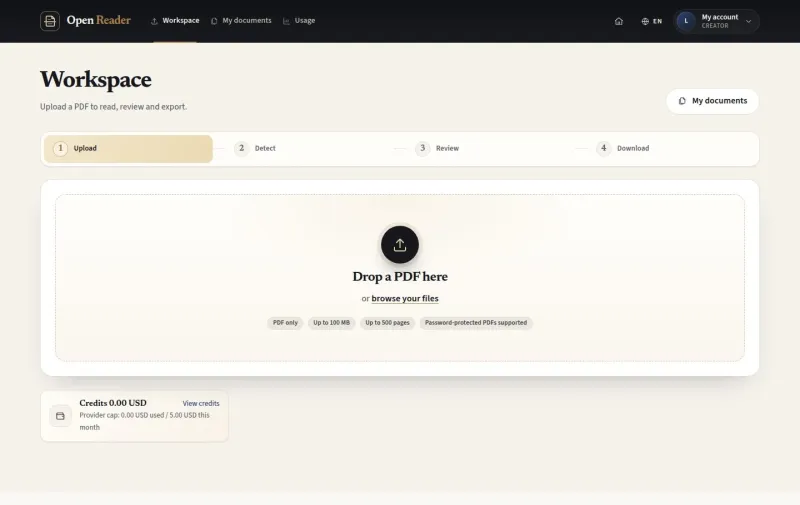
- UploadPDFs up to 500 pagesUp to 100 MB; password-protected PDFs are supported.
- DetectPages, language, engineAll pages or a range, the document language and one of four engines.
- FreeTwo engines on the serverFree Text for text layers and scans; Free Layout adds tables, figures and reading order.
- AITwo engines in the CloudAI Standard at $0.01 and AI Premium at $0.08 per successfully processed page.
- ReviewBlocks beside the pageCorrect text, block types, tables and order; mark pages reviewed.
- Re-readRegions and pagesRead a region again or re-run chosen pages with another engine.
- ExportEight choicesJSON, XML, CSV, Excel, Word, HTML, PDF or a ZIP package.
- CreditsPrepaid in US dollars$10, $25, $50 or $100, paid with Stripe or PayPal.
For the people who read, check and run it
Each account opens what its role needs: the Workspace, My documents and Credits for creators, the Manage pages for the site team.
People who work with PDFs
Explore the reading pathTurn reports, contracts, catalogues and scans into text, tables and data you can reuse.
Teams who check extracted data
Explore reviewCompare every block with the original page, correct it and mark pages reviewed before export.
Pages that need AI
Explore AI and creditsUse AI Standard or AI Premium where layouts are complex, with a quote and your consent before every run.
Site teams running WReader.IO
Explore site managementKeep the site content, engines, limits and accounts in order, and help users with Switch user.
A clear path from PDF to structured data
A document keeps its original, every run and your corrections together.
Create an account
Sign up with your email and confirm it with a six-digit code.
Upload a PDF
Drop a file; a quick scan counts its pages, text layers and scanned pages.
Choose pages and language
All pages or a custom range, detected or chosen language.
Pick an engine
Free Text, Free Layout, AI Standard or AI Premium, with the estimate shown.
Follow the run
Progress by page while the server reads; cancel if your plans change.
Review
Compare text, tables and reading order with the page image.
Correct
Edit blocks, re-read a region or re-run pages; changes save as you go.
Mark pages reviewed
Record which pages you have checked.
Download
A single format or the ZIP package, built from the corrected data.
Review beside the original page
Every block of the result sits next to the page image. Select a block to see its region, correct its text or type, and keep tables as rows and cells.
- Titles, headings, paragraphs, lists, tables, images, captions and footnotes as blocks
- Block type, text and region coordinates you can change
- Merge, split, reorder, ignore or add blocks
- Changes saved as you work, with undo and redo
- Mark page reviewed for every page you have checked
 View full size
AI when your pages need it
AI Standard and AI Premium unlock when your credits cover the quote of the chosen pages. You see the amount and confirm the Cloud processing before the run starts.
- A quote for exactly the pages you chose
- The amount reserved when the run is accepted
- Only successful pages are charged; the rest of the reservation is released
- Credit packages of $10, $25, $50 or $100
- Stripe or PayPal checkout; credits added after the payment is verified
 View full size
Run the site from Manage
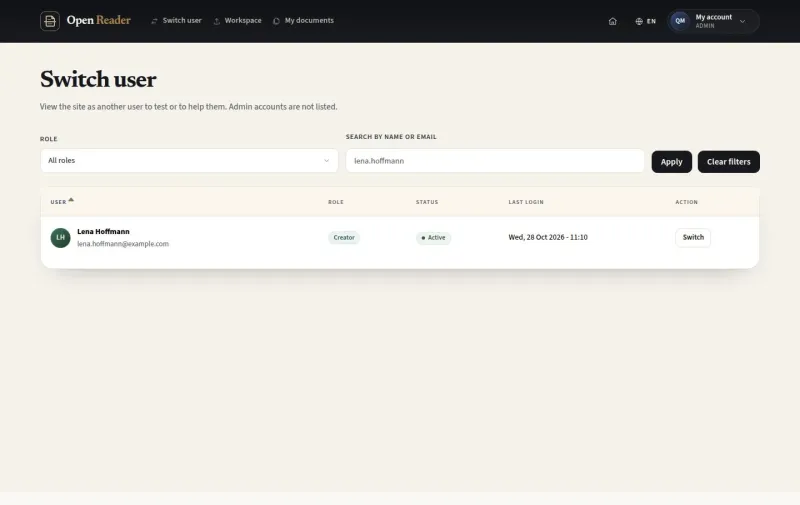
Content Admins keep the public pages, usage explanations, engines and settings current. Administrators add accounts and help users with Switch user.
- Site content: home sections, legal pages and footer in English and German
- Engines: status, availability, customer price and order
- Settings: upload limits by role, trial, budgets and retention
- Usage report by month, user and engine
- Switch user, with every session logged
 View full size


Live demo
Each demo is a working copy of WReader.IO with sample data, open for you to try.
Free engines or AI engines
Every picker shows all four; you can read the same document with another engine at any time.
| Free engines | AI engines | |
|---|---|---|
| Where it runs | On this server | In the Cloud, with the configured AI provider |
| Price | Free | $0.01 (AI Standard) or $0.08 (AI Premium) per successfully processed page |
| What it reads | Text layers and scanned pages; Free Layout adds tables, figures and reading order | Text, tables and figures with AI; AI Premium for complex layouts and challenging pages |
| Credits | Not needed | Your available credits must cover the quote of the chosen pages |
| Before the run | Start detection | Confirm the quoted charge and the Cloud processing |
| Afterwards | Review, re-read, re-run and download | The same review and exports, and the run in Usage |
Your documents in WReader.IO
Your PDFs, their runs and your corrections drive the existing reading, review and export functions.
WReader.IO Your documents and the functions that use them
Creators and the site team The public site, the Workspace, Review, Download and the Manage pages on any screen size
Upload, read, correct and export
Your documents The original PDF, its pages, blocks, corrections and runs, private to their owner
Uses existing product functions
WReader.IO functions Quick scan, four engines, review editor, exports, credits and usage
Product capabilities
- Upload with a quick scan of every PDF
- Four engines: two free on the server, two AI in the Cloud
- Processing with progress by page and cancel
- Review beside the page image, region re-read and page re-run
- Eight export choices, including a ZIP package
- Prepaid credits with Stripe and PayPal, usage and run details
What the site team sets
- Home sections, legal pages and footer in English and German
- Usage explanations for users and the usage report
- Engines in the order and status you choose, with their prices
- Upload limits by role and monthly budgets
- Accounts with the Creator or Content Admin role
- Switch user to help a user, with a log of each session
From a new account to the first export
The Workspace takes a new user from the upload to a file in a few steps.
From a new account to structured data
- Create the account Sign up, confirm the email with the code and log in. A Creator workspace
- Upload the PDF Drop the file; the quick scan reads its structure. The document at Detect
- Choose how to read it Pick pages, language and an engine; see the estimate. A run that fits
- Let it run Follow the pages as the server reads them. A result in Review
- Review and correct Compare with the page, fix blocks, mark pages reviewed. Data you trust
- Download Take one format or the ZIP package into your next tool. Structured data in hand
Rules that keep every run clear
Ownership, quotes, consent and charges follow the same rules for every document.
- Your documents stay yours A document belongs to its owner; site teams help through Switch user, which is logged.
- The quote comes first Your available credits must cover the complete selection before an AI run starts.
- AI asks for your consent Every AI run confirms the quoted charge and the Cloud processing of the selected pages.
- Pay for pages that succeed Only successful pages are charged; one region re-read counts as one page.
- Credits follow verified payments Returning from checkout adds nothing until the payment is verified.
- Review warns, it does not block Unreviewed pages and blocks that need a check do not stop a download.
Everyday situations the product supports
An analyst uploads a six-page sustainability report, reads it with Free Layout and downloads its tables as an Excel file.
Free enginesReportsFree Layout, Review and Excel A researcher adds $10 of credits, reads one complex page with AI Standard and compares the result with the free one.
AI on demandHard pagesCredits, consent and AI Standard A site administrator helps a user who cannot find a file: switches to the account, checks My documents and switches back.
SupportHelp a userSwitch user and its log
Questions about WReader.IO
Which PDFs can I upload?
PDF files up to 100 MB and 500 pages. Password-protected PDFs are supported: you enter the password when the quick scan asks for it.
What is the difference between the four engines?
Free Text reads text layers and scanned pages on the server. Free Layout adds tables, figures and reading order. AI Standard reads text, tables and figures with AI in the Cloud, and AI Premium is the stronger AI for complex layouts and challenging pages.
How is AI charged?
Per successfully processed page: $0.01 for AI Standard and $0.08 for AI Premium. The quote is held from your credits when the run is accepted, and the unused part is released. One region re-read counts as one page.
How do I buy credits?
Choose a $10, $25, $50 or $100 package and pay with Stripe or PayPal. Credits are added once the payment is verified, and they do not reset each month.
Can I correct the result?
Yes. Edit the text and type of a block, tables and the reading order; merge, split, ignore or add blocks; re-read a region or re-run pages with another engine.
Which formats can I download?
JSON, XML, CSV, Excel, Word, HTML or PDF, or a ZIP package with all seven, an images folder and a manifest. Files are built from the current, corrected data.
Who can see my documents?
Your documents are yours. The site team manages content and settings; helping a user goes through Switch user, and every session is logged.
Which languages does the interface support?
English and German, chosen in the header or in your account settings; emails follow your interface language.
A guide for every role
Find the guide for your role, with task steps and screenshots of the existing interface.