Take a table order

POS floor map · Start table order · Options sheet · Send to kitchen

  • Signed in as a Waiter
  • A free table
Waiter

POS floor map

Waiter

POS floor map

1Step 1 of 8

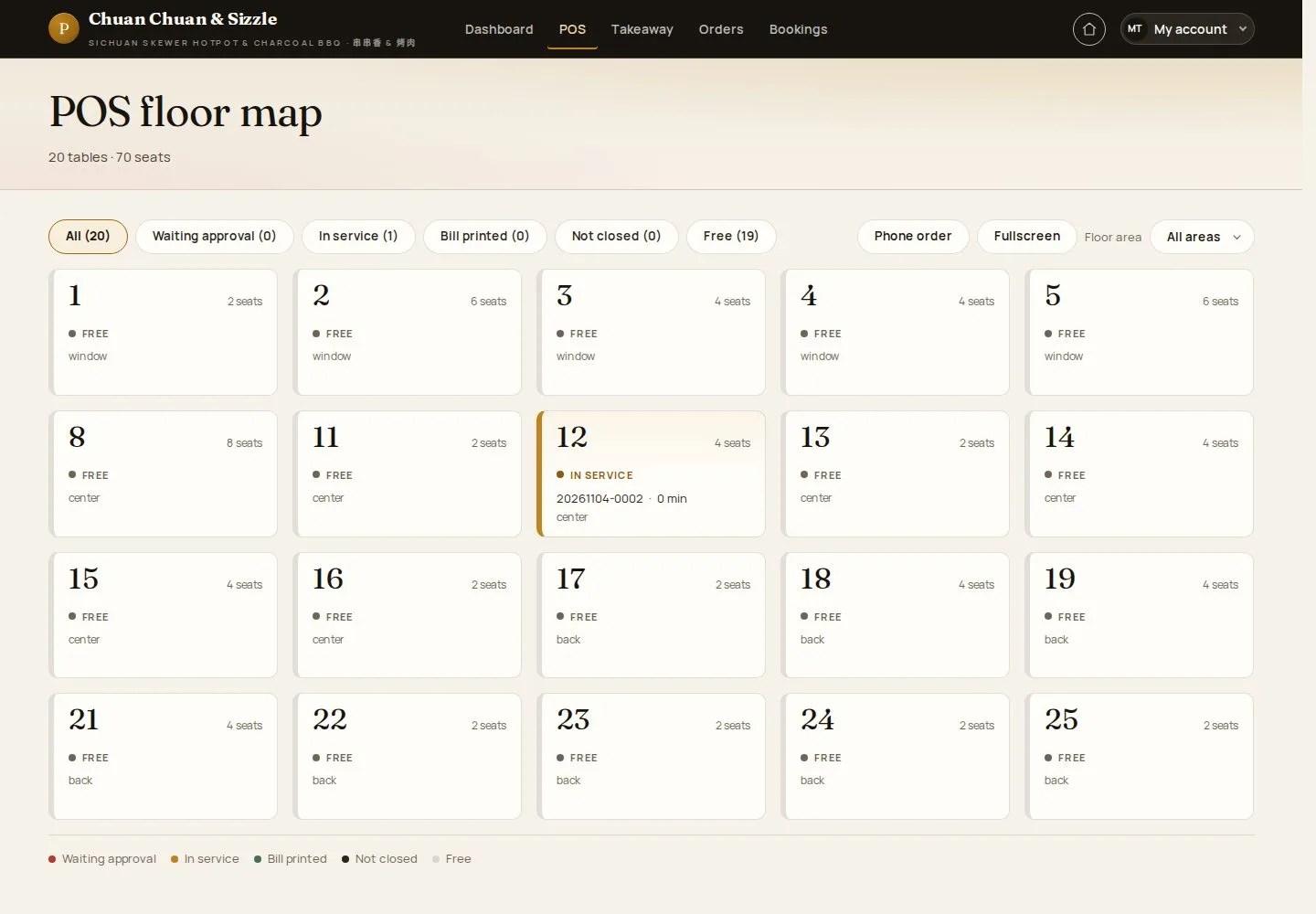
  1. POS: every table with its seats, area and state; filter by state or area.
  2. Choose a free table.

Enlarge, then scroll

Open illustrated screen ↗Full image ↗

Waiter · Take a table order01

Start table order

Waiter

Start table order

2Step 2 of 8

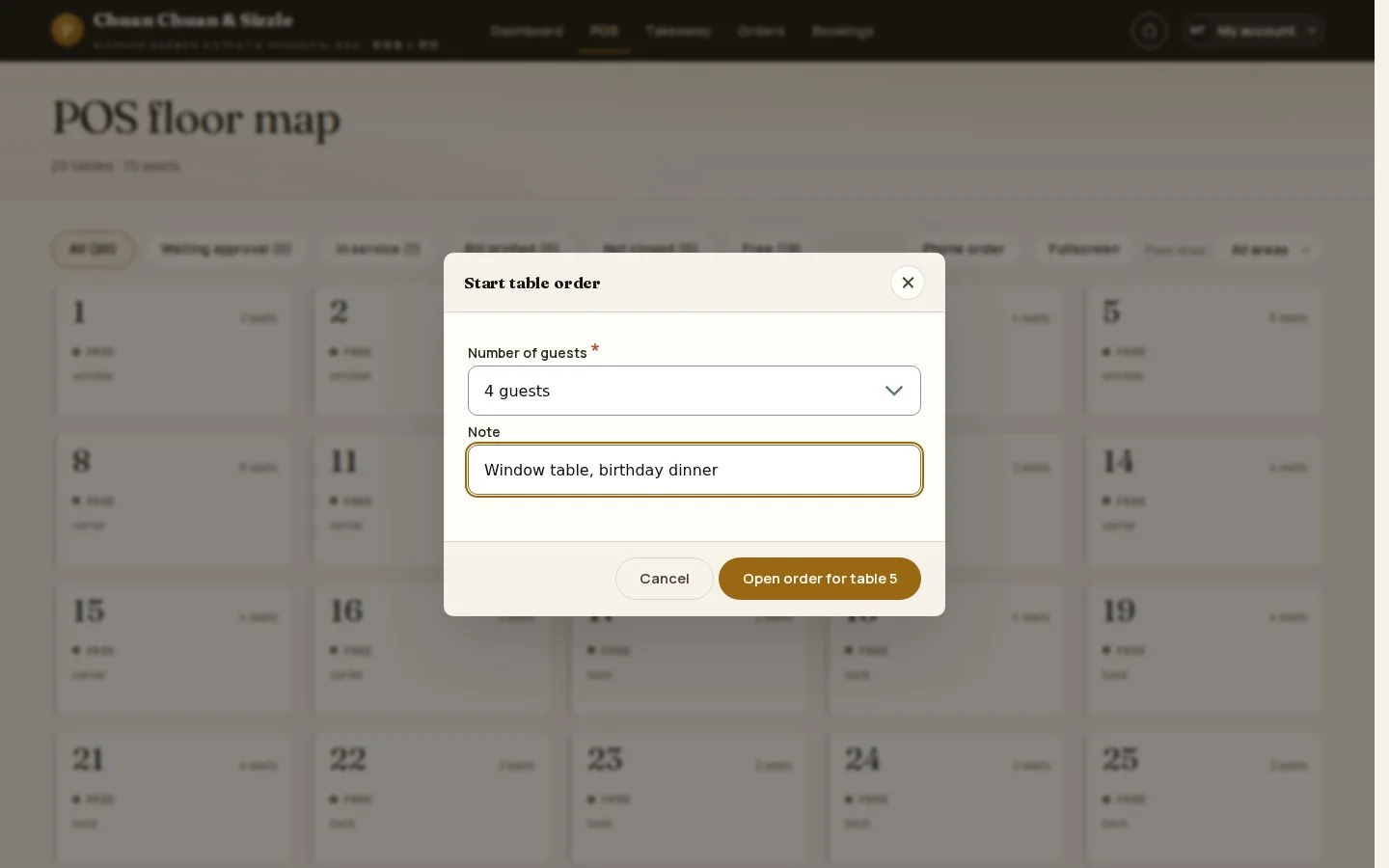
  1. Number of guests and a Note for the table.
  2. Open order for table 5.

Open illustrated screen ↗Full image ↗

Waiter · Take a table order02

POS order screen

Waiter

POS order screen

3Step 3 of 8

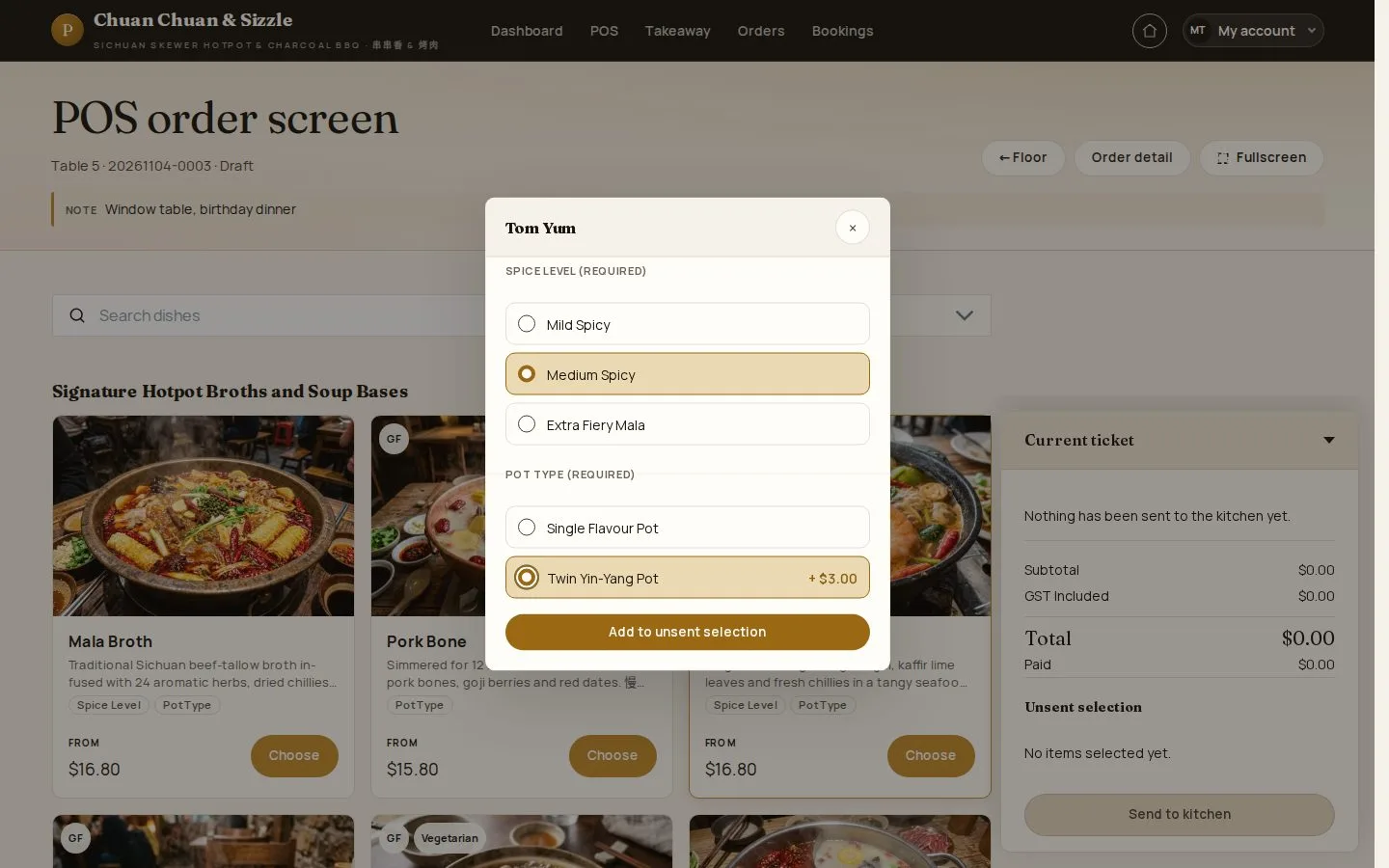
  1. Dishes by category on the left; the Current ticket on the right.
  2. Choose on a dish with options opens its sheet: pick each required option.
  3. Add to unsent selection.

Open illustrated screen ↗Full image ↗

Waiter · Take a table order03

Search dishes

Waiter

Search dishes

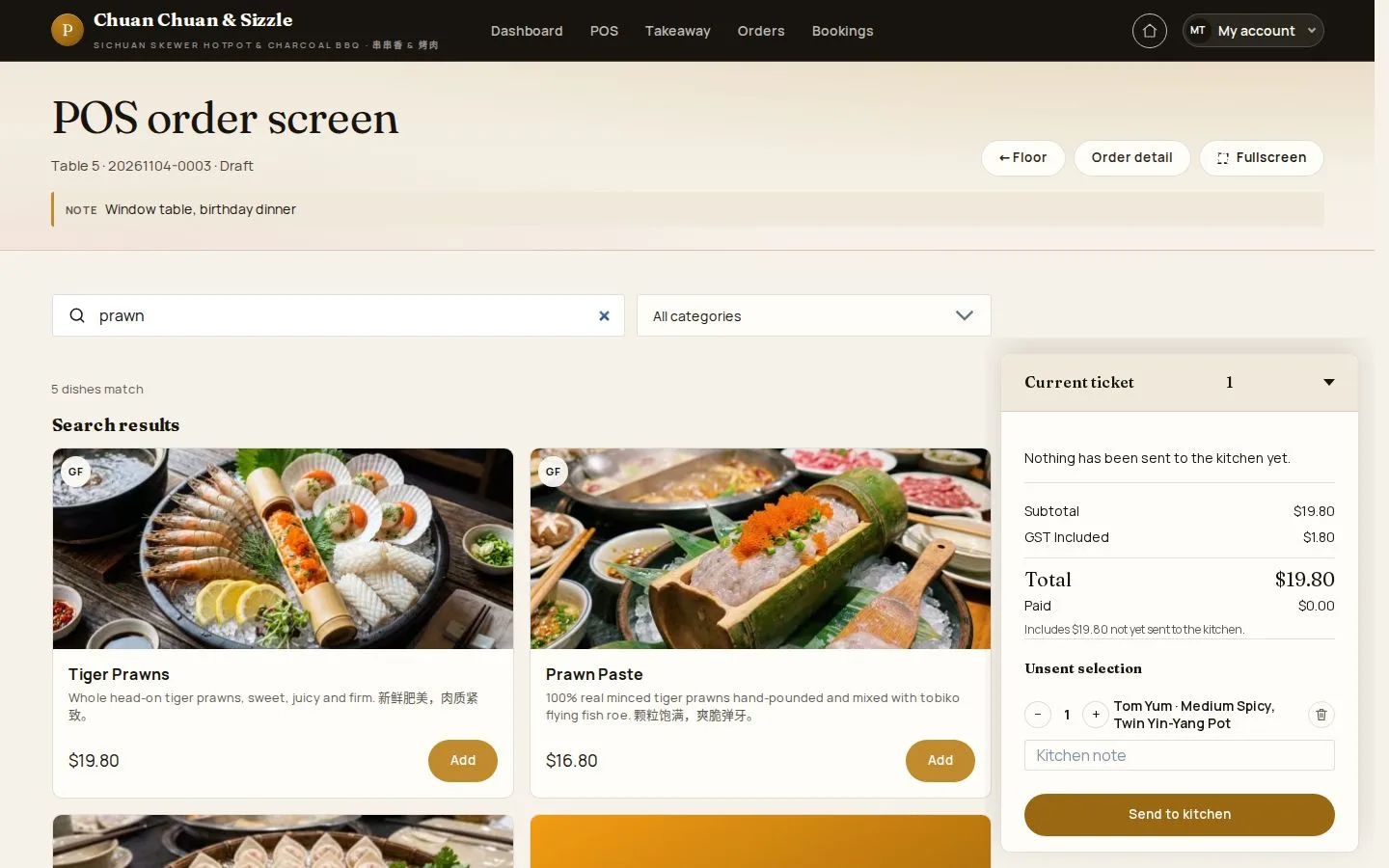
4Step 4 of 8

  1. Type part of a name, for example prawn.
  2. Add from the results.

Open illustrated screen ↗Full image ↗

Waiter · Take a table order04

Unsent selection

Waiter

Unsent selection

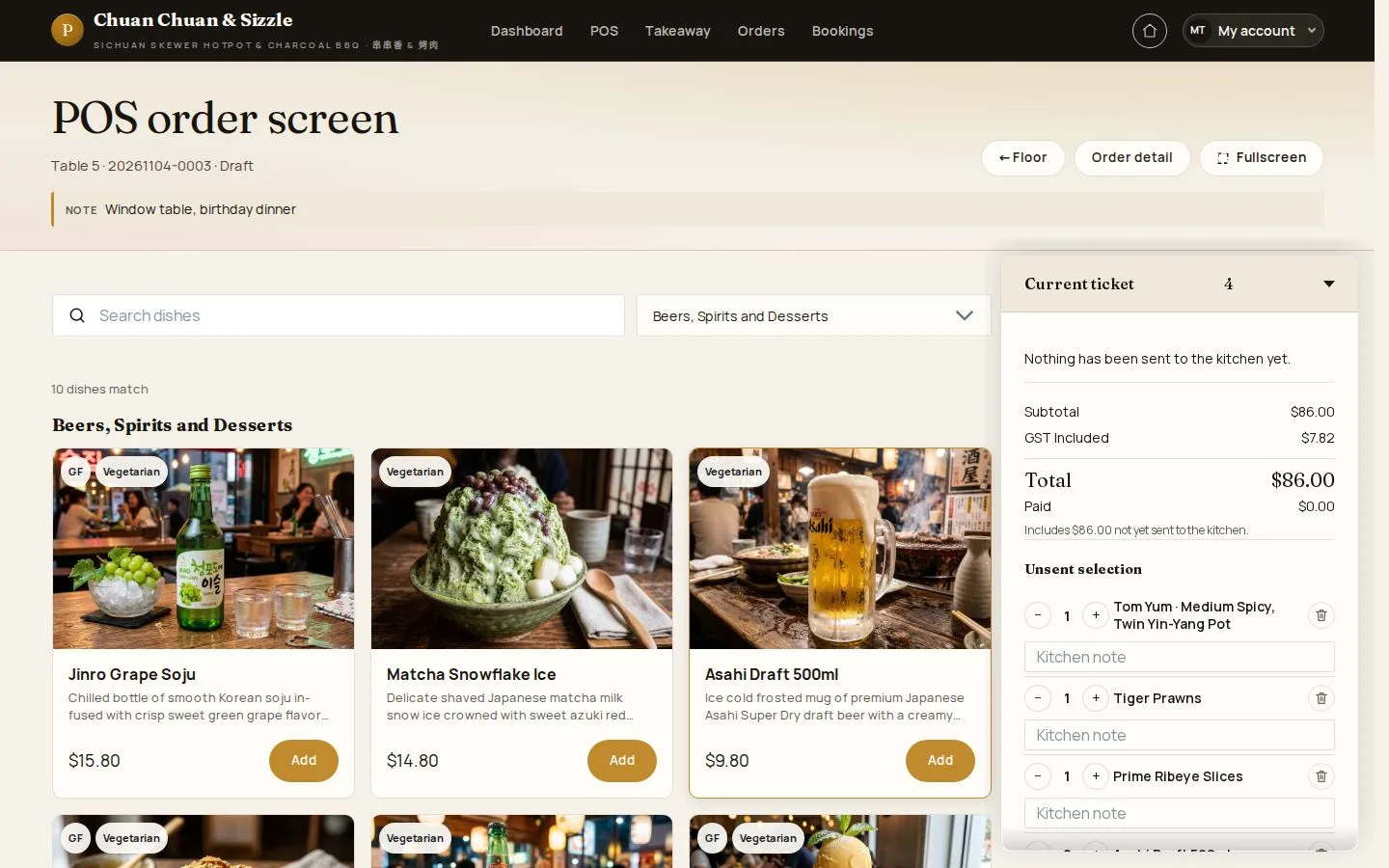
5Step 5 of 8

  1. Change a quantity, add a kitchen note, or remove a dish.
  2. Send to kitchen when the round is complete.

Nothing reaches the kitchen until it is sent. A sold-out dish cannot be added.

Open illustrated screen ↗Full image ↗

Waiter · Take a table order05

Send to kitchen

Waiter

Send to kitchen

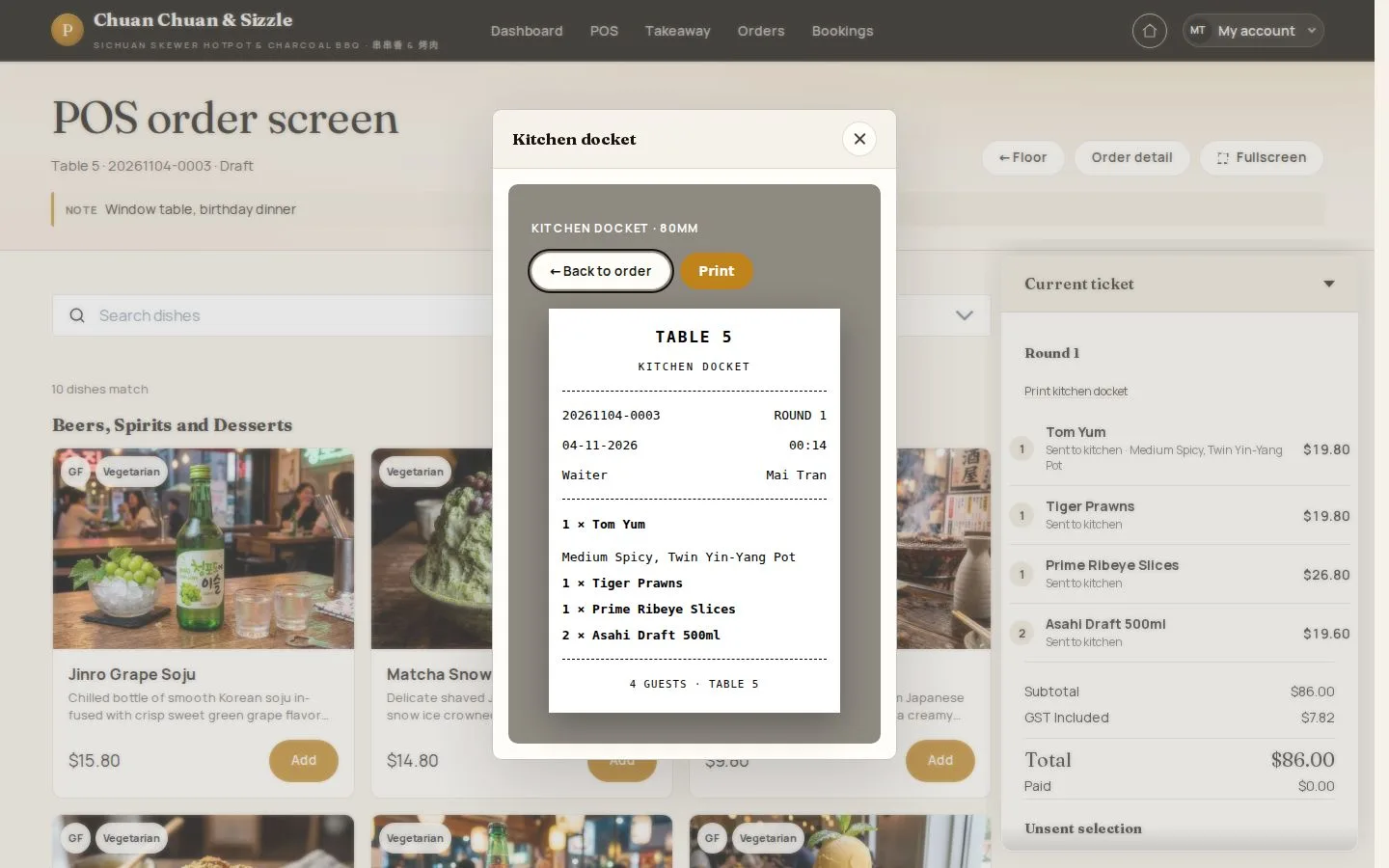
6Step 6 of 8

  1. The kitchen docket opens: table, round, waiter and dishes, on 80 mm paper.
  2. Print, then Back to order: the round's lines read Sent to kitchen.

Open illustrated screen ↗Full image ↗

Waiter · Take a table order06

In service

Waiter

In service

7Step 7 of 8

  1. The table shows In service, with its order number and note.

Enlarge, then scroll

Open illustrated screen ↗Full image ↗

Waiter · Take a table order07

On a phone

Waiter

On a phone

8Step 8 of 8

  1. The same POS on a phone: the filters on top, the tables one under another.

Enlarge, then scroll

Open illustrated screen ↗Full image ↗

Check

Round 1 is in the kitchen, its docket printed, and the table shows In service

Waiter · Take a table order08
1 / 9
Privacy Terms