Dashboard and account

Staff dashboard · My account menu · Switch user

  • An Administrator account
Administrator
Staff dashboard

Administrator

Staff dashboard

1Step 1 of 3

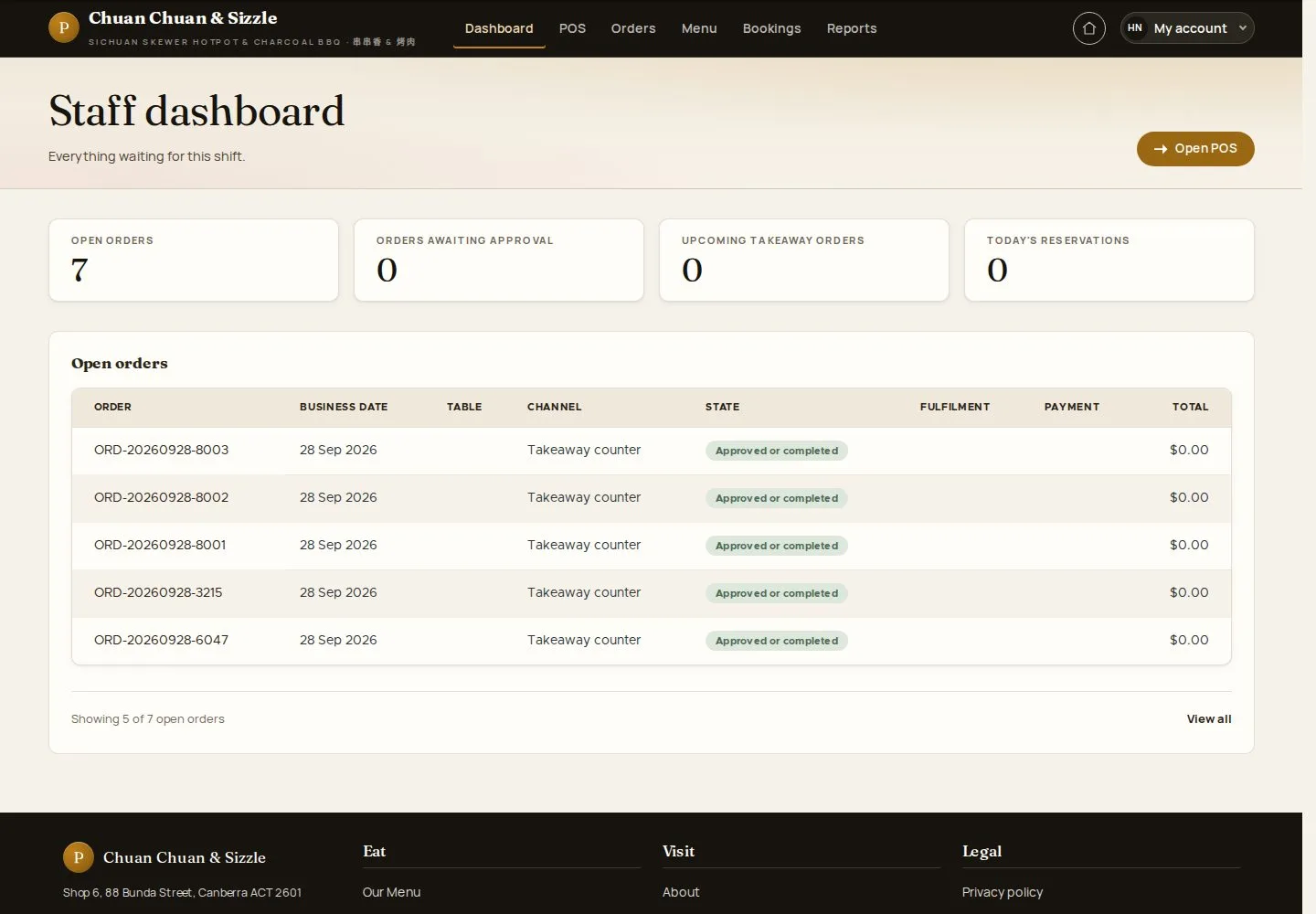
  1. The Manager's dashboard and menus: Dashboard, POS, Orders, Menu, Bookings and Reports.

Enlarge, then scroll

Open illustrated screen ↗Full image ↗

Administrator · Dashboard and account01

My account menu

Administrator

My account menu

2Step 2 of 3

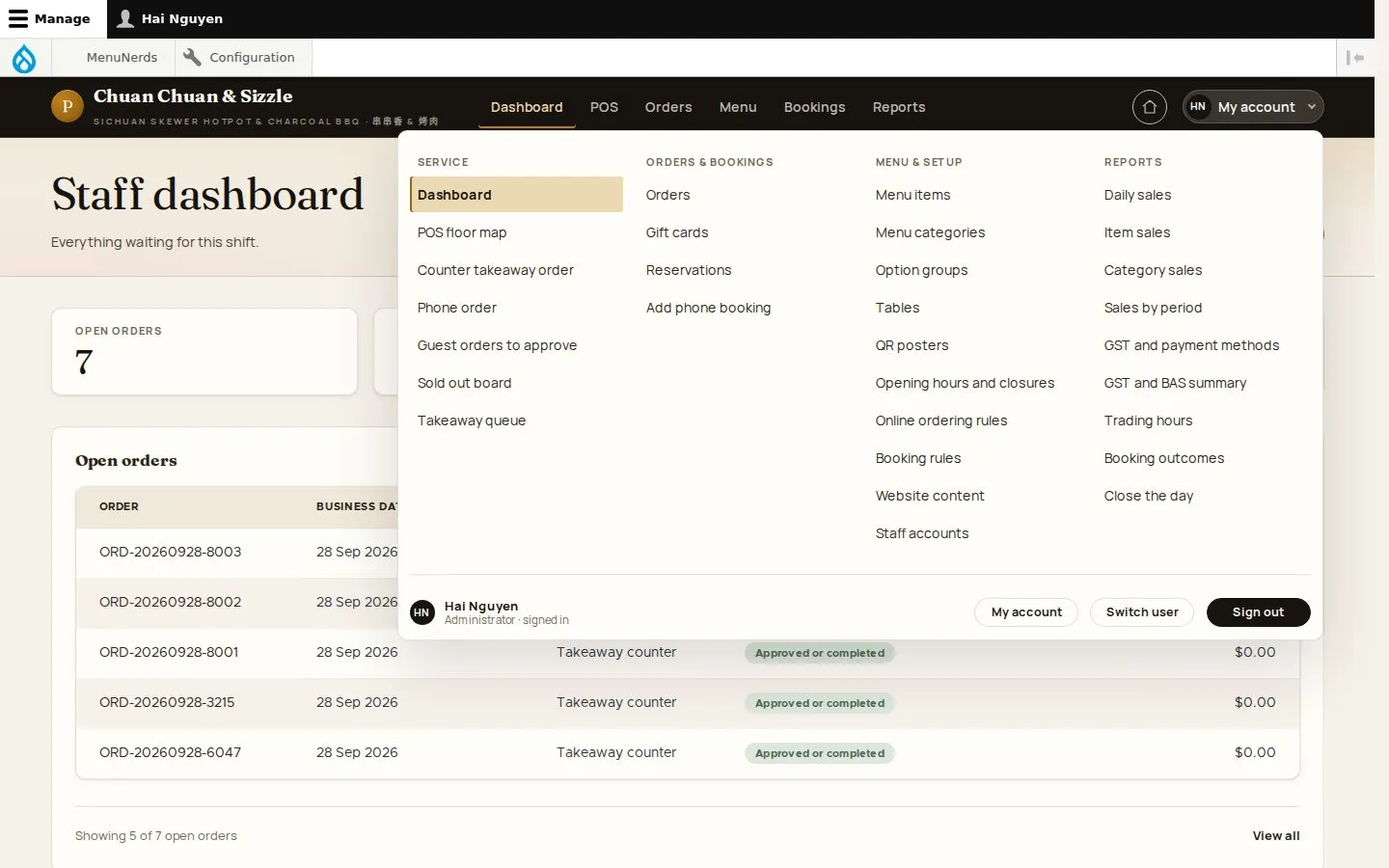
  1. Service, Orders & bookings, Menu & setup and Reports.
  2. Staff accounts under Menu & setup; Switch user at the bottom.

Promotions are a Manager page; the Administrator role does not open them.

Open illustrated screen ↗Full image ↗

Administrator · Dashboard and account02

My account

Administrator

My account

3Step 3 of 3

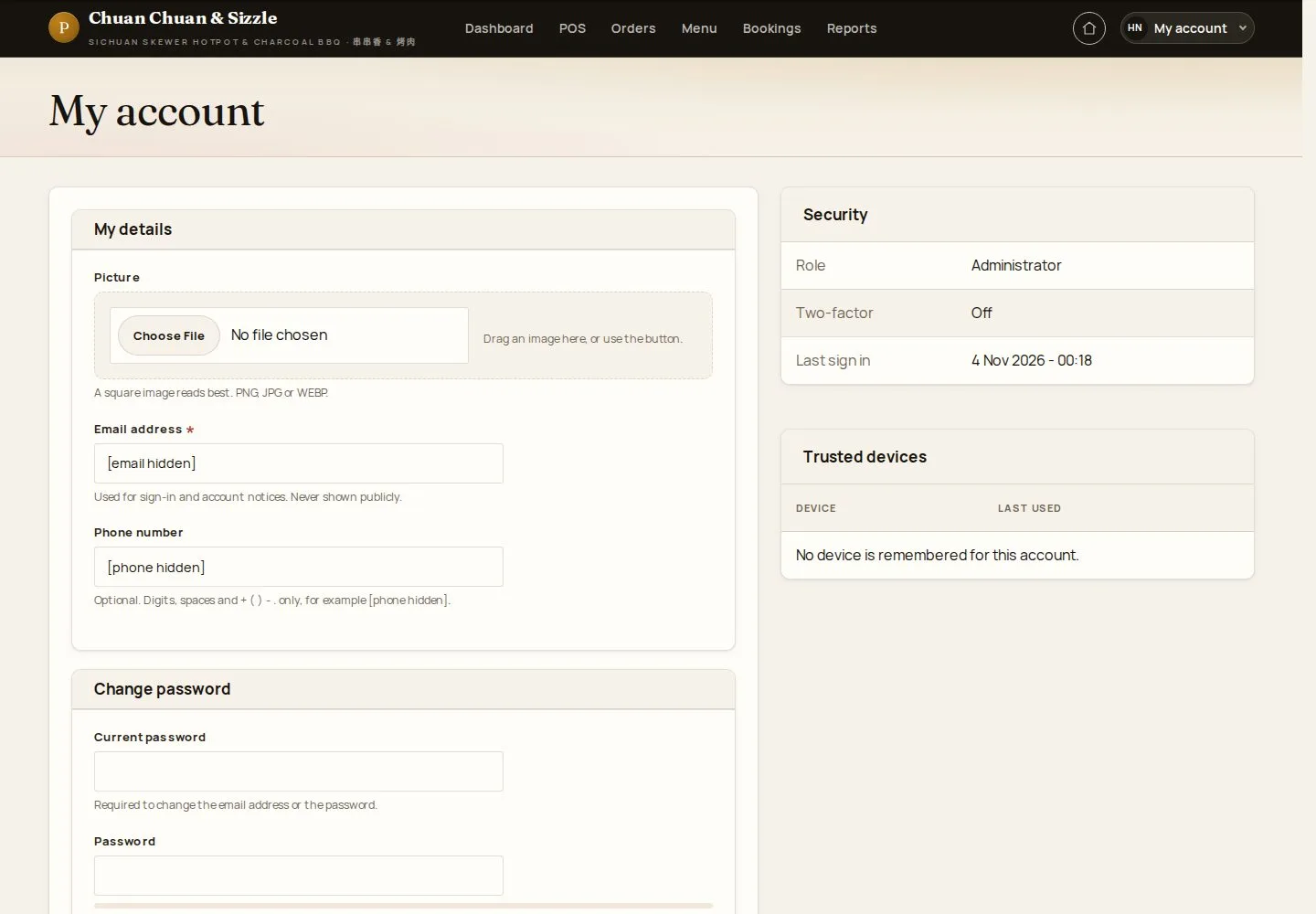
  1. Your details, Change password, Two-factor and Trusted devices.

Enlarge, then scroll

Open illustrated screen ↗Full image ↗

Check

Every page of the back office is in reach

Administrator · Dashboard and account03
1 / 4
Privacy Terms