Opening hours and rules

Opening hours · Special closures · Online ordering rules · Booking rules

  • Signed in as a Manager
Manager

Opening hours

Manager

Opening hours

1Step 1 of 4

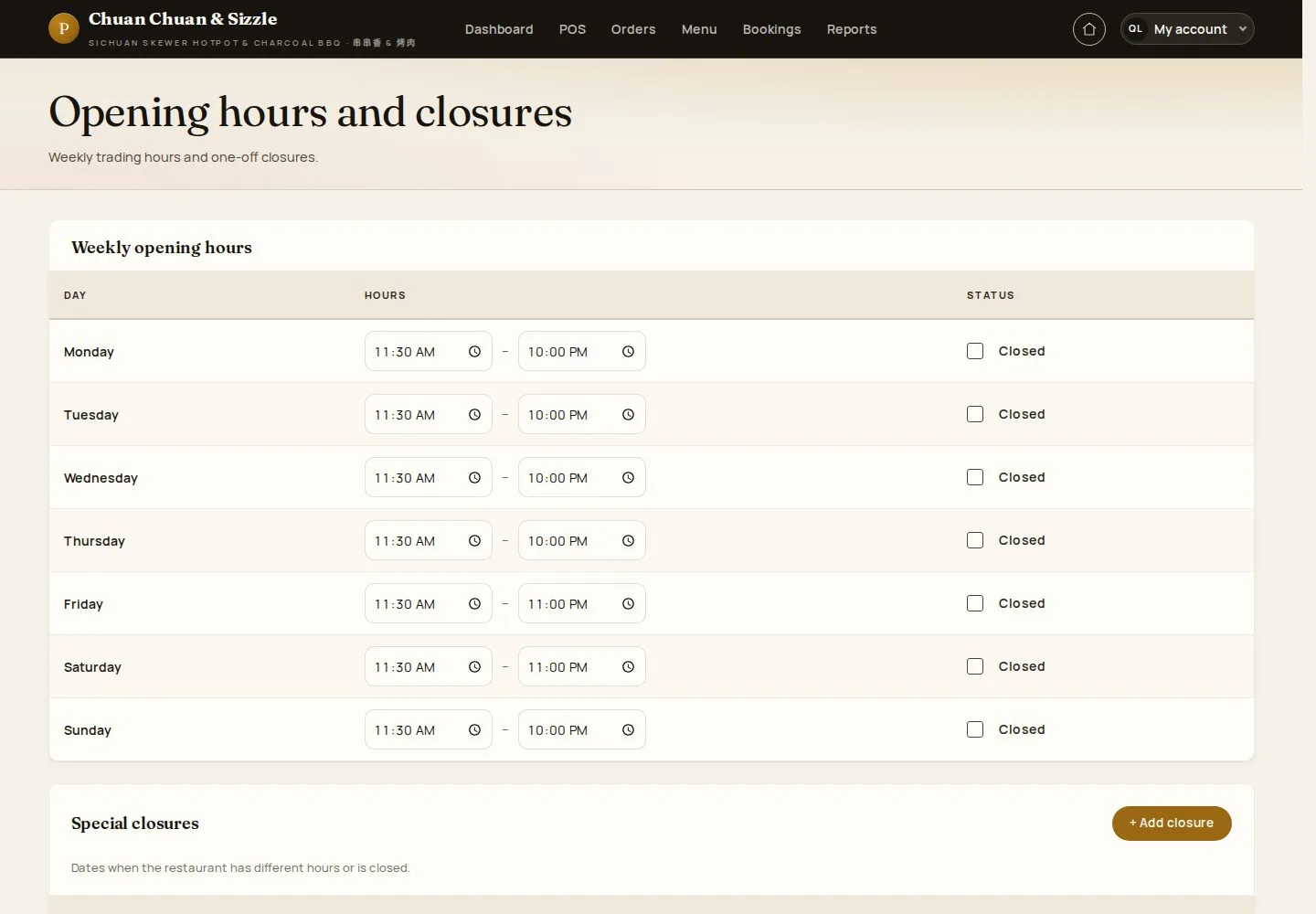
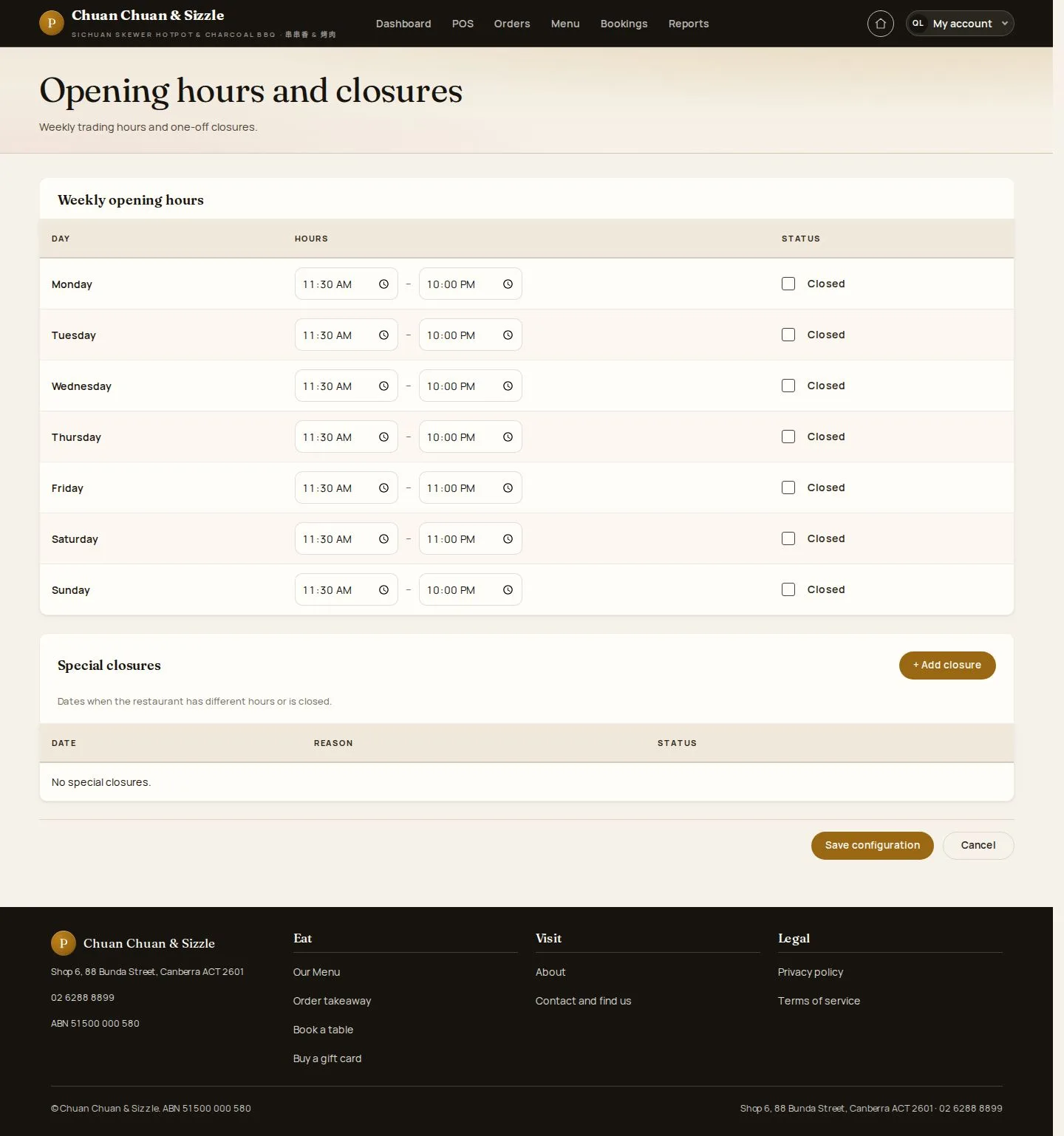
  1. My account › Opening hours and closures: when each day opens and closes, or Closed.
  2. Save configuration.

The same hours decide the website's open status, takeaway collection times, ordering at the table and booking times.

Enlarge, then scroll

Open illustrated screen ↗Full image ↗

Manager · Opening hours and rules01

Special closure

Manager

Special closure

2Step 2 of 4

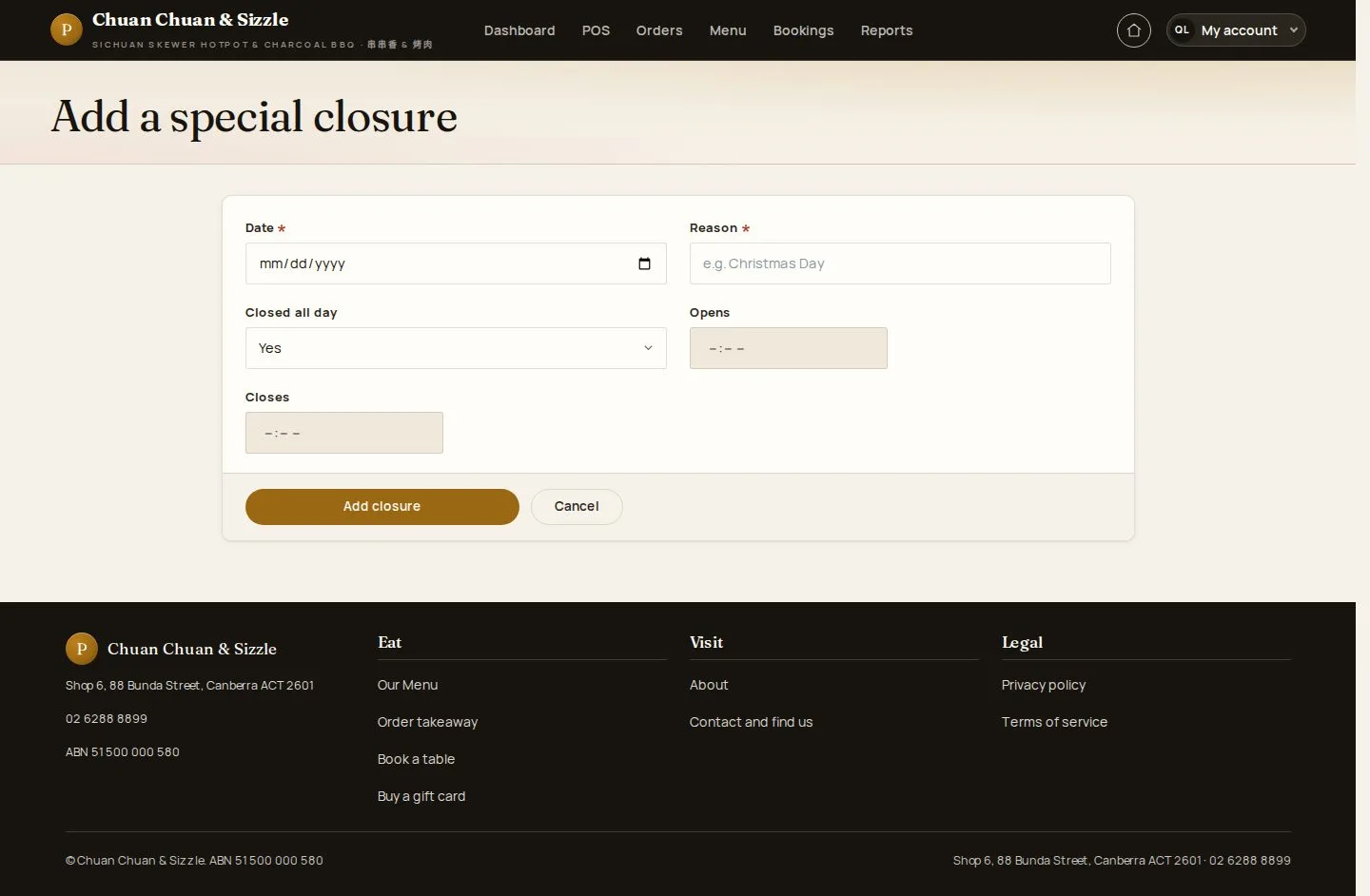
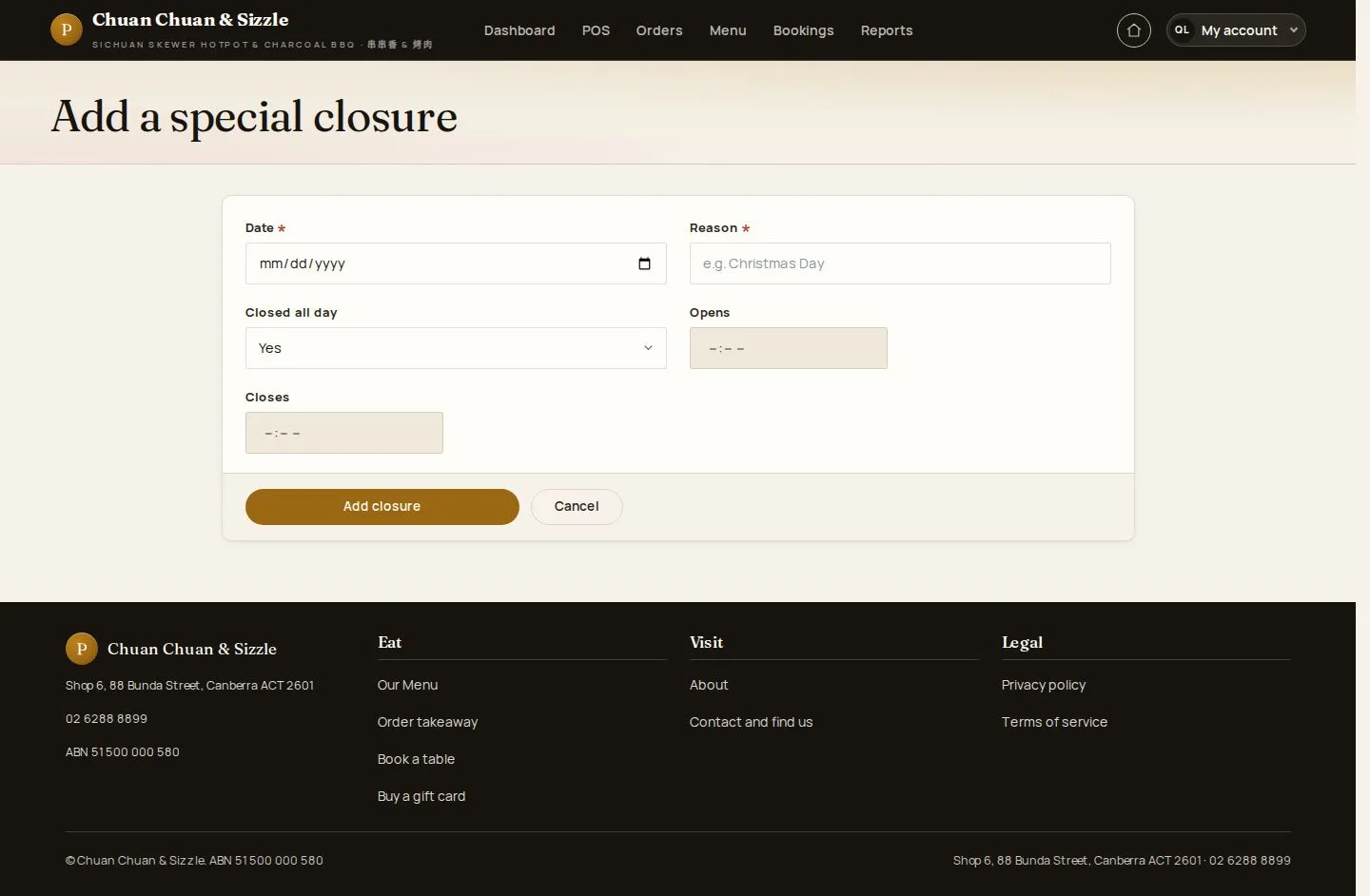
  1. + Add closure: Date and Reason.
  2. Closed all day, or the hours of that day; Add closure.

Open illustrated screen ↗Full image ↗

Manager · Opening hours and rules02

Online ordering rules

Manager

Online ordering rules

3Step 3 of 4

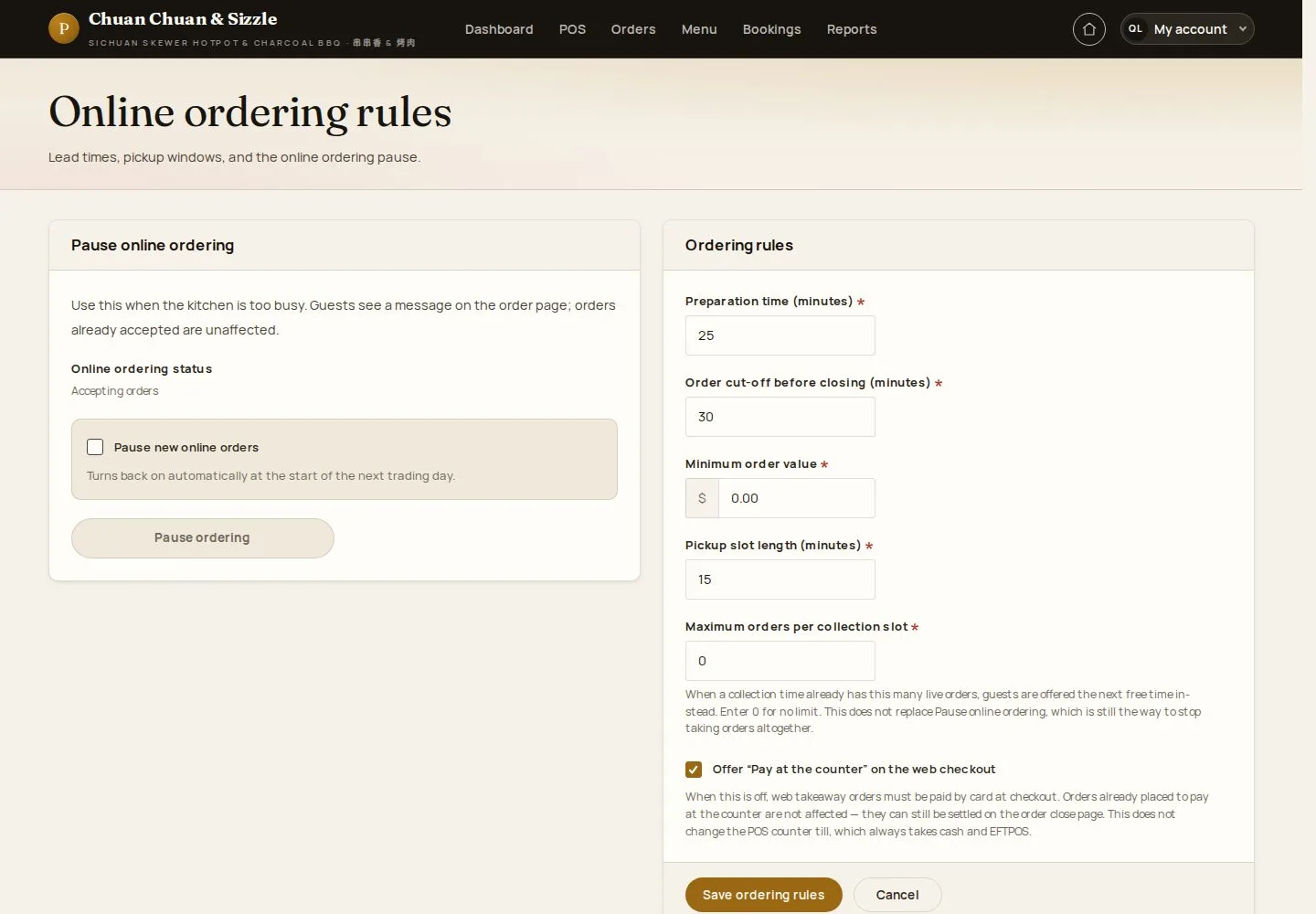
  1. Preparation time, Order cut-off before closing, Minimum order value, Pickup slot length and Maximum orders per collection slot.
  2. Offer "Pay at the counter" on the web checkout; Save ordering rules.

Pause online ordering, on the left, stops new website orders for today.

Enlarge, then scroll

Open illustrated screen ↗Full image ↗

Manager · Opening hours and rules03

Booking rules

Manager

Booking rules

4Step 4 of 4

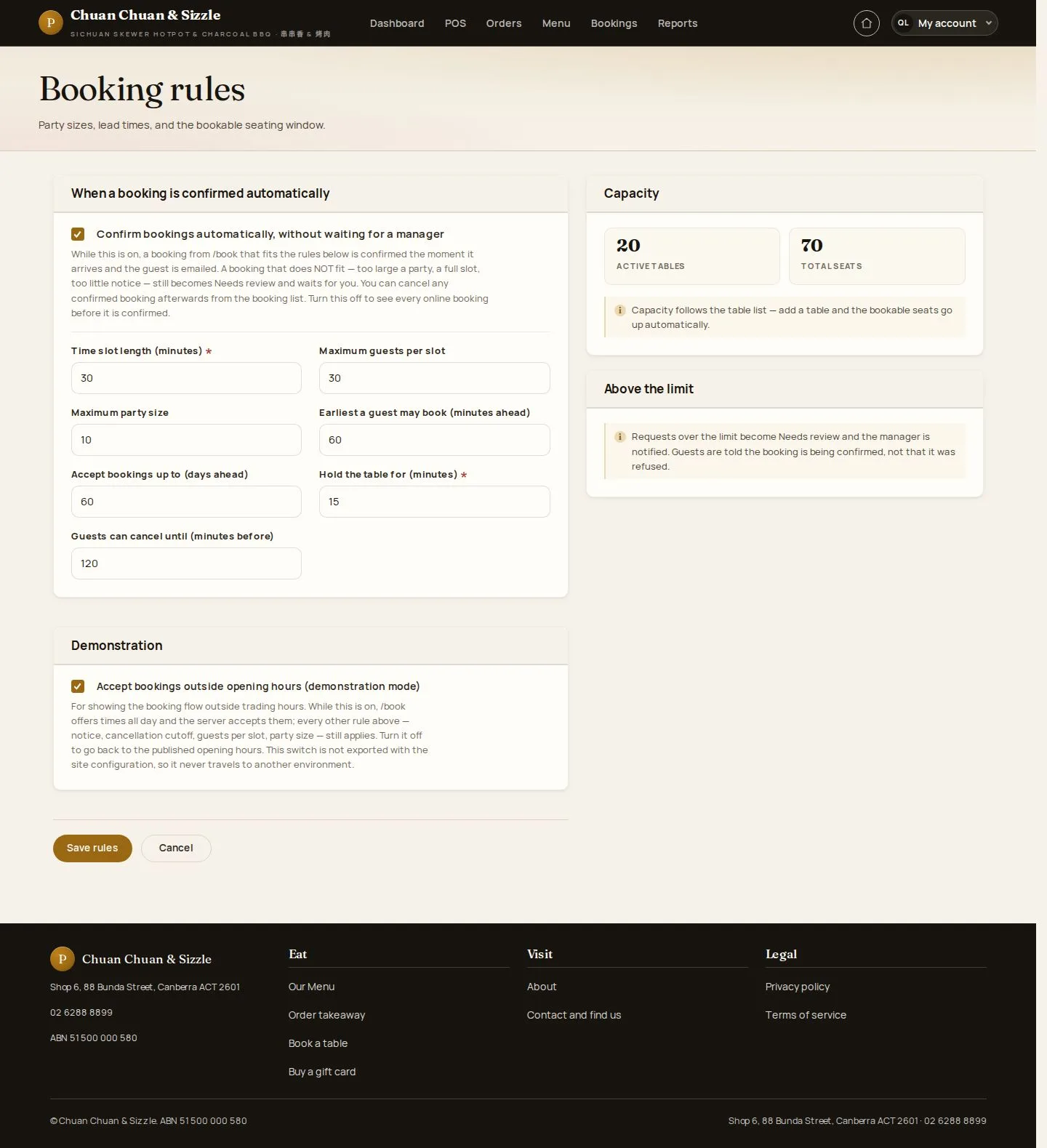
  1. Confirm bookings automatically: a request within the rules is confirmed at once.
  2. Time slot length, Maximum guests per slot, Maximum party size, Earliest a guest may book, Accept bookings up to, Hold the table for and Guests can cancel until.

A request over the limits becomes Needs review. Demonstration mode accepts bookings outside opening hours: turn it off for real service.

Enlarge, then scroll

Open illustrated screen ↗Full image ↗

Check

Hours and rules apply to the website, takeaway, table orders and bookings

Manager · Opening hours and rules04
1 / 5
Privacy Terms