Add a dish

Add dish · Draft · Publish

  • Signed in as a Manager
Manager

Add menu item

Manager

Add menu item

1Step 1 of 3

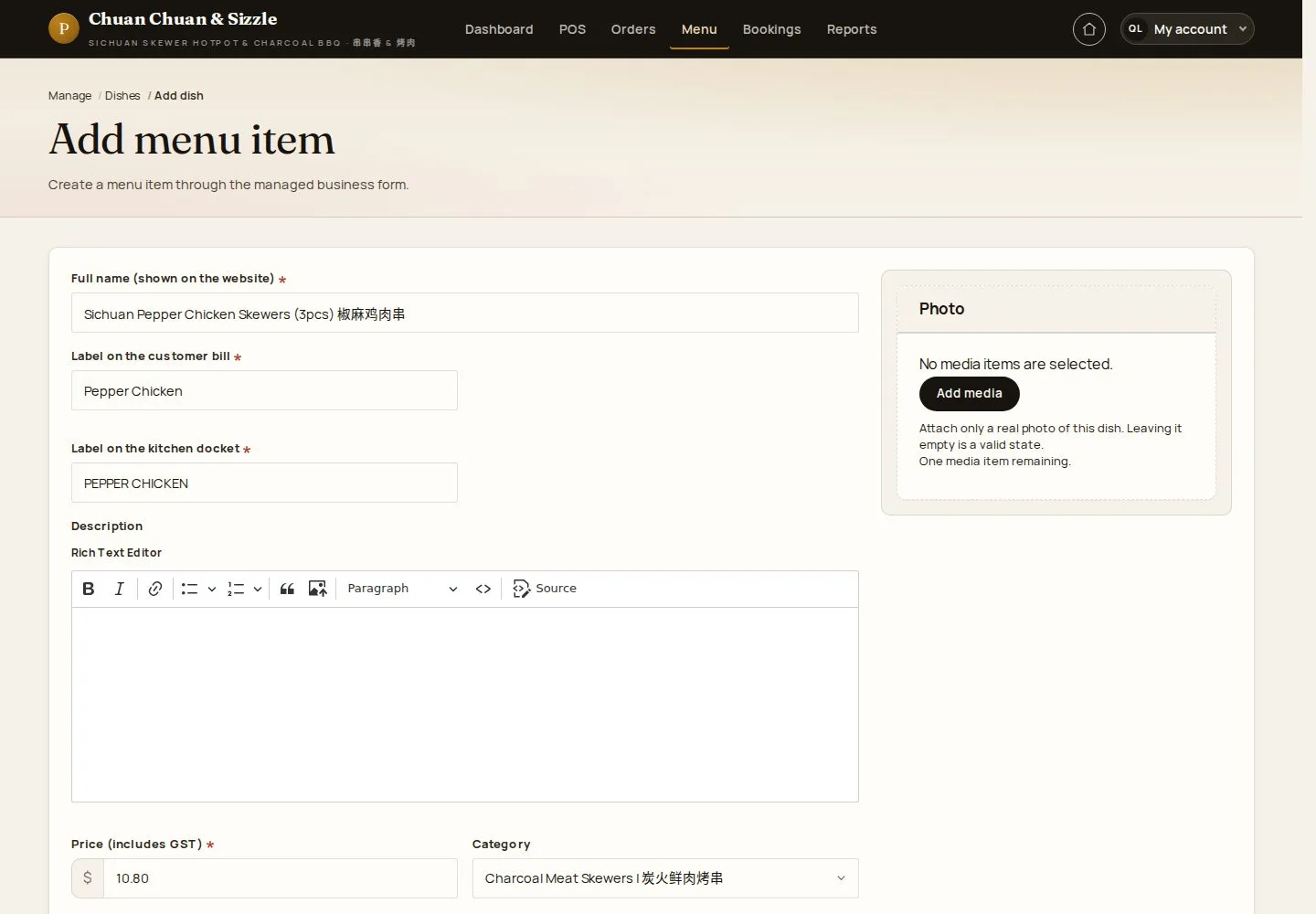
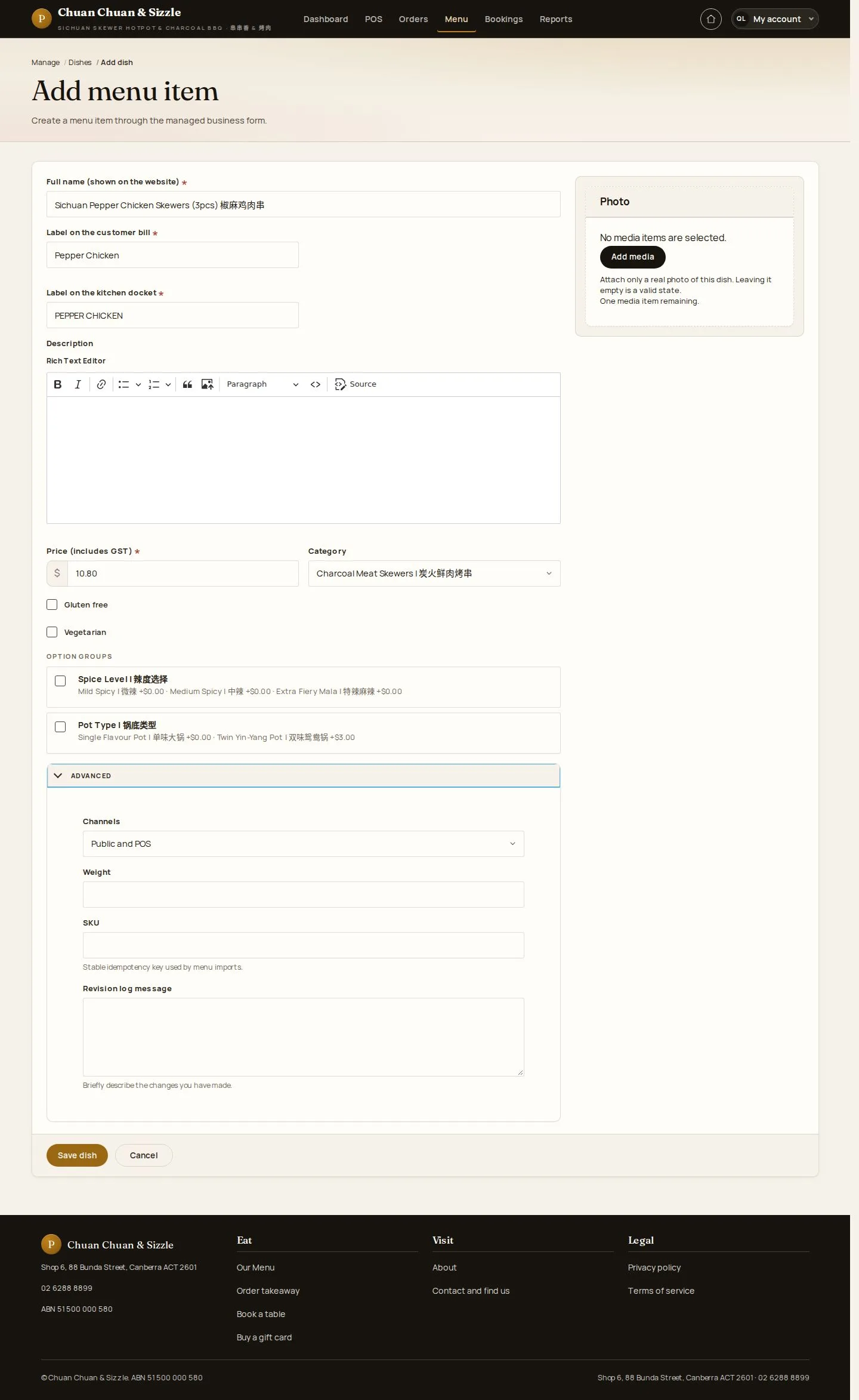
  1. Menu › + Add dish: Full name, the labels for the bill and the kitchen, a description and a photo.
  2. Price (includes GST) and Category; Channels under Advanced.
  3. Save dish.

Enlarge, then scroll

Open illustrated screen ↗Full image ↗

Manager · Add a dish01

Saved as a draft

Manager

Saved as a draft

2Step 2 of 3

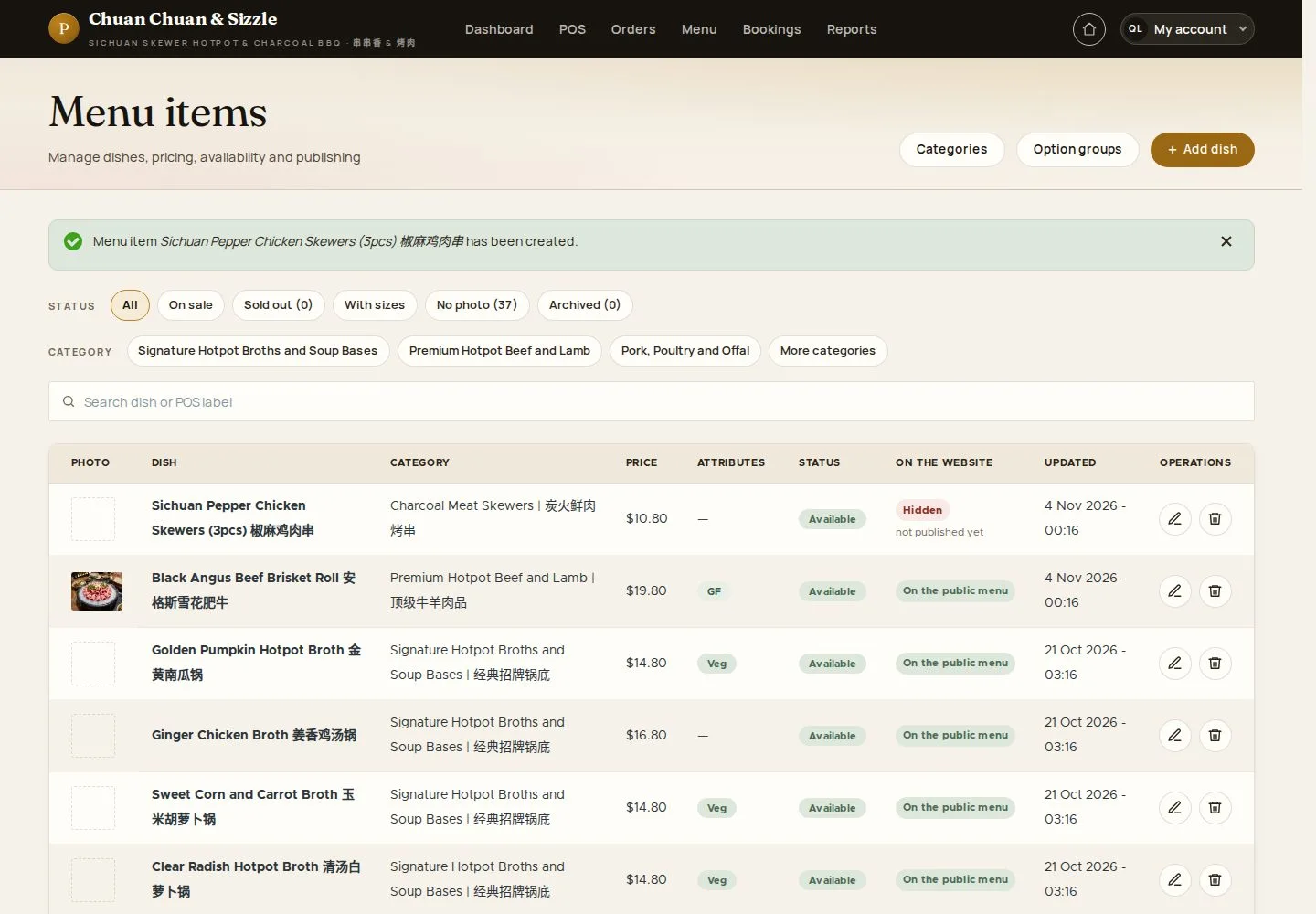
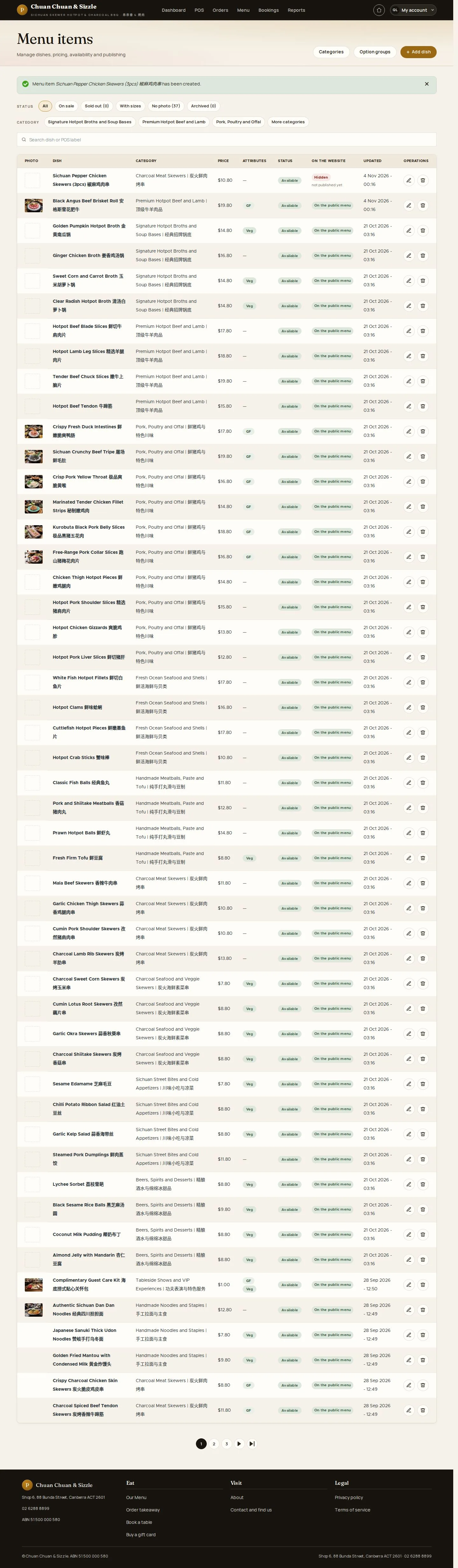
  1. The new dish is Hidden, not published yet: not on the website or the POS.

Enlarge, then scroll

Open illustrated screen ↗Full image ↗

Manager · Add a dish02

Publish

Manager

Publish

3Step 3 of 3

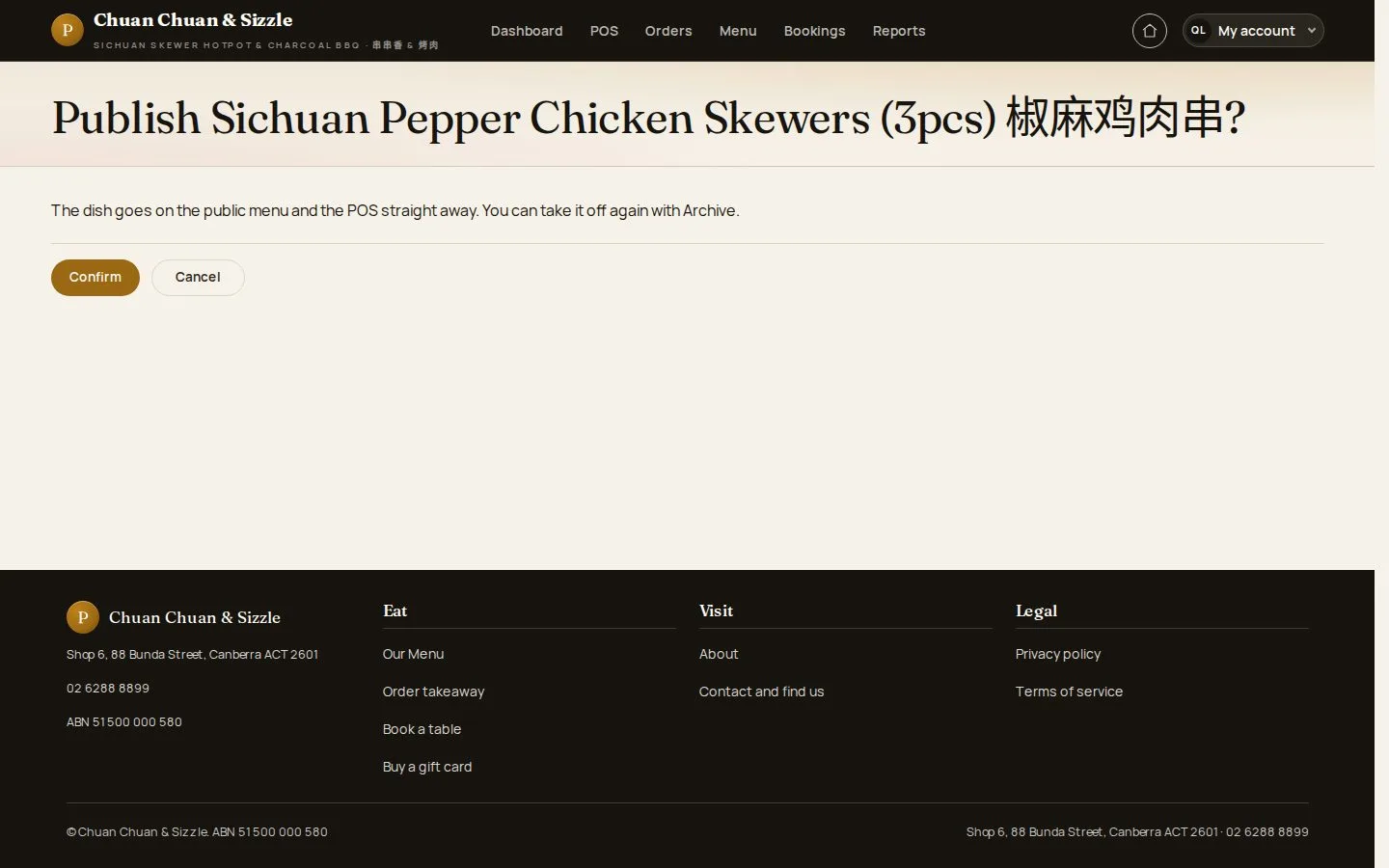
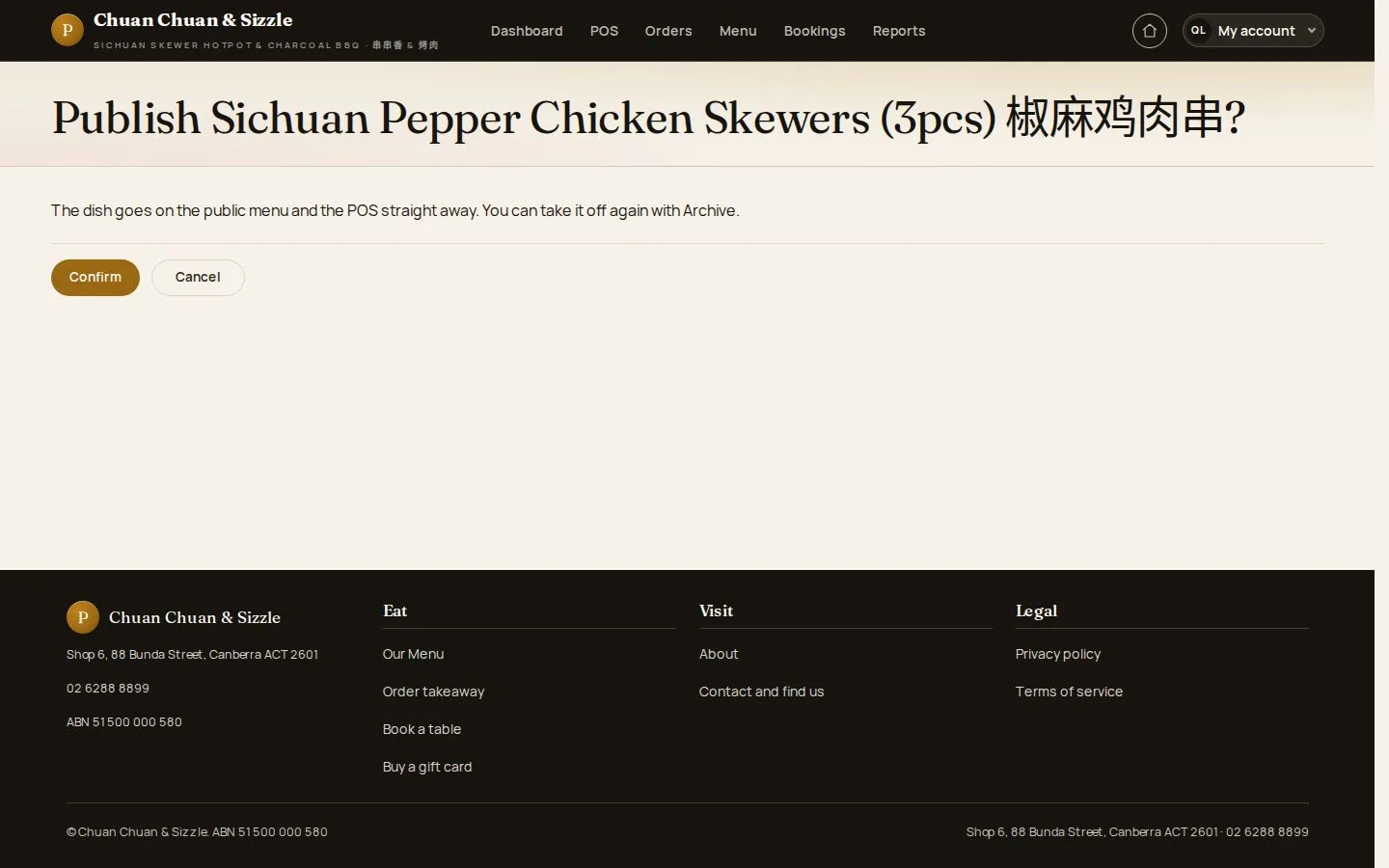
  1. Publish menu item, on the dish's edit page.
  2. Confirm: the dish is on the website and the POS straight away.

Archive menu item takes a dish off sale; Reactivate brings it back.

Open illustrated screen ↗Full image ↗

Check

The new dish is on the website and the POS

Manager · Add a dish03
1 / 4
Privacy Terms