Switch user

Switch user · Impersonating · Switch back

  • Signed in as an Administrator
Administrator
Switch user

Administrator

Switch user

1Step 1 of 3

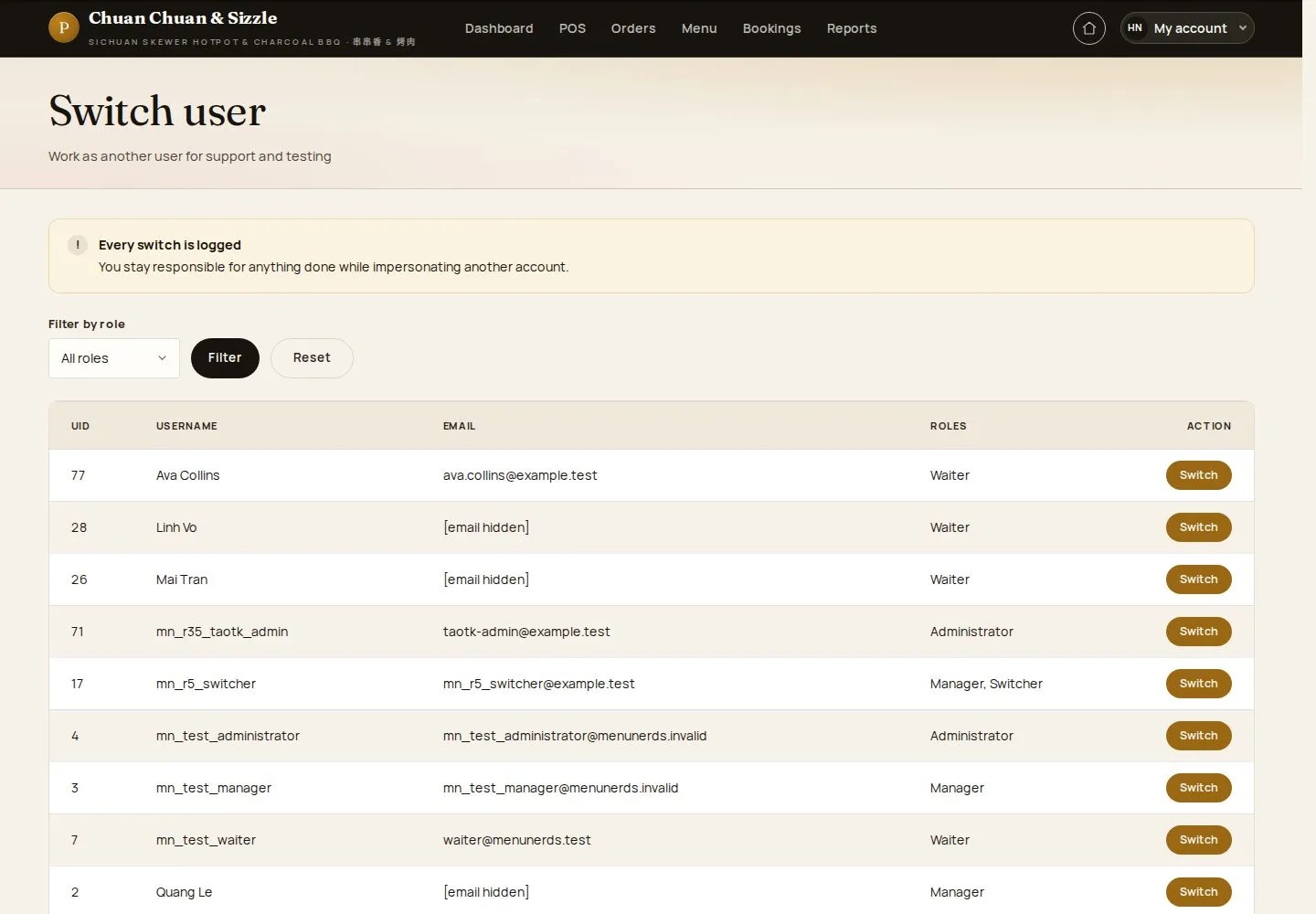
  1. My account › Switch user: filter by role.
  2. Switch, next to the account.

Every switch is logged, and you stay responsible for what you do as the other person. Blocked accounts and your own are not listed.

Enlarge, then scroll

Open illustrated screen ↗Full image ↗

Administrator · Switch user01

Impersonating

Administrator

Impersonating

2Step 2 of 3

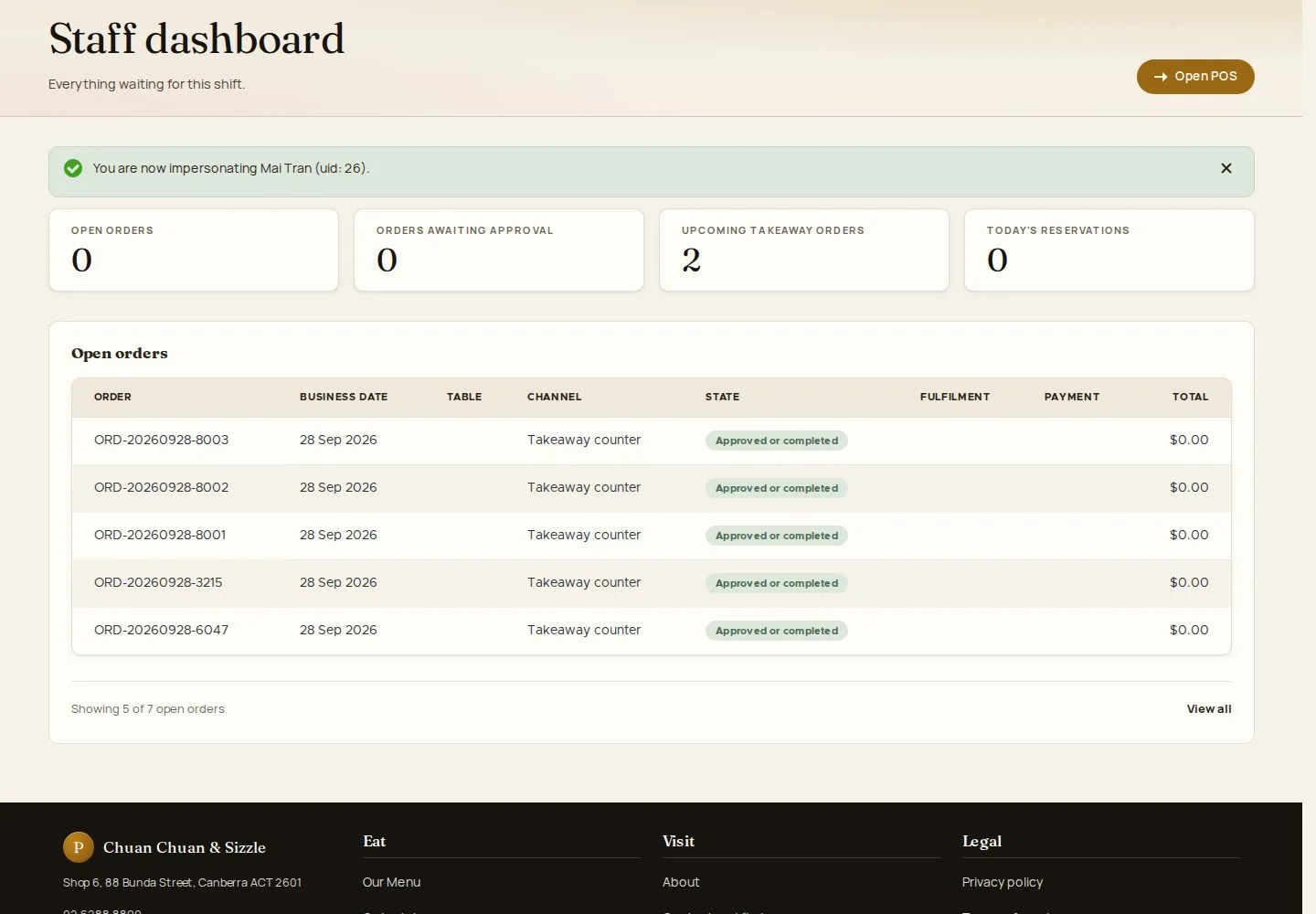
  1. You are now impersonating Mai Tran: her dashboard and her menus only.

Enlarge, then scroll

Open illustrated screen ↗Full image ↗

Administrator · Switch user02

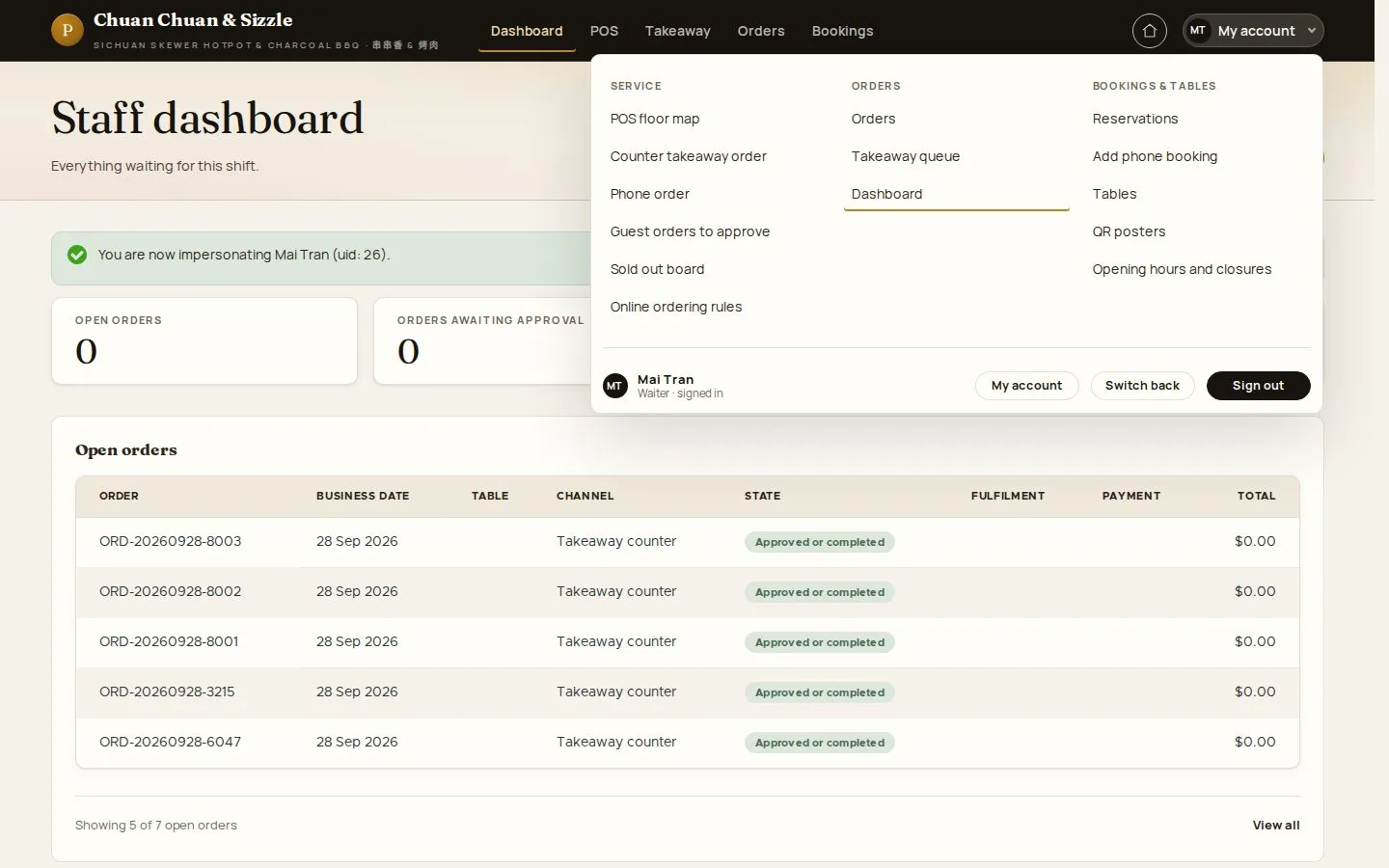
Switch back

Administrator

Switch back

3Step 3 of 3

  1. My account › Switch back returns you to your own account.

Open illustrated screen ↗Full image ↗

Check

You saw the back office as another person and came back; the switch is logged

Administrator · Switch user03
1 / 4
Privacy Terms