Bookings and phone bookings

Reservations · Add phone booking · Needs review

  • Signed in as a Waiter
Waiter

Reservations

Waiter

Reservations

1Step 1 of 3

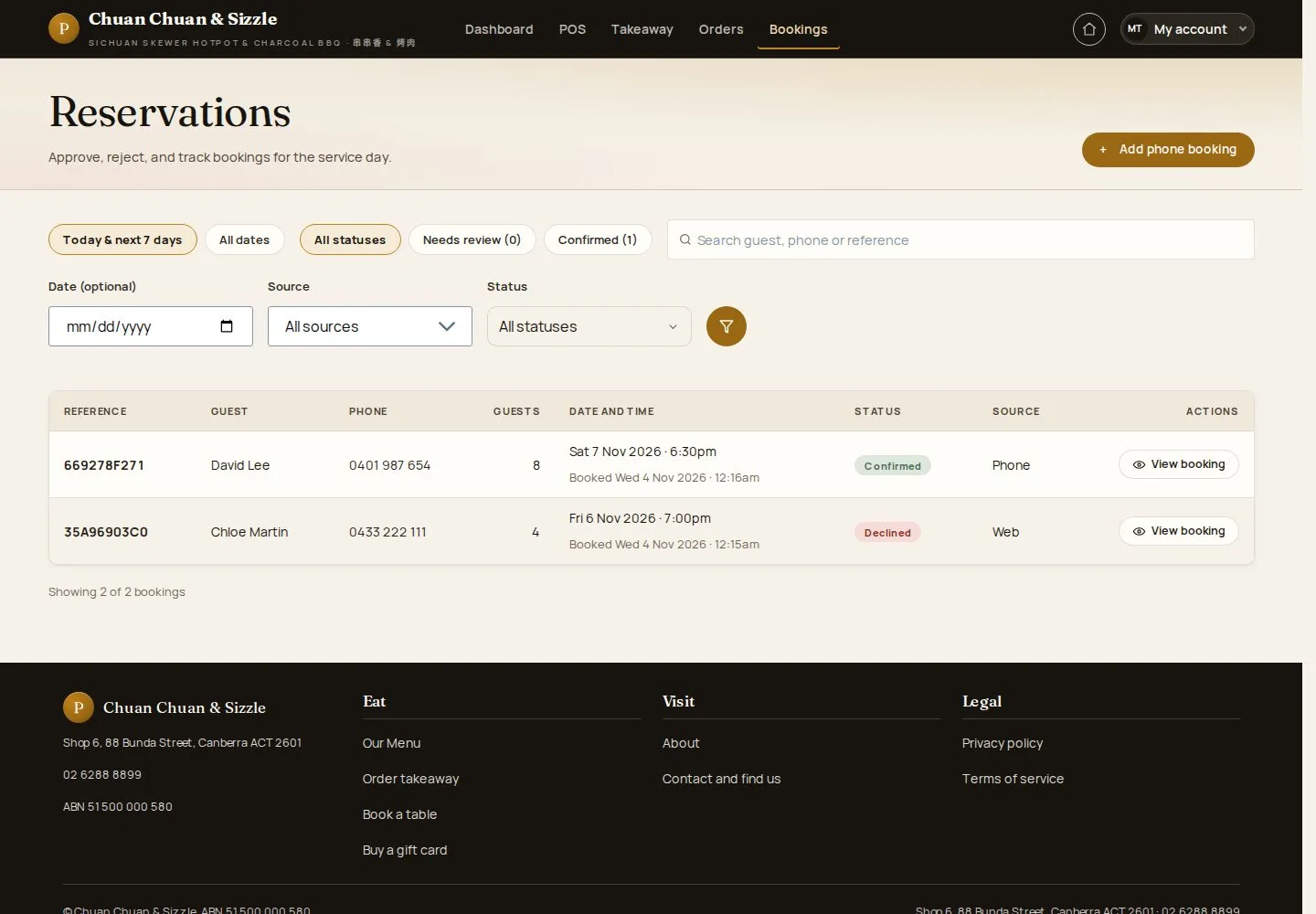
  1. Bookings: today and the next 7 days, with status and source.
  2. View booking opens one; search by guest, phone or reference.

A waiter reads bookings; approving, rejecting and cancelling them is for a Manager.

Enlarge, then scroll

Open illustrated screen ↗Full image ↗

Waiter · Bookings and phone bookings01

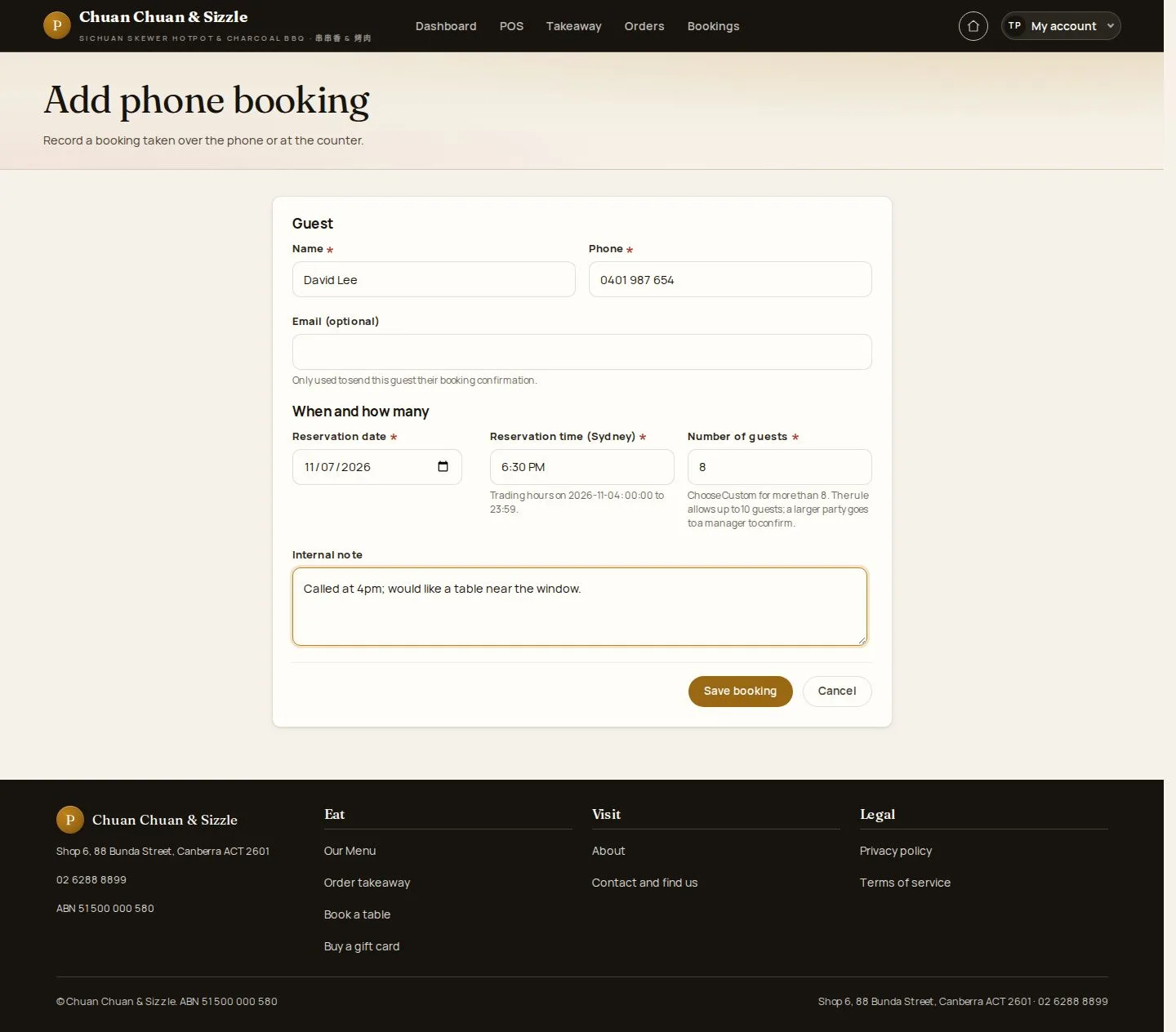
Add phone booking

Waiter

Add phone booking

2Step 2 of 3

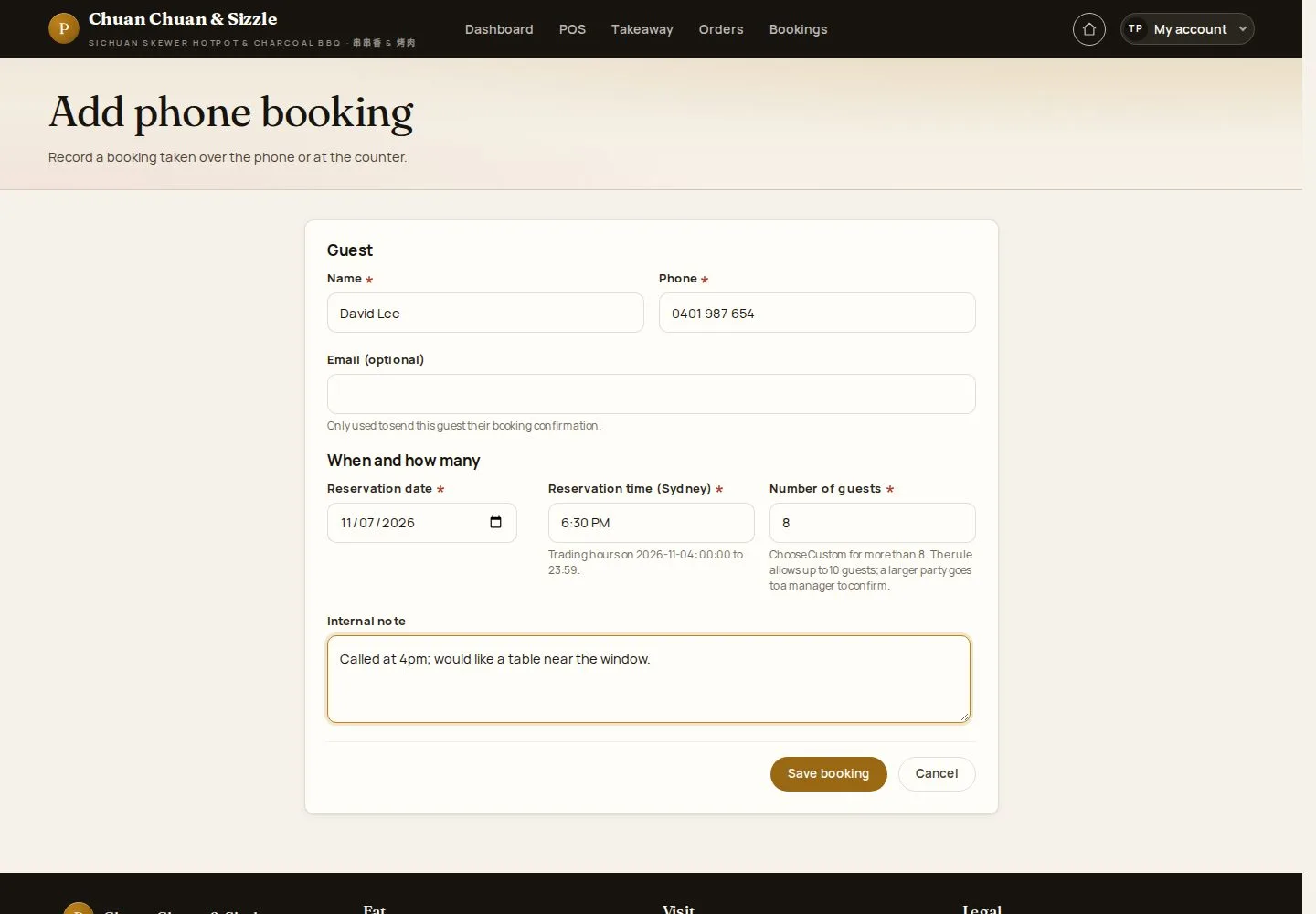
  1. + Add phone booking: Name and Phone; an Email sends the guest the confirmation.
  2. Reservation date, time and Number of guests; an Internal note.
  3. Save booking.

Enlarge, then scroll

Open illustrated screen ↗Full image ↗

Waiter · Bookings and phone bookings02

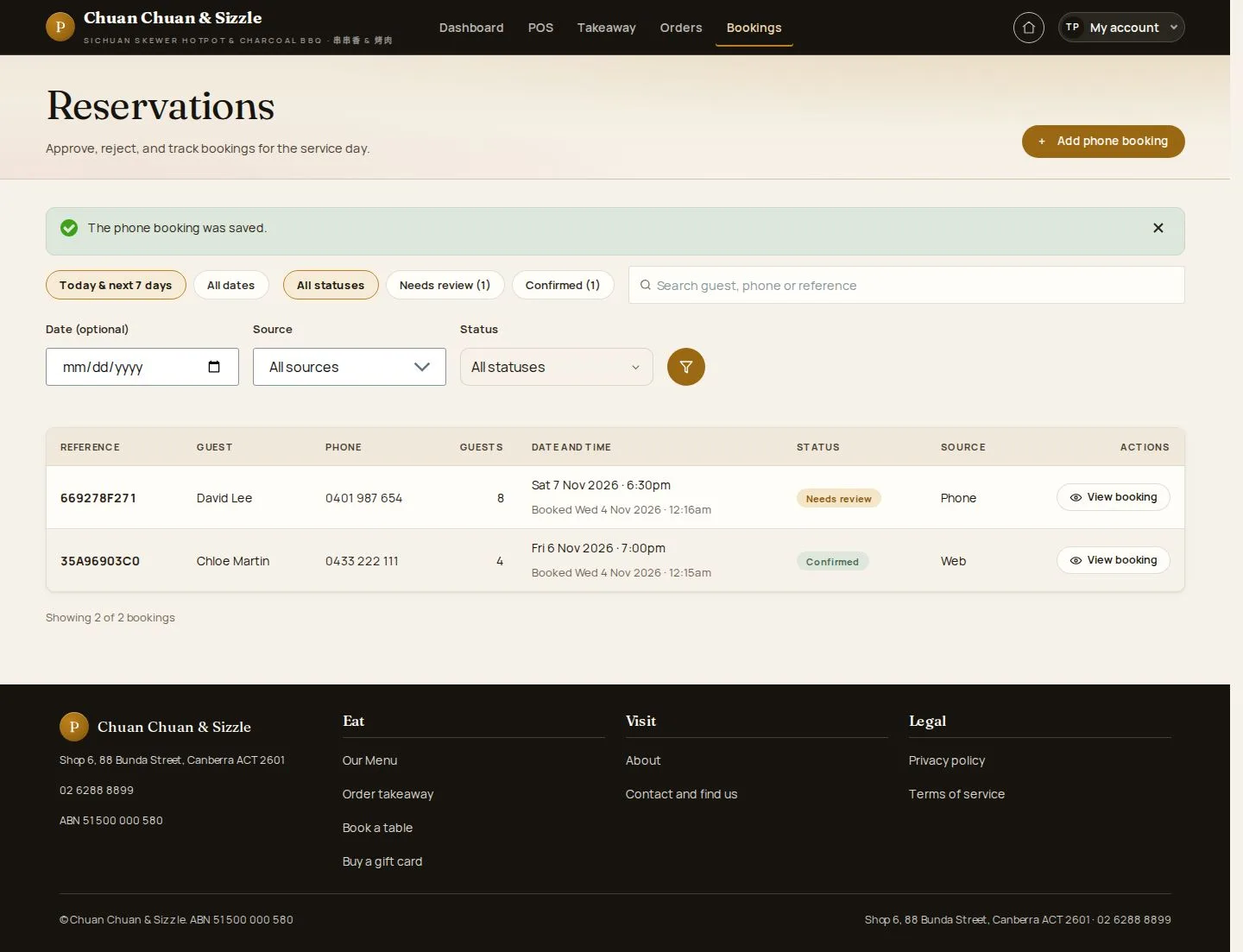
Saved

Waiter

Saved

3Step 3 of 3

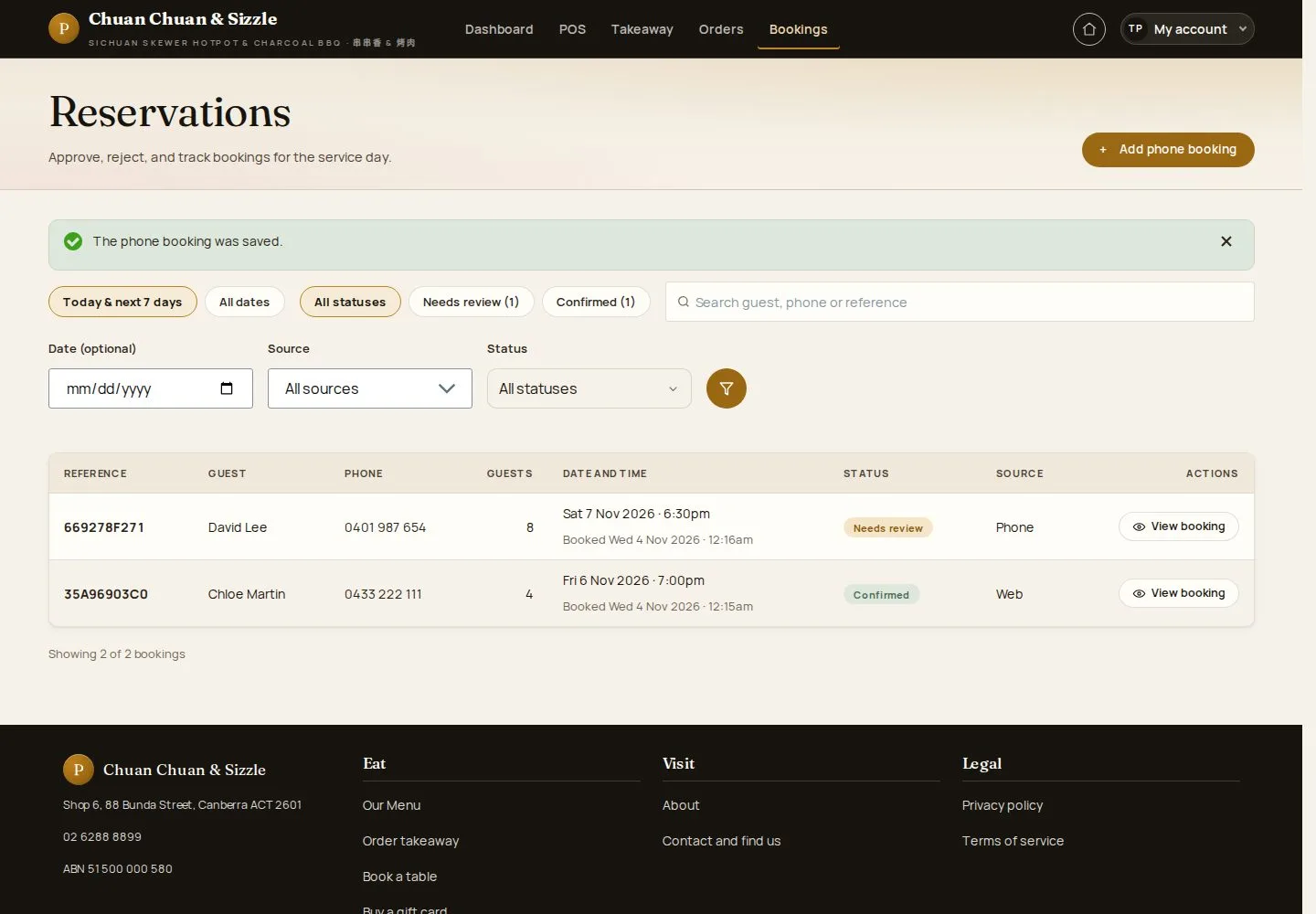
  1. The phone booking was saved; it reads Needs review until a Manager decides.

Enlarge, then scroll

Open illustrated screen ↗Full image ↗

Check

The phone booking is recorded and waits for a Manager

Waiter · Bookings and phone bookings03
1 / 4
Privacy Terms